Wir haben unsere ersten QR-Rechnungen im Sommer 2022 selber erstellt, als der orange Einzahlungsschein abgeschafft wurde. Damals war die Auswahl: Bank-Generator mit zehn Klicks, Word-Vorlage, die niemand pflegte, oder Rechnungssoftware mit Monatsabo. Genau deshalb haben wir die zwei Tools auf dieser Seite gebaut, beide gratis, beide ohne Anmeldung. Unten zeigen wir Schritt für Schritt, was wirklich auf eine QR-Rechnung gehört und was Schweizer Freelancer dabei häufig falsch machen.
QR-Rechnung Schweiz 2026
QR-Rechnung erstellen: gratis, in 30 Sekunden, mit oder ohne bestehende Rechnung
Gib Betrag, IBAN und Empfänger ein und wir generieren den Zahlteil als PDF. Oder lade deine bestehende Rechnung hoch und wir hängen den QR-Code automatisch an. Beide Tools laufen direkt auf dieser Seite, ohne Konto, ohne Download.
Schweizer IBAN beginnend mit CH.
Position 1
Seit 2022 Pflicht
QR-Rechnungen lösen seit dem 30.09.2022 die orangen und roten Einzahlungsscheine ab. Banken verarbeiten die alten Scheine nicht mehr.
Keine QR-IBAN nötig
Deine normale Schweizer IBAN reicht, wenn du keine strukturierte Referenznummer verwendest.
Zwei Gratis-Tools
Auf dieser Seite findest du einen QR-Rechnungs-Generator und ein Tool, das einen QR-Code an eine bestehende PDF anhängt.
Bank-Generatoren als Alternative
PostFinance, Raiffeisen und UBS bieten eigene Generatoren an, meist an deinen Bank-Login gebunden und ohne Speicherung.
Ab drei Rechnungen pro Monat
Lohnt sich eine Schweizer Rechnungssoftware, die Daten, MWST und Archiv automatisch übernimmt.
So funktioniert Tool 1
So funktioniert der QR-Rechnung-Generator oben
Tippe Betrag, IBAN und die Adresse deines Kunden ein, lade die fertige QR-Rechnung als PDF herunter. Direkt im Browser, ohne Anmeldung. Deine Daten landen nicht auf unserem Server.
Was du brauchst: deine IBAN (CH... oder LI...), keine QR-IBAN nötig. Deinen Namen oder Firmennamen plus Adresse. Name und Adresse des Zahlenden, falls bekannt. Den Betrag in CHF oder EUR. Optional eine kurze Mitteilung wie "Rechnung Nr. 2026-014".
Was das Tool ausgibt: ein A4-PDF mit perforierter Linie, der Zahlteil unten kann zum Drucken oder Scannen verwendet werden. Eine A6-Version des Zahlteils einzeln, falls du sie an eine bestehende Rechnung hängen willst. Beide PDFs sind SIX-konform nach Swiss QR-Bill Standard v2.3.
Stell dir Marc vor, einen fiktiven Webdesigner aus Bern, der einmal im Monat einen Kunden im Tessin abrechnet. Marc hat keine Rechnungssoftware, weil drei Rechnungen pro Jahr den Aufwand nicht rechtfertigen. Er öffnet diese Seite, tippt 1'450 CHF, seine CH-IBAN, die Kundenadresse, Mitteilung "Webseite Juni 2026" und exportiert das PDF. Gesamtzeit, mit dem Suchen seiner IBAN, etwa zwei Minuten. Der Kunde scannt den QR-Code in seiner E-Banking-App und bezahlt am selben Abend.
Tool 2
QR-Code zu bestehender Rechnung hinzufügen
Du hast eine Rechnung als PDF, vielleicht aus Word, Pages, Canva oder einem CRM ohne QR-Funktion? Lade die PDF hoch, gib IBAN und Betrag ein, und wir hängen den Swiss-QR-Bill-Zahlteil unten an. Die ursprüngliche Rechnung bleibt unverändert.

Wann das nützlich ist:
- Du verwendest eine bestehende Word-, Pages- oder Canva-Vorlage, die du nicht jedes Mal in einer Software neu bauen willst.
- Du arbeitest mit einem CRM oder einer Branchensoftware, die selbst keine QR-Rechnung generiert.
- Du hast eine Rechnung schon verschickt, vergessen den Zahlteil mitzuliefern, und willst nur den fehlenden Teil nachreichen.
- Du brauchst regelmässig die gleiche Rechnung mit unterschiedlichen Beträgen, und es ist schneller, das PDF wiederzuverwenden.
Wir lesen dein PDF, behalten Layout, Schrift und Logo, und fügen auf der letzten Seite den standardisierten Zahlteil im A6-Format ein. Wenn auf der letzten Seite nicht genug Platz ist, hängen wir eine zusätzliche Seite an. Auch hier landet dein PDF nicht auf einem Server, die Verarbeitung läuft im Browser.
Sandra, eine fiktive Beraterin aus Zürich, arbeitet mit einer Word-Vorlage, die ihre Designerin für sie gebaut hat. Sie liebt das Layout und will keine Rechnungssoftware, die die Vorlage neu aufbaut. Mit Tool 2 lädt sie ihre Word-PDF hoch, ergänzt Bank- und Kundendaten, das Tool gibt eine kombinierte PDF zurück. Sandra spart sich den Wechsel, behält ihr Design und erfüllt trotzdem die SIX-Vorgaben.
Wichtig zur Ehrlichkeit: beide Tools auf dieser Seite sind fürs gelegentliche Erstellen gedacht. Wenn du mehr als zwei oder drei Rechnungen pro Monat schreibst, bist du mit einer Rechnungssoftware schneller, weil du Kunden, IBAN und MWST nicht jedes Mal neu eingibst.
Hintergrund
Was ist eine QR-Rechnung überhaupt?
Eine QR-Rechnung ist seit 2022 der einzige in der Schweiz verarbeitete Zahlteil für Banküberweisungen. Sie ersetzt die orangen und roten Einzahlungsscheine. Der Standard wird von SIX Group festgelegt und gilt für alle Schweizer Banken.

Der Zahlteil besteht aus einem Empfangsschein links und einem Zahlteil rechts, dazwischen der Swiss QR Code, in dem alle Zahlungsinformationen strukturiert codiert sind. Der Standard gilt für alle Schweizer Banken, einschliesslich PostFinance, UBS, ZKB, Raiffeisen, Kantonalbanken und Neo-Banken wie Yuh oder Neon. Der Empfänger scannt den Code mit der E-Banking-App, alle Zahlungsdaten werden vorausgefüllt, er bestätigt nur noch.
Stichtag der Umstellung war der 30. September 2022. Seither verarbeiten Schweizer Banken keine orangen oder roten Einzahlungsscheine mehr.
QR-Einzahlungsschein gratis erstellen: Das geht heute so
Du suchst nach "Einzahlungsschein erstellen"? Dann ist die QR-Rechnung genau das, was du brauchst — ihr Zahlteil ist der heutige Einzahlungsschein und hat den orangen (ESR) und roten (ES) Schein vollständig ersetzt. Mit dem Generator oben erstellst du ihn gratis und ohne Anmeldung. Was die beiden alten Scheine genau waren, warum sie abgeschafft wurden und was sich für Zahler und Buchhaltung geändert hat, erklären wir separat: Einzahlungsschein: vom ESR zum QR-Zahlteil.
Einige Banken bieten eigene Generatoren an: Das UBS QR-Portal erstellt einzelne QR-Einzahlungsscheine ebenfalls kostenlos — die Schritt-für-Schritt-Anleitung dazu findest du unter QR-Einzahlungsschein mit UBS erstellen. Raiffeisen und PostFinance haben vergleichbare Tools im E-Banking, meist an deinen Bank-Login gebunden.
QR-IBAN mit QR-Referenz (QRR)
Für Empfänger mit grossen Mengen automatisierter Abgleiche. Die 27-stellige QR-Referenz identifiziert jede Zahlung eindeutig.
IBAN mit Creditor Reference (SCOR)
ISO-11649-Referenz, oft im internationalen Kontext zwischen Geschäftskunden.
IBAN ohne Referenz
Für Privatpersonen und kleine Geschäfte. Die meisten Schweizer Freelancer nutzen diese Variante, weil keine QR-IBAN erforderlich ist.
Pflichtfelder und technische Anforderungen
Bei der QR-Rechnung zählt nicht zuerst das Layout, sondern die technische Logik. Wenn Konto, Adresse, Zahlungsdaten und Referenz zusammenpassen, wird die Zahlung im E-Banking automatisch verarbeitet. Passen sie nicht zusammen, kommt die Rückfrage per E-Mail. Baue die Felder immer in dieser Reihenfolge auf:
| Feld | Was gehört hinein | Warum es wichtig ist |
|---|---|---|
| Konto | QR-IBAN oder normale IBAN | Entscheidet, welcher Referenztyp zulässig ist |
| Adresse | Name, Strasse, Hausnummer, PLZ, Ort, Land | Muss strukturiert erfasst sein (Pflicht seit 21.11.2025) |
| Zahlungsdaten | Betrag, Währung (nur CHF oder EUR), Datum | Sichert die korrekte Zahlungszuordnung |
| Referenz | QR-Referenz (QRR), SCOR oder keine (NON) | Erlaubt die automatische Verbuchung |
Strukturierte Adressen sind Pflicht. Seit dem 21. November 2025 dürfen im Swiss QR Code nur noch strukturierte Adressen verwendet werden: Strasse, Hausnummer, PLZ, Ort und Ländercode je in einem eigenen Feld, nicht «Bahnhofstrasse 10, 8001 Zürich» in einer einzigen Zeile. Beide Tools oben erfassen die Adresse bereits getrennt, du musst nichts umstellen. Alte Word-Vorlagen und improvisierte Generatoren scheitern heute meist genau an diesem Punkt.
Der QR-Code muss exakt 46 × 46 mm gross sein, schwarz auf weiss, mit dem Schweizerkreuz in der Mitte und dem vorgeschriebenen Fehlerkorrektur-Level. Das ist keine Designfrage, sondern eine Verarbeitungsvorgabe: Ist der Code zu klein, verzerrt oder falsch platziert, kann ihn die Bank nicht lesen und die Rechnung wird unbrauchbar.
Die Referenzformate im Detail. Die QR-Referenz (QRR) ist 26-stellig plus Prüfziffer nach Modulo-10 rekursiv und funktioniert ausschliesslich mit einer QR-IBAN. SCOR nutzt das ISO-11649-Format und läuft mit deiner normalen IBAN. Ohne Referenz (NON) schreibst du einfach eine Mitteilung wie «Rechnung 2026-014» ins Feld. Für die meisten Freelancer ist NON oder SCOR die richtige Wahl. Die häufigste Stolperfalle ist nicht die Rechnung als Ganzes, sondern die falsche Kombination: normale IBAN plus QR-Referenz ergibt kein gültiges Dokument.
Nur CHF und EUR. Eine QR-Rechnung darf ausschliesslich in Schweizer Franken oder Euro ausgestellt werden. Die Währung erscheint auf dem Zahlteil links neben dem Betragsfeld und zusätzlich auf dem Empfangsschein. Verrechnest du in USD oder GBP, verschickst du eine normale Rechnung ohne Zahlteil und gibst deine IBAN separat an. Wenn du regelmässig in CHF und EUR fakturierst, plane den Buchungsweg gleich mit: Fremdwährungen sind erst dann beherrschbar, wenn die Buchhaltung denselben Bezugspunkt hat wie die Rechnung.
Anleitung
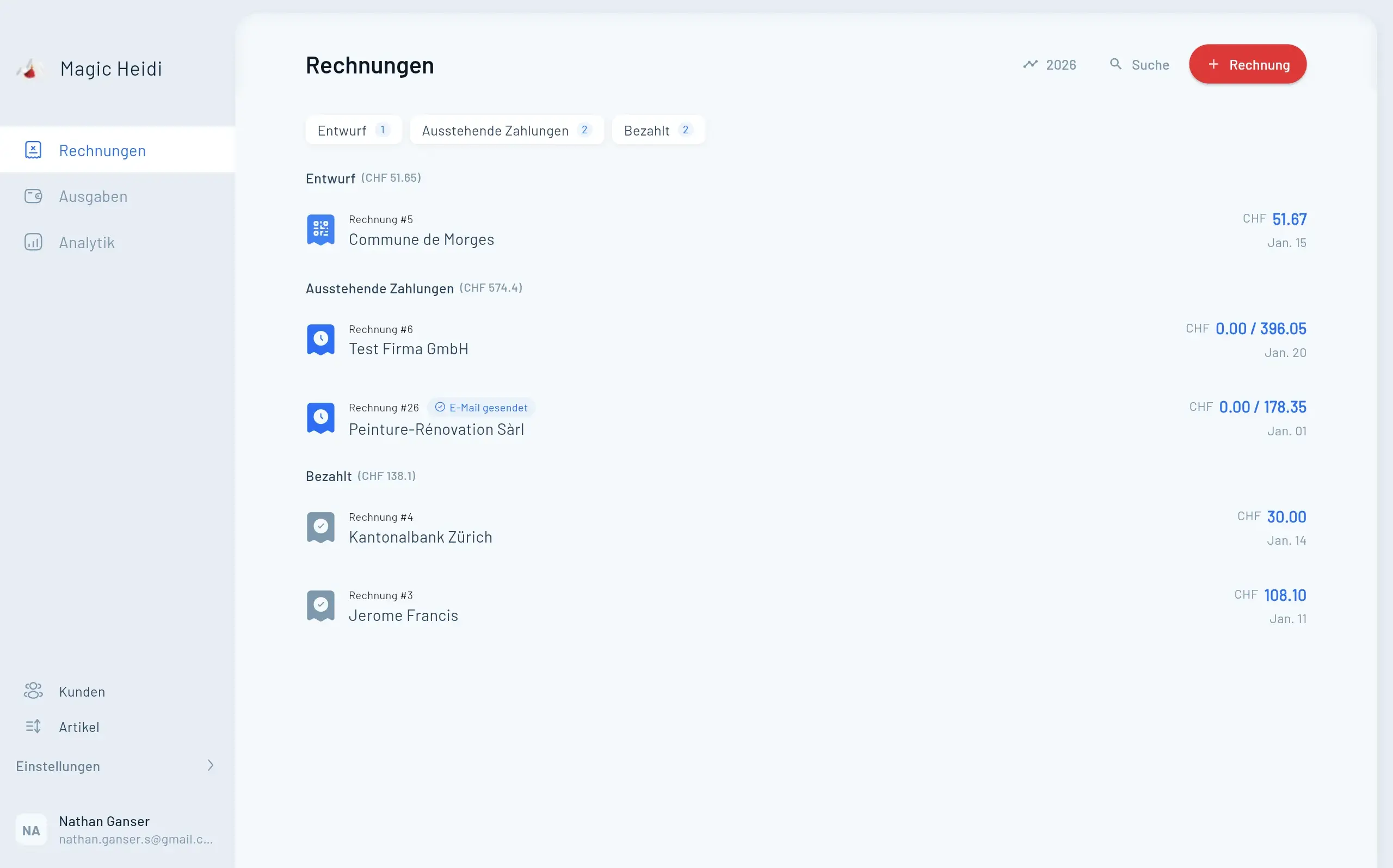
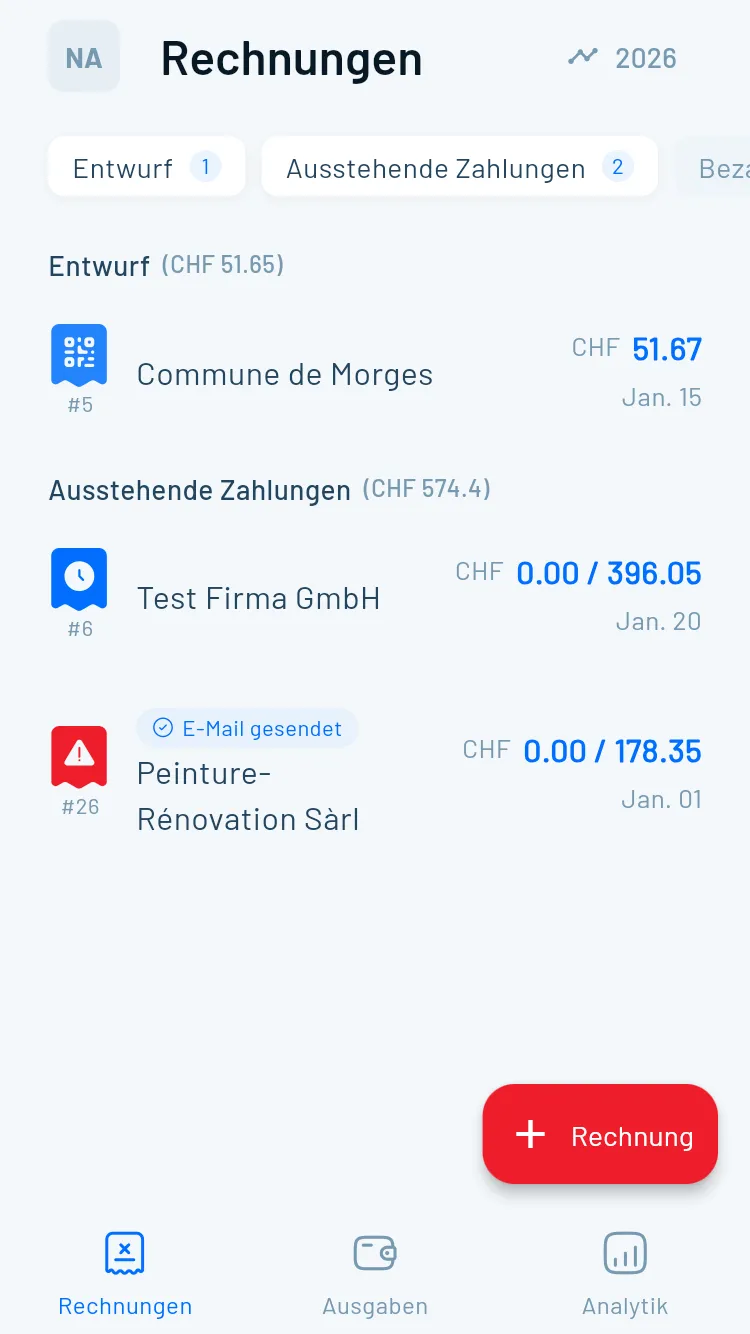
So erstellst du sie mit Magic Heidi
Wenn du regelmässig Rechnungen verschickst, geht es schneller in einer Rechnungssoftware, weil deine Daten gespeichert sind. So sieht der Ablauf aus.
Konto eröffnen
Gratis und ohne Kreditkarte. Drei Rechnungen pro Monat sind dauerhaft kostenlos.
Firmendaten einrichten
Einmal IBAN, Adresse, Logo und falls vorhanden MWST-Nummer.
Kunden anlegen
Name, Adresse, optional E-Mail. Beim nächsten Mal pickst du den Kunden aus der Liste.
Rechnung schreiben
Position, Beschreibung, Menge, Preis, MWST. Magic Heidi rechnet 8.1, 2.6 oder 3.8 Prozent automatisch.
PDF erzeugen
Ein Klick. Die QR-Rechnung ist SIX-konform und enthält alle Pflichtangaben.
Versenden
Per E-Mail aus Magic Heidi heraus oder als PDF-Download. Der Kunde scannt, bezahlt.
Bezahlt markieren
Manuell oder automatisch über den Bankabgleich mit camt.053.
Das fertige PDF enthält deinen Briefkopf, die einzelnen Positionen, die MWST-Aufschlüsselung, den Swiss QR Code mit allen Zahlungsdaten und die Rechnungsnummer zur Nachverfolgung. Du verschickst es direkt per E-Mail aus der App oder lädst es herunter. Nach dem Versand geht es weiter:
- Bezahlt markieren. Kommt die Zahlung an, hakst du die Rechnung mit einem Klick ab und siehst auf einen Blick, welche Kunden noch offen sind.
- Kontoauszüge importieren. Magic Heidi gleicht eingehende Zahlungen automatisch mit offenen Rechnungen ab (camt.053 oder CSV), du musst nicht jede Buchung von Hand anfassen.
- Zahlungserinnerung senden. Bei Verzug verschickst du eine professionelle Mahnung direkt aus der App, statt eine peinliche E-Mail zu formulieren.
- Ausgaben erfassen. Belege fotografieren, Kategorie und MWST kommen automatisch, am Jahresende ist der Export für den Treuhänder fertig.
Der Unterschied zu einem Generator ist nicht das PDF, sondern der Kreislauf: Rechnung erstellen, verschicken, Zahlung erhalten, verbuchen, archivieren. Genau diese Abfolge trennt improvisierte Administration von einem belastbaren Prozess — und macht die Zusammenarbeit mit dem Treuhänder am Jahresende deutlich günstiger.
Jetzt testen
Magic Heidi gratis ausprobieren
iPhone, Android, Mac, Windows und Web. Drei Rechnungen und drei Ausgaben dauerhaft frei, ohne Kreditkarte.
Vergleich
Bank-Generator, Gratis-Tool oder Rechnungssoftware?
Ehrlicher Vergleich: was jede Variante kann und was nicht. Stand Juni 2026, geprüft an den jeweiligen Anbieter-Webseiten.
| Funktion | Magic Heidi | Bank-Generator | Gratis-Tool |
|---|---|---|---|
| Kosten | Gratis-Plan, Pro ab CHF 25/Mt. | Gratis | Gratis |
| Anmeldung | Nur für die App | Bank-Login | Keine |
| Daten gespeichert | ✓ Wiederverwendbar | ✗ Nein | ✗ Nein |
| MWST automatisch | ✓ Schweizer Sätze | ✗ Nein | ✗ Nein |
| Kundenarchiv | ✓ Ja | ✗ Nein | ✗ Nein |
| Mobile App | iPhone, Android, Mac, Win | E-Banking-App | Web only |
| Bezahlt-Markierung | ✓ Auch automatisch | ✗ Nein | ✗ Nein |
| 10-Jahres-Archiv (OR 958f) | ✓ Eingebaut | Selbst archivieren | Selbst archivieren |
| Mehrsprachig | DE / FR / IT / EN | Teilweise | Selten |
| Mehrwährung | 50+ mit SNB-Kursen | CHF only | Nein |
So entscheidest du:
- Bank-Generator: gut, wenn du sowieso E-Banking nutzt und gelegentlich eine Rechnung an Privatpersonen schickst.
- Gratis-Tool: gut für einzelne Rechnungen oder als Pannenlösung. Wir empfehlen unsere zwei Tools oben, weil sie ohne Anmeldung funktionieren und Tool 2 als einziges bestehende PDFs ergänzt.
- Rechnungssoftware: gut ab zwei bis drei Rechnungen pro Monat, weil du Daten nicht jedes Mal neu erfasst und die MWST am Quartal automatisch sauber im ESTV-Format hast.
Wenn du heute mit Bexio arbeitest und es zu teuer findest, schau dir die Bexio-Alternative an. Wir vergleichen Funktionen ehrlich, ohne den Mitbewerb schlechtzureden.
PflichtangabenWas gehört auf eine
Was gehört auf eine
QR-Rechnung?
Eine Schweizer Rechnung besteht aus zwei Teilen: der eigentlichen Rechnung mit Pflichtangaben nach OR und MWST-Verordnung, und dem QR-Zahlteil nach SIX-Standard. Beide musst du mitliefern.
Auf der Rechnung selbst
Pflichtangaben nach OR Art. 957a und MWST-Verordnung, falls du MWST-pflichtig bist.
- Vollständiger Name und Adresse des Rechnungsstellers
- AHV-, UID- oder MWST-Nummer, falls vorhanden
- Name und Adresse des Rechnungsempfängers
- Datum der Rechnung und der Leistungserbringung
- Beschreibung der Leistung oder Lieferung
- Betrag, Währung, MWST-Satz und MWST-Betrag
Auf dem QR-Zahlteil
Pflicht- und optionale Angaben gemäss Swiss QR-Bill Standard v2.3.
- IBAN oder QR-IBAN des Empfängers
- Name und Adresse des Empfängers
- Name und Adresse des Zahlenden, falls bekannt
- Betrag und Währung (beides optional)
- Optional Referenz oder Mitteilung
- SIX-konformer Aufbau des Zahlteils
Pflichtangaben für MWST-pflichtige: wenn du MWST-registriert bist, also über CHF 100'000 Jahresumsatz, brauchst du auf jeder Rechnung deine MWST-Nummer und einen MWST-Ausweis pro Position. Magic Heidi macht das automatisch. Wenn du nicht MWST-pflichtig bist, lass die MWST-Felder weg, aber denk daran, ab CHF 100'000 anzumelden. Details findest du im Leitfaden zur MWST-Abrechnung und in unserer Rechnungssoftware.
FAQ
Häufige Fragen zur QR-Rechnung
Brauche ich eine QR-IBAN?
Nein, in den meisten Fällen nicht. Eine QR-IBAN ist nur nötig, wenn du eine 27-stellige strukturierte QR-Referenz verwenden willst, typisch bei automatisierten Massenrechnungen. Für Schweizer Freelancer und KMU reicht die normale IBAN, die dir deine Bank ohnehin gegeben hat.
Ist die QR-Rechnung Pflicht?
Ja, in dem Sinn, dass die alten orangen und roten Einzahlungsscheine seit dem 30.09.2022 nicht mehr verarbeitet werden. Du musst aber nicht zwingend eine QR-Rechnung schicken: eine Rechnung ohne Zahlteil reicht rechtlich, wenn der Kunde deine IBAN auf andere Weise bekommt. Der QR-Code macht es deinem Kunden bloss radikal einfacher zu bezahlen.
Kann ich eine QR-Rechnung ohne Betrag erstellen?
Ja. Das ist üblich für Spenden oder freiwillige Beiträge. Dein Kunde gibt den Betrag beim Bezahlen selbst ein. Lass in Tool 1 oben einfach das Betragsfeld leer.
Funktioniert das ohne MWST-Pflicht?
Ja. Wenn du nicht MWST-pflichtig bist, also unter CHF 100'000 Jahresumsatz und freiwillig nicht registriert, lass die MWST-Angaben weg. Die QR-Rechnung selbst hat nichts mit MWST zu tun. Wir empfehlen trotzdem, exkl. MWST oder MWST-befreit gemäss Art. 10 MWSTG auf der Rechnung zu notieren, damit dein Kunde nicht unsicher wird.
Kann ich in Euro fakturieren?
Ja. Der Swiss QR-Bill Standard erlaubt CHF und EUR. Andere Währungen wie USD oder GBP akzeptiert das QR-System nicht — dafür verschickst du eine normale Rechnung ohne Zahlteil und gibst deine IBAN separat an. Achte darauf, dass die Währung im Zahlteil und in deiner Buchhaltung dieselbe ist, sonst wird der spätere Abgleich mühsam.
Was, wenn mein Kunde kein Schweizer Bankkonto hat?
Kunden im Ausland können trotzdem per IBAN-Überweisung zahlen. Der QR-Code enthält alle nötigen Angaben, sie können ihn nur nicht mit einer Schweizer Banking-App scannen. Schreib in dem Fall IBAN, BIC und deine Adresse zusätzlich im Klartext auf die Rechnung.
Wie bezahlt mein Kunde eine QR-Rechnung?
Er öffnet seine Schweizer Banking-App, wählt «QR-Code scannen» und hält die Kamera auf den Code. Alle Zahlungsdaten werden automatisch ausgefüllt, ein Tippen zum Bestätigen und die Zahlung ist unterwegs. Der Zahlteil mit Empfangsschein funktioniert weiterhin auch am Postschalter.
Was ist der Unterschied zwischen IBAN und QR-IBAN?
Eine QR-IBAN ist ein spezielles IBAN-Format mit eigener Bank-Clearing-Nummer. Sie ist nur nötig, wenn du mit der 27-stelligen QR-Referenz (QRR) arbeitest, die automatischen Zahlungsabgleich bei vielen Zahlungen ermöglicht. Eine normale IBAN funktioniert für QR-Rechnungen einwandfrei, du hast nur weniger Automatisierung. Details dazu findest du unter QR-IBAN Beispiel.
Was passiert, wenn mein QR-Code fehlerhaft ist?
Banken weisen Rechnungen mit ungültigem QR-Code zurück: Die Zahlung scheitert, du telefonierst dem Kunden hinterher, alle verlieren Zeit. Häufigste Ursachen sind eine unstrukturierte Adresse, ein Zahlendreher in der IBAN oder eine QR-Referenz ohne QR-IBAN. Prüfe vor dem Versand einmal mit deiner Banking-App: scannen, Empfänger und Betrag kontrollieren, erst dann verschicken.
Kann ich eine QR-Rechnung vom iPhone aus erstellen?
Ja. Tool 1 oben funktioniert mobil im Browser. Magic Heidi bietet zusätzlich eine native iPhone- und iPad-App. Du kannst beim Kunden vor Ort die Rechnung tippen und direkt versenden.
Was kostet das Erstellen einer QR-Rechnung?
Beide Tools oben sind kostenlos und ohne Anmeldung. Magic Heidi hat einen Gratis-Plan mit drei Rechnungen und drei Ausgaben (alle Funktionen, ohne Zeitlimit); der Pro-Plan kostet CHF 25 pro Monat im Jahresabo. Bank-Generatoren sind ebenfalls gratis, meist aber an einen Bank-Login gebunden.
Wie kann ich einen QR-Code für meine Rechnungen erstellen?
Zwei Wege, beide gratis auf dieser Seite: Mit Tool 1 (dem QR-Rechnung-Generator oben) gibst du Betrag, IBAN und Adresse ein und erhältst eine komplette QR-Rechnung als PDF. Mit Tool 2 lädst du eine bestehende Rechnungs-PDF hoch und wir hängen den Swiss-QR-Code-Zahlteil automatisch an — Layout und Logo bleiben unverändert.
Funktioniert der QR-Rechnung-Generator mit UBS, Raiffeisen und PostFinance?
Ja. Der Swiss-QR-Bill-Standard gilt für alle Schweizer Banken — eine mit dem Generator erstellte QR-Rechnung kann von Kunden jeder Bank gescannt und bezahlt werden, und deine IBAN kann von UBS, Raiffeisen, PostFinance oder jeder anderen Bank stammen. Alternativ bieten diese Banken eigene Generatoren an, etwa das UBS QR-Portal: siehe Anleitung für UBS.
Gibt es eine QR-Rechnung Vorlage für Word oder Excel?
Eine klassische Vorlage funktioniert bei der QR-Rechnung nur bedingt: Der Swiss QR Code muss für jede Rechnung neu berechnet werden, und das können Word oder Excel nicht. Der Generator oben ersetzt die Vorlage – Daten eingeben, fertige PDF mit gültigem QR-Code herunterladen. Für den Rechnungsteil ohne QR-Code findest du kostenlose Vorlagen unter Rechnungsvorlage Schweiz.
Kann ich noch einen Einzahlungsschein erstellen?
Orange und rote Einzahlungsscheine werden seit dem 30. September 2022 nicht mehr verarbeitet und können nicht mehr bestellt werden. Der Ersatz ist der QR-Zahlteil der QR-Rechnung: derselbe Abschnitt mit Empfangsschein, nur mit Swiss QR Code statt Codierzeile. Mit dem Generator oben erstellst du ihn gratis — die Hintergründe zur Umstellung findest du unter Einzahlungsschein: vom ESR zum QR-Zahlteil.
Was passiert mit den alten orangen Einzahlungsscheinen?
Sie werden nicht mehr verarbeitet. Wenn du noch alte Bestände im Bürofach hast, kannst du sie entsorgen. Schweizer Banken weisen Zahlungen mit altem Einzahlungsschein zurück.
Häufige Fehler
Was Schweizer Freelancer bei QR-Rechnungen oft falsch machen
Wir lesen jede Woche Support-Anfragen von Schweizer Freelancern. Viele drehen sich um dieselben fünf Stolpersteine.

Falsche IBAN
Viele schicken Rechnungen mit ihrer privaten IBAN statt der Geschäfts-IBAN ihrer Einzelfirma. Vermischt Privat- und Geschäftsbuchhaltung und macht die Steuererklärung mühsam.
QR-Referenz verwechselt
Die QR-Referenz ist nur bei QR-IBAN zulässig. Ohne QR-IBAN lass das Feld leer, sonst akzeptiert das Tool die PDF nicht.
Nur Zahlteil verschickt
Ein QR-Zahlteil allein ist keine vollständige Rechnung. Bei MWST-Prüfungen will dein Kunde oder die ESTV die Pflichtangaben sehen.
Doppelte Rechnungsnummern
Pflichtangabe nach OR Art. 957a. Bei Steuerkontrollen wird die lückenlose Reihenfolge geprüft. Lass deine Software das automatisch verwalten.
Keine 10-Jahres-Archivierung
Schweizer Buchhaltungsdokumente müssen 10 Jahre aufbewahrt werden (OR Art. 958f). PDFs in einem Mailfach reichen nicht.
Markus, ein fiktiver Architekt aus Bern, hat 2024 bei einer MWST-Kontrolle drei Rechnungsnummern doppelt vergeben, weil er die Vorgaben manuell in Excel führte. Die Korrektur kostete ihn einen halben Tag Arbeit und Nerven beim Treuhänder. Seit er Magic Heidi nutzt, wird die Rechnungsnummer automatisch hochgezählt, ohne dass er nachdenken muss.
Jetzt deine erste QR-Rechnung erstellen
Wenn ein Tool oben reicht, super, beide bleiben gratis. Für regelmässige Rechnungen lohnt sich Magic Heidi, gemacht von Schweizer Freelancern für Schweizer Freelancer.
Letzte Aktualisierung: 5. Juni 2026. Geprüft auf Aktualität durch das Magic-Heidi-Team. Bei rechtlichen oder steuerlichen Fragen rund um MWST oder Buchhaltung empfehlen wir, einen Treuhänder oder die ESTV zu konsultieren. Dieser Artikel ist allgemeine Information, kein Steuer- oder Rechtsberatung.