How to Complete Your VaudTax Declaration as a Self-Employed Professional

Filing taxes as a self-employed professional in Canton Vaud doesn't have to be overwhelming. This comprehensive guide walks you through the VaudTax online platform step-by-step, showing you exactly what to fill in, what deductions to claim, and how to avoid the most common mistakes.

Swiss Tax Declaration Guide

Before You Start Filing

Important update for 2025: The VaudTax desktop software has been discontinued. Everyone must now use the online platform at impots.vd.ch/vaudtax. This guide covers the 2024 tax year filing with deadline March 15, 2025.

⏱️
1.5-2 HoursComplete your declaration after preparing accounting
📋
Step-by-StepFollow our detailed walkthrough of every section
Avoid MistakesLearn the most common errors and how to prevent them

What You Need Before Starting

Gather these documents before logging into VaudTax:

Essential documents

  • Tax declaration form (received by mail) with your taxpayer number and control code
  • Previous year's .vaudtax file (if you filed electronically last year)
  • Completed accounting records from Magic Heidi or your accounting system
  • Salary certificates if you worked as an employee during the year

Additional documents you may need

  • Bank statements or eRelevé fiscal for automatic data import
  • Third pillar (3a) contribution certificates
  • AVS/LPP payment receipts
  • Professional insurance payment confirmations
  • Receipts for major business expenses

Download the self-employed questionnaire: You'll need form 21021-b (for self-employed without commercial accounting). Download it from the Canton Vaud website before starting.


Key Deadlines You Must Know

  • March 15, 2025: Official deadline for 2024 tax declarations
  • June 30, 2025: Automatic tolerance period (no request needed)
  • September 30, 2025: Maximum extension deadline (free request before June 30)
  • Late fees: Generally CHF 50 after tolerance periods

Pro tip: File early to avoid last-minute stress. The system can get slow near deadlines.

Step 1: Prepare Your Accounting in Magic Heidi

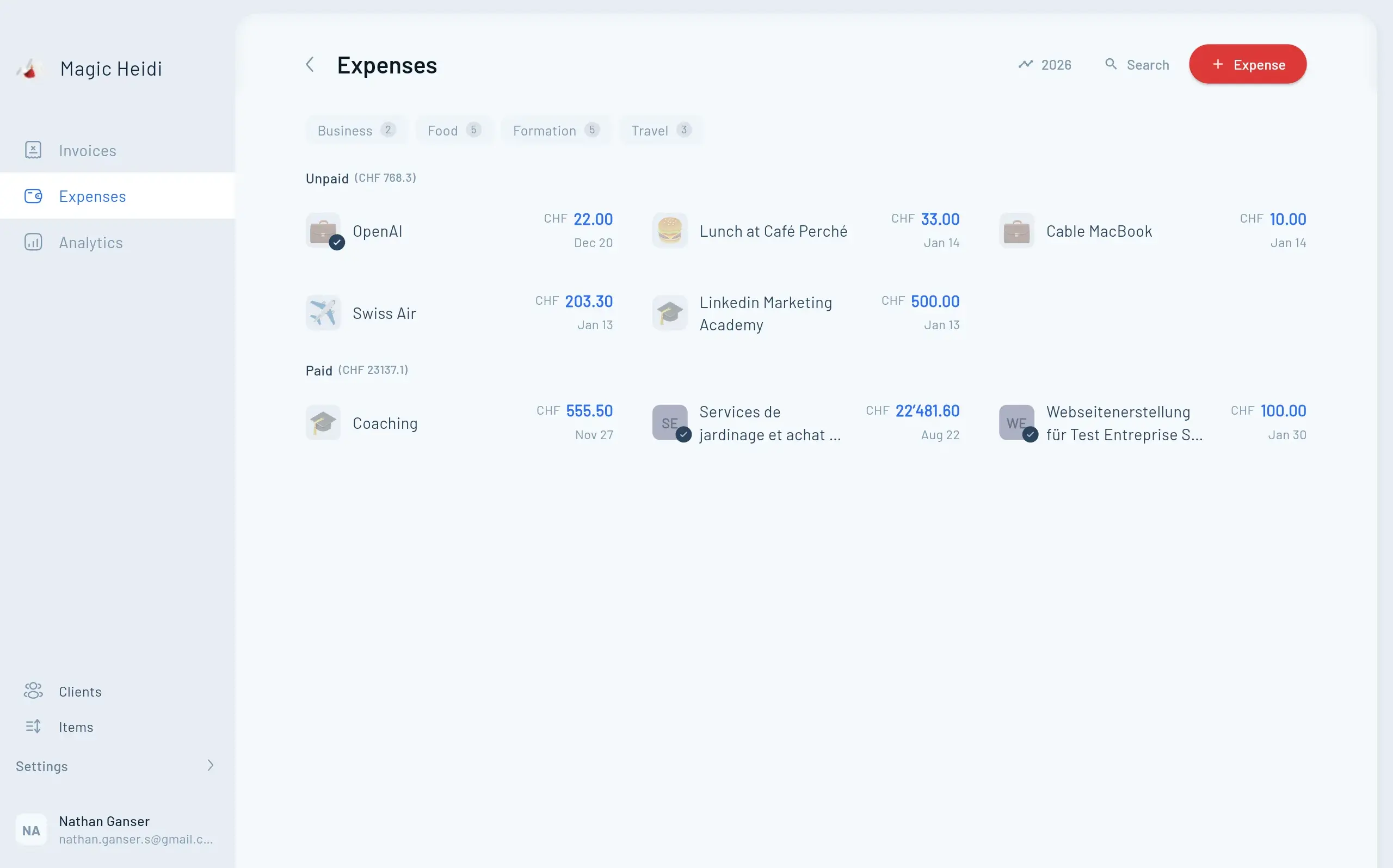
Before touching VaudTax, verify your accounting is complete. This saves time and prevents errors. Use Magic Heidi's search feature to review all expense categories and ensure nothing is missing.

Magic Heidi Expense Management

Final accounting checklist

Review these expense categories in Magic Heidi:

Transport expenses:

  • Business travel (train, plane, hotel)
  • Mileage if using personal vehicle
  • Parking fees for business meetings
  • Public transport passes used for work

General business expenses:

  • Software subscriptions (Magic Heidi, Adobe, Microsoft 365)
  • Domain names and web hosting
  • Professional memberships and associations
  • Business insurance premiums

Services and marketing:

  • Facebook/Google advertising spend
  • Freelancer payments and subcontractors
  • Professional consulting fees
  • Graphic design and copywriting

Commonly forgotten deductions:

  • Mobile phone (business portion)
  • Home office expenses (proportional rent/utilities)
  • Professional development courses
  • Accounting and tax preparation fees
  • Bank charges and transaction fees

Important: As a self-employed professional, you deduct these expenses directly in your business accounting. They reduce your net result, which is what you'll report in VaudTax.

Calculate your numbers

You'll need two figures ready:

  1. Annual turnover: Total revenue from all invoices (before expenses)
  2. Net result: Revenue minus all business expenses

In Magic Heidi, these appear in your annual reports. Verify they match your bank statements.

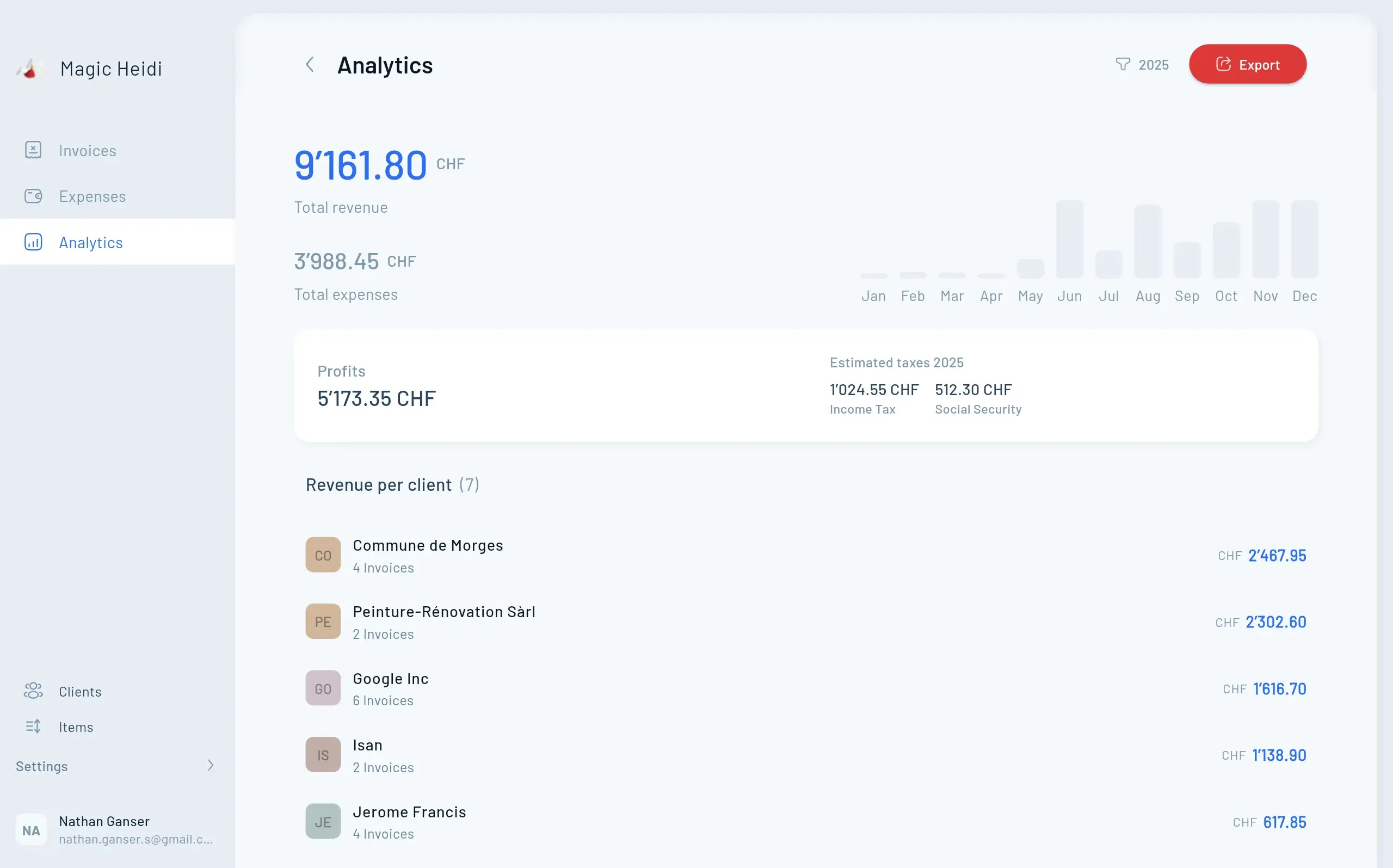
Tax-Ready Accounting

Get Your Numbers Ready in Minutes

Magic Heidi automatically organizes your income and expenses throughout the year, so tax time is just a matter of exporting the right numbers.

  • 📊
    Annual Reports

    Export tax-ready turnover and net result instantly

  • 🔍
    Expense Search

    Find and review all deductible expenses by category

  • 🏦
    Bank Reconciliation

    Import statements and match every transaction

  • Verification Tools

    Check completeness before filing taxes

Invoices
  • Invoice #3

    Magic Heidi

    CHF 500

    Jan 29

  • Invoice #2

    Webbiger LTD

    CHF 2000

    Jan 24

  • Invoice #1

    John Doe

    CHF 600

    Jan 20

Step 2: Access VaudTax and Log In

Visit the official VaudTax platform at impots.vd.ch/vaudtax.

Enter your credentials

Find your tax declaration form received by mail. You need:

  • Taxpayer number: Enter in original format with periods (example: 123.123.12)
  • Control code: One letter followed by 5 digits (example: N12345)

Security note: After 5 failed login attempts, access is blocked for 60 minutes. Double-check your entries.

Alternative: Simulation mode

Don't have your credentials yet? VaudTax offers a simulation mode to explore the platform and plan your declaration. This helps you identify what information you'll need.


Step 3: Import Previous Year's Data

VaudTax asks if you want to import last year's declaration. Always choose "Yes" if available.

Why importing saves time

Importing carries over:

  • Personal information (address, family status)
  • Bank account details
  • Insurance policies
  • Recurring deductions
  • Previous year's amounts as reference points

File formats accepted

  • .vaudtax files from the online platform (2023 onwards)
  • .tax files from the old VaudTax software (before 2024)

First-time filer? Skip this step. You'll enter everything manually.


Step 4: Choose Your Filing Mode

VaudTax offers two modes: Guided and Autonomous.

Filing Modes

Autonomous vs. Guided Mode

Choose the right interface for your situation

FeatureAutonomous ModeGuided Mode
Speed Faster - only relevant sectionsSlower - shows all forms
Complexity Simplified interfaceFull tax form view
Best for Most self-employedComplex situations, accountants
Progress tracking Clear status indicatorsLess intuitive

Recommendation: Choose autonomous mode unless you have unusual circumstances (multiple properties, complex investments, international income).

Select your relevant sections

Check these boxes as a self-employed professional:

  • Personal information (always required)
  • Self-employed activities (Activités indépendantes) - your primary section
  • Salaried activities (if you also worked as an employee)
  • Securities and assets (if you have investments)
  • Real estate (if you own property)

Unchecked sections won't appear, keeping your workflow focused.


Step 5: Complete Personal Information (Taxpayer 1)

This section covers basic details about you and your household.

What to fill in

  • Full legal name and date of birth
  • Address and municipality
  • Marital status and family composition
  • Contact information (phone, email)

Employment status boxes

Check all that apply to your situation:

  • Self-employed activity: Always check this
  • Salaried activity: Check if you received any salary certificates
  • Multiple activities: Common for freelancers with part-time employment

Example: Many consultants work 3 days/week for a client (salaried) while running their own business (self-employed). Check both boxes.


Step 6: Salaried Activities (If Applicable)

Only complete this section if you received a salary certificate (certificat de salaire) during 2024.

Main vs. accessory activity

VaudTax asks whether your employment was "main" or "accessory":

  • Main activity: Generates enough income to live on (typically full-time or substantial part-time)
  • Accessory activity: Supplementary income (short contracts, occasional work)

Why it matters: Main activities have different tax treatment for deductions and social contributions.

Pro tip: If you worked full-time for part of the year before going fully self-employed, that employment counts as "main" for those months.

Activity type: Main or accessory?

Apply the same logic as salaried activities:

  • Main: Your business is your primary income source
  • Accessory: Side business while primarily employed elsewhere

Tax impact: Main self-employed activities may qualify for different deduction limits and have implications for AVS contributions.

Net result (Montant du résultat)

Enter your annual net profit: Revenue minus all business expenses.

This number comes directly from your Magic Heidi accounting. It's your taxable business income.

Example calculation:

  • Annual invoices: CHF 85,000
  • Business expenses: CHF 28,000
  • Net result: CHF 57,000 ← Enter this number

Turnover (Chiffre d'affaires)

Enter your gross revenue before any expenses.

This must be higher than your net result. It shows the tax authorities your business volume.

Using the example above: CHF 85,000

Professional retirement contributions

VaudTax asks: "Did you deduct payments to professional pension funds (LPP)?"

Answer "No" for most self-employed professionals. Here's why:

You'll declare your AVS, LPP, and other insurance payments later in the "Primes et cotisations d'assurances" (Insurance premiums and contributions) section. That's the correct place for these deductions.

Exception: Only answer "Yes" if you made payments to a second pillar foundation specifically for self-employed professionals and haven't already included them in your business expenses.


Step 8: Complete the Self-Employed Questionnaire (21021-b)

Download form 21021-b from the Canton Vaud website if you haven't already.

What this questionnaire covers

The questionnaire asks about:

  • Nature of your business activity
  • Business address (home office or separate location)
  • Equipment and assets used for business
  • Vehicle usage for professional purposes
  • Percentage of home used for business
  • Client relationships and main contracts

Sections you can usually skip

Most freelancers and consultants can leave blank:

  • Inventory sections (you don't hold stock)
  • Machinery and equipment (beyond computers)
  • Commercial premises (if working from home)
  • Employee information (if you're a solo entrepreneur)

Key sections to complete carefully

Business description: Be specific about what you do. "Marketing consulting" is better than "consulting."

Work location: If you work from home, indicate the percentage of your home dedicated exclusively to business use. This supports home office deductions.

Vehicle usage: If you use a personal vehicle for business, estimate the percentage of professional use (not commuting).

Sign and attach

After completing, sign the questionnaire and save it. You'll attach it to your VaudTax declaration before submission.


Step 9: Assets and Securities

Declare non-business assets as of December 31, 2024.

Cryptocurrencies and precious metals

VaudTax specifically asks about:

  • Bitcoin, Ethereum, and other cryptocurrencies
  • Gold, silver, and precious metals
  • Cash holdings above normal amounts

How to value:

  • Cryptocurrencies: Market value on December 31, 2024 (check exchanges)
  • Precious metals: Current market price times weight/quantity

Tax treatment: These aren't taxed as income but count toward your total wealth for wealth tax calculation.

Bank accounts and investments

Your eRelevé fiscal (electronic tax statement from Swiss banks) automatically populates many fields. Review for accuracy.

Step 11: Professional Expenses and Other Deductions

Don't miss these commonly forgotten deductions:

Continuing education

Deductible if directly related to maintaining your current professional skills (not retraining for a new career). Examples:

  • Industry conferences and seminars
  • Professional certifications renewals
  • Technical skills courses
  • Business development workshops

Limit: CHF 12,900 for self-employed (2024)

Childcare costs

If you pay for childcare while working:

  • Deduct actual costs up to legal limits
  • Requires receipts from registered providers
  • Both parents working is a requirement

Other deductions

  • Interest on business loans (not personal mortgages)
  • Alimony payments
  • Political party and charitable donations (limits apply)

Step 12: Save Your Work Frequently

VaudTax doesn't auto-save. You must manually save.

How to save

  1. Click the save button on the right side of the screen
  2. Choose where to save the .vaudtax file
  3. Use a clear filename: VaudTax_2024_[YourName].vaudtax

Save every 10-15 minutes and after completing each major section. If you close your browser without saving, all progress is lost.

Storage tip: Save to a cloud folder (Dropbox, Google Drive) for automatic backup and access from multiple devices.

Numbers to verify

  • ✓ Net result matches your accounting software
  • ✓ Turnover is higher than net result
  • ✓ AVS contributions match your annual statement
  • ✓ 3rd pillar contributions don't exceed limits
  • ✓ All salary certificates entered correctly

Documents to attach

  • ✓ Form 21021-b (self-employed questionnaire) signed
  • ✓ Salary certificates (if applicable)
  • ✓ Supporting documents for unusual deductions

Common mistakes to catch

Most frequent errors self-employed professionals make:

  1. Confusing personal and business expenses
  2. Forgetting to deduct AVS payments
  3. Declaring gross revenue instead of net result
  4. Missing obvious deductions (software, professional memberships)
  5. Not updating payment amounts from previous year

Double-check: Are your down payments (acomptes provisoires) still appropriate based on this year's income? If your income changed significantly, request an adjustment to avoid overpaying or underpaying.


Step 14: Submit Your Declaration

Once reviewed, you're ready to submit electronically.

Electronic submission rules

  • 5 submission limit: You can only submit electronically 5 times total
  • 6-day modification window: After first submission, you have 6 days to modify and resubmit
  • After limit: Must print and mail any further changes

Recommendation: Submit only when you're confident everything is correct. Use all your reviews before clicking submit.

What happens after submission

  1. Immediate confirmation: You'll see an on-screen confirmation
  2. Email receipt: Confirmation sent to your registered email
  3. Assessment waiting period: 2-6 months typically
  4. Provisional assessment: You'll receive your tax calculation
  5. Payment or refund: Based on the assessment vs. your down payments
Common Issues

Troubleshooting VaudTax Problems

Can't log in - Invalid taxpayer number or control code

Verify you're entering the exact format with periods. Check you're using the current year's codes from the postal letter. If you've failed 5 times, wait 60 minutes for the lockout to expire.

Previous year's file won't import

Ensure file is .vaudtax format (not PDF). Try smaller file if yours is very large. Skip import and enter manually if issues persist.

Numbers don't match Magic Heidi

Verify you're looking at calendar year 2024 only. Check all expenses were categorized (not left in 'uncategorized'). Reconcile bank statements to catch missing entries. Run Magic Heidi's annual report to get exact figures.

Where can I get help?

Contact Canton Vaud tax office at 021 316 00 00 or use the contact form on vd.ch. For accounting questions, contact Magic Heidi support at hello@magicheidi.ch.

Tax Planning

Optimize for Next Year

Start preparing now to make your 2025 tax filing even easier

Start Preparing Now

Build Better Tax Habits

Don't wait until March to organize your finances

  • Keep better records: Photograph receipts immediately with Magic Heidi
  • Track mileage: Use a logbook for business vehicle use
  • Separate accounts: Use dedicated business bank account
  • Quarterly reviews: Check your accounting every 3 months
Magic Heidi Mobile Expense Tracking
Maximize Deductions

Often Missed Opportunities

Claim every deduction you're entitled to

  • Home office deduction (calculate square meters used professionally)
  • Professional subscriptions and software
  • Continuing education courses
  • Networking events and business meals (with documentation)
  • Professional book purchases and online resources
Magic Heidi Analytics

Adjust down payments

If your 2024 income was significantly different from 2023, request a down payment adjustment for 2025. This prevents:

  • Overpaying and losing use of your money
  • Underpaying and facing a large tax bill later

Contact the tax office early in the year to adjust.

Consider professional help for complex situations

Hire a tax advisor if you:

  • Have international income or clients
  • Own multiple properties
  • Made significant investments
  • Changed legal structure (passed revenue threshold)
  • Have unusually complex deductions

Cost vs. benefit: A tax professional (CHF 500-2,000) can often save more than their fee through optimization.

Ready to Simplify Your Tax Filing?

Filing taxes as a self-employed professional doesn't have to consume your entire weekend. With proper accounting throughout the year, VaudTax becomes a straightforward process. Magic Heidi makes the preparation effortless with automatic expense categorization, bank statement import, real-time profit calculations, and tax-ready reports generated instantly.

Questions about this guide? Contact us at hello@magicheidi.ch. We're here to help Swiss self-employed professionals succeed.

Last updated: January 2025 for the 2024 tax year filing in Canton Vaud.