Best Budgeting Apps: Your Complete Guide to Finding the Right Tool
Choosing a budgeting app shouldn't feel like picking a lock on your own wallet. Compare top apps, understand security concerns, and discover Swiss-specific options that actually work.

The budgeting app market is booming—growing from $260 million in 2026 to a projected $450 million by 2035. But bigger isn't always better. What matters is finding the tool that matches how you actually manage money, not how someone else thinks you should.
This guide cuts through the marketing noise. We'll compare the top budgeting apps of 2026, address the security concerns 86% of users share, and help you choose based on your real needs—whether you're a freelancer in Zurich, a couple in Geneva, or someone just trying to stop overdrafts.
What Are Budgeting Apps and How Do They Work?
Budgeting apps are digital tools that help you track income, categorize expenses, and plan spending. Think of them as a financial assistant that never sleeps.
The basic process:
- Connect your bank accounts (or enter transactions manually)
- The app categorizes your spending automatically
- You set budgets for different categories
- The app alerts you when you're close to limits
- You get reports showing where your money actually goes
The key difference from spreadsheets? Automation. While manual tracking takes about 45 minutes weekly, automated apps require just 15 minutes. That's 2.5 hours saved each month.
But automation comes with tradeoffs. Apps that sync with banks are convenient but require sharing financial data. Manual-entry apps are more private but demand more discipline.
Types of Budgeting Apps
Not all budgeting apps work the same way. Understanding the main approaches helps you pick the right one.
Zero-Based Budgeting
Every dollar gets a job. You assign all your income to specific expenses, savings, or debt before the month starts.
Envelope Method
Digital versions of the classic cash envelope system. Allocate funds to virtual envelopes for different spending categories.
Spend-Tracking
Shows you what's left to spend after accounting for bills and savings goals. Simple tracking without detailed control.
Calendar-Based
Places income and expenses on actual dates so you can visualize cash flow day-by-day.
Top Budgeting Apps Compared: 2026 Edition
Here's how the leading apps stack up across pricing, features, and best use cases.
YNAB (You Need A Budget)
Pricing: $14.99/month or $109/year (34-day free trial)
Platform: iOS, Android, Web
Bank Connection: Yes (via Plaid)
Key Features:
- Zero-based budgeting methodology
- Share with up to 6 people
- Full CHF currency support
- Real-time sync across devices
- Goal tracking and debt payoff tools
Best for: People committed to active budgeting who want complete financial control
Swiss consideration: Works perfectly in Switzerland with CHF support, though at approximately $15/month it's a premium option. Popular with Swiss freelancers despite not being built specifically for the Swiss market.
Monarch Money
Pricing: $14.99/month or $69.99/year
Platform: iOS, Android, Web
Bank Connection: Yes
Key Features:
- Customizable budgeting tools
- Detailed reporting with custom graphs
- Household members at no extra cost
- Investment tracking
- Net worth monitoring
- Automatic car value updates
Best for: Singles or couples who want robust features and detailed analytics
Standout: The ability to add household members without extra charges makes this economical for families.
PocketGuard
Pricing: Free (basic) or $74.99/year ($12.99/month)
Platform: iOS, Android, Web
Bank Connection: Yes
Key Features:
- "In My Pocket" feature showing available spending money
- Automatic bill tracking
- Subscription monitoring
- Debt payoff calculator
- Simple, clean interface
Best for: People who want to know "how much can I spend today?" without complex budgeting
The catch: Premium features like unlimited accounts and custom categories require the paid version.
Quicken Simplifi
Pricing: $2.99/month (billed annually at ~$36/year)
Platform: iOS, Android, Web
Bank Connection: Yes
Key Features:
- Clean scrolling dashboard
- Calendar view for cash flow
- Spending plan snapshot
- Upcoming payment alerts
- Achievement tracking
- Balance projections
Best for: People who want visual cash flow planning at an affordable price
Why it's popular: The calendar-based approach helps users avoid overdrafts by showing exactly when money comes and goes.
Goodbudget
Pricing: Free (10 envelopes) or $10/month ($80/year) for Premium
Platform: iOS, Android, Web
Bank Connection: No—manual entry only
Key Features:
- Envelope budgeting method
- Sync across two devices (free) or unlimited (premium)
- Debt tracking
- Reports and planning tools
- No bank connection required
Best for: Privacy-conscious users comfortable with manual entry, or those using the envelope method
Privacy advantage: Since you don't link bank accounts, your financial data stays more private.
EveryDollar
Pricing: Free (basic) or $79.99/year (premium)
Platform: iOS, Android, Web
Bank Connection: Premium only
Key Features:
- Relaunched in January 2026 with new features
- "Margin finder" tool
- Personalized financial plans
- Daily lessons and live group coaching
- Zero-based budgeting approach
Best for: Fans of Dave Ramsey's financial philosophy or those wanting educational content alongside budgeting
New for 2026: The relaunch added coaching and educational components, making it more than just a budgeting tool.
Honeydue
Pricing: Free
Platform: iOS, Android
Bank Connection: Yes (optional)
Key Features:
- Designed specifically for couples
- Choose what to share with partner
- Bill reminders assignable to each person
- Chat feature for discussing finances
- Category tracking
- Balance sharing
Best for: Couples managing finances together who want transparency without full account merging
Unique angle: The only major app built specifically for partner budgeting.
Budgeting Apps for Switzerland
If you're based in Switzerland, you have both international options and local solutions designed for Swiss realities.

BudgetCH
Pricing: Free
Languages: German, French, Italian
Platform: Mobile app
Key Features:
- Non-profit with no ads
- Swiss-specific budget guidelines
- Local language support
- Privacy-focused
- No bank connection
Best for: Swiss residents who prefer local solutions and complete privacy
The advantage: Built specifically for Swiss budgeting realities, including local cost-of-living standards.
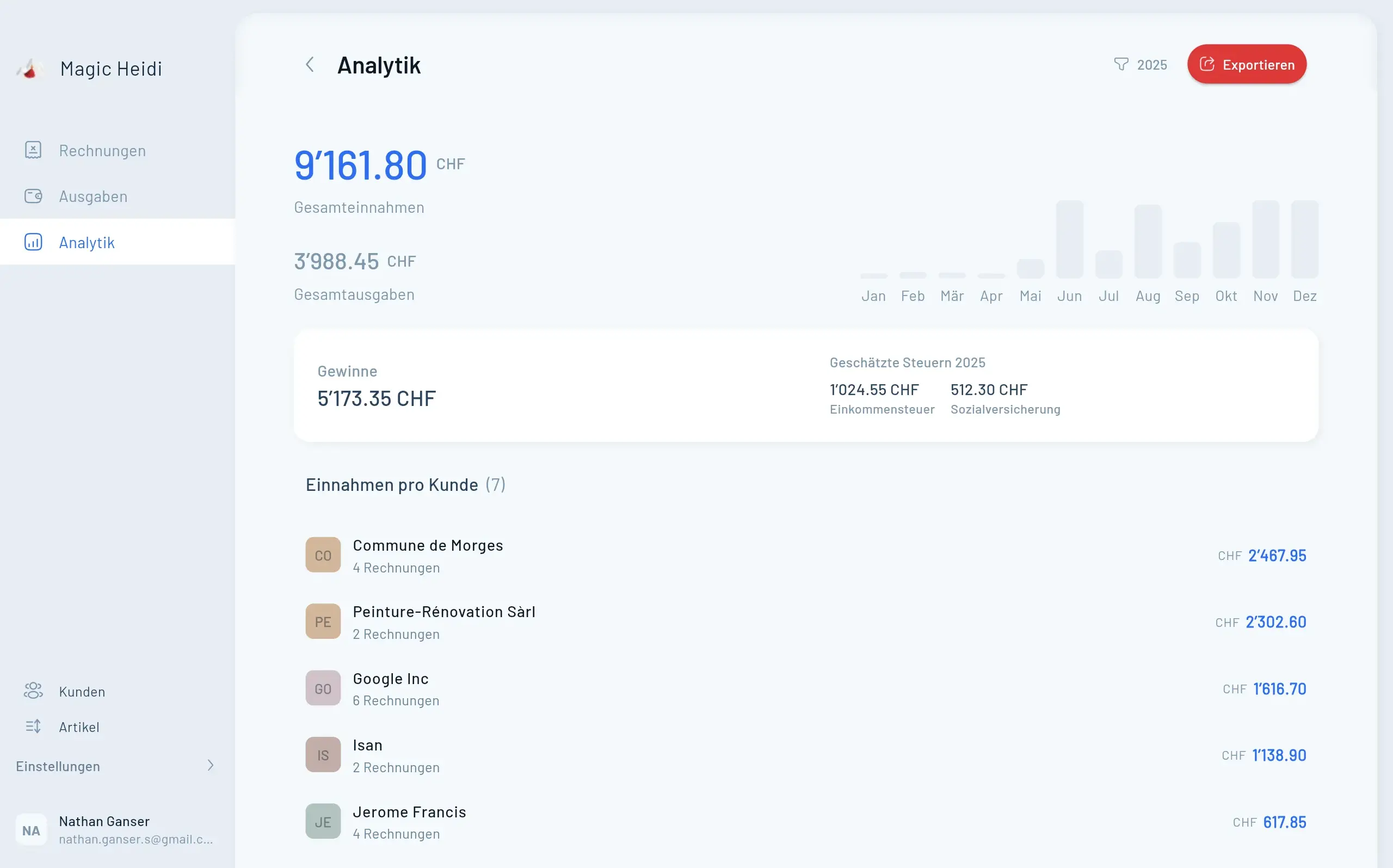
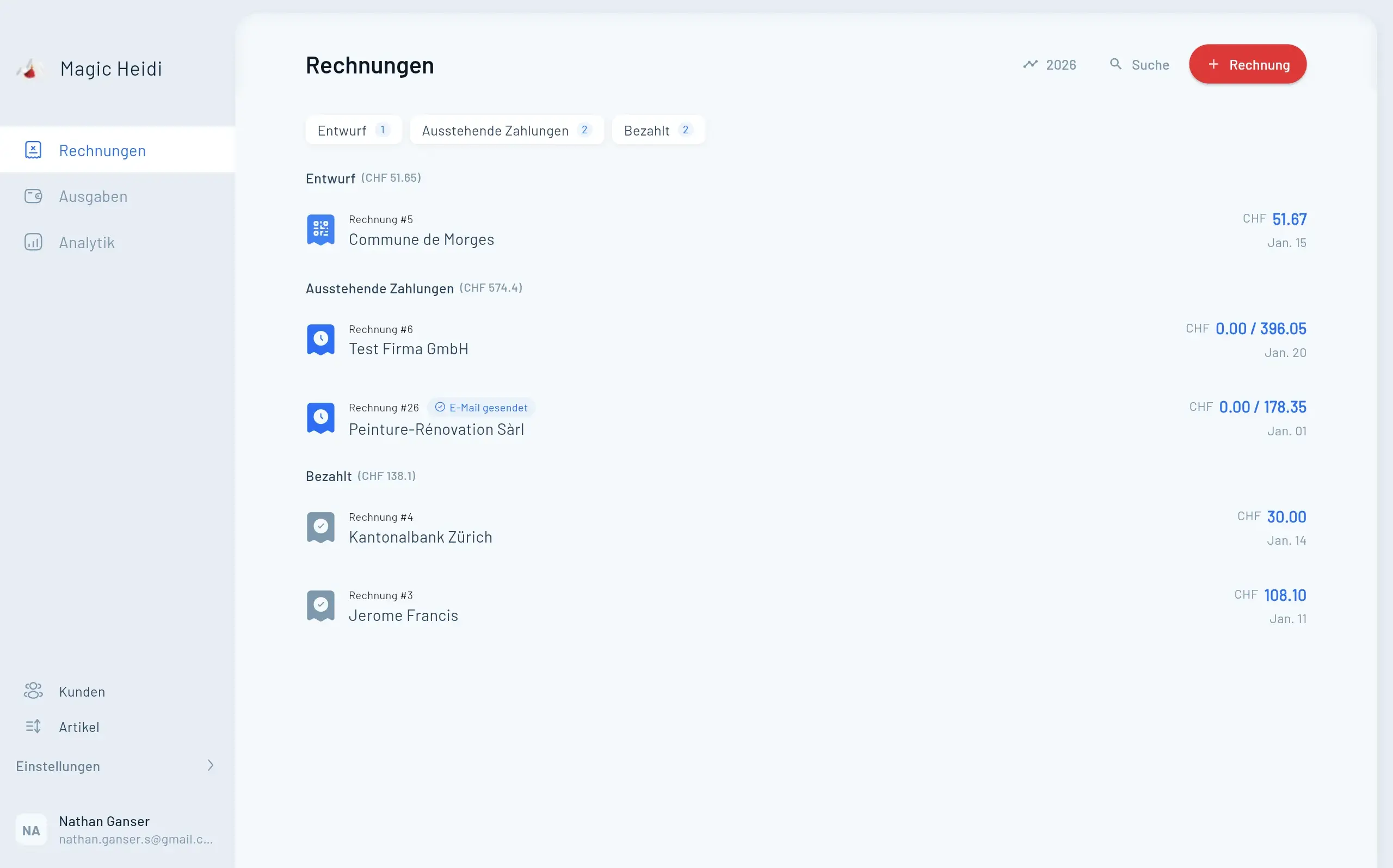
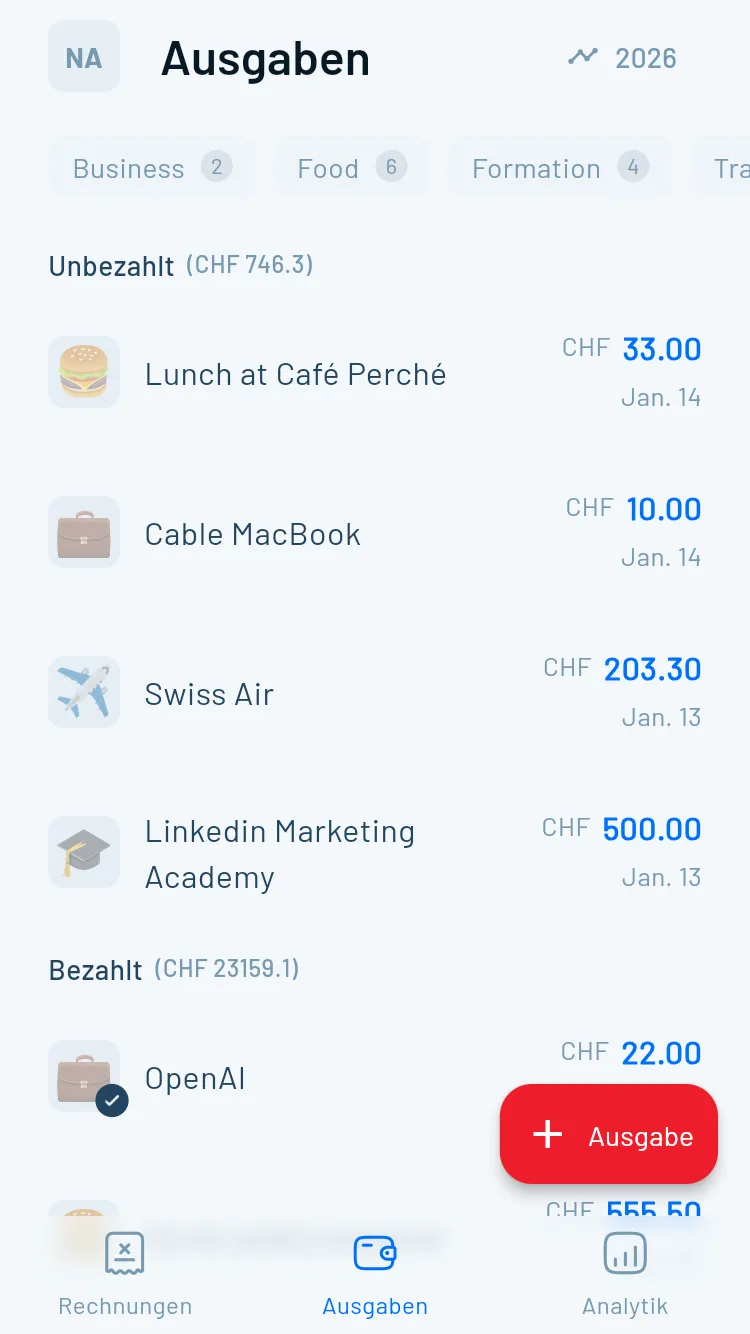
Magic Heidi
Pricing: Various plans based on needs
Languages: Multiple including English, German, French
Platform: Web, Mobile
Key Features:
- All-in-one invoicing and expense tracking
- Automated QR-bill creation with Swiss IBAN
- Swiss VAT rate automation
- CHF native support
- Designed for Swiss self-employed and freelancers
- Time tracking integrated with invoicing
Best for: Swiss freelancers, self-employed professionals, and small business owners who need invoicing alongside expense tracking
Swiss-specific advantage: Unlike international apps, Magic Heidi understands Swiss invoicing requirements, VAT handling, and QR-bill standards. If you're self-employed in Switzerland, this addresses needs generic budgeting apps miss.
Learn more about Magic Heidi's expense tracking →
International Apps in Switzerland
Most major apps like YNAB, Monarch, and PocketGuard work fine in Switzerland with CHF support. Key considerations:
- Currency: Check if the app supports CHF natively
- Bank integration: Some Swiss banks work with Plaid (the common connection service), others don't
- Language: Most major apps are English-only; Swiss-specific apps offer local languages
- Tax features: International apps won't understand Swiss tax nuances
Finding the Right App
for Your Needs
Don't start by comparing features. Start by understanding yourself.
Identify Your Budgeting Style
Are you control-oriented, simplicity-focused, a visual thinker, or privacy-conscious? Your natural style determines which app will work best.
- Control-oriented → YNAB, EveryDollar
- Simplicity-focused → PocketGuard, Honeydue
- Visual thinker → Goodbudget, Quicken Simplifi
- Privacy-conscious → Goodbudget, BudgetCH
Assess Your Technical Comfort
Apps range from simple to complex. Be honest about your comfort level with technology and feature complexity.
- Tech-savvy users can handle Monarch or Quicken Simplifi
- Tech-hesitant should prioritize PocketGuard or Honeydue
- Complex features you won't use create frustration
- Simple doesn't mean less effective
Privacy vs. Convenience Tradeoff
Automatic bank syncing is convenient but requires sharing financial data. 60% of budgeting apps share data with third parties.
- Maximum convenience: Link accounts with strong security
- Middle ground: Apps offering both linking and manual entry
- Maximum privacy: Manual-entry only apps
- Even linked accounts are typically read-only access
Step 4: Evaluate Your Budget for Budgeting
Free apps work fine for basic needs. Paid apps ($6-15/month) offer more features but cost $72-180 annually.
Calculate your return: If an app helps you avoid one $35 overdraft fee monthly, it pays for itself. If it helps you save an extra $100 per month through better awareness, the ROI is massive.
Free options worth trying:
- Honeydue (couples)
- Goodbudget basic (envelope method)
- BudgetCH (Swiss residents)
- EveryDollar basic (zero-based)
When paid is worth it:
- You manage multiple accounts
- You want investment tracking
- You need household collaboration
- You value customer support
- Free versions are too limited for your situation
Step 5: Try Before Committing
Most paid apps offer free trials:
- YNAB: 34 days
- Monarch: 7 days
- PocketGuard: 7 days
- Quicken Simplifi: 30 days
Set a calendar reminder before the trial ends. One month is enough to know if an app fits your workflow.
Security and Privacy: What You Need to Know
Let's address the elephant in the room: Are budgeting apps safe? The honest answer—they're generally safe, but not risk-free.

The Honest Answer
Good apps use bank-level encryption and security measures. However, data breaches can happen, and many apps share your information with third parties.
What Data Apps Collect
Apps collect an average of 9 data points each, including:
- Transaction details
- Account balances
- Personal identification information
- Spending patterns
- Location data (some apps)
How to Protect Yourself
1. Read the privacy policy before signing up
Focus on these sections:
- What data is collected
- Who it's shared with
- How it's used for marketing or analytics
- Data deletion policies
2. Use strong, unique passwords
Never reuse passwords across financial apps. Consider a password manager like 1Password or Bitwarden.
3. Enable two-factor authentication
Always turn this on when available. It adds a critical second layer of protection.
4. Check app permissions
Review what permissions the app requests on your phone. Does a budgeting app really need access to your contacts or camera?
5. Monitor your accounts regularly
Even with apps, check your actual bank accounts weekly for unusual activity.
6. Consider read-only access
Most apps only have "read-only" access to your accounts, meaning they can view but can't transfer money. Verify this before connecting.
Red Flags to Watch For
- No clear privacy policy
- Requests for more permissions than necessary
- Poor reviews mentioning security issues
- No two-factor authentication option
- Vague language about data sharing
The Plaid Connection
Most budgeting apps use Plaid to connect to your bank. Plaid settled a $58 million class action lawsuit in 2022 over data practices.
What to know: Plaid has improved transparency since the lawsuit, but it still collects significant data. Apps using Plaid are outsourcing your bank connection to a third party.
Alternatives: Apps like Goodbudget, BudgetCH, and manual tracking in EveryDollar free version avoid this third-party connection entirely.
Your First Week with a Budgeting App
You've chosen an app. Now what? Here's your step-by-step guide to successful setup.
Days 1-2 — Setup
Download and create your account. Connect bank accounts or set up manual entry. Let transactions import and review categorization.
- Time investment: 30-45 minutes
- Connect accounts or plan manual entry system
- Review automatic categorization accuracy
- Correct any miscategorized transactions
Day 3 — Analyze Current Spending
Before creating a budget, see where money actually goes. Look for surprises, forgotten subscriptions, and spending patterns.
- Categories where you spend more than expected
- Subscriptions you forgot about
- Patterns like eating out every Friday
- This reveals your biggest savings opportunity
Days 4-5 — Create Your Budget
Set realistic limits for each category based on your spending analysis. Start with current spending, then gradually reduce.
- Avoid unrealistically low budgets you'll break immediately
- If spending CHF 600 dining out, budget CHF 550 first month
- Gradual changes stick better than dramatic cuts
- Build on small wins for sustainable results
Days 6-7 — Setup Alerts and Goals
Turn on notifications, set bill reminders, create savings goals, and customize your dashboard.
- Enable budget limit notifications
- Set up recurring bill reminders
- Create specific savings goals
- Customize dashboard for what matters most
Week 2 and Beyond — Build the Habit
Daily check-ins, weekly reviews, and monthly analysis. The first month is about learning, not perfection.
- Daily (2 min): Check app and verify transactions
- Weekly (10 min): Review spending by category
- Monthly (20 min): Analyze full month and adjust
- Link app checks to existing habits like morning coffee
Common Mistakes to Avoid
1. Setting It and Forgetting It
Budgeting apps aren't "set and forget." They require regular check-ins. The automation helps, but you still need to review and adjust.
Solution: Link app checks to existing habits. Review while drinking morning coffee or during your commute.
2. Overcomplicating Categories
You don't need 47 budget categories. Too many categories makes tracking tedious and budgets impossible to maintain.
Better approach: Start with 8-10 major categories. You can always add more later if needed.
3. Being Too Restrictive
A budget that allows zero fun money won't last. You'll rebel against it within weeks.
Solution: Include "guilt-free spending" money in your budget. Give yourself permission to spend on things that bring joy.
4. Not Adjusting for Reality
If you consistently blow past a category's budget, that's data. Either the budget is unrealistic or you need to actively change behavior.
Response: Analyze whether the limit is reasonable. If you always spend CHF 400 on groceries but budget CHF 250, adjust the budget or identify specific changes (meal planning, less organic shopping) to make CHF 250 achievable.
5. Assuming the App Does Everything
Apps track and alert, but they don't make decisions. You still need to choose not to make that purchase when you're at the budget limit.
Reality check: An app is a tool, not a solution. It provides information and structure, but you provide the discipline.
Beyond Budgeting Apps
Apps aren't for everyone. Here are effective alternatives that still work in 2026.
Spreadsheet Budgeting
Create a Google Sheets or Excel template. Completely free, total privacy, fully customizable. Takes more time but gives complete control.
Pen and Paper
The original budgeting method still works. Write down income and expenses. Zero technology, complete privacy, very mindful.
Bank's Built-in Tools
Many banks now offer spending categorization in their apps. Already connected, no third-party sharing, usually free.
Frequently Asked Questions
Are budgeting apps safe to use?
Reputable apps use bank-grade encryption and security measures, making them generally safe. However, 60% of apps share data with third parties, so review privacy policies carefully. Look for apps with two-factor authentication, strong encryption, and clear data policies. Manual-entry apps like Goodbudget offer more privacy since you don't link bank accounts.
Do I need to link my bank account?
No. Apps like Goodbudget, EveryDollar (free version), and BudgetCH allow manual transaction entry. This is more time-consuming but keeps your financial data more private. Linked accounts offer convenience and automation but require trusting the app with account access (read-only).
How much do budgeting apps cost?
Free options exist (Honeydue, Goodbudget basic, BudgetCH), while paid apps range from $36-180 annually. YNAB costs $109/year, Monarch is $70/year, PocketGuard is $75/year, and Quicken Simplifi is about $36/year. Most offer free trials so you can test before paying.
Can I use budgeting apps in Switzerland?
Yes. Major apps like YNAB, Monarch, and PocketGuard support CHF currency. Swiss-specific options include BudgetCH (free, multi-language) and Magic Heidi (for self-employed). Check whether your Swiss bank works with the app's connection service (usually Plaid) before committing.
What's the best free budgeting app?
It depends on your needs. Honeydue is best for couples (completely free), Goodbudget basic is best for envelope method budgeters (free for 10 envelopes), and BudgetCH is best for Swiss residents wanting local language support. For simple spend tracking, PocketGuard's free version works well.
How do free budgeting apps make money?
Free apps typically use a 'freemium' model—offering basic features free while charging for premium features. They may also make money through affiliate relationships (earning commissions when you click offers), advertising, or anonymized data sales. Always read the privacy policy to understand how a free app sustains itself.
Can budgeting apps help me save money?
Yes, if you use them actively. Apps increase awareness of spending patterns, making it easier to identify and cut unnecessary expenses. Studies show users who engage regularly with budgeting apps save an average of 10-15% more than those who don't track spending. However, the app itself doesn't save money—your changed behavior does.
Do budgeting apps work for couples?
Yes. Honeydue is designed specifically for couples, letting you share selected accounts and set joint budgets. YNAB allows sharing with up to 6 people (including partners), and Monarch lets you add household members at no extra cost. Choose an app that lets both partners see shared finances while maintaining some individual privacy if desired.
Take Control of Your Finances Today
The right budgeting app makes financial management feel less like homework and more like having a helpful assistant.
If you're a Swiss freelancer or self-employed professional, Magic Heidi combines expense tracking with invoicing tools designed specifically for Swiss requirements—including automated QR-bills, VAT handling, and CHF-native features.
For personal budgeting, start with free trials from YNAB, Monarch, or Quicken Simplifi to find what matches your style. Swiss residents should also explore BudgetCH for a privacy-focused, local option.
Remember: the best budgeting app is the one you'll actually use. Start simple, build the habit, and adjust as you learn what works for your financial life.
Your future self will thank you for taking control today.