Magic Heidi
 Die Rechnungs-App fürs iPhone
Schreib die QR-Rechnung noch beim Kunden, scanne Belege an der Kasse und sieh sofort, wer bezahlt hat. Die native iPhone-App für Schweizer Selbständige, synchron mit Mac, Windows und Web.
Rechnungen am Handy? Meist nur halb.
Der Auftrag ist erledigt, der Kunde zufrieden. Trotzdem schreibst du die Rechnung erst am Sonntag am Laptop, und der Parkbeleg liegt noch im Handschuhfach.
Für andere Märkte gebaut
Internationale Invoice-Apps ohne QR-Zahlteil, MWST von HandHandy nur zum Anschauen
Listen am Handy, schreiben musst du doch am LaptopBelege im Portemonnaie
Bis du am Computer sitzt, ist der Kassenzettel verblasstRechnungen schreiben direkt am iPhone
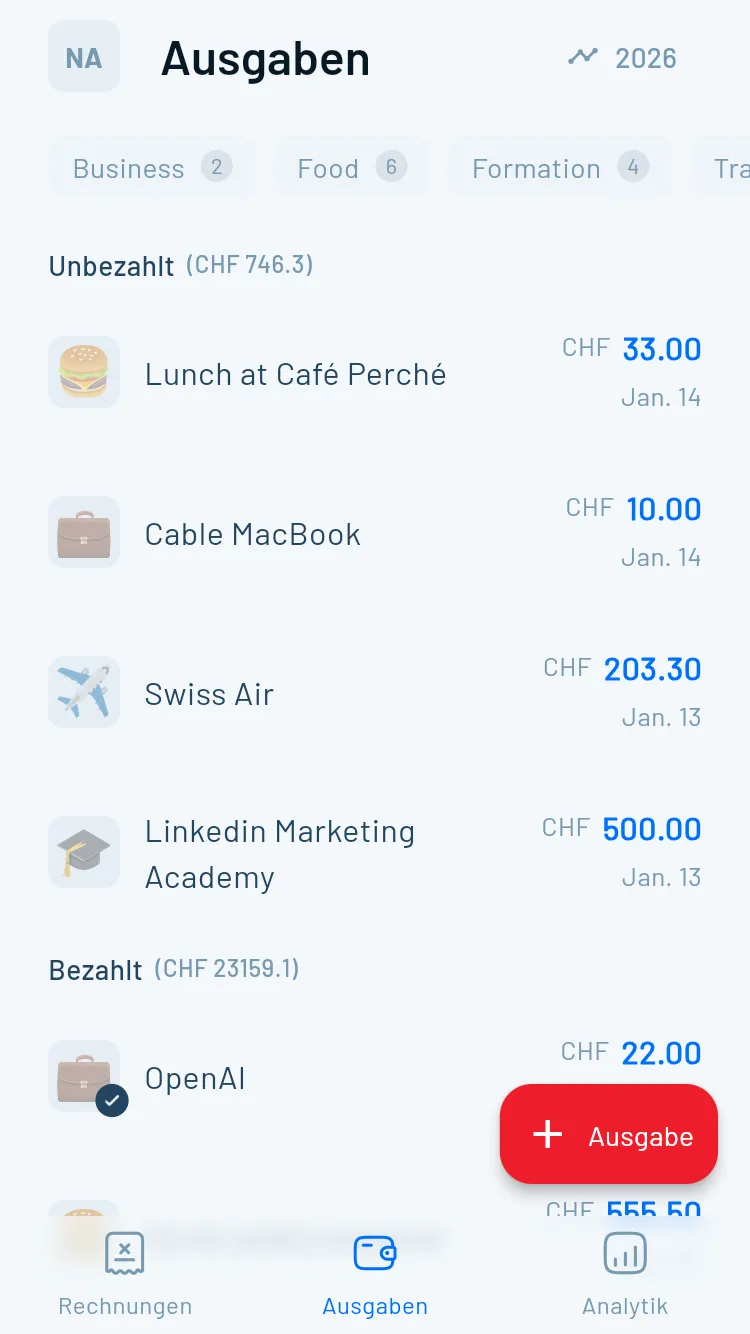
Keine abgespeckte Begleit-App: Offerte, Rechnung, Beleg und Zahlungsstatus laufen komplett auf dem iPhone. Alle Funktionen im Überblick: Rechnungsprogramm.
Rechnung direkt nach dem Termin
Kunde wählen, Positionen erfassen, senden. QR-Code und MWST erledigt die App. Eine Offerte wird mit einem Klick zur Rechnung.
Beleg an der Kasse scannen
Foto machen, die KI liest Händler, Datum, Betrag und MWST-Satz. Mit Pro unbegrenzt. Mehr zum KI-Belegscan
Sehen, wer bezahlt hat
Offen, überfällig, bezahlt auf einen Blick. Der Bank-Import ordnet Zahlungen automatisch zu, Erinnerungen gehen von selbst raus.
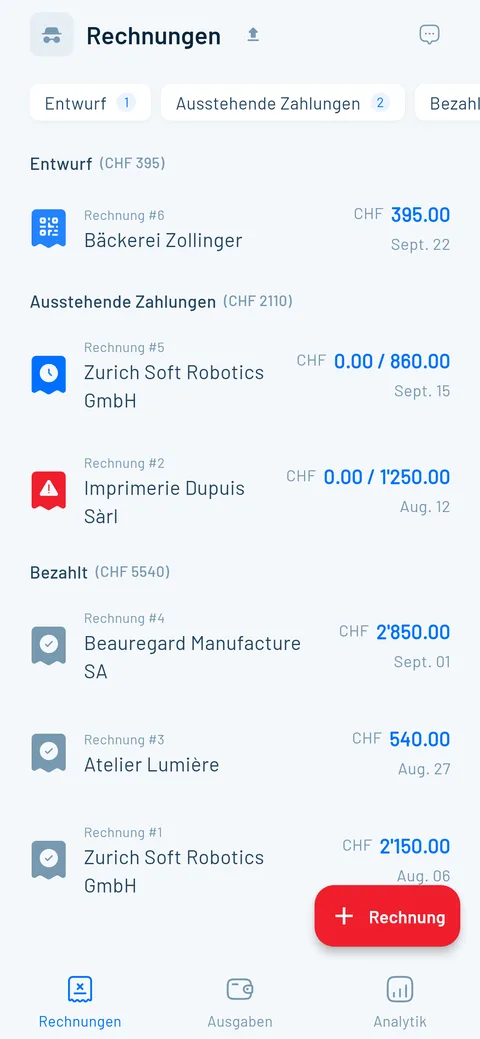
Am iPhone starten, am Laptop fertig machen
Ein Konto, echte Apps auf jedem Gerät. Alles synchronisiert sich in Echtzeit, deine Daten liegen verschlüsselt auf Servern in Zürich.
Die Rechnungs-App im App Store: die Fakten
Das steht bei «Magic Heidi: Rechnung & QR» im Schweizer App Store, Stand September 2026.
| App-Store-Angabe | Magic Heidi |
|---|---|
| Kategorie | Finanzen |
| Kompatibel mit | iPhone ab iOS 15, iPad ab iPadOS 15, Mac ab macOS 12, Apple Vision ab visionOS 1 |
| Preis | Gratis laden, 3 Rechnungen und 3 Belege inklusive. Pro als In-App-Abo: CHF 299 pro Jahr oder CHF 39 pro Monat |
| Datenschutz-Label | Nur deine E-Mail-Adresse, keine Daten für Tracking oder Werbung → Sicherheit |
| Anbieter | Nathan Ganser, Gründer von Magic Heidi |
Was Nutzer im App Store schreiben
Drei Stimmen aus dem Schweizer App Store, verlinkt zum Original. Insgesamt 4.8 von 5 aus über 200 öffentlichen Bewertungen.
“Habe diverse vergleichbare Apps getestet, bevor ich ein Abo gemacht habe. Habe mich dann klar für Magic Heidi entschieden. Sehr intuitiv nutzbar und reduziert auf das Wesentliche.”
“Noch nie so Freude dran gehabt, eine Rechnung zu versenden! Es ist dermassen unkompliziert! Love it! Ist ein ganz neues Gefühl als Klein-Unternehmer jetzt so nen Tool zu haben! Danke Nathan”
“Die App ist einfach zu bedienen und sehr praktisch, ob vom Smartphone oder vom Computer aus. Die Entwickler reagieren sehr schnell, wenn es um Verbesserungen geht.”
Häufige Fragen
Kann ich mit dem iPhone eine Rechnung erstellen?
Ja, und zwar vollständig. Mit Magic Heidi schreibst du eine Schweizer QR-Rechnung in rund 30 Sekunden: Kunde wählen, Positionen erfassen, als PDF senden. Eine Vorlage in Word oder Numbers geht zur Not auch, hat aber keinen QR-Zahlteil und keine Übersicht, wer schon bezahlt hat.
Ist die iPhone-App gratis?
Laden ist gratis, und du kannst 3 Rechnungen und 3 Belege mit allen Funktionen erstellen, ohne Kreditkarte. Danach kostet Pro CHF 24.99 pro Monat bei jährlicher Zahlung (CHF 299) oder CHF 39 monatlich, inklusive MWST. Dazu gilt eine 30-Tage-Geld-zurück-Garantie, und du kannst jederzeit kündigen. Alle Details auf der Preisseite.
Welche Rechnungs-App fürs iPhone passt in der Schweiz?
Im App Store findest du zuerst Invoice Simple, Invoice 2go oder Zoho Invoice. Dort zahlen Kunden meist per Karte oder PayPal, ein QR-Zahlteil fehlt, und die MWST stellst du selbst ein. Zoho Invoice ist gratis, kennt aber keine Schweizer QR-Rechnung. Magic Heidi hat QR-Zahlteil, die MWST-Sätze 8.1, 2.6 und 3.8 % und Dokumente auf Deutsch, Französisch, Italienisch, Englisch oder Rätoromanisch eingebaut. Wie wir gegen bexio abschneiden, steht im Vergleich.
Kann ich auch Offerten auf dem iPhone schreiben?
Ja. Du erstellst die Offerte direkt beim Kunden und schickst sie als PDF. Sagt er ja, wird daraus mit einem Klick die Rechnung, mit allen Positionen und dem QR-Code. Mehr zu Offerten.
Kann ich Belege mit der iPhone-Kamera scannen?
Ja. Du fotografierst den Beleg, die KI liest Händler, Datum, Betrag und MWST-Satz und schlägt eine Kategorie vor. Im Pro-Abo scannst du unbegrenzt (Fair Use). Mehr zum KI-Belegscan.
Wer hilft mir beim Einrichten?
Support gibt es per E-Mail und Telefon auf Deutsch, Französisch, Italienisch und Englisch, und Gründer Nathan antwortet oft persönlich. Zum Start kannst du ein kostenloses 30-Minuten-Onboarding buchen.
Funktioniert die App ohne Internet?
Nein, Magic Heidi braucht eine Internetverbindung. Dafür ist alles sofort auf allen deinen Geräten aktuell: Was du am iPhone erfasst, siehst du gleich darauf auch am Laptop.
Wo werden meine Daten gespeichert?
Auf Servern in Zürich, verschlüsselt übertragen und gespeichert. Einzelne Funktionen wie der KI-Belegscan nutzen Dienste, die teilweise ausserhalb der Schweiz rechnen. Im Datenschutz-Label des App Stores steht nur deine E-Mail-Adresse. Details auf der Seite Sicherheit.
Wo finde ich die Rechnung für meinen iPhone-Kauf?
Die Quittung für ein iPhone oder einen App-Kauf findest du bei Apple unter reportaproblem.apple.com oder in den Einstellungen unter deinem Namen → «Medien & Käufe» → «Account anzeigen» → «Kaufverlauf». Dort liegt auch die Quittung für ein Magic-Heidi-Abo, das du im App Store abgeschlossen hast. Diese Seite dreht sich um das Gegenteil: eigene Rechnungen mit dem iPhone schreiben.
Mach dein iPhone zum Rechnungsbüro
Gratis laden und die erste QR-Rechnung in 30 Sekunden verschicken. 3 Rechnungen und 3 Belege inklusive, ohne Kreditkarte.