 Magic Heidi
 Schweizer QR-Rechnung API: Konforme Rechnungen in Sekunden
Entwicklerfreundliche RESTful API für Schweizer QR-Rechnungen. ISO 20022 konform, mehrsprachig, QR-IBAN ready. Ein API-Call, vollständig konformes PDF.
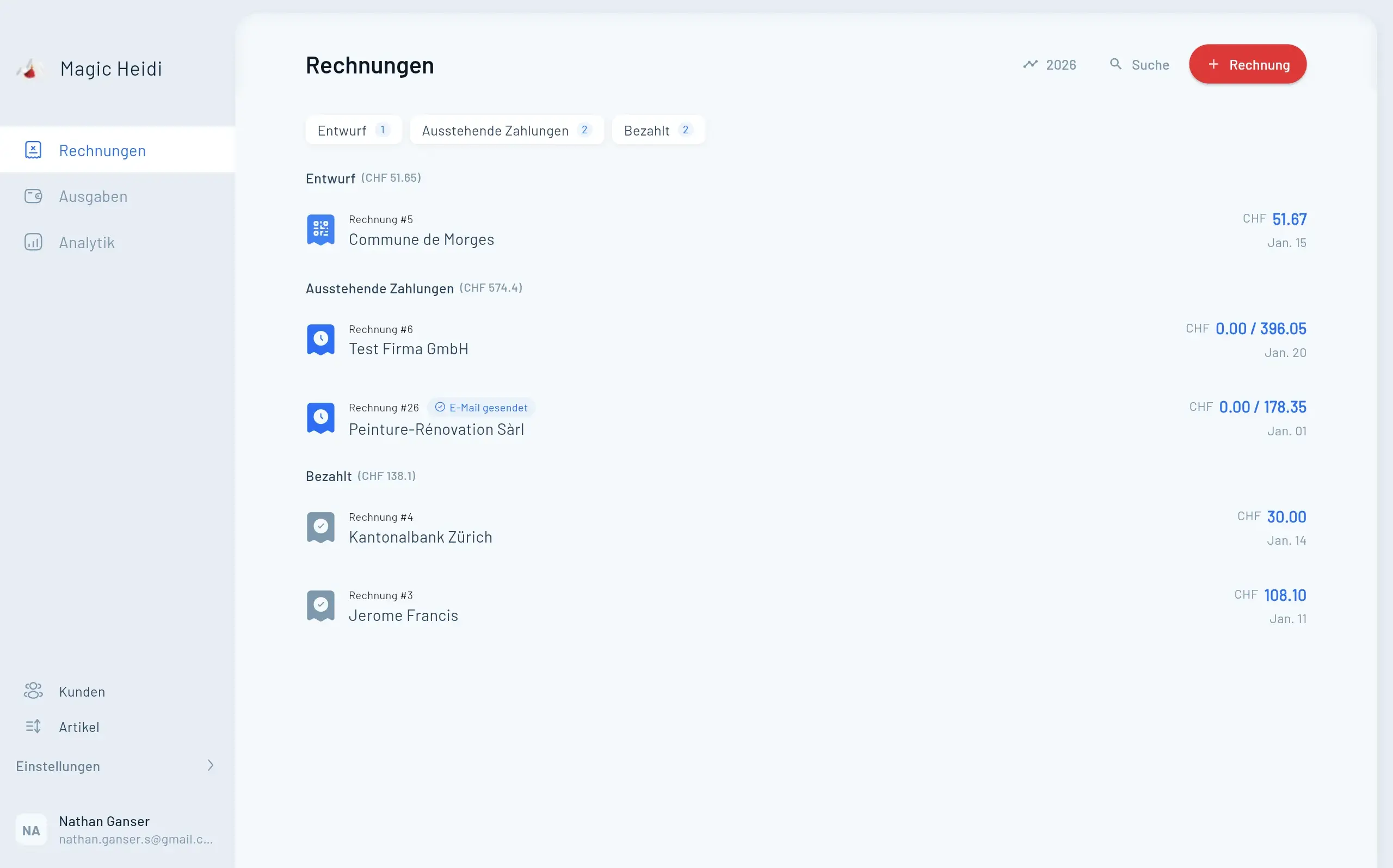
Sie entwickeln Rechnungsfunktionen für den Schweizer Markt? Schluss mit dem Kampf gegen QR-Rechnung-Spezifikationen und ISO 20022 Standards. Unsere entwicklerfreundliche API erstellt konforme Schweizer QR-Rechnungen mit einem einzigen API-Call – keine komplexen Bibliotheken, keine Compliance-Kopfschmerzen.
Ob Sie eine SaaS-Plattform bauen, Rechnungsstellung in Ihr ERP integrieren oder ein Freelancer-Tool entwickeln – Sie haben vollständig konforme QR-Rechnungen in unter 30 Minuten am Laufen.
Warum eine API statt Eigenentwicklung?
Schweizer QR-Rechnungen wirken einfach, bis man in die Details eintaucht. Das erwartet Sie bei einer Eigenentwicklung:
Compliance-Komplexität
67-seitige Implementierungsrichtlinien v2.3. ISO 20022 Standards, QR-IBAN-Validierung, Prüfziffern, strukturierte Adressen.Laufende Wartung
Schweizer Bankstandards ändern sich. Allein das Update 2025 bringt strukturierte Adressen, erweiterte Zeichensätze und neue Validierungsregeln.Testaufwand
Jede Kombination aus IBAN-Typ, Referenzformat, Währung und Sprache muss getestet werden. Plus Sonderfälle, MwSt-Sätze, PDF-Formatierung.Time-to-Market
Eigenentwicklung: 2-3 Monate. Mit unserer API: Rechnungen in Stunden generieren.Entwickelt für professionelle Entwickler
Alles was Sie für konforme Schweizer QR-Rechnungen brauchen, automatisch gewartet und aktualisiert.
QR-IBAN und normale IBAN Unterstützung
Beide Zahlungsmethoden funktionieren nahtlos. QR-IBAN (IID 30000-31999) für automatischen Zahlungsabgleich mit 27-stelligen Referenzen. Normale IBAN mit Creditor Reference oder ohne Referenz für einfache Rechnungen.
- Automatische IBAN-Format-Validierung
- Prüfziffernberechnung inklusive
- Referenznummer-Validierung nach IBAN-Typ
- Keine manuelle Validierung nötig
2025-ready strukturierte Adressen
Wichtiges Update: Ab 21. November 2025 erfordern QR-Rechnungen strukturierte Adressen. Unsere API unterstützt das neue Format bereits.
- Strukturiertes Adressformat (Typ S)
- Separate Strasse und Hausnummer
- PLZ- und Ortsvalidierung
- Ländercode-Unterstützung
Mehrsprachige Rechnungserstellung
Erstellen Sie Rechnungen in allen Schweizer Landessprachen plus Englisch. Die Sprache beeinflusst Beschriftungen, Formatierung und Datumsanzeige.
- Deutsch – QR-Rechnung
- Français – Facture QR
- Italiano – Fattura QR
- English – QR Invoice
Intelligente Referenznummern
Alle Referenzformate unterstützt mit automatischer Validierung und Prüfziffernberechnung.
- QR-Referenz (27 Stellen) mit Auto-Prüfziffer
- Creditor Reference (ISO 11649, 5-25 Zeichen)
- Ohne Referenz für einfache Rechnungen
- Formatvalidierung gegen IBAN-Typ
MwSt-Verwaltung integriert
Schweizer MwSt zu Standardsätzen oder individuellen Sätzen. Automatische Berechnung und Schweizer Standardformatierung.
- Standardsätze (8.1%, 2.6%, 3.8%)
- Individuelle MwSt-Sätze möglich
- Mehrere MwSt-Sätze pro Rechnung
- Automatische Brutto- und Nettoberechnung
Individuelle Branding-Optionen
Professionelle Rechnungen mit Ihrer Markenidentität und Dokumentenmanagement-Integration.
- Logo-Integration (PNG, max 2MB)
- Individuelle PDF-Dateinamen
- Rechnungsnummern-Kontrolle
- Interne ID-Zuweisung
Testen Sie die API jetzt sofort
Keine Authentifizierung für Tests nötig. Kopieren Sie diesen Befehl und führen Sie ihn im Terminal aus:
curl --location --request POST \
  'https://europe-west6-magic-heidi.cloudfunctions.net/create_invoice_abstract_v1d' \
  --header 'Content-Type: application/json' \
  --data-raw '{
    "data": {
      "user_details": {
        "name": "Your Company GmbH",
        "address": "Bahnhofstrasse 1",
        "zip": "8001",
        "city": "Zürich",
        "iban": "CH0700700112900411647"
      },
      "customer_details": {
        "name": "Customer AG",
        "address": "Rue du Rhône 1",
        "zip": "1204",
        "city": "Genève"
      },
      "invoice_items": [
        {
          "description": "Software Development",
          "quantity": 8.5,
          "unit_price": 150.00
        }
      ]
    }
  }'
Sie erhalten eine vollständige PDF-Rechnung mit scannbarem QR-Code. Kein API-Key für Tests nötig.
Request-Parameter erklärt
Einfache JSON-Struktur mit Pflicht- und optionalen Feldern.
Pflichtfelder
{
  "user_details": {
    "name": "Kreditorname (max 70 Zeichen)",
    "address": "Strasse und Nummer",
    "zip": "Postleitzahl",
    "city": "Ort",
    "iban": "CH76 0070 0112 3456 7890 1"
  },
  "customer_details": {
    "name": "Debitorname (max 70 Zeichen)",
    "address": "Strasse und Nummer",
    "zip": "Postleitzahl",
    "city": "Ort"
  },
  "invoice_items": [
    {
      "description": "Dienstleistung oder Produkt",
      "quantity": 1.0,
      "unit_price": 100.00
    }
  ]
}
Optionale Parameter
{
  "invoice_number": "INV-2024-001",
  "invoice_date": "2024-01-15",
  "reference": "210000000003139471430009017",
  "language": "de",
  "currency": "CHF",
  "vat_rate": 8.1,
  "filename": "invoice_customer_2024_001",
  "logo_url": "https://yoursite.com/logo.png"
}
Response-Verarbeitung
Erfolg (HTTP 200):
{
  "result": {
    "pdf_url": "https://storage.googleapis.com/...",
    "invoice_id": "abc123",
    "total_amount": 1275.00
  }
}
Fehler (HTTP 400):
{
  "error": {
    "code": "INVALID_IBAN",
    "message": "IBAN check digit validation failed"
  }
}
Die PDF-URL bleibt 30 Tage zugänglich. Laden Sie sie sofort herunter und speichern Sie sie in Ihrem System.
Implementation in Ihrer Sprache
Copy-paste Beispiele für JavaScript, Python, PHP, Ruby, Go und Java.
JavaScript / Node.js
const axios = require('axios');

async function generateInvoice() {
  const response = await axios.post(
    'https://europe-west6-magic-heidi.cloudfunctions.net/create_invoice_abstract_v1d',
    {
      data: {
        user_details: {
          name: "Tech Solutions AG",
          address: "Technoparkstrasse 1",
          zip: "8005",
          city: "Zürich",
          iban: "CH0700700112900411647"
        },
        customer_details: {
          name: "Client Corp",
          address: "Avenue de la Gare 10",
          zip: "1003",
          city: "Lausanne"
        },
        invoice_items: [
          {
            description: "API Integration Service",
            quantity: 5,
            unit_price: 200.00
          }
        ]
      }
    }
  );

  return response.data.result.pdf_url;
}
Python
import requests
import json

def generate_qr_invoice():
    url = "https://europe-west6-magic-heidi.cloudfunctions.net/create_invoice_abstract_v1d"

    payload = {
        "data": {
            "user_details": {
                "name": "Your Company GmbH",
                "address": "Bahnhofstrasse 1",
                "zip": "8001",
                "city": "Zürich",
                "iban": "CH0700700112900411647"
            },
            "customer_details": {
                "name": "Customer Name",
                "address": "Street Address",
                "zip": "1000",
                "city": "Lausanne"
            },
            "invoice_items": [
                {
                    "description": "Consulting Services",
                    "quantity": 10,
                    "unit_price": 180.00
                }
            ]
        }
    }

    response = requests.post(url, json=payload)
    return response.json()['result']['pdf_url']
PHP
<?php
$curl = curl_init();

$data = [
    'data' => [
        'user_details' => [
            'name' => 'Swiss Services SA',
            'address' => 'Route de Berne 5',
            'zip' => '1010',
            'city' => 'Lausanne',
            'iban' => 'CH0700700112900411647'
        ],
        'customer_details' => [
            'name' => 'Client Company',
            'address' => 'Via Nassa 1',
            'zip' => '6900',
            'city' => 'Lugano'
        ],
        'invoice_items' => [
            [
                'description' => 'Web Development',
                'quantity' => 20,
                'unit_price' => 125.00
            ]
        ]
    ]
];

curl_setopt_array($curl, [
    CURLOPT_URL => 'https://europe-west6-magic-heidi.cloudfunctions.net/create_invoice_abstract_v1d',
    CURLOPT_RETURNTRANSFER => true,
    CURLOPT_POST => true,
    CURLOPT_POSTFIELDS => json_encode($data),
    CURLOPT_HTTPHEADER => ['Content-Type: application/json']
]);

$response = curl_exec($curl);
$result = json_decode($response, true);

echo $result['result']['pdf_url'];
?>
Ruby
require 'net/http'
require 'json'
require 'uri'

uri = URI('https://europe-west6-magic-heidi.cloudfunctions.net/create_invoice_abstract_v1d')

payload = {
  data: {
    user_details: {
      name: "Development Studio GmbH",
      address: "Seestrasse 20",
      zip: "8002",
      city: "Zürich",
      iban: "CH0700700112900411647"
    },
    customer_details: {
      name: "Client Business AG",
      address: "Spalenring 5",
      zip: "4055",
      city: "Basel"
    },
    invoice_items: [
      {
        description: "Design Services",
        quantity: 15,
        unit_price: 160.00
      }
    ]
  }
}

response = Net::HTTP.post(uri, payload.to_json,
  'Content-Type' => 'application/json')

result = JSON.parse(response.body)
puts result['result']['pdf_url']
Go
package main

import (
    "bytes"
    "encoding/json"
    "net/http"
)

type InvoiceRequest struct {
    Data struct {
        UserDetails struct {
            Name    string `json:"name"`
            Address string `json:"address"`
            Zip     string `json:"zip"`
            City    string `json:"city"`
            IBAN    string `json:"iban"`
        } `json:"user_details"`
        CustomerDetails struct {
            Name    string `json:"name"`
            Address string `json:"address"`
            Zip     string `json:"zip"`
            City    string `json:"city"`
        } `json:"customer_details"`
        InvoiceItems []struct {
            Description string  `json:"description"`
            Quantity    float64 `json:"quantity"`
            UnitPrice   float64 `json:"unit_price"`
        } `json:"invoice_items"`
    } `json:"data"`
}

func generateInvoice() (string, error) {
    url := "https://europe-west6-magic-heidi.cloudfunctions.net/create_invoice_abstract_v1d"

    var req InvoiceRequest
    req.Data.UserDetails.Name = "Swiss Tech AG"
    req.Data.UserDetails.Address = "Technoparkstrasse 1"
    req.Data.UserDetails.Zip = "8005"
    req.Data.UserDetails.City = "Zürich"
    req.Data.UserDetails.IBAN = "CH0700700112900411647"

    jsonData, _ := json.Marshal(req)
    resp, err := http.Post(url, "application/json", bytes.NewBuffer(jsonData))

    // Handle response...
    return "pdf_url", err
}
Java
import java.net.http.*;
import java.net.URI;
import org.json.JSONObject;

public class QRInvoiceGenerator {
    public static String generateInvoice() throws Exception {
        String url = "https://europe-west6-magic-heidi.cloudfunctions.net/create_invoice_abstract_v1d";

        JSONObject payload = new JSONObject()
            .put("data", new JSONObject()
                .put("user_details", new JSONObject()
                    .put("name", "Software GmbH")
                    .put("address", "Europaallee 1")
                    .put("zip", "8004")
                    .put("city", "Zürich")
                    .put("iban", "CH0700700112900411647"))
                .put("customer_details", new JSONObject()
                    .put("name", "Client AG")
                    .put("address", "Bahnhofstrasse 10")
                    .put("zip", "3011")
                    .put("city", "Bern"))
                .put("invoice_items", new JSONArray()
                    .put(new JSONObject()
                        .put("description", "Development")
                        .put("quantity", 40)
                        .put("unit_price", 150.00))));

        HttpRequest request = HttpRequest.newBuilder()
            .uri(URI.create(url))
            .header("Content-Type", "application/json")
            .POST(HttpRequest.BodyPublishers.ofString(payload.toString()))
            .build();

        HttpResponse<String> response = HttpClient.newHttpClient()
            .send(request, HttpResponse.BodyHandlers.ofString());

        JSONObject result = new JSONObject(response.body());
        return result.getJSONObject("result").getString("pdf_url");
    }
}
Typische Anwendungsfälle & Integrationsmuster
Praxisszenarien, in denen unsere API Schweizer Rechnungsprobleme für Entwickler und Unternehmen löst.
Schweizer Markt-Support hinzufügen. QR-Codes ermöglichen mühelose Kundenzahlungen per Banking-App-Scan.
Bestehende Systeme mit automatischer Rechnungserstellung verbinden. Webhook-gesteuerte Rechnungserstellung mit CRM-Daten.
Mehrsprachige Unterstützung, korrekte MwSt-Behandlung, professionelle PDFs. Schweizer Compliance automatisch abgedeckt.
«Rechnung» als Zahlungsmethode für B2B anbieten. QR-Rechnungen sofort nach Bestellbestätigung generieren.
Mitgliederbeitragseinzug automatisieren. Eindeutige QR-Referenzen für automatischen Zahlungsabgleich.
Rechnungen unterwegs erstellen. Schlanke API-Integration für iOS- und Android-Apps.
QR-IBAN vs normale IBAN verstehen
Das verwirrt die meisten Entwickler anfangs. Hier ist der praktische Unterschied:
Wann QR-IBAN verwenden
QR-IBAN verwenden, wenn: Sie automatischen Zahlungsabgleich brauchen. Die 27-stellige QR-Referenz verbindet eingehende Zahlungen automatisch mit spezifischen Rechnungen. Ihre Bank gleicht die Referenz ab und informiert Sie, welche Rechnung bezahlt wurde.
QR-IBAN erkennen: Die 5. bis 9. Stelle (IID) liegt zwischen 30000 und 31999.
- Beispiel: CH12 30123 4567 8901 2345 6 (30123 = QR-IID)
QR-IBAN erhalten: Kontaktieren Sie Ihre Schweizer Bank. Sie stellen QR-IBANs neben Ihren normalen IBANs aus. Die meisten Schweizer Banken bieten dies kostenlos für Geschäftskonten.
Wann normale IBAN verwenden
Normale IBAN verwenden, wenn: Einfache Rechnungsstellung genügt. Sie gleichen eingehende Zahlungen manuell mit Rechnungen ab, oder Sie nutzen das Creditor Reference Feld (ISO 11649 Format) für halbautomatischen Abgleich.
Normale IBAN erkennen: Standard Schweizer IBAN-Format mit IID ausserhalb des Bereichs 30000-31999.
Referenz-Kompatibilität
- QR-IBAN → Muss QR-Referenz verwenden (27 Stellen)
- Normale IBAN → Kann Creditor Reference oder keine Referenz verwenden
Die API validiert dies automatisch. QR-Referenz mit normaler IBAN übergeben? Sie erhalten einen Fehler, bevor eine ungültige Rechnung erstellt wird.
Produktionsreife Implementation
Professionelle Muster für Fehlerbehandlung, Testing, Performance und Monitoring.
Fehlerbehandlung
API-Aufrufe immer in try-catch-Blöcke einschliessen. Fehler mit Kontext protokollieren, inklusive Rechnungsnummer und Kunden-ID.
- INVALID_IBAN – Format oder Prüfziffer falsch
- REFERENCE_MISMATCH – QR-Referenz mit normaler IBAN
- INVALID_AMOUNT – Negativer oder Null-Betrag
- MISSING_FIELD – Pflichtparameter fehlt
Testing-Strategie
Dreiphasiger Testing-Ansatz für zuverlässige Integration und Deployment.
- Development: Kostenloser Test-Endpoint mit Testdaten
- Staging: Echte IBAN-Formate mit Dummy-Kunden
- Production: Soft-Launch mit internem Testing zuerst
- QR-Codes in mehreren Banking-Apps verifizieren
Performance-Optimierung
Strategien für schnelle Antwortzeiten und effiziente Verarbeitung hoher Volumen.
- Async-Verarbeitung: Jobs in Queue, Requests nicht blockieren
- Caching: PDF-URLs speichern (30 Tage gültig)
- Batch-Generierung: Parallele Requests mit Rate Limits
- Kontaktieren Sie uns für Enterprise Rate Limits
Monitoring
Wichtige Metriken tracken und Alerts für Produktionszuverlässigkeit einrichten.
- Erfolgsrate: Sollte >99.5% sein
- Antwortzeit: Durchschnitt <2 Sekunden
- Fehlertypen: Muster und Spitzen tracken
- Rechnungs-Downloads: PDF-Zugriffe überwachen
Häufig gestellte Fragen
Warum funktioniert meine IBAN nicht?
Erstens: Prüfen Sie, ob es eine Schweizer oder Liechtensteiner IBAN ist (beginnt mit CH oder LI). QR-Rechnungen unterstützen nur diese Länder. Zweitens: Prüfen Sie, ob Sie IBAN-Typen vermischen – QR-Referenzen erfordern QR-IBAN, nicht normale IBAN.
Brauche ich ein spezielles Bankkonto?
Kein spezielles Konto nötig für normale IBAN-Rechnungen. Für QR-IBAN-Rechnungen mit automatischem Zahlungsabgleich kontaktieren Sie Ihre Bank zur Aktivierung des QR-IBAN-Service. Die meisten Schweizer Geschäftskonten beinhalten dies.
Was ist die Übergangsfrist für strukturierte Adressen?
Pflicht ab 21. November 2025. Vollständige Compliance erforderlich bis 30. September 2026. Unsere API unterstützt das strukturierte Format bereits – Sie sind abgedeckt.
Kann ich internationale IBANs verwenden?
Nein. Die Schweizer QR-Rechnung-Spezifikation akzeptiert nur Schweizer (CH) und Liechtensteiner (LI) IBANs. Für internationale Rechnungsstellung erwägen Sie stattdessen SEPA-Rechnungen.
Wie berechne ich die QR-Referenz-Prüfziffer?
Müssen Sie nicht. Übergeben Sie Ihre 26-stellige Referenz, wir berechnen die 27. Stelle (Modulo 10, rekursiv). Die API übernimmt die Prüfziffernvalidierung für IBAN und Referenz.
Was wenn die Banking-App meines Kunden den QR-Code nicht erkennt?
Das deutet auf eines hin: (1) QR-Code-Qualitätsproblem beim PDF-Druck/-Anzeige, (2) nicht-konformer QR-Code, oder (3) veraltete Banking-App. Unsere API generiert vollständig konforme QR-Codes, getestet mit allen grossen Schweizer Banking-Apps. Stellen Sie sicher, dass Kunden vom Original-PDF scannen, nicht von einer minderwertigen Kopie.
Kann ich das Rechnungslayout anpassen?
Logo und Farben ja, strukturelles Layout nein. Schweizer QR-Rechnungen folgen strengen Formatierungsanforderungen für Bankkompatibilität. Sie können Ihr Logo hinzufügen, aber Zahlschein-Positionierung und QR-Code-Platzierung sind reguliert.
Wie ist Ihre API-Verfügbarkeit?
Wir halten 99.9% Uptime. Das sind weniger als 9 Stunden Ausfallzeit pro Jahr. Enterprise-Kunden erhalten Priority-Support und können dedizierte Infrastruktur anfragen.
Wie schnell kann ich das integrieren?
Die meisten Entwickler schliessen die Grundintegration in 2-4 Stunden ab. Eine produktionsreife Implementation mit Fehlerbehandlung, Webhook-Integration und Testing dauert typischerweise 1-2 Tage.
Einfache, transparente Preise
Zahlen Sie nur was Sie nutzen. Mengenrabatte für High-Volume-Anwendungen verfügbar.
Kostenloses Testen
- Unbegrenzte Test-Rechnungen
- Keine Authentifizierung nötig
- Alle Features verfügbar
- Perfekt für Proof-of-Concept
Production
- Bezahlung pro generierter Rechnung
- Mengenrabatte verfügbar
- Alle Features inklusive
- 2025 Compliance-Updates automatisch
- E-Mail-Support inklusive
- Umfassende Dokumentation
Enterprise
- Dedizierte Infrastruktur
- Priority-Support
- Individuelle SLAs
- Höhere Rate Limits
- Ideal für ERP-Anbieter
- High-Volume-Plattformen
Alle Pläne beinhalten vollständigen API-Zugang, Mehrsprachigkeit, QR-IBAN-Kompatibilität und automatische Compliance-Updates.
Starten Sie heute
Sofort testen ohne Anmeldung. Generieren Sie Ihre erste konforme Schweizer QR-Rechnung in den nächsten 5 Minuten.

Bereit für die Integration von Schweizer QR-Rechnungen?
- Sofort testen: Kopieren Sie den curl-Befehl oben und führen Sie ihn im Terminal aus
- Dokumentation prüfen: Vollständige API-Referenz mit Beispielen
- API-Key erhalten: Jetzt Zugang anfragen
Fragen zur Implementation? Unser Entwickler-Support antwortet innerhalb von 24 Stunden.
E-Mail an support@magicheidi.ch mit Ihrem Anwendungsfall.
Von Entwicklern, für Entwickler. Wir verstehen die Komplexität der Schweizer Rechnungsstellung, weil wir sie selbst gelöst haben. Jetzt teilen wir diese Lösung mit Ihnen.
API kostenlos testen – keine Kreditkarte, keine Anmeldung für Tests nötig.