Free Swiss Invoice Template: Create Professional, Compliant Invoices in Minutes

The complete 2025 guide to Swiss invoicing. Download our free template with automatic VAT calculation, QR-bill support, and built-in compliance—so you can focus on your business, not paperwork.

Swiss Invoice Template Example

You didn't start your business to spend hours wrestling with invoice formatting and Swiss tax regulations.

Yet here you are—probably googling Swiss VAT rates again, double-checking if you included all mandatory fields, or trying to figure out how QR-bills actually work. Every invoice becomes a 20-minute project when it should take 2 minutes.

The cost? Hours every month that you could spend serving clients or growing your business. Plus the nagging worry that you might have missed something important.

Here's the solution: A free Swiss invoice template that handles the complicated parts automatically—VAT calculations, QR-bill formatting, and legal compliance—so you can create professional invoices in minutes, not hours.

Why Swiss Invoice Compliance Actually Matters

A proper invoice isn't bureaucratic busywork. It's what gets you paid—and keeps you out of trouble with Swiss tax authorities.

⏱️
Payment delaysMissing information gives clients an excuse to hold payment
🔍
VAT audit issuesTax authorities can reject invoices, blocking input tax claims
👔
Professional reputationSloppy invoices signal amateur operation to clients
⚖️
Legal problemsViolations can result in fines and compliance issues
2025 Requirements

Essential Elements of a Swiss Invoice

Every Swiss invoice must include specific information. These aren't suggestions—they're mandatory under Article 26 of the VAT Act and the Swiss Code of Obligations (OR 958f).

Swiss Invoice Requirements
VAT Guide 2025

Understanding Swiss VAT: The 2025 Guide

VAT confuses many Swiss business owners. Here's exactly what you need to know about rates, registration, and compliance.

Swiss VAT Management

Do You Need to Charge VAT?

You must register for VAT if your annual turnover exceeds CHF 100,000. Below this threshold, registration is optional.

Here's the critical rule: Only VAT-registered businesses should charge VAT on invoices.

Your SituationWhat to Do
Turnover under CHF 100,000, not registeredDo NOT charge VAT on invoices
Turnover under CHF 100,000, voluntarily registeredCharge VAT and include your VAT number
Turnover over CHF 100,000Must register and charge VAT

If you're not VAT-registered, your invoice should note: "Not subject to VAT" or "VAT exempt."

How to Display VAT on Your Invoice

When you are VAT-registered, your invoice must show:

  1. Your VAT registration number (CHE-XXX.XXX.XXX MWST)
  2. The applicable VAT rate (e.g., 8.1%)
  3. The VAT amount in Swiss Francs
  4. Subtotal before VAT
  5. Total including VAT

Example breakdown:

Consulting services: CHF 1,000.00
VAT (8.1%): CHF 81.00
Total: CHF 1,081.00
QR-Bill Ready

QR-Bills Explained: What You Must Know

The Swiss QR-bill became mandatory on October 1, 2022. Invoices with QR-bill payment options are 50% more likely to be paid on time.

Swiss QR-Bill Payment
Payment Innovation

Why QR-Bills Get You Paid Faster

A QR-bill is a payment slip with a Swiss QR code containing all payment information. Clients scan the code with their e-banking app and pay instantly—no manual data entry required.

Free Template

Magic Heidi's Free Template: Features That Save Time

Built specifically for Swiss freelancers and small businesses. All the features you need, none of the complexity.

  • 🧮
    Automatic VAT Calculation

    Enter items and rate—totals calculate automatically

  • Swiss Compliance Built-In

    Pre-formatted with all legally required fields

  • 📲
    QR-Bill Compatible

    Space for QR code section with proper formatting

  • 🎨
    Customizable Design

    Add your logo, adjust colors and fonts

  • 💱
    Multi-Currency Support

    Fields for foreign currency with CHF equivalent

  • 🔢
    Sequential Numbering

    Template shows proper invoice numbering format

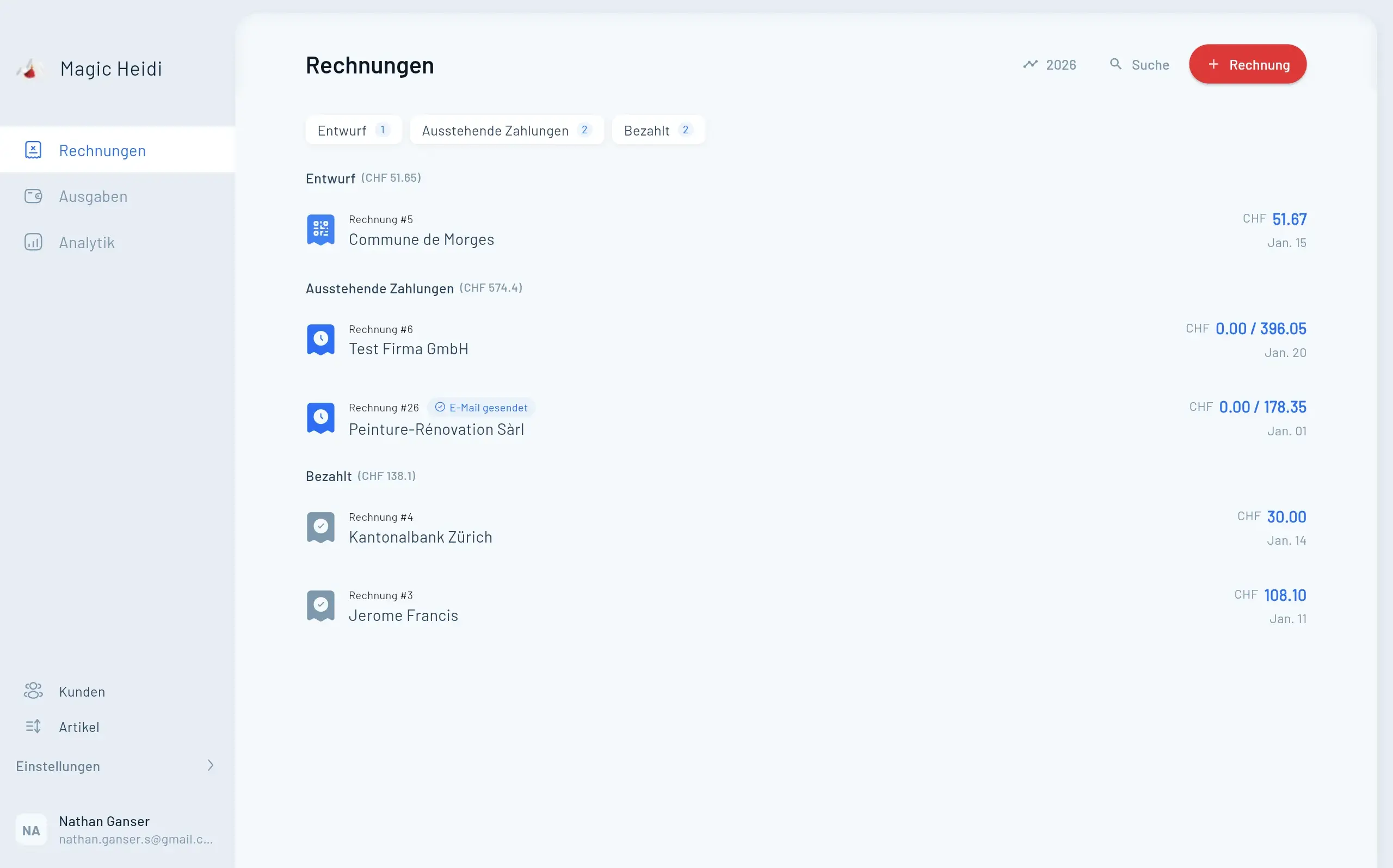
Invoices
  • Invoice #3

    Magic Heidi

    CHF 500

    Jan 29

  • Invoice #2

    Webbiger LTD

    CHF 2000

    Jan 24

  • Invoice #1

    John Doe

    CHF 600

    Jan 20

How to Use the Template: Step-by-Step

Creating your first invoice takes about 5 minutes. After that, 2 minutes per invoice.

Step 1: Download and Open

Download the free template and open it in Microsoft Word, Google Docs, or compatible software.

Step 2: Customize Your Branding (One-Time Setup)

  • Add your logo in the header
  • Enter your business name, address, and contact information
  • Add your UID number
  • If VAT-registered, add your VAT number
  • Adjust colors to match your brand (optional)
  • Set up your bank details and IBAN

Save this customized version as your master template.

Step 3: Fill Invoice Details

For each new invoice:

  1. Enter client information (name, company, address)
  2. Add invoice number (must be sequential)
  3. Set invoice date and payment due date
  4. Describe services or products in the line items section
  5. Enter quantities and unit prices
  6. Select VAT rate (8.1% for most services)

The template automatically calculates line totals, subtotal, VAT amount, and grand total.

Step 4: Review and Send

Before sending, verify:

  • ✓ Client information is correct and complete
  • ✓ Invoice number is sequential
  • ✓ Service descriptions are clear
  • ✓ VAT rate is correct for the service type
  • ✓ Payment terms are stated
  • ✓ Bank details and QR code are present

Save as PDF before sending to preserve formatting and prevent editing.

Common Mistakes

8 Swiss Invoicing Mistakes to Avoid

After reviewing thousands of invoices, these are the errors we see most often—and how to fix them.

Mistake #1

Missing Mandatory Information

Leaving out invoice date, complete address, or UID number makes invoices legally incomplete.

  • The fix: Use our template with fields for all mandatory elements
  • Why it matters: Incomplete invoices can be rejected during VAT audits
  • Prevention: Checklist before sending each invoice
Invoice Documentation
Mistake #2

Vague Service Descriptions

Writing 'Consulting services' without specifics leads to payment disputes.

  • The fix: Be specific enough that anyone could understand
  • Example: 'Website redesign: 15h UX, 20h development, 5h testing'
  • Why it matters: Clear descriptions prevent client confusion
Clear Invoice Descriptions
Mistake #3

Wrong VAT Rate

Applying 8.1% to everything, including reduced-rate items like books.

  • The fix: Verify the correct rate for your service/product
  • Resources: Federal Tax Administration rate list
  • Impact: Incorrect VAT creates tax reporting problems
VAT Rate Calculation
Mistake #4

Charging VAT When Not Registered

Adding VAT without registration is tax fraud—you're collecting money illegally.

  • The fix: Only charge VAT if officially registered
  • Alternative: Note 'Not subject to VAT' on invoices
  • Threshold: Registration required over CHF 100,000 turnover
VAT Compliance
Template vs Software

When to Upgrade from Template to Software

Our free template works perfectly for occasional invoicing. But you might need a full solution when your needs grow.

FeatureFree TemplateMagic Heidi
Invoice CreationManual entry One-click generation
VAT Calculation Automatic Automatic + reporting
QR-Bill GenerationManual addition Automatic creation
Expense Tracking Not included AI-powered scanning
Bank Statement Import Not included Automatic reconciliation
Multi-Device Access Computer only iOS, Android, Mac, Windows, Web
Storage & BackupManual backup needed Automatic cloud backup
Best For<5 invoices/month Growing businesses
FAQ

Frequently Asked Questions

Do I need VAT on my invoices?

Only if you're VAT-registered. You must register when annual turnover exceeds CHF 100,000. Below that threshold, registration is optional. If you're not registered, do not charge VAT—note 'Not subject to VAT' on invoices instead.

What's the difference between UID and VAT number?

The UID (Business Identification Number, format CHE-XXX.XXX.XXX) is assigned to all registered businesses in Switzerland. The VAT number (same format with 'MWST' added) is only for VAT-registered businesses. Every business needs a UID; only some need a VAT number.

How do I create a QR-bill?

You can generate QR codes through your bank's e-banking platform, specialized QR-bill generators, or accounting software like Magic Heidi that creates them automatically. Our template includes space for the QR code section.

Can I invoice international clients?

Yes. For clients outside Switzerland, you typically don't charge Swiss VAT (reverse charge mechanism applies for B2B EU clients). Include your VAT number if registered, and note 'VAT reverse charge' or 'Export - VAT exempt.'

How long should I keep invoices?

Swiss law requires 10-year retention for both issued and received invoices. Digital storage is acceptable if files remain accessible and readable.

What if I make a mistake on an invoice?

Don't simply delete and recreate. Issue a credit note (cancellation invoice) referencing the incorrect invoice number, then issue a new correct invoice with the next sequential number. This maintains proper documentation.

What payment terms should I use?

The statutory default is 30 days, but you can specify shorter terms like 14 or 10 days. State clearly on the invoice: 'Payment due within 14 days' or give a specific date. Shorter terms improve cash flow.

Can I use the template in German, French, or Italian?

Yes. Swiss invoices can be in any language, though using your client's preferred language is professional. Our template works with all Swiss languages—simply translate the field labels while keeping the structure.

Start Creating Professional Swiss Invoices Today

Download our free template with automatic VAT calculation, QR-bill support, and full Swiss compliance. Create your first invoice in 5 minutes.

The Key Takeaways

  • Swiss invoices require specific mandatory elements—our template includes them all
  • Current VAT rate is 8.1% for most services (2025)
  • Only charge VAT if you're registered (over CHF 100,000 turnover)
  • QR-bills dramatically improve payment speed—include them
  • Sequential invoice numbering is legally required
  • Keep invoices for 10 years
  • Clear descriptions and prompt sending get you paid faster

The free Swiss invoice template handles the complex parts automatically. You focus on your business; the template ensures compliance.


Have questions about Swiss invoicing? Contact our support team or explore our complete invoicing guide.