Magic Heidi
 Rechnung schreiben im Transport: Mobil, schnell, korrekt
Zwischen zwei Fahrten abrechnen, Tankquittungen scannen, Offerte in Rechnung umwandeln — Magic Heidi ist das einfachste Rechnungsprogramm für Schweizer Taxi-, Kurier- und Umzugsunternehmen.
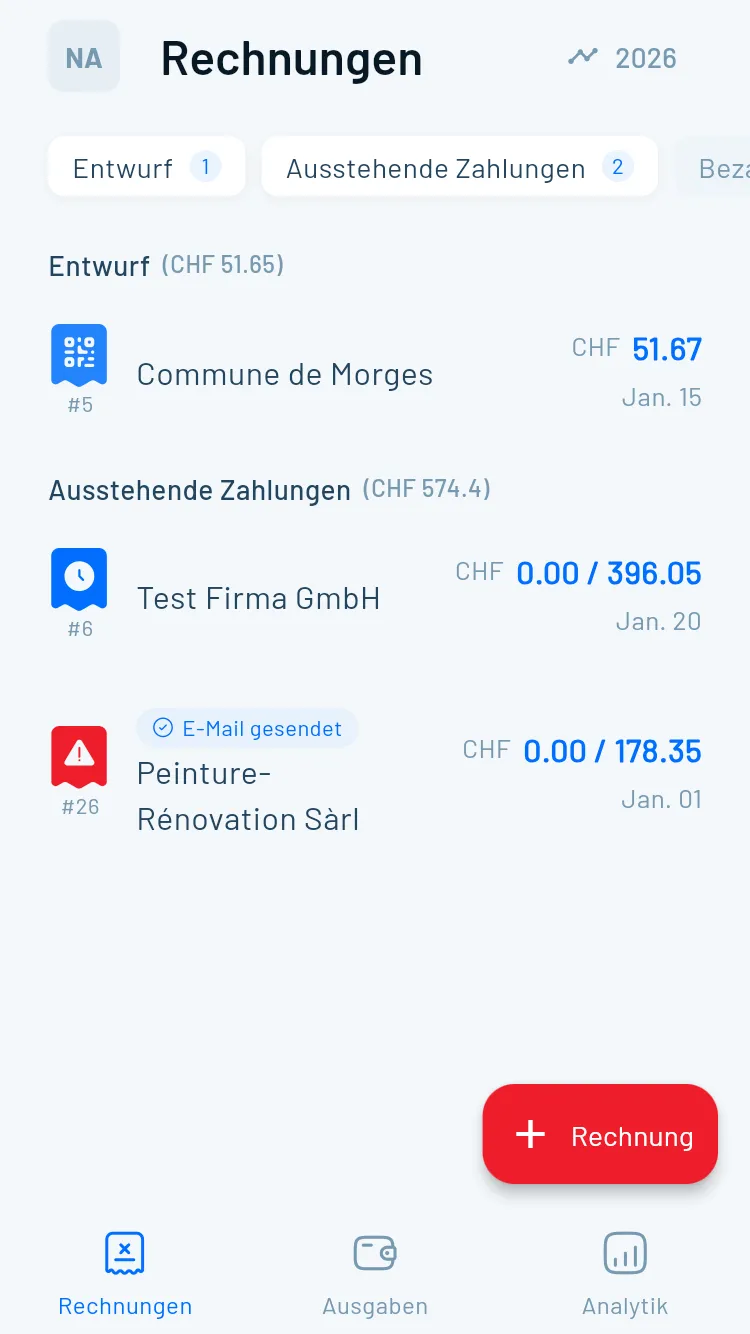
Papierkram nach dem Feierabend? Nicht mehr.
Transportunternehmer haben keine Zeit für Büroarbeit am Schreibtisch. Rechnungen müssen zwischen zwei Fahrten auf dem Smartphone entstehen — nicht abends nach einem 12-Stunden-Tag.
Zwischen zwei Fahrten abrechnen
Kein Laptop, kein Drucker, keine Zeit — Rechnungen müssen sofort und mobil erstellt werden können.Positionsvielfalt
Grundtarif, Zuschläge, Wartezeit, Material — alles auf einer übersichtlichen Rechnung zusammenfassen.Spesen unterwegs
Treibstoff, Parkgebühren, Mautgebühren — Quittungen stapeln sich im Handschuhfach statt im System.Gleiche Kunden, immer wieder
Stammkunden brauchen Rechnungen nach jedem Job — einmal einrichten, immer wieder versenden.Wie strukturiere ich eine Rechnung im Transportbereich?
Eine Schweizer Rechnung muss bestimmte Pflichtangaben enthalten. Im Transportgewerbe kommt hinzu, dass Leistungen oft aus mehreren Positionen bestehen. Hier ist die Positionslogik für die häufigsten Fälle:
Taxi und Personentransport
| Position | Einheit | Beispiel |
|---|---|---|
| Grundtarif (Fahrt) | Pauschal oder CHF/km | CHF 8.00 Einstieg + CHF 3.50/km |
| Wartezeit | CHF/15 Min. | CHF 12.00/15 Min. |
| Nachtzuschlag | % oder Pauschal | +20% nach 22:00 Uhr |
| Wochenend-/Feiertagszuschlag | % oder Pauschal | +25% Sa/So |
| Flughafenpauschale | Pauschal | CHF 15.00 |
Leistungszeitraum: Datum und Uhrzeit der Fahrt müssen immer angegeben werden.
Kurierdienst und Lieferservice
| Position | Einheit | Beispiel |
|---|---|---|
| Grundlieferung | Pauschal (Zone) | CHF 18.00 Stadtgebiet |
| Expresszuschlag | % oder Pauschal | +CHF 25.00 Same-Day |
| Gewichtszuschlag | CHF/kg über Limit | CHF 2.50/kg ab 10 kg |
| Wartezeit Empfänger | CHF/15 Min. | CHF 10.00/15 Min. |
Umzugsunternehmen
| Position | Einheit | Beispiel |
|---|---|---|
| Arbeitsstunden | CHF/Stunde/Person | CHF 65.00/h × 3 Personen |
| Fahrzeug | CHF/Tag oder km | CHF 180.00/Tag Transporter |
| Material (Kartons) | CHF/Stück | CHF 4.50/Karton |
| Verpackungsmaterial | CHF/Rolle | CHF 12.00/Frischhaltefolie-Rolle |
| Möbellift | Pauschal | CHF 120.00 |
Tipp: Erstellen Sie für jeden Kunden eine Vorlage mit Ihren Standardtarifen. Bei Magic Heidi speichern Sie Stammkunden und Standardpositionen — eine neue Rechnung dauert dann 30 Sekunden.
Einmal eingeben, immer wieder nutzen
Stammkunden und Standardleistungen einmal anlegen — bei der nächsten Fahrt einfach auswählen und versenden. Für Umzugsfirmen: Offerte erstellen, nach dem Job mit einem Klick zur Rechnung umwandeln. Mehr dazu unter Rechnungen und Offerten.
Tankquittungen scannen statt sammeln
Treibstoff ist der grösste variable Kostenfaktor im Transport. Fotografieren Sie die Quittung direkt nach dem Tanken — die KI von Magic Heidi erkennt Betrag, Datum, Kategorie und Anbieter automatisch. Keine verlorenen Belege mehr. Mehr dazu unter KI-Belegscan.

Alles für den Transportbetrieb
Magic Heidi deckt alle Anforderungen für Taxi, Kurier und Umzug ab — auf dem Smartphone, dem Tablet oder dem Computer.
Mobile Rechnung
QR-Rechnungen auf iPhone, Android oder im Web erstellen — zwischen zwei Fahrten, in der Pause oder nach dem Job.
Swiss QR-Rechnung
Jede Rechnung enthält automatisch den Swiss QR-Code mit IBAN und Referenznummer — gesetzeskonform und direkt zahlbar.
KI-Belegscan
Tankquittungen, Parkbelege und Mautquittungen per Kamera erfassen — die KI liest alle Angaben automatisch aus.
Offerte → Rechnung
Umzugskostenvoranschlag erstellen, nach dem Job mit einem Klick in eine Rechnung umwandeln. Kein doppeltes Erfassen.
Stammkunden
Kundendaten und Standardleistungen speichern — Rechnungen für Stammkunden in unter 30 Sekunden.
Bar & Karte
Barzahlungen und Kartenzahlungen getrennt verfolgen — übersichtliche Einnahmen ohne Kassenbuch-Chaos.
Ihr digitales Büro
für unterwegs
Alles, was ein Transportbetrieb braucht, um Rechnungen, Spesen und offene Posten vom Smartphone aus im Griff zu haben.
Rechnungsvorlagen
Vorkonfigurierte Vorlagen für Taxi, Kurier und Umzug. Stammkunden und Standardtarife einmal hinterlegen — jede weitere Rechnung erstellen Sie in unter 30 Sekunden.
- Standardpositionen für Fahrt, Zuschläge, Wartezeit
- Kundendaten automatisch übernehmen
- PDF per E-Mail oder WhatsApp versenden
- Swiss QR-Code auf jeder Rechnung
Offene Posten im Blick
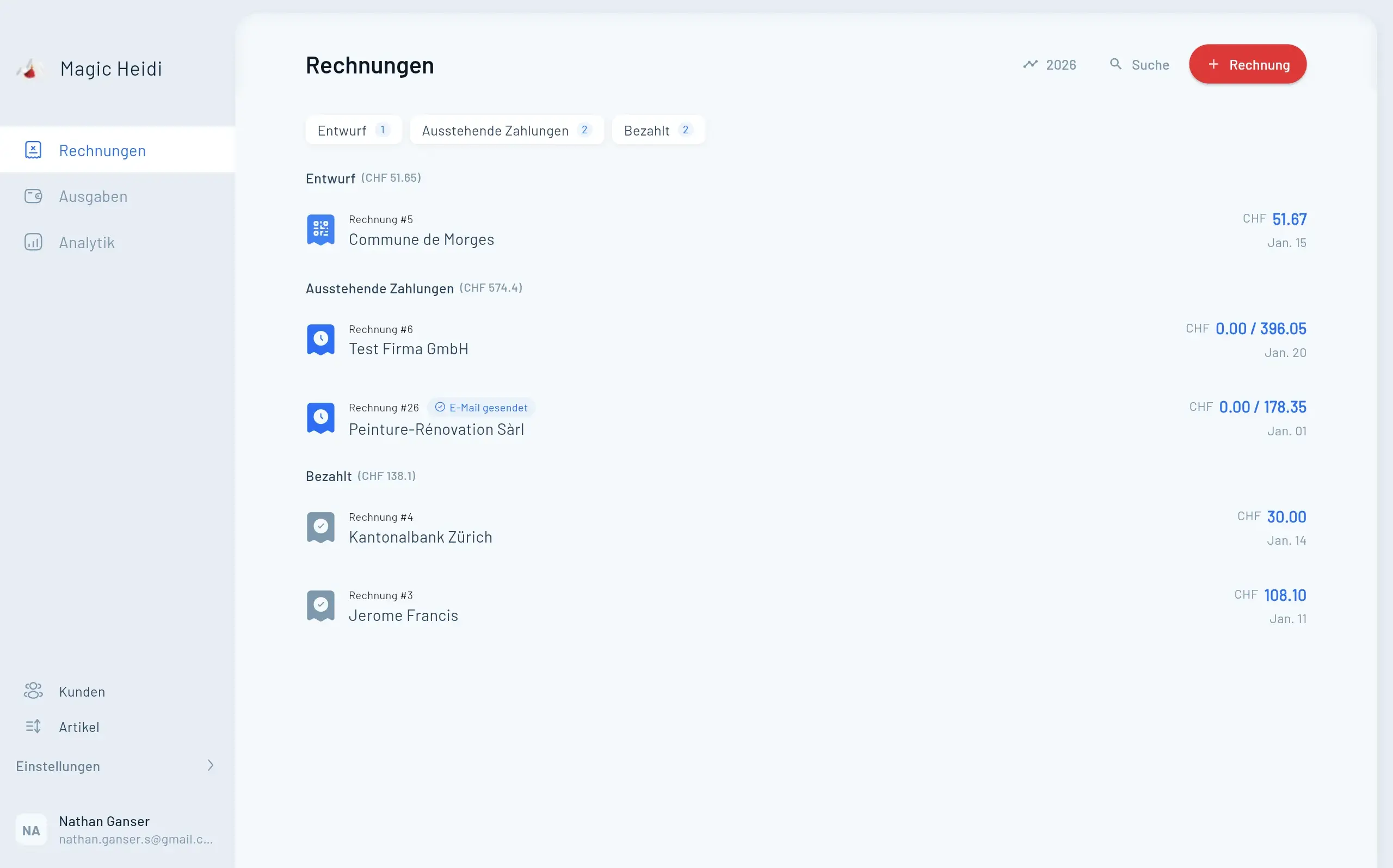
Auf einen Blick sehen, welche Rechnungen bezahlt sind und welche nicht. Automatische Zahlungserinnerungen ersparen peinliche Telefonate.
- Zahlungsstatus in Echtzeit
- Automatische Zahlungserinnerungen
- Übersicht nach Kunde oder Zeitraum
- Direkt aus der App nachfassen
Spesen-Überblick
Treibstoff, Parkgebühren und Maut das ganze Jahr lückenlos erfassen. KI scannt Quittungen automatisch — alle abzugsfähigen Spesen immer griffbereit.
- KI-Belegscan für alle Quittungstypen
- Kategorisierung: Treibstoff, Parkierung, Maut
- Jahresübersicht für Steuererklärung
- Nie wieder verlorene Belege
Rechnung in 30 Sekunden
Zwischen zwei Fahrten oder nach dem Umzug — Swiss QR-Rechnung erstellen, PDF versenden, Bezahlung verfolgen. Alles vom Smartphone.
- 📱App für iPhone & Android
Vollständige Funktion auf jedem Gerät — keine Desktop-Pflicht.
- 🧾Swiss QR-Rechnung
Gesetzeskonforme QR-Rechnungen mit einem Klick — direkt aus dem App.
- 📤PDF per E-Mail & WhatsApp
Rechnung direkt nach der Fahrt versenden — Kunde zahlt sofort.
- ⛽Spesen sofort erfassen
Quittung fotografieren, KI liest aus — Beleg ist im System.
- Rechnung #3
Magic Heidi
CHF 500
Jan 29
- Rechnung #2
Webbiger LTD
CHF 2000
Jan 24
- Rechnung #1
John Doe
CHF 600
Jan 20
Häufige Fragen zum Rechnungen schreiben im Transport
Wie schreibe ich eine Rechnung als Taxifahrer in der Schweiz?
Eine Taxirechnung in der Schweiz braucht: Ihr Name/Firmenname, Adresse, Rechnungsdatum, Leistungsdatum (Datum/Uhrzeit der Fahrt), Beschreibung der Leistung (Start- und Zielort oder Strecke in km), Betrag, MWST-Ausweis (wenn MWST-pflichtig) und IBAN mit Swiss QR-Code für einfache Zahlung. Mit Magic Heidi erstellen Sie diese Rechnung in unter einer Minute — direkt auf dem Smartphone.
Was muss auf einer Rechnung für Kurierdienste stehen?
Pflichtangaben auf einer Schweizer Kurierdienst-Rechnung: Rechnungsnummer, Rechnungsdatum, Leistungsdatum (Lieferdatum), Empfänger- und Absenderadresse, detaillierte Leistungsbeschreibung (z.B. Expresslieferung Zürich–Bern, 2,3 kg), Einzelpreise pro Position, Gesamtbetrag, MWST falls zutreffend, Zahlungsfrist und Bankverbindung mit QR-Code.
Wie rechne ich Wartezeit und Zuschläge auf einer Rechnung ab?
Wartezeit und Zuschläge als separate Positionen aufführen: z.B. 'Wartezeit 30 Min. à CHF 12.00 = CHF 24.00' oder 'Nachtzuschlag 20% auf CHF 45.00 = CHF 9.00'. Jede Position mit Menge, Einheit, Einzelpreis und Gesamtpreis angeben. Magic Heidi erlaubt beliebig viele Positionen pro Rechnung — Zuschläge und Pauschalen einfach hinzufügen.
Wie erfasse ich Spesen wie Treibstoff und Parkgebühren?
Mit Magic Heidi fotografieren Sie die Quittung direkt nach dem Tanken oder Parkieren. Die KI erkennt automatisch Betrag, Datum, Kategorie und Anbieter — kein manuelles Eintippen. Am Ende des Jahres haben Sie alle abzugsfähigen Fahrzeugspesen lückenlos dokumentiert und können Sie direkt in der Steuererklärung geltend machen. Mehr unter KI-Belegscan.
Wie wandle ich als Umzugsfirma eine Offerte in eine Rechnung um?
Bei Magic Heidi erstellen Sie zunächst eine Offerte mit allen geplanten Positionen (Arbeitsstunden, Fahrzeug, Material). Nach Abschluss des Umzugs wandeln Sie die Offerte mit einem Klick in eine Rechnung um — Kundendaten, Positionen und Preise werden automatisch übernommen. Anpassungen (z.B. mehr Kartons verbraucht) können Sie vor dem Versand noch vornehmen. Mehr zur Offerten-Funktion unter Offerten.
Ihre nächste Rechnung in 30 Sekunden
Transport-Rechnungen mobil schreiben — Stammkunden speichern, Spesen scannen, QR-Rechnung versenden.