 Magic Heidi
 Du betreibst einen Shopify-Shop in der Schweiz und brauchst eine Buchhaltung, die mit deiner Realität klarkommt: Shopify-Auszahlungen, vereinfachte Buchführung, MWST-Schwelle ab CHF 100'000, Belege organisiert, Steuerexport am Jahresende. Du bist hier richtig.
Shopify Integration
Shopify Buchhaltung in 2 Minuten mit Magic Heidi
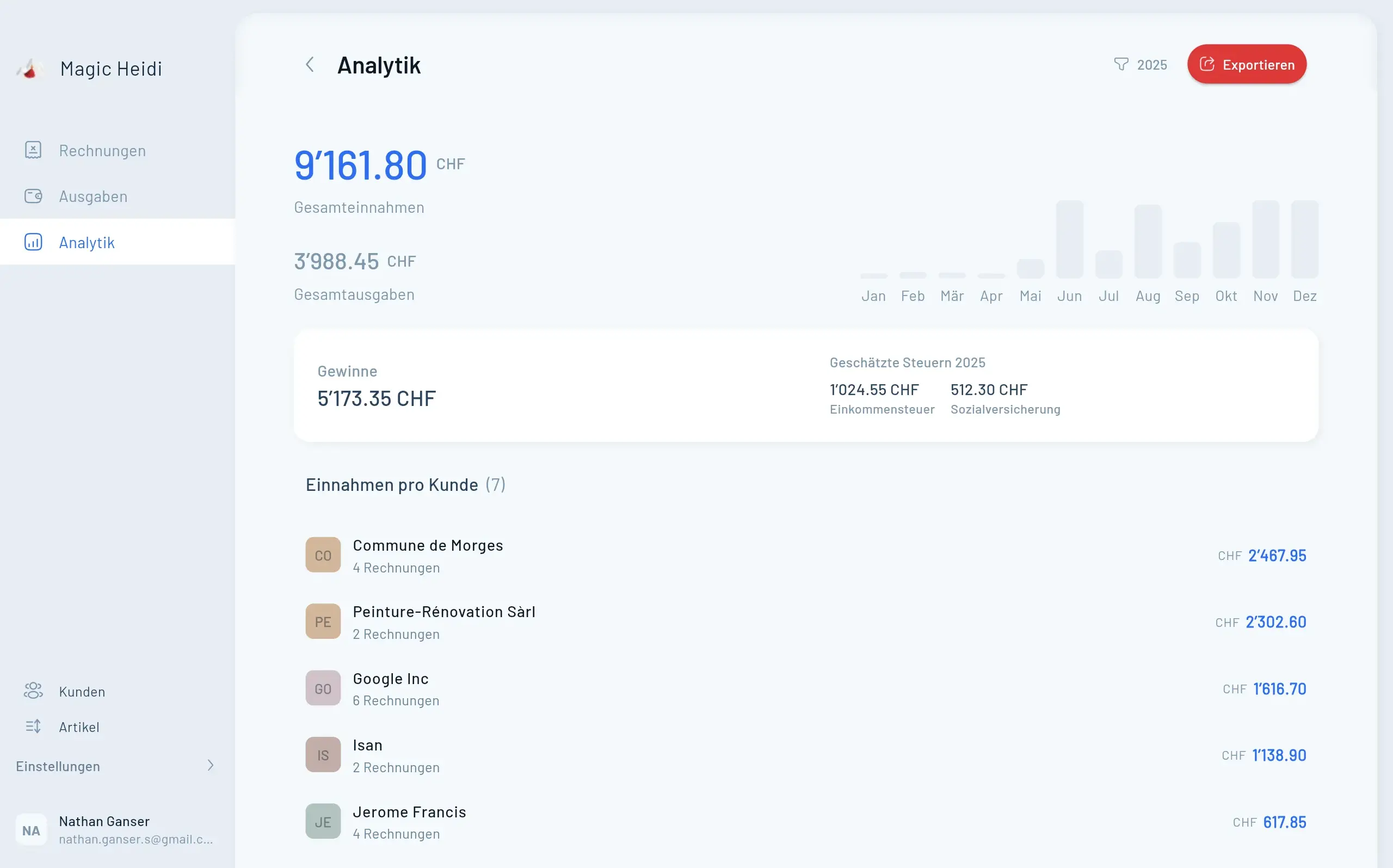
Hier, wie das in der Praxis aussieht. Shopify sammelt deine Bestellungen, verarbeitet Zahlungen, Refunds und Gebühren und zahlt dir regelmässig einen Netto-Betrag auf dein Bankkonto aus. Dieser Netto-Payout ist der Betrag, der tatsächlich bei dir eingeht.
Für die vereinfachte Buchführung musst du nicht jede einzelne Shopify-Bestellung manuell nachbauen. Du kannst die Shopify-Auszahlung als Einnahmen- bzw. Zahlungseingang erfassen und den Auszahlungsbericht als Beleg anhängen. Wichtig ist: Der Bericht muss nachvollziehbar zeigen, was im Payout steckt, also Verkäufe, Refunds, Gebühren und Netto-Betrag. So bleibt deine Buchhaltung einfach, aber trotzdem prüfbar.
Schnellster Weg
Bank-Statement importieren, Shopify-Eintrag automatisch
Magic Heidi erkennt deine Shopify-Gutschrift direkt aus dem Bank-Import und erstellt den Einnahmen-Eintrag in Sekunden.
Auszahlung in Magic Heidi zu erfassen geht ganz einfach. Du ziehst das PDF-Auszahlungsdokument per Drag-and-Drop in Magic Heidi rein, dann lesen wir Betrag und Datum aus dem PDF aus.
Stell dir Lisa vor, eine fiktive Mode-Designerin aus Bern mit einem Shopify-Shop und rund CHF 80'000 Jahresumsatz. Sie ist als Einzelfirma unterwegs und nicht MWST-pflichtig. Ihre Buchhaltung in Magic Heidi: pro Shopify-Auszahlung das PDF reinziehen, Magic Heidi erstellt den Eintrag, der Beleg bleibt angehängt, fertig. Über das Jahr verteilt sind das etwa 40 Minuten reine Buchhaltungsarbeit für den Shop. Am Jahresende exportiert sie ihre Einnahmen, Ausgaben und Belege für den Treuhänder und hat sich gleichzeitig CHF 400 bis 900 an Sync-Tool-Kosten gespart.
Das Wichtigste in Kürze
- Vereinfachte Buchführung nach OR Art. 957 gilt für Schweizer Einzelfirmen und Personengesellschaften mit weniger als CHF 500'000 Umsatzerlös im letzten Geschäftsjahr.
- Du brauchst keine doppelte Buchhaltung und musst nicht jede Shopify-Bestellung einzeln verbuchen.
- Praktisch kannst du pro Shopify-Auszahlung den Netto-Payout als Zahlungseingang erfassen, solange der Shopify-Auszahlungsbericht als Beleg und Abstimmung erhalten bleibt.
- Shopify-Gebühren und Refunds dürfen nicht einfach verschwinden: Sie müssen über den Auszahlungsbericht nachvollziehbar bleiben, besonders wenn du MWST-pflichtig bist oder dich der CHF-100'000-Schwelle näherst.
- Die monatliche Shopify-Abogebühr verbuchst du separat als Geschäftsausgabe.
- Ab MWST-Pflicht, GmbH/AG-Struktur, effektiver MWST-Methode oder Umsatz Richtung CHF 500'000 lohnt sich eine detailliertere Verbuchung mit Treuhand-Check.
Workflow Demo
Einnahmen verbuchen in unter 90 Sekunden
So sieht der monatliche Shopify-Workflow in Magic Heidi konkret aus.
Was vereinfachte Buchführung für Shopify-Shopbetreiber bedeutet
Die Schweizer Gesetzgebung erlaubt Einzelfirmen und Personengesellschaften mit weniger als CHF 500'000 Umsatzerlös im letzten Geschäftsjahr die sogenannte vereinfachte Buchführung. Du führst dabei keine klassische doppelte Buchhaltung wie eine GmbH oder AG. Stattdessen hältst du Einnahmen, Ausgaben und deine Vermögenslage fest.
Einfach heisst aber nicht beliebig. Du brauchst weiterhin nachvollziehbare Aufzeichnungen, Belege und am Jahresende eine Übersicht über deine Aktiven und Passiven, Einnahmen und Ausgaben sowie Privatentnahmen und Privateinlagen. In Alltagssprache: Du musst nicht mit Hauptbuch-Konten arbeiten, aber deine Zahlen müssen erklärbar und belegbar sein.
Praktisch heisst das für Shopify: Wenn Shopify dir im April CHF 4'870 auf dein Bankkonto auszahlt, kannst du diesen Betrag als Zahlungseingang erfassen. Du musst nicht 142 Bestellungen einzeln in Magic Heidi nachbauen. Der Shopify-Auszahlungsbericht gehört aber zum Eintrag dazu, weil er zeigt, wie der Betrag entstanden ist: Verkäufe, Refunds, Gebühren, Anpassungen und Netto-Auszahlung.
Für nicht MWST-pflichtige Einzelfirmen unterhalb der relevanten Schwellen ist das meistens der pragmatischste Weg: ein Eintrag pro Auszahlung, sauberer Beleg dazu, Bankabgleich erledigt. Die Shopify-Gebühren im Payout erfasst du dann nicht nochmals separat als Ausgabe, weil sie im Netto-Payout bereits berücksichtigt sind. Die monatliche Shopify-Abogebühr oder andere separat belastete Apps, Tools und Werbekosten gehören dagegen als eigene Geschäftsausgaben in deine Buchhaltung.
Wichtig wird die Unterscheidung bei der MWST. Für die MWST zählt nicht einfach, was netto auf deinem Bankkonto landet. Relevant sind die massgebenden Umsätze aus deinen Verkäufen. Wenn du dich der CHF-100'000-Grenze näherst oder bereits MWST-pflichtig bist, solltest du die Brutto-Umsätze, Refunds, Gebühren und MWST-Beträge aus Shopify sauber nachvollziehen können. Der Netto-Payout bleibt dann dein Bankeingang, aber nicht die alleinige MWST-Grundlage.
Für die Schweizer Steuerbehörden zählt am Ende, dass deine Geldflüsse, Belege und Vermögenslage vollständig nachvollziehbar sind. Wenn du in einem Jahr 12 Shopify-Payouts erhalten hast, können daraus 12 Einnahmen-Einträge entstehen. Entscheidend ist, dass diese Einträge mit deinem Bankkonto übereinstimmen und die Shopify-Auszahlungsberichte dazu aufbewahrt sind.
Wenn du ganz neu im Thema bist, hilft dir unser Leitfaden zur Buchhaltungssoftware Schweiz, die Grundlagen für Selbständige zu verstehen, bevor du dich in Plattform-Details verlierst. Die offizielle Rechtsgrundlage zur vereinfachten Buchführung findest du im Schweizer Obligationenrecht Art. 957.
Shopify-Gebühren, Refunds und Abogebühren: was du zusätzlich verbuchen musst
Hier verwirrt sich am häufigsten, also gehen wir es Punkt für Punkt durch. Die fünf Kategorien findest du als Übersicht direkt unter diesem Abschnitt.
Stell dir Tobias vor, einen fiktiven Mode-Shopbetreiber in Zürich mit rund CHF 180'000 Jahresumsatz und einem Shopify-Plan für CHF 39 pro Monat. Sein Buchhaltungsjahr sieht so aus: 12 Shopify-Auszahlungs-Einnahmen, 12 Shopify-Abo-Ausgaben, etwa 80 Versandkosten-Belege, und rund 30 weitere Geschäftsausgaben wie Werbung, Hosting und Foto-Equipment. Insgesamt ungefähr 130 bis 150 Einträge pro Jahr. Das ist machbar in 30 Minuten pro Monat, inklusive Belege hochladen.
MWST: was Shopify-Shopbetreiber in der Schweiz wissen müssen
Unter CHF 100'000 Jahresumsatz musst du dich in der Schweiz nicht für die Mehrwertsteuer registrieren. Wenn du in diesem Bereich bist, kannst du diese Sektion überspringen. Du verbuchst einfach den Netto-Payout, fertig.
Über CHF 100'000 wird es etwas komplexer, aber immer noch machbar. Du hast zwei Methoden zur Auswahl. Mit der Saldosteuersatz-Methode behältst du deine vereinfachte Logik, also Netto-Payout als Einnahme. Auf diesen Bruttobetrag wendest du den für deine Branche festgelegten Saldosteuersatz an, der für einen typischen Online-Verkauf zwischen 2,1% und 5,1% liegt. Diese Methode ist ideal für vereinfachte Buchhaltung. Mehr dazu in unserem Leitfaden zur MWST für Freelancer.
Mit der effektiven Methode verbuchst du Brutto-Einnahmen pro Bestellung, separate MWST, und ziehst Vorsteuer auf deinen Ausgaben ab. Das ist deutlich aufwändiger und im Shopify-Kontext eher die Domäne von Shops über CHF 500'000 oder Shops mit hohem Anteil an Geschäftskunden, die Vorsteuer geltend machen.
Praktischer Tipp: wenn du gerade die CHF-100'000-Schwelle überschritten hast, registriere dich für die MWST und wähle den Saldosteuersatz. So bleibt deine Buchhaltung einfach, du erfüllst die Schweizer Pflicht, und der administrative Aufwand verdoppelt sich nicht. Bei Zweifeln rufst du dein kantonales Steueramt oder die ESTV an. Im Vergleich zu anderen Ländern sind die Schweizer Behörden überraschend kooperativ und hilfsbereit.
Eine kleine Notiz zu Shopify-Gebühren und Bezugssteuer: Shopify rechnet aus Irland ab, also aus dem EU-Raum. Wenn du MWST-pflichtig mit der effektiven Methode bist, kommt die Bezugssteuer-Frage ins Spiel, weil du Dienstleistungen aus dem Ausland beziehst. Unter dem Saldosteuersatz ist das in der Regel kein Thema. Im Zweifelsfall kläre das mit deinem Treuhänder, denn die Antwort hängt von deinem konkreten Setup ab.
2-Minuten-Workflow
Shopify-Payout verbuchen in 4 Schritten
Der konkrete Ablauf in Magic Heidi, einmal pro Auszahlung.
Magic Heidi öffnen
Am Handy oder am Computer, beides funktioniert gleich.
Einnahme erstellen
Netto-Payout-Betrag, Auszahlungstag und kurze Beschreibung wie 'Shopify Payout April 2026' eintragen.
Beleg hochladen
Shopify-Auszahlungs-PDF oder Bank-Transaktionsbeleg anhängen, oder das PDF direkt per Drag-and-Drop einwerfen und Magic Heidi erstellt den Eintrag automatisch.
Speichern
Magic Heidi kategorisiert automatisch und nimmt es in deine Umsatzberichte auf.
Wann die einfache Methode an ihre Grenzen kommt
Wir sind hier, um dir Zeit und Geld zu sparen, aber auch um ehrlich zu sein: die 2-Minuten-Methode passt nicht für alle Shops. Die vier Situationen, in denen detailliertere Buchhaltung sinnvoll wird, findest du in der Übersicht weiter unten. In jedem dieser Fälle würden wir dir raten, mit einem Schweizer Treuhänder zu sprechen und eine spezialisiertere Lösung zu evaluieren. Magic Heidi ist bewusst für Solo-Selbständige unter CHF 500'000 gebaut, nicht für skalierende E-Commerce-Operationen. Die Anzahl der Bestellungen pro Monat ist übrigens kein Limit: ob du 10 oder 1'000 Bestellungen abwickelst, in Magic Heidi bleibt es eine Einnahme pro Auszahlung, weil Shopify alle Bestellungs-, Refund- und Chargeback-Details in seinem eigenen Dashboard verwaltet.
Wenn du gerade erst startest und dich fragst, ob die Einzelfirma in der Schweiz für dich Sinn macht, fang dort an. Die Wahl der Rechtsform beeinflusst nämlich direkt, welche Buchhaltung du brauchst.
Stell dir abschliessend Marina vor, eine fiktive Shop-Betreiberin in Lausanne. Sie startete 2023 mit CHF 60'000 Umsatz und der 2-Minuten-Methode, wuchs in zwei Jahren auf CHF 320'000, ist jetzt MWST-pflichtig mit Saldosteuersatz, und macht ihre Buchhaltung immer noch in Magic Heidi in etwa 30 Minuten pro Monat. Wenn sie eines Tages bei CHF 500'000 ankommt, wird sie wechseln. Bis dahin hat sie sich etwa CHF 800 pro Jahr an Auto-Sync-Kosten gespart, plus Stunden an Treuhänder-Zeit, weil ihre Bücher sauber und einfach sind.
Zusammenfassung: wie deine Shopify-Buchhaltung in der Schweiz aussehen sollte
Drei Dinge, die du dir merken kannst. Unter CHF 500'000 Jahresumsatz reicht es, einmal pro Auszahlung den Netto-Payout aus Shopify als Einnahme zu verbuchen, plus die Shopify-Abogebühr als separate Ausgabe. Du sparst dir CHF 400 bis 900 pro Jahr an Auto-Sync-Software, weil du sie als Solo-Selbständige:r nicht brauchst, plus Stunden an Setup- und Korrektur-Aufwand. Wenn du irgendwann bei CHF 500'000 ankommst, eine GmbH gründest oder mit der effektiven MWST-Methode arbeiten musst, wechselst du auf detailliertere Buchhaltung. Bis dahin: keep it simple.
Magic Heidi ist von zwei Schweizer Freelancern gebaut, die selbst diese Probleme hatten. Wir benutzen unsere eigene Software für unsere Buchhaltung, und sie wurde genau für solche Fälle entworfen: für Einzelfirmen, die mit Shopify, Stripe, App Store oder Play Store Umsatz machen und ihre Bücher sauber, schnell und gesetzeskonform halten wollen. Wenn du Rechnungen ausserhalb von Shopify schreibst, zum Beispiel an Geschäftskunden direkt, hilft dir unser Rechnungsprogramm mit QR-Rechnungen in unter einer Minute.
Was du zusätzlich verbuchen musst
Shopify-Gebühren, Refunds und Abogebühren
Welche Posten schon im Netto-Payout enthalten sind, und welche du separat erfassen musst.
Shopify-Transaktionsgebühren
Bereits in der Netto-Auszahlung abgezogen. Du musst nichts zusätzlich verbuchen, das Steueramt sieht nur den Geldzufluss auf deinem Konto.
Refunds und Chargebacks
Schon im Netto-Payout berücksichtigt. CHF 6'200 Brutto minus CHF 420 Refund minus CHF 165 Gebühren = CHF 5'615 als Einnahme. Fertig.
Shopify-Abogebühr
Basic, Shopify oder Advanced wird dir monatlich vom Bankkonto belastet. Verbuche das als separate Geschäftsausgabe mit der Shopify-Rechnung als Beleg.
App-Subscriptions
Apps aus dem Shopify App Store, gleich wie Abogebühren: separate Geschäftsausgabe pro Monat oder pro Rechnung.
Versandkosten
Post, DHL oder andere externe Anbieter, separate Ausgabe mit den entsprechenden Belegen.
Wann es nicht mehr reicht
Wann die einfache Methode an ihre Grenzen kommt
Vier Situationen, in denen detailliertere Buchhaltung wirklich Sinn macht.
CHF 500'000 Schwelle
Ab dieser Marke wird doppelte Buchführung Pflicht. Software wie bexio, sevDesk oder eine Lösung mit Treuhänder wird dann nötig.
GmbH oder AG
Auch unter CHF 500'000 ist hier doppelte Buchführung gesetzlich vorgeschrieben.
Lager und Bestand
Stock-Tracking braucht eine Software, die Bestandsbewertung und Materialwirtschaft unterstützt.
Effektive MWST-Methode
Brutto-Umsätze und Vorsteuern getrennt zu verbuchen lohnt sich nur in einem Tool, das das automatisiert.
FAQ
Häufige Fragen zur Shopify-Buchhaltung in der Schweiz
Brauche ich eine Auto-Sync-Verbindung zwischen Shopify und meiner Buchhaltung?
Nein, unter vereinfachter Buchhaltung in der Schweiz, also bei einer Einzelfirma mit Umsatz unter CHF 500'000 pro Jahr, brauchst du keine technische Verbindung. Du verbuchst einmal pro Auszahlung den Netto-Payout-Betrag. Auto-Sync-Tools sind ab grösseren Umsätzen oder bei doppelter Buchführung nützlich, nicht für Solo-Shops.
Wie behandle ich Refunds an Kunden in meiner Shopify-Buchhaltung?
Refunds sind schon in deinem Netto-Payout abgezogen, du musst sie nicht separat verbuchen. Wenn du im April CHF 500 zurückerstattet hast, ist diese Zahl in deinem Payout-Betrag bereits berücksichtigt. Du erfasst nur das, was tatsächlich auf dein Konto kam.
Wie lade ich das Shopify-Auszahlungsdokument am schnellsten hoch?
Magic Heidi akzeptiert PDF-Belege (kein CSV). Der schnellste Weg: lade das Auszahlungs-PDF aus deinem Shopify-Dashboard herunter und zieh es per Drag-and-Drop in Magic Heidi. Wir lesen Betrag und Datum automatisch aus und erstellen den Einnahme-Eintrag, inklusive PDF als Beleg. Statt des Shopify-PDFs funktioniert auch der E-Banking-Transaktionsbeleg deiner Schweizer Bank, der die Shopify-Gutschrift dokumentiert. Beide sind als Nachweis gleichwertig.
Wie verbuche ich meine Shopify-Abogebühr (Basic, Shopify, Advanced)?
Als separate Geschäftsausgabe in Magic Heidi, mit der Shopify-Rechnung als Beleg. Die Abogebühr wird dir monatlich direkt von Shopify abgebucht und ist nicht im Verkaufs-Payout enthalten.
Was ist mit der MWST auf meinen Shopify-Verkäufen?
Unter CHF 100'000 Jahresumsatz bist du nicht MWST-pflichtig, dann musst du nichts ausweisen. Über CHF 100'000 empfehlen wir die Saldosteuersatz-Methode, weil sie kompatibel mit vereinfachter Buchführung ist. Weitere Details findest du in unserem MWST-Leitfaden für Freelancer.
Reicht das auch für die Steuererklärung am Jahresende?
Ja. Mit einer Liste deiner monatlichen Shopify-Einnahmen, deiner Ausgaben und allen Belegen kannst du als Schweizer Einzelfirma deine Steuererklärung machen oder deinem Treuhänder einen sauberen Export schicken. Genau das ist das Ziel von vereinfachter Buchführung.
Was, wenn Shopify mich in einer Fremdwährung auszahlt?
Shopify zahlt Schweizer Konten in der Regel in CHF aus, auch wenn deine Kunden in EUR oder USD bezahlt haben. Die Wechselkursumrechnung passiert auf Shopify-Seite, und du verbuchst direkt den CHF-Betrag, der auf deinem Bankkonto ankommt.
Sollte ich vor dem Wechsel zu Magic Heidi meinen Treuhänder fragen?
Wenn du gerade jemanden hast, ja, ein kurzer Anruf schadet nie. Die meisten Treuhänder begrüssen es, wenn ihre Klient sauber organisierte digitale Belege und Einnahmen liefern, statt Schuhkartons voller Quittungen. Du wirst wahrscheinlich grünes Licht bekommen und gleichzeitig Treuhänder-Stunden sparen.
Loslegen
Shopify-Buchhaltung sauber halten, in 2 Minuten pro Monat
Drei Rechnungen im Gratis-Plan, keine Kreditkarte. 30 Tage risikofrei testen.