We created our first QR-bills in the summer of 2022, when the orange payment slip was discontinued. Back then the choice was: bank generator with ten clicks, a Word template no one maintained, or invoicing software with a monthly subscription. That's exactly why we built the two tools on this page, both free and signup-free. Below we walk you through step by step what really belongs on a QR-bill and what Swiss freelancers often get wrong.
Create a QR-bill: free, in 30 seconds, with or without an existing invoice
Enter the amount, IBAN and recipient and we generate the payment slip as a PDF. Or upload your existing invoice and we attach the QR-code automatically. Both tools run directly on this page, no account, no download.

Mandatory since 2022
QR-bills have replaced the orange and red payment slips since 30/09/2022. Banks no longer process the old slips.
No QR-IBAN needed
Your normal Swiss IBAN is enough if you don't use a structured reference number.
Two free tools
On this page you'll find a QR-bill generator and a tool that appends a QR-code to an existing PDF.
Bank generators as an alternative
PostFinance, Raiffeisen and UBS offer their own generators, usually tied to your bank login and without storage.
From three invoices per month
Swiss invoicing software pays off, handling data, VAT and archiving automatically.
What's happening behind the generator above
Type the amount, IBAN and your client's address, download the finished QR-bill as a PDF. Directly in your browser, no signup. Your data never reaches our server.

What you need: your IBAN (CH... or LI...), no QR-IBAN required. Your name or company name plus address. Name and address of the payer, if you know them. The amount in CHF or EUR. Optionally a short message like "Invoice no. 2026-014".
What the tool outputs: an A4 PDF with a perforated line, the payment slip at the bottom can be printed or scanned. An A6 version of the slip alone, if you want to attach it to an existing invoice. Both PDFs are SIX-compliant under Swiss QR-Bill standard v2.3.
Picture Marc, a fictional web designer from Bern who invoices one client in Ticino once a month. Marc doesn't have invoicing software, because three invoices a year don't justify the effort. He opens this page, types 1'450 CHF, his CH-IBAN, the client's address, message "Website June 2026" and exports the PDF. Total time, including hunting down his IBAN, about two minutes. The client scans the QR-code in their e-banking app and pays the same evening.
Add a QR-code to an existing invoice
You have an invoice as a PDF, maybe from Word, Pages, Canva or a CRM with no QR feature? Upload the PDF, enter IBAN and amount, and we append the Swiss QR-bill payment slip at the bottom. The original invoice stays untouched.

When it's useful:
- You use an existing Word, Pages or Canva template you don't want to rebuild in software every time.
- You work with a CRM or industry software that doesn't generate a QR-bill itself.
- You've already sent an invoice, forgot to include the payment slip, and just want to send the missing piece.
- You regularly need the same invoice with different amounts, and reusing the PDF is faster.
We read your PDF, keep the layout, font and logo, and add the standardised slip in A6 format on the last page. If there isn't enough room on the last page, we add an extra page. Your PDF doesn't go to a server either, the processing runs in the browser.
Sandra, a fictional consultant from Zurich, works with a Word template her designer built for her. She loves the layout and doesn't want invoicing software that rebuilds it. With Tool 2 she uploads her Word PDF, fills in bank and client details, and the tool returns a combined PDF. Sandra avoids the switch, keeps her design and still meets the SIX requirements.
Honest note: both tools on this page are meant for occasional use. If you write more than two or three invoices per month, you'll be faster with invoicing software, because you won't re-enter clients, IBAN and VAT every time.
What exactly is a QR-bill?
A QR-bill has been, since 2022, the only payment slip processed in Switzerland for bank transfers. It replaced the orange and red payment slips. The standard is set by SIX Group and applies to every Swiss bank.

The slip has a receipt section on the left and a payment section on the right, with the Swiss QR Code in between, where all payment information is encoded in a structured way. The standard applies to every Swiss bank, including PostFinance, UBS, ZKB, Raiffeisen, cantonal banks and neo-banks like Yuh or Neon. The recipient scans the code with their e-banking app, all payment data is pre-filled, they only confirm.
The switch-over deadline was 30 September 2022. Swiss banks no longer process orange or red payment slips.
QR-IBAN with QR-Reference (QRR)
For recipients with large volumes of automated reconciliation. The 27-digit QR-Reference identifies each payment uniquely.
IBAN with Creditor Reference (SCOR)
ISO-11649 reference, common in international contexts between business clients.
IBAN without reference
For private individuals and small businesses. Most Swiss freelancers use this variant because no QR-IBAN is required.
Step by step: create a QR-bill with Magic Heidi
If you send invoices regularly, it's faster in invoicing software, because your data is saved. Here's the flow.

Open an account
Free and no credit card. Three invoices per month are free forever.
Set up company details
Once: IBAN, address, logo and VAT number if you have one.
Add clients
Name, address, optional email. Next time you pick the client from a list.
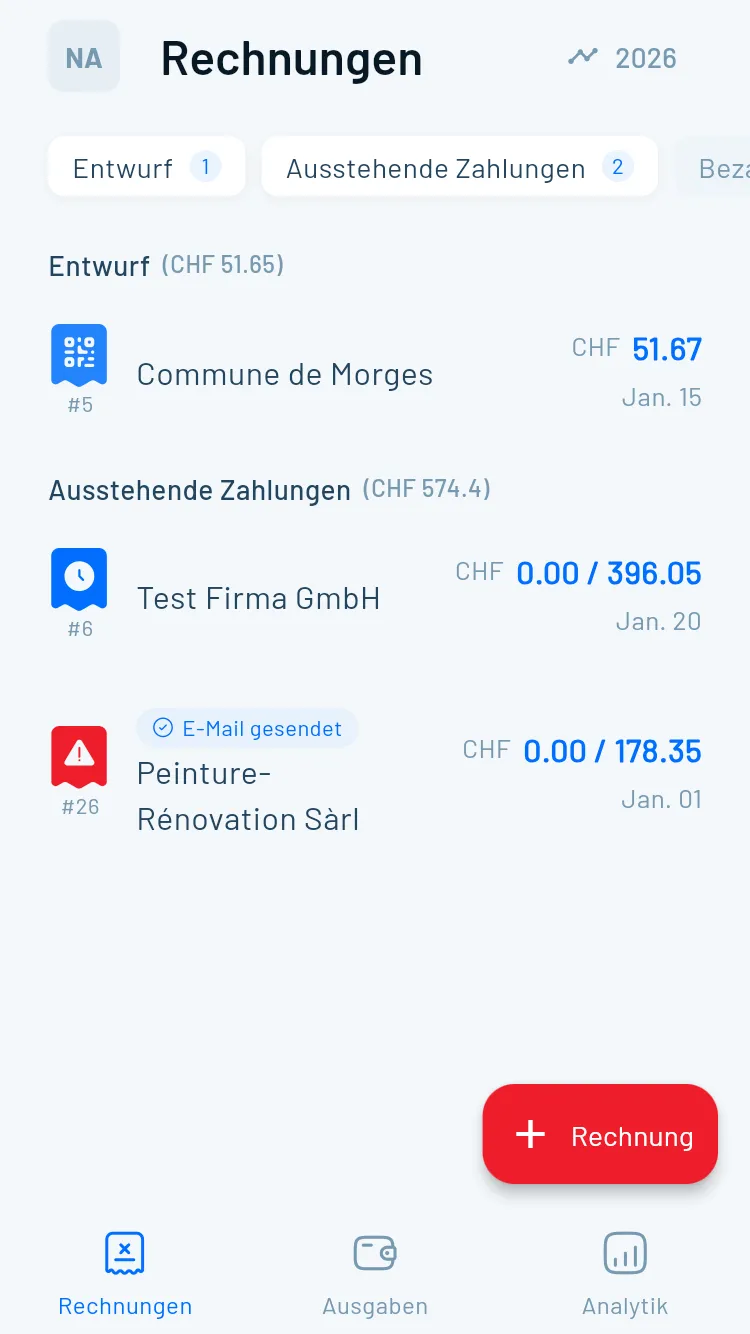
Write the invoice
Item, description, quantity, price, VAT. Magic Heidi calculates 8.1, 2.6 or 3.8 percent automatically.
Generate the PDF
One click. The QR-bill is SIX-compliant and contains every mandatory detail.
Send it
By email from inside Magic Heidi or as a PDF download. Your client scans, pays.
Mark as paid
Manually or automatically via bank reconciliation with camt.053.
Try Magic Heidi for free
iPhone, Android, Mac, Windows and Web. Three invoices per month free forever, no credit card.
Bank generator, free tool or invoicing software?
Honest comparison: what each option can do and what it can't. Data as of June 2026, verified against each provider's website.
| Feature | Magic Heidi | Bank generator | Free tool |
|---|---|---|---|
| Cost | Free plan, from CHF 9 | Free | Free |
| Signup | Only for the app | Bank login | None |
| Data stored | ✓ Reusable | ✗ No | ✗ No |
| VAT automatic | ✓ Swiss rates | ✗ No | ✗ No |
| Client archive | ✓ Yes | ✗ No | ✗ No |
| Mobile app | iPhone, Android, Mac, Win | E-banking app | Web only |
| Paid marking | ✓ Automatic too | ✗ No | ✗ No |
| 10-year archive (CO 958f) | ✓ Built-in | Archive yourself | Archive yourself |
| Multilingual | DE / FR / IT / EN | Partial | Rare |
| Multi-currency | 50+ with SNB rates | CHF only | No |
How to decide:
- Bank generator: good if you use e-banking anyway and occasionally send an invoice to private individuals.
- Free tool: good for one-off invoices or as a backup. We recommend our two tools above, because they work without signup and Tool 2 is the only one that completes existing PDFs.
- Invoicing software: good from two or three invoices per month, because you don't re-enter data every time and quarterly VAT lands automatically in the clean AFC format.
If you currently use Bexio and find it too expensive, take a look at the Bexio alternative. We compare features honestly, without bashing the competition.
What belongs on a
QR-bill?
A Swiss invoice has two parts: the invoice itself with mandatory details under the CO and the VAT Ordinance, and the QR payment slip under the SIX standard. You need to deliver both.
On the invoice itself
Mandatory details under CO art. 957a and the VAT Ordinance, if you're VAT-registered.
- Full name and address of the issuer
- AHV, UID or VAT number if you have one
- Name and address of the recipient
- Invoice date and service date
- Description of the service or delivery
- Amount, currency, VAT rate and VAT amount
On the QR payment slip
Mandatory and optional details under Swiss QR-Bill standard v2.3.
- IBAN or QR-IBAN of the recipient
- Name and address of the recipient
- Name and address of the payer if known
- Amount and currency (both optional)
- Optional reference or message
- SIX-compliant slip layout
Mandatory details if you're VAT-registered: if you're VAT-registered, so above CHF 100,000 annual turnover, you need your VAT number on every invoice and a VAT breakdown per line item. Magic Heidi does this automatically. If you're not VAT-registered, leave the VAT fields blank, but remember to register from CHF 100,000. You'll find the details in the VAT management guide and in our invoicing software.
Common questions about Swiss QR-bills
Do I need a QR-IBAN?
No, not in most cases. A QR-IBAN is only needed if you want to use a 27-digit structured QR-reference, typical of automated mass billing. For Swiss freelancers and SMEs the normal IBAN your bank already gave you is enough.
Is the QR-bill mandatory?
Yes, in the sense that the old orange and red payment slips have not been processed since 30/09/2022. But you're not required to send a QR-bill: an invoice without a payment slip is legally valid if the client gets your IBAN another way. The QR-code simply makes it radically easier for your client to pay.
Can I create a QR-bill without an amount?
Yes. It's common for donations or voluntary contributions. Your client enters the amount themselves when paying. Just leave the amount field blank in Tool 1 above.
Does it work without VAT registration?
Yes. If you're not VAT-registered, so under CHF 100,000 annual turnover and not voluntarily registered, leave the VAT fields blank. The QR-bill itself has nothing to do with VAT. We still recommend writing "excl. VAT" or "VAT-exempt under art. 10 VAT Act" on the invoice, so your client isn't left guessing.
Can I create a QR-bill from my iPhone?
Yes. Tool 1 above works on mobile in the browser. Magic Heidi also offers a native iPhone and iPad app. You can type up the invoice at the client's place and send it right away.
How much does creating a QR-bill cost?
Both tools above are free and signup-free. Magic Heidi has a free plan with three invoices per month, then plans start at CHF 9 per month. Bank generators are also free, but usually tied to a bank login.
What happens to the old orange payment slips?
They're no longer processed. If you still have old stock in the office, you can throw them out. Swiss banks reject payments with old slips.
What Swiss freelancers often get wrong with QR-bills
We read support requests from Swiss freelancers every week. Many revolve around the same five stumbling blocks.

Wrong IBAN
Many send invoices with their private IBAN instead of the business IBAN of their sole proprietorship. Mixes private and business accounting and makes the tax return painful.
QR-reference mixed up
The QR-reference is only allowed with a QR-IBAN. Without a QR-IBAN leave the field empty, otherwise the tool won't accept the PDF.
Slip only sent
A QR slip alone isn't a complete invoice. In VAT audits your client or the AFC wants to see the mandatory details.
Duplicate invoice numbers
Mandatory under CO art. 957a. In tax audits the unbroken sequence is checked. Let your software manage it automatically.
No 10-year archive
Swiss accounting documents must be kept for 10 years (CO art. 958f). PDFs in an inbox aren't enough.
Markus, a fictional architect from Bern, assigned three duplicate invoice numbers during a 2024 VAT audit because he managed the numbering manually in Excel. The correction cost him half a day of work and nerves at his fiduciary. Since he started using Magic Heidi, the invoice number is incremented automatically without him thinking about it.
Create your first QR-bill now
If one tool above is enough, great, both stay free. For regular invoices Magic Heidi pays off, built by Swiss freelancers for Swiss freelancers.
Last updated: 5 June 2026. Reviewed by the Magic Heidi team. For legal or tax questions around VAT or accounting we recommend consulting a fiduciary or the AFC. This article is general information, not tax or legal advice.