Shopify Bookkeeping Without Recording Every Sale
The simplified cash-basis method for Swiss sole proprietors under CHF 500,000. Record platform payouts once per month, not every transaction.
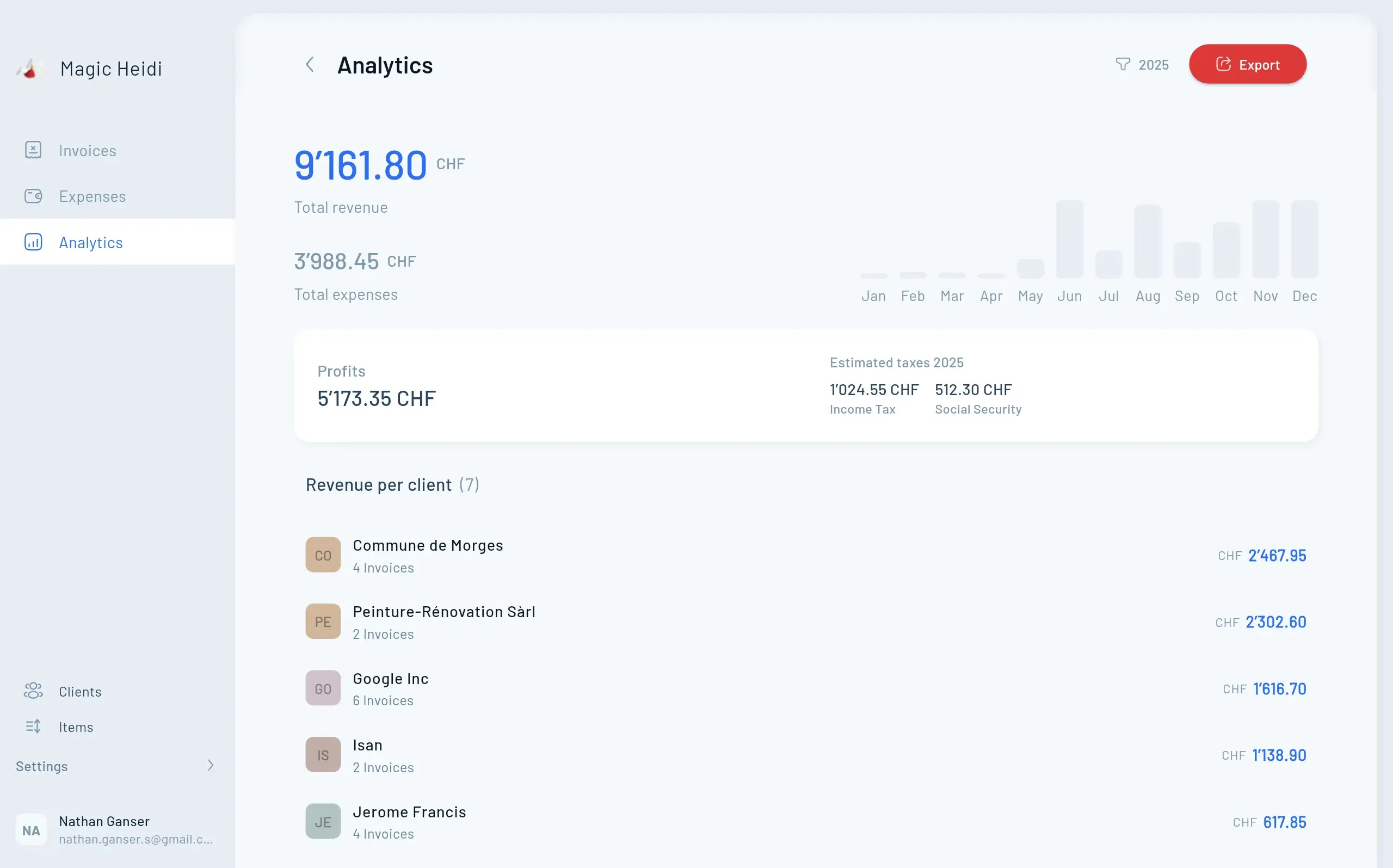
The Problem Every Platform Seller Faces
You're running a micro-shop on Shopify, selling apps through the App Store, or processing payments via Stripe. Every month, hundreds of transactions hit your account—but your bank statement shows just one or two payouts.
Recording each individual sale feels overwhelming. You're not alone: 50% of small businesses fail within five years, often because of poor financial management. But here's the good news: if you're a Swiss sole proprietor with revenue under CHF 500,000, you don't need to track every transaction.
Swiss law allows simplified cash-basis accounting—meaning you record income when money hits your bank account, not when customers click "Buy." This guide shows you exactly how to stay compliant while cutting your bookkeeping workload by 90%.
Stop Recording Every Transaction.
Start Recording Cash Flow.
Most platform sellers waste hours recording individual sales when Swiss law allows you to record just the net payouts. Here's why simplified accounting changes everything.
Hundreds of transactions monthly
But only 1-2 bank deposits to record90% less bookkeeping work
Cash-basis accounting simplifies everythingFully Swiss-compliant
Legal for sole proprietors under CHF 500KWho Can Use Simplified Accounting in Switzerland?
Eligibility Requirements
You qualify for Einnahmen-Überschussrechnung (EÜR)—Switzerland's simplified accounting method—if you meet these criteria:
✅ Operating as a sole proprietor or partnership (not AG or GmbH)
✅ Annual revenue under CHF 500,000 in the preceding year
✅ Non-corporate legal structure
This applies to most freelancers, indie developers, digital creators, and micro e-commerce sellers. Once you cross CHF 500,000, you'll need to switch to full double-entry bookkeeping under Swiss Code of Obligations (Art. 957 et seq.).
Cash vs. Accrual: What's the Difference?
Cash-basis accounting (EÜR):
- Income recorded when money is received
- Expenses recorded when paid
- No accruals, deferrals, or complex adjustments
- Perfect for platform payouts
Accrual accounting:
- Income recorded when earned (invoice date)
- Expenses recorded when incurred
- Required for inventory-heavy businesses and companies over CHF 500K
For platform sellers receiving net payouts, cash-basis is simpler and legally compliant.
Record Retention Requirements
Swiss law requires you to retain all business documents for 10 years, including:
- Platform monthly reports (App Store Connect, Stripe, Shopify)
- Bank statements
- Payout reconciliation CSVs
- Tax returns and VAT filings
Why Recording Net Payouts
Works Legally
Understanding how platform payments flow through Swiss cash-basis accounting.
How Platform Payments Work
Every platform follows the same flow: Customer pays → Platform deducts fees → You receive net payout. Because EÜR is cash-based, you only record that final net deposit.
- Customer pays CHF 1.99 for your app
- Apple takes 15-30% commission
- You receive net payout to bank
- One transaction per platform per period
Net vs. Gross Recording
You have two recording options with identical tax results. Most freelancers choose the net approach—it's simpler and matches actual cash flow.
- Net only: Bank CHF 850 → Sales CHF 850
- Gross split: Bank CHF 850 + Fees CHF 150 → Sales CHF 1,000
- Same taxable profit either way
- Net method = fewer entries
Verification Trail
Always export and store your platform's monthly reports for Swiss tax authority requirements.
- Shopify: Finance → Payouts → Export CSV
- Stripe: Balance → Payouts → Download report
- Apple: App Store Connect → Monthly Reports
- 10-year retention requirement
Shopify Bookkeeping: Step-by-Step
Understanding Shopify's payout schedule and how to record income correctly under Swiss simplified accounting.
Understanding Shopify's Payout Schedule
When you sell through Shopify Payments, here's what happens:
- Capture period: Shopify holds funds for 3 business days after a customer purchase
- Payout frequency: Daily, weekly, or monthly (your choice)
- Minimum threshold: CHF 5 or EUR 1
- Currency options: CHF, EUR, or multi-currency accounts
Example timeline:
| Order Date | Customer Pays | Funds Released | Bank Deposit |
|---|---|---|---|
| Monday, July 1 | CHF 200 | Wednesday, July 3 | Thursday, July 4 |
| Tuesday, July 2 | CHF 300 | Thursday, July 4 | Friday, July 5 |
Recording Shopify Payouts
Wait for each net payout to appear in your bank account, then make one entry:
2025-07-04  Bank (Shopify Payments)   CHF 10,000
                Sales – Shopify            CHF 10,000
What this number includes:
- Gross sales revenue
- Minus Shopify subscription fee (Basic: CHF 39/month, Shopify: CHF 105/month)
- Minus payment gateway fees (1.9-2.7% + CHF 0.30 per transaction for Swiss cards)
- Minus refunds and chargebacks (automatically netted)
You don't need to break these down individually. The net payout represents your actual income.
Handling Multiple Payouts Per Week
If Shopify deposits funds multiple times per week, you have two options:
Daily recording:
2025-07-04  Bank          CHF 1,500 → Sales – Shopify
2025-07-11  Bank          CHF 2,200 → Sales – Shopify
2025-07-18  Bank          CHF 1,800 → Sales – Shopify
Monthly summary:
2025-07-31 Bank CHF 5,500 → Sales – Shopify (July total)
Both are compliant. Choose monthly if you want fewer entries; daily if you prefer matching bank statement dates exactly.
Multi-Currency Sales
If you receive payouts in EUR or USD:
- Record the actual CHF amount deposited in your Swiss bank account
- Let your bank's exchange rate determine the converted value
- No need to track original sale currencies individually
Example:
- Shopify sends EUR 1,500
- Your bank converts at 1.047 and deposits CHF 1,570
- Record:
CHF 1,570 → Sales – Shopify
Record All Platforms in One Place
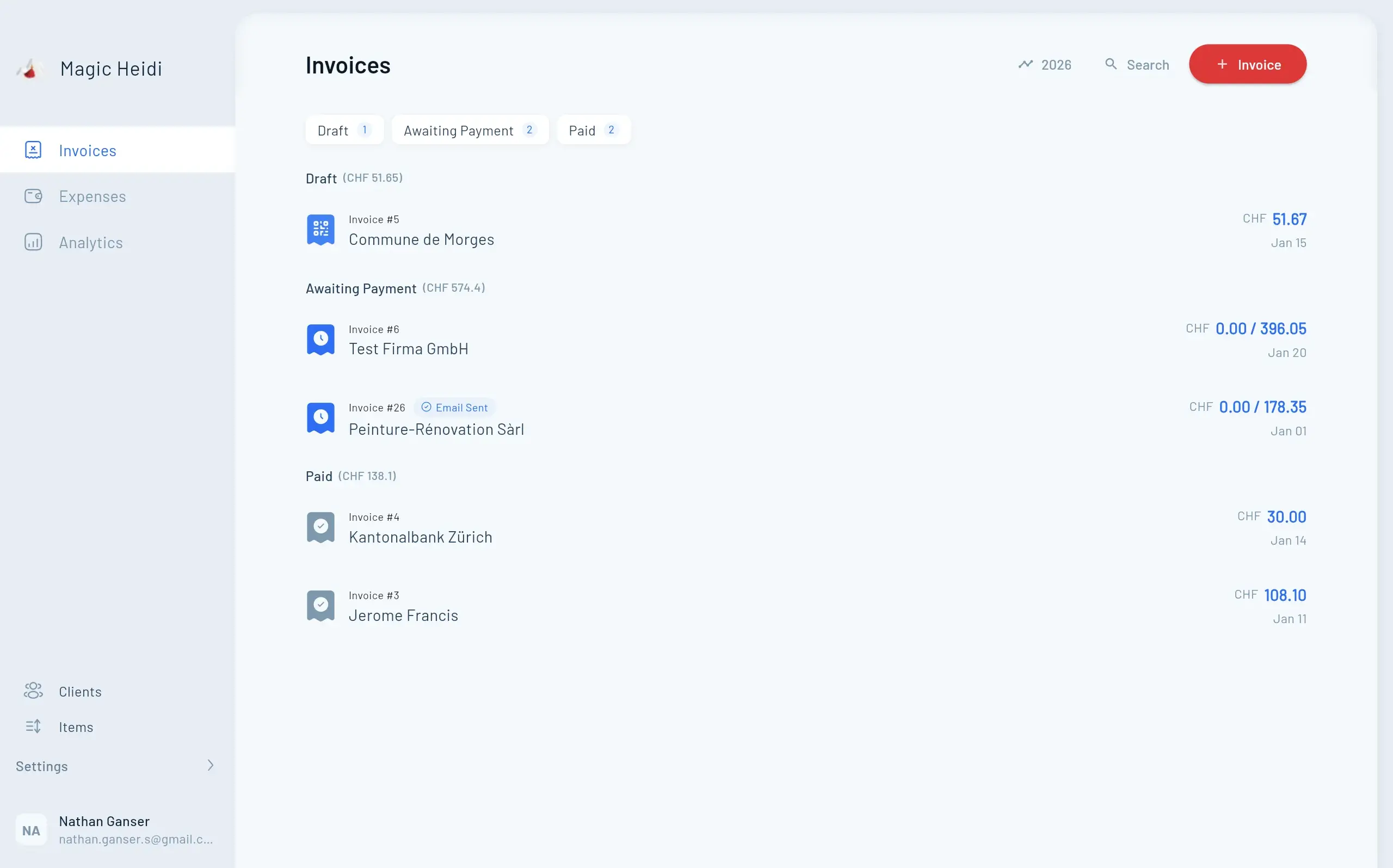
Magic Heidi connects directly to Shopify, Stripe, and Apple App Store—recording net payouts automatically while maintaining Swiss compliance.
- 💳Stripe Integration
Daily or weekly payouts recorded as single entries
- 🍎Apple App Store
Monthly payments with automatic commission deduction
- 🛍️Multi-Currency
Automatic CHF conversion from EUR/USD payouts
- 📊Automated Reconciliation
Match platform reports to bank deposits instantly
- Invoice #3
Magic Heidi
CHF 500
Jan 29
- Invoice #2
Webbiger LTD
CHF 2000
Jan 24
- Invoice #1
John Doe
CHF 600
Jan 20
Stripe Accounting for Swiss Businesses
Stripe Fee Structure (2026 Rates)
Stripe charges different fees based on card origin:
| Transaction Type | Fee Structure |
|---|---|
| Swiss domestic cards | 2.9% + CHF 0.30 |
| European cards | 3.25% + CHF 0.30 |
| Currency conversion | +2% on top of base fee |
| International cards | 3.25% + CHF 0.30 + 2% |
Stripe Payout Timing
- Default schedule: Daily payouts (if volume exceeds threshold), otherwise weekly
- Processing time: 2 business days after transaction
- Availability: Payouts calculated at 12:00 AM daily, available in reports by 12:00 PM next day
Recording Stripe Income
Each month, summarize your total net payouts:
2025-07-28  Bank (Stripe CH)      CHF 5,000
                Sales – Stripe         CHF 5,000
This represents:
- Gross card payments received
- Minus all Stripe processing fees
- Minus refunds and disputes
- = Net cash deposited
Pro tip: Download Stripe's Payout Reconciliation Report monthly. While not required for each entry, it provides backup documentation for tax audits.
Handling Refunds and Chargebacks
Don't record these separately. Stripe automatically deducts refunds from your next payout. Your net deposit already reflects the adjustment.
Example:
- Week 1 sales: CHF 3,000 (gross)
- Week 2 refund: -CHF 200
- Week 2 sales: CHF 2,500 (gross)
- Net payout: CHF 5,300 (after fees)
- Your entry:
CHF 5,300 → Sales – Stripe
Apple App Store & In-App Purchases
How Apple Pays Developers
Apple operates on a monthly payment cycle:
- Sales period: Full calendar month
- Commission deduction: 15% (Small Business Programme) or 30% (standard)
- Payment date: ~45 days after month-end
- Minimum threshold: Must exceed region-specific minimum (typically USD 250 equivalent)
Small Business Programme: If your proceeds in the previous calendar year were under USD 1 million, you qualify for the reduced 15% commission.
Recording App Store Income
Wait for Apple's monthly wire transfer, then record:
2025-08-15  Bank                     CHF 2,850
                Sales – Apple App Store   CHF 2,850
This single entry covers:
- All app sales
- All in-app purchases
- All subscription renewals
- Minus Apple's 15-30% commission
Accessing Apple Reports
Log into App Store Connect → Payments → Monthly Reports
Download these files for record retention:
- Financial reports (sales by territory)
- Payments and financial reports (net proceeds)
- Tax withholding summaries (if applicable)
Store these PDFs for your 10-year retention requirement.
See How It Works in Practice
Two real-world case studies showing simplified bookkeeping for platform sellers.
Case Study 1: Indie App Developer
July 2025 activity:
| Platform | Gross Sales | Fees Deducted | Net Payout | Entry Date |
|---|---|---|---|---|
| Apple App Store | CHF 4,667 | CHF 1,167 (25%) | CHF 3,500 | Aug 15 |
| Stripe (direct sales) | CHF 5,354 | CHF 154 (2.9%) | CHF 5,200 | Jul 31 |
Accounting entries:
2025-07-31  Bank          CHF 5,200 → Sales – Stripe
2025-08-15  Bank          CHF 3,500 → Sales – Apple
Monthly profit: CHF 8,700 minus operating expenses (hosting, software, home office allocation)
Case Study 2: Shopify Multi-Channel Seller
July 2025 activity:
| Payout Date | Amount | Platform | Notes |
|---|---|---|---|
| Jul 7 | EUR 1,500 (CHF 1,570) | Shopify Payments | Week 1 orders |
| Jul 14 | EUR 2,400 (CHF 2,500) | Shopify Payments | Week 2 orders |
| Jul 28 | CHF 3,000 | Stripe | Direct website sales |
Accounting entries:
2025-07-07  Bank (Shopify)    CHF 1,570 → Sales – Shopify
2025-07-14  Bank (Shopify)    CHF 2,500 → Sales – Shopify
2025-07-28  Bank (Stripe)     CHF 3,000 → Sales – Stripe
Total July income: CHF 7,070
Cost of goods sold: Tracked separately based on inventory purchases (recorded when paid to suppliers)
Monthly Reconciliation
Checklist
Follow this four-week process to ensure accuracy and maintain Swiss compliance. Each month takes approximately 2-3 hours manually, or 15 minutes with automation.
Download platform payouts and bank statements
Create single line items per platform
Verify totals match bank deposits
Prepare quarterly VAT if applicable
End-of-Month Procedures
Follow this process to ensure accuracy:
Week 1:
- ✅ Export all platform payout reports (Shopify, Stripe, Apple)
- ✅ Download bank statements showing deposits
- ✅ Match each payout report total to bank deposit amount
Week 2: 4. ✅ Record each net payout as single line item in accounting software 5. ✅ Categorize by platform (Sales – Shopify, Sales – Stripe, etc.) 6. ✅ File digital copies of all reports in dated folders
Week 3: 7. ✅ Cross-check: Does total recorded income = total bank deposits? 8. ✅ Identify any missing payouts or timing differences 9. ✅ Note any holds, reserves, or delayed payments
Week 4: 10. ✅ Calculate month-to-date revenue by platform 11. ✅ Compare to previous months for anomaly detection 12. ✅ Prepare VAT calculation if applicable (see below)
Common Reconciliation Issues
Problem: Shopify payout report shows CHF 10,200, but bank deposit is CHF 10,000
Cause: Currency conversion, last-minute refund, or split payout
Solution: Record the actual bank deposit amount (CHF 10,000). The difference will appear in next payout or fees.
Problem: Stripe shows daily payouts but you prefer monthly entries
Solution: Sum all July payouts into one entry at month-end. Your bank statement will still show daily deposits, but your accounting shows the monthly total.
Problem: Apple payment didn't arrive 45 days after month-end
Cause: Didn't meet minimum threshold for your region
Solution: Wait for next month. Apple will pay accumulated balance when threshold is reached.
VAT Considerations for Swiss Sellers
When You Need to Register for VAT
| Annual Revenue | VAT Obligation |
|---|---|
| Under CHF 100,000 | Optional – you can choose to register voluntarily |
| CHF 100,000 – 500,000 | Required – must register and charge 8.1% VAT |
| Over CHF 500,000 | Required + full accounting required |
How Platform VAT Works
Good news: Shopify, Stripe, and Apple handle most VAT complexity for you.
Shopify: Automatically calculates Swiss VAT at checkout based on customer location. Your payout already reflects VAT collected.
Recording method:
Bank Account                 CHF 10,000
    Sales – Shopify (net)        CHF 9,251
    VAT Payable (8.1%)             CHF 749
Stripe: You configure VAT rules in Dashboard → Settings → Tax settings. Stripe adds VAT to invoices but doesn't automatically split it in payouts.
Apple: For Swiss customers, Apple adds VAT and remits it directly to Swiss tax authorities under the One-Stop Shop (OSS) system. You typically don't handle this.
Quarterly VAT Filing
If registered, you must file VAT returns quarterly:
- Sum all Sales – Shopify and Sales – Stripe entries
- Calculate 8.1% output VAT on net sales
- Deduct input VAT from business purchases
- Pay difference to Swiss Federal Tax Administration
Deadlines: 60 days after quarter-end (Jan 31, Apr 30, Jul 31, Oct 31)
Choosing Accounting Software
Swiss-compatible options for platform sellers. Compare features, pricing, and automation capabilities.
| Feature | Magic Heidi | bexio | Banana | QuickBooks |
|---|---|---|---|---|
| Starting Price | Free trial | CHF 30/mo | CHF 69/yr | USD 38/mo |
| Swiss Compliance | ✓ CHF 500K threshold | ✓ Full CO | ✓ Basic | ✗ Limited |
| Platform Integrations | ✓ Shopify + Stripe + Apple | ⚠ Manual import | ✗ None | ✓ Shopify only |
| Multi-Currency | ✓ Auto CHF conversion | ✓ Manual | ✓ Manual | ✓ Yes |
| VAT Automation | ✓ 8.1% + quarterly reports | ✓ Yes | ⚠ Basic | ✗ No |
| Languages | DE/FR/IT/EN | DE/FR/EN | DE/FR/IT/EN | EN only |
| Time Saved | 50+ hrs/year | 30 hrs/year | 10 hrs/year | 20 hrs/year |
Automation Saves 120+ Hours Annually
Manual bookkeeping for platform sales is tedious:
- Downloading 12 monthly reports per platform = 36 reports/year
- Matching each to bank statements = ~2 hours/month
- Data entry = ~3 hours/month
- Total: 60 hours/year minimum
With automation (like Magic Heidi):
- Platform connections sync payouts automatically
- Bank feeds match deposits instantly
- VAT calculations happen in real-time
- Time saved: 50+ hours/year (that's 25% of your admin workload)
What to Look for in Software
✅ Swiss legal compliance: Supports CHF 500K threshold, EÜR method
✅ Multi-platform connections: Shopify + Stripe + Apple in one place
✅ Multi-currency handling: Converts EUR/USD payouts to CHF automatically
✅ VAT automation: Calculates 8.1% and generates quarterly reports
✅ Bank feed integration: Matches payouts to bank deposits
✅ Multi-language: German, French, Italian, English support
Frequently Asked Questions
Do I need to record every individual Shopify sale?
No. Under Swiss simplified accounting (revenue under CHF 500,000), you record income when cash is received. That means one entry per payout, not per sale.
What's the difference between net and gross payout recording?
Both achieve the same taxable profit. Net method: Record CHF 850 income (simpler). Gross method: Record CHF 1,000 income + CHF 150 fee expense. Net is recommended—fewer entries, cleaner books, same result.
How do I handle refunds and chargebacks?
Don't record them separately. Platforms automatically deduct refunds from your next payout. Your net deposit already reflects the adjustment.
Can I use a spreadsheet instead of accounting software?
Yes, if your revenue is under CHF 100,000. You must track: date of each payout, platform name, amount in CHF, and running total. But automation saves 50+ hours annually and reduces error risk from 5% to under 1%.
When do I need to switch from cash to accrual accounting?
At CHF 500,000 annual revenue or if you're carrying significant inventory. Accrual accounting matches costs to sales periods, giving a more accurate profit picture for inventory-heavy businesses.
How do I reconcile multi-currency payouts?
Record the actual CHF amount deposited in your Swiss bank account. Let your bank's exchange rate determine the value—no need to track original currencies.
What records must I keep for Swiss tax authorities?
For 10 years: Platform monthly reports (Shopify CSV, Stripe reconciliation, Apple payments), bank statements showing deposits, accounting entries (digital or paper), and VAT returns (if applicable).
Can I use Magic Heidi if I also use Stripe and Apple?
Yes. Magic Heidi connects to multiple platforms simultaneously, aggregating all payouts into one dashboard. No manual CSV uploads required.
Do I need to separate business and personal bank accounts?
Not legally required for sole proprietors, but highly recommended. Mixing funds makes reconciliation 3-5x harder and increases audit risk.
What if my Shopify payout doesn't match the report?
Common causes: currency conversion differences, last-minute refunds processed after report generated, or Shopify reserves. Always record the actual bank deposit amount. Differences will appear in subsequent payouts.
When to Upgrade Your Accounting
Signs you've outgrown simplified accounting and need more advanced tools.
Growth Path
| Revenue Stage | Recommended Approach |
|---|---|
| CHF 0-100K | Spreadsheet or basic software, monthly summaries |
| CHF 100K-300K | Automated software (Magic Heidi, bexio), VAT registration |
| CHF 300K-500K | Consider hiring bookkeeper for monthly review |
| CHF 500K+ | Required: Double-entry accounting, tax advisor, quarterly reviews |
Start Simplifying Your Shopify Bookkeeping Today
Save 50+ hours annually with automated platform payout recording. Fully Swiss-compliant for sole proprietors under CHF 500K. Works with Shopify, Stripe, Apple, and more.
You now know how to legally record platform payouts without tracking every transaction. This simplified method:
✅ Saves 50+ hours annually compared to manual transaction entry
✅ Maintains full Swiss legal compliance under CHF 500K threshold
✅ Reduces error risk from 5% to under 1% with automation
✅ Works across platforms – Shopify, Stripe, Apple, and others
Your Next Steps
- Export this month's platform reports (Shopify, Stripe, Apple)
- Open your bank statement and match payout deposits
- Record net payouts as single entries per platform
- Store reports in dated folders for 10-year retention
Want to automate the entire process? Magic Heidi connects directly to your platforms and bank, recording payouts automatically while maintaining Swiss compliance.
Try Magic Heidi free for 30 days → No credit card required. Full multi-platform support. Swiss-specific accounting rules built in.
Questions? Contact our Swiss accounting specialists at support@magicheidi.com or explore our complete feature list for freelancers and sole proprietors.