00001, 00002, 00003...
Straightforward, audit-friendly, impossible to mess up
- Simple to implement and maintain
- Leaves no gaps in sequence
- Works for any business size
- Tax authority preferred method
Download ready-to-use templates in Excel, Word & PDF. Learn Swiss VAT requirements, payment terms, and best practices that get you paid faster.

All templates include Swiss VAT fields and comply with local requirements. Professional design, easy customization, legally compliant.
Each template is professionally designed, brandable with your logo, and includes all legally required fields for Switzerland and international clients.
Perfect for services and products with clear itemization and professional formatting.
Designed for consultants and freelancers who bill by time with automatic hour tracking.
Fixed-price projects and monthly services with milestone tracking and automated recurring options.
A valid invoice isn't just about looking professional—it's a legal document. Missing information leads to payment delays, disputes, and compliance issues.
Every invoice must include:
Your Business Information:
Client Information:
Invoice Details:
Transaction Details:
If you're VAT-registered in Switzerland (CHF 100,000+ annual turnover), your invoices must include:
VAT Number: Your Swiss VAT registration number (CHE-xxx.xxx.xxx MWST)
VAT Rates: Switzerland uses three rates:
Currency Notation: Use CHF or specify exchange rates for foreign currencies
Retention Requirement: Store all invoices for 10 years (Swiss law mandates this for audits)
E-Invoice Acceptance: Digital invoices are legally equivalent to paper invoices in Switzerland—no signature required
Creating your first invoice takes 10-15 minutes. After that, using a template makes it a 5-minute task.
Brand with your logo and colors
Automatic totals and VAT math
All required fields included
CHF and international support
Magic Heidi
CHF 500
Jan 29
Webbiger LTD
CHF 2000
Jan 24
John Doe
CHF 600
Jan 20
Start with a template that matches your business type. Excel works well if you need calculations. Word is simple for straightforward invoices. PDF is best for sending finalized documents.
Include your logo at the top. Use your brand colors if possible. This builds recognition and professionalism—your invoice might be the last touchpoint with your client.
Never skip this. Use a sequential system: 001, 002, 003. Or try date-based: 2026-001, 2026-002. Consistent numbering is essential for tracking payments and tax audits.
Add your complete business information in the header. Include all contact methods so clients can reach you with questions.
Use the exact business name from their records. Verify the address. Double-check spelling—errors here cause payment delays.
Be specific. Instead of "Consulting services," write "Website redesign consultation - 8 hours." Clear descriptions prevent disputes and justify your pricing.
List each item with quantity and unit price. Show subtotal, then add VAT (if applicable), then show final total. Excel templates calculate automatically and prevent the calculation errors that appear on nearly 10% of manual invoices.
Be clear about when payment is due. Write "Payment due within 7 days" instead of just "Net 7." Specific language shortens payment time by an average of 4.6 days.
Make it easy to pay you. Include bank account details, online payment links, or accepted payment methods. The easier you make it, the faster you get paid.
Check everything twice. Wrong numbers, misspelled names, and missing information are the top three causes of payment disputes. Send immediately after completing work—delays cost you money.
Your numbering system seems simple but matters for organization, taxes, and audits. Never reuse numbers. Never skip numbers intentionally. Tax authorities flag gaps and duplicates.

Choose the approach that fits your business size and complexity.
Straightforward, audit-friendly, impossible to mess up
Easy to find invoices by date, works across years
Groups invoices by client, useful for relationship management
Payment terms directly impact your cash flow. Longer terms mean waiting longer for money.
Due on Receipt: Payment expected immediately. Use for small amounts or new clients.
Net 7: Payment due within 7 days. Increasingly common for digital businesses.
Net 15: Payment due within 15 days. Good balance for most B2B services.
Net 30: Payment due within 30 days. Still standard in many industries but becoming outdated.
Net 60/90: Payment due in 60-90 days. Avoid unless required by large corporate clients.
Net 30 terms are a holdover from mail and check payments. With electronic invoicing and instant payments available, 30 days is unnecessarily long. Many businesses now use Net 7 or Net 15 as standard.
Research shows shorter terms get paid faster—not just because of the deadline, but because shorter terms signal urgency and professionalism.
Instead of: "Net 30"
Write: "Payment due within 30 days of invoice date"
Specific language works better than accounting jargon. Your clients understand "due in 7 days" immediately.
Include late fees to encourage on-time payment. Standard approach:
State this on your invoice. Many businesses won't enforce it, but having it written creates accountability.
Consider offering 2-5% off for payment within 3-5 days. This improves cash flow and costs less than late payment problems.
Example: "2% discount if paid within 5 days"
Small mistakes create big problems. Here's what goes wrong most often and how to avoid these common pitfalls.
The Problem: Waiting days or weeks after completing work to invoice. This extends your payment cycle unnecessarily.
The Fix: Send invoices immediately—same day if possible. Build invoicing into your project completion process.
The Problem: Forgotten VAT numbers, missing dates, unclear descriptions. Each missing field delays payment while clients ask for corrections.
The Fix: Use a template. Check every field before sending. Keep a pre-send checklist.
The Problem: Wrong totals, incorrect VAT calculations, mismatched subtotals. Calculation mistakes appear on nearly 10% of manually created invoices.
The Fix: Use templates with automatic calculations. Double-check math. Have someone else review high-value invoices.
The Problem: Clients want to pay but can't find your bank details or don't know which payment methods you accept.
The Fix: List bank account details clearly. Include IBAN and BIC. Specify accepted payment methods. Add links to online payment portals.
The Problem: Random numbers, repeated numbers, or gaps that raise audit flags.
The Fix: Choose a numbering system and stick to it religiously. Never reuse or skip numbers.
The Problem: Misspelled names, old addresses, incorrect company names. This creates confusion about who owes money.
The Fix: Verify client information before first invoice. Update your records when clients notify you of changes.
The Problem: Sending an invoice then forgetting about it until payment is seriously overdue.
The Fix: Track invoices systematically. Send friendly reminders at 3 days before due date, on due date, and 3 days after. Most late payments aren't intentional—clients simply forgot.
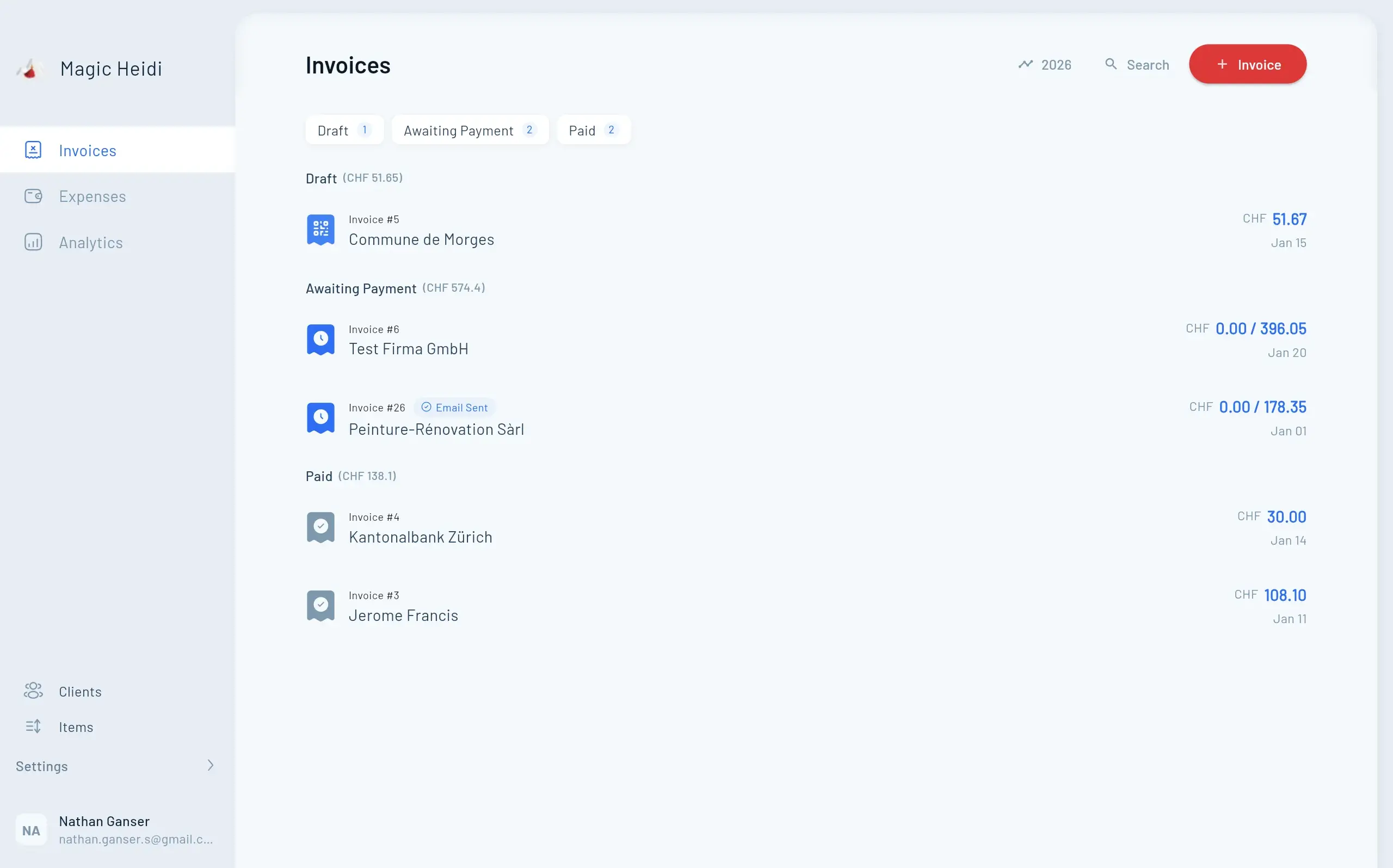
The average B2B invoice takes 30-45 days to get paid. You can do better. Send immediately, automate reminders, and make payment effortless.

Simple strategies that dramatically reduce your payment cycle.
Every day you wait adds to your payment cycle
Email gets you paid 10-14 days faster than mail
Multiple methods and clickable links reduce friction
Systematic follow-ups prevent forgotten invoices
Clients pay people they respect faster
Focus on clients with good payment habits
Free templates work perfectly for many businesses. But there's a point where software saves time and money.
| Feature | Templates | Basic Software | Magic Heidi |
|---|---|---|---|
| Cost | Free | CHF 10-20/mo | CHF 30/mo |
| Best For | <10 invoices/mo | 10-50/mo | ✓ Any volume |
| Swiss VAT | Manual setup | ⚠ Basic | ✓ Full compliance |
| Automation | ✗ None | ⚠ Limited | ✓ Complete |
| Payment Tracking | ✗ Manual | ✓ Basic | ✓ Advanced |
| QR-Bill Support | ✗ No | ⚠ Sometimes | ✓ Native |
The Math: The average cost to manually process an invoice is CHF 12. If software costs CHF 20/month but you create 20 invoices monthly, you're saving CHF 220 in time (20 invoices × CHF 12 = CHF 240 cost vs. CHF 20 software cost).
Entry-Level: Wave (free), Zoho Invoice (free tier), Invoice Ninja
Mid-Range: QuickBooks, FreshBooks, Xero
Advanced: NetSuite, SAP, Oracle
For Swiss Businesses: Look for solutions that handle CHF, Swiss VAT rates, and QR-bill compatibility (Swiss payment standard).
VAT registration in Switzerland is required once you reach CHF 100,000 in annual turnover. Once registered, your invoicing requirements change significantly.
Required at CHF 100,000 turnover
Standard 8.1%, Reduced 2.6%, Special 3.7%
Different requirements for EU clients
Swiss law requires long-term storage
Threshold: CHF 100,000 annual turnover (worldwide)
Voluntary Registration: Allowed even under threshold
Registration Number: Format is CHE-xxx.xxx.xxx MWST
Standard Rate (8.1%): Most goods and services
Reduced Rate (2.6%):
Special Rate (3.7%):
Exporting Services: Usually VAT-exempt (reverse charge applies)
Importing Services: VAT may apply depending on recipient location
EU Clients: Different rules apply—verify requirements by country
Subtotal: CHF 1,000.00
VAT (8.1%): CHF 81.00
Total: CHF 1,081.00
Show VAT as a separate line item. Never embed VAT in pricing without disclosure.
Switzerland requires 10-year retention of all invoices and financial records. Digital storage is acceptable. Ensure backups exist.
E-invoicing mandates, AI automation, instant payments, and digital transformation are changing how businesses invoice and get paid.

The invoicing landscape is changing rapidly. Here's what's coming:
Multiple European countries are implementing mandatory e-invoicing for B2B transactions starting in 2026. While Switzerland hasn't mandated this yet, the trend is clear. Businesses working with EU clients should prepare now.
What This Means: Structured electronic invoices (not just PDF by email) will become standard. Systems will need to generate XML or similar machine-readable formats.
Smart invoicing systems now use machine learning for:
These systems flag anomalies automatically—like duplicate invoices, which account for 10% of all invoices and cost businesses over $42 million annually in unnecessary payments.
Real-time payment systems are replacing traditional bank transfers. This means invoices can be paid and confirmed in minutes instead of days.
Switzerland's QR-bill system already enables faster payments. Integration between invoicing and payment systems will continue improving.
The e-invoicing market was worth $4.95 billion in 2021. At current growth rates, it will reach $15.5 billion by 2026. This growth reflects widespread digital transformation in financial operations.
Download free templates or automate your entire invoicing process with Magic Heidi—built specifically for Swiss businesses.
Join thousands of Swiss freelancers who've automated their invoicing and accounting.
Magic Heidi cut my invoicing time from 2 hours to 10 minutes per week. The Swiss VAT compliance is perfect.
Freelance Designer, Zürich
Finally an invoicing tool that understands Swiss requirements. QR-bills, multilingual invoices, and proper VAT handling.
IT Consultant, Geneva
I tried three other tools before Magic Heidi. This is the only one built specifically for Swiss freelancers.
Marketing Consultant, Bern
✓ Use professional templates with all required fields
✓ Include Swiss VAT information if registered
✓ Number invoices sequentially without gaps
✓ Send invoices immediately after work completion
✓ Make payment easy with clear instructions
✓ Follow up systematically on overdue payments
✓ Keep invoices for 10 years (Swiss requirement)
✓ Consider automation when volume justifies it
Professional invoicing protects your business, ensures compliance, and gets you paid faster. Start implementing these practices today.