Accounting Software & Tools: Your Guide to Smarter Business Finance
Running a business in Switzerland means juggling growth ambitions with strict compliance requirements. Modern accounting software with AI automation now handles routine tasks in minutes, not hours—time better spent on customers and strategy.
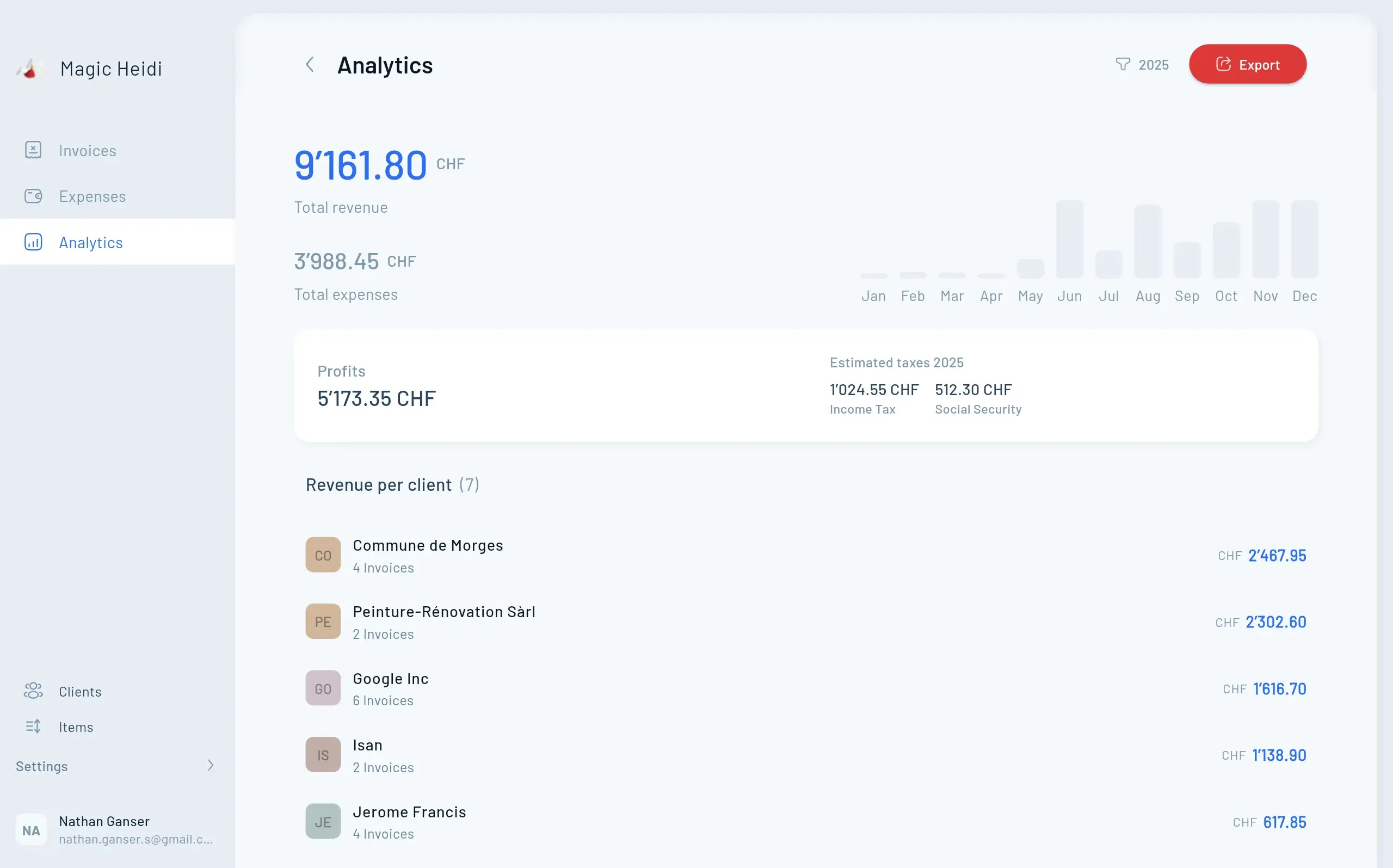
Running a business in Switzerland means juggling growth ambitions with strict compliance requirements. Yet most business owners still spend 5-10 hours weekly on manual bookkeeping—time better spent on customers and strategy.
Modern accounting software changes this equation. Cloud-based platforms with AI automation now handle routine tasks in minutes, not hours. Whether you're a Zurich startup or an established SME in Geneva, the right tools reduce administrative burden while keeping you compliant with Swiss Code of Obligations.
This guide cuts through the noise. You'll learn which features matter, how to choose software that fits your workflow, and what Swiss businesses actually need—not just what vendors promise.
What Is Accounting Software (and Do You Really Need It)?
Accounting software automates financial recordkeeping—from tracking income and expenses to generating reports and handling tax obligations. Think of it as your digital finance department.
When Excel stops being enough:
- You're spending hours reconciling bank statements manually
- Invoice tracking happens across spreadsheets, emails, and sticky notes
- Tax season creates panic instead of confidence
- You can't access financial data when away from your desk
- Errors in manual data entry keep appearing
Here's the reality: when your spreadsheet starts costing you time, accuracy, or peace of mind, it's time to switch. Accounting software doesn't just replace Excel—it creates structure, reduces human error, and gives you clarity in real time.
Swiss legal context:
In Switzerland, all legal entities and sole proprietorships with annual revenue exceeding CHF 100,000 must maintain proper accounting records. Companies require double-entry bookkeeping according to the Code of Obligations. Smaller sole proprietorships (under CHF 500,000 revenue) can use simplified income-expenditure accounting.
The right software ensures compliance while making these obligations manageable.
Why Traditional Accounting Holds You Back
Most business owners still wrestle with spreadsheets, manual reconciliation, and compliance anxiety. Modern accounting software eliminates these pain points while giving you financial clarity in real time.
Hours Wasted Weekly
Manual bookkeeping takes 5-10 hours from your business growthCompliance Complexity
Swiss regulations demand precision you can't afford to missCash Flow Blind Spots
Without real-time data, opportunities and problems go unnoticedCloud vs. On-Premise: Why Cloud Wins in 2026
The accounting software landscape has fundamentally shifted. Over 80% of SMBs now use cloud-based systems, making it the default standard.
Cloud accounting advantages:
- Access anywhere: Check cash flow from your phone while traveling
- Automatic updates: No software installations or version management
- Real-time collaboration: Your accountant sees the same data simultaneously
- Automatic backups: Data protected across multiple server locations
- Scalability: Add users and features as you grow without new hardware
Security concerns addressed:
Cloud providers often protect data better than on-premises systems. Leading platforms use bank-level encryption, automatic backups, and disaster recovery protocols. Your data is safer in the cloud than on a single office computer vulnerable to hardware failure, theft, or fire.
On-premise solutions still exist but are rapidly declining. Unless you have specific regulatory restrictions or legacy system requirements, cloud platforms offer superior value.
Core Features Every
Business Needs
Not all accounting software is created equal. Focus on these fundamental capabilities that directly impact your daily operations and compliance.
Automated Bank Reconciliation
Cloud tools securely connect to your business bank accounts and import transactions automatically. The software matches incoming data against invoices, bills, and journal entries—eliminating manual data entry. Time savings: What once took 3-4 hours weekly now happens in 15 minutes.
- Secure bank connections
- Automatic transaction matching
- Error detection and flagging
- Multi-account management
Professional Invoicing & Payments
Create customized invoices, send them directly to clients, and track payment status in real time. Modern platforms integrate payment processing so clients can pay instantly via credit card or bank transfer. Cash flow impact: Businesses get paid 30% faster with automated reminders.
- Branded invoice templates
- Automated payment reminders
- Multi-currency support
- Payment tracking dashboard
Expense Management
Snap photos of receipts with your phone. The software extracts data automatically, categorizes expenses, and prepares everything for VAT reporting. Swiss businesses must retain expense documentation for 10 years—cloud software handles this automatically with searchable archives.
- Mobile receipt scanning
- AI-powered categorization
- VAT-ready documentation
- 10-year digital archive
Real-Time Financial Reporting
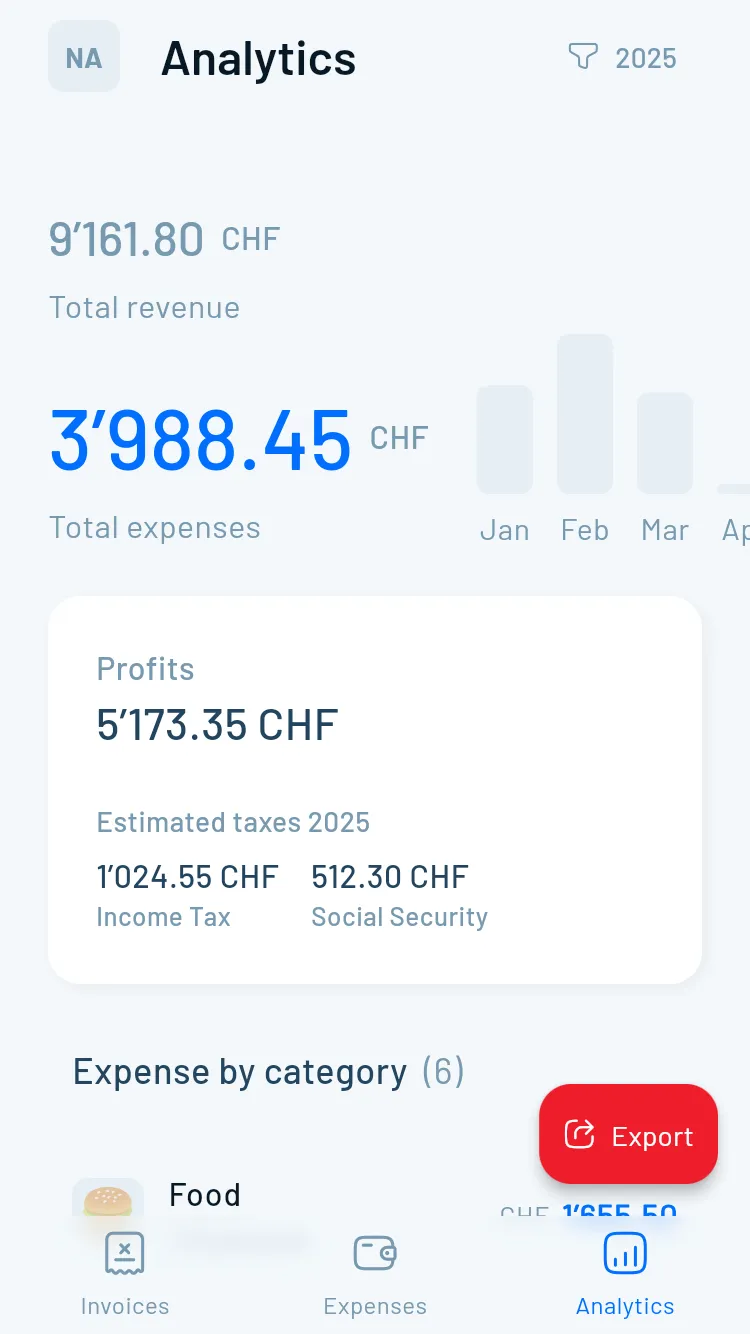
Access up-to-date profit & loss statements, balance sheets, and cash flow reports anytime. Dashboards translate complex numbers into visual charts showing exactly where your business stands. Decision-making benefit: Real-time visibility means you spot problems early and capitalize on opportunities faster.
- Live P&L statements
- Visual cash flow charts
- Balance sheet snapshots
- Custom report builder
Swiss Compliance & VAT Handling
Your software must support Swiss VAT reporting, handle multiple tax rates (7.7% standard, 2.5% reduced, 3.7% accommodation), and generate compliant financial statements according to Swiss Code of Obligations. Multi-language support matters if you operate across Switzerland.
- Multiple VAT rates
- Automated VAT reports
- Code of Obligations compliance
- DE/FR/IT/EN languages
Advanced Features for Growing Companies
Once basics are covered, these capabilities add significant value: AI-powered automation with automatic transaction categorization, anomaly detection, and predictive cash flow forecasting. Multi-currency support for international operations. Inventory management for retail and ecommerce. Project accounting to track profitability per client.
Top Accounting Software Solutions for 2026
The market offers excellent options at every price point. Here's what actually works:
Global Leaders (International Businesses)
QuickBooks Online
The world's most popular small business accounting software. Intuitive interface designed for business owners without accounting backgrounds.
- Best for: Service businesses, retail, ecommerce
- Pricing: From $20/month per user
- Integrations: 750+ apps including PayPal, Square, Shopify, Amazon
- Strengths: User-friendly, comprehensive features, strong mobile app
- Considerations: Customer support can be inconsistent
Xero
Clean interface with excellent integration ecosystem. Lowest entry price among major platforms.
- Best for: Simple accounting needs, collaborative teams
- Pricing: From $13/month
- Integrations: 1,000+ third-party apps
- Strengths: Unlimited users on all plans, beautiful interface
- Considerations: Advanced features require higher-tier plans
FreshBooks
Designed specifically for freelancers and service-based businesses. Emphasizes billing and time tracking.
- Best for: Consultants, agencies, professional services
- Pricing: From $19/month
- Strengths: Outstanding invoicing, time tracking, client portal
- Considerations: Limited inventory management
Wave Accounting
Free software with excellent core features. Revenue from optional payment processing.
- Best for: Very small businesses, solopreneurs
- Pricing: Free (payment processing fees apply)
- Strengths: Zero subscription cost, solid fundamentals
- Considerations: Limited features compared to paid alternatives
Swiss-Specific Solutions (Local Market Focus)
bexio
All-in-one management tool built for Swiss SMEs. About 90,000 Swiss businesses use bexio since its 2013 launch.
- Best for: Swiss SMEs needing complete business management
- Pricing: Starter CHF 29/month, Pro CHF 59/month, Pro+ CHF 99/month
- Strengths: Swiss compliance built-in, local support, German/French/Italian interface
- Features: Accounting, CRM, inventory, project management, banking integration
KLARA
AI-powered platform specifically developed for Swiss SME market. Handles routine activities automatically.
- Best for: Tech-forward Swiss businesses wanting automation
- Strengths: AI assistance, Swiss bank integration, mobile-first design
- Innovation: Intelligent document processing and automatic categorization
Abacus
Established Swiss accounting provider with comprehensive enterprise features.
- Best for: Larger SMEs and mid-market companies
- Strengths: Deep Swiss compliance expertise, robust feature set
- Considerations: Higher price point, more complex implementation
AbaNinja
Simplified version developed for smaller companies and freelancers.
- Best for: Self-employed, micro-businesses
- Pricing: Free starter plan, CHF 21/month for advanced features
- Strengths: User-friendly, affordable, Swiss-compliant
CashCtrl
Swiss-developed software with transparent pricing and no user limits.
- Best for: Growing businesses needing multi-user access
- Strengths: Fixed pricing regardless of user count, Swiss-made
How to Choose the Right Software:
A Decision Framework
With dozens of options available, follow this systematic approach to find your perfect match. Consider company size, industry type, transaction volume, must-have features, integration requirements, and always test with free trials before committing.
Match software complexity to your team size and structure
Service, retail, manufacturing—each has unique requirements
Ensure compatibility with banking, payments, and existing tools
Use 14-30 day trials with real business data
Pricing Models & Hidden Costs
Understanding total cost of ownership prevents budget surprises.
Subscription Pricing Structures
Per-user pricing: Common model charging monthly/annually per person accessing the software. QuickBooks, Xero, FreshBooks use this approach.
Flat-rate pricing: Fixed cost regardless of users. CashCtrl and some Swiss providers offer this—valuable for growing teams.
Freemium: Basic features free, advanced functionality paid. Wave Accounting exemplifies this model.
Tiered plans: Multiple packages with increasing features. Most platforms use this—expect $15-50/month for basic packages, $50-200+ for advanced tiers.
Watch for Hidden Costs
Transaction fees: Payment processing typically costs 2-3% per transaction
Add-on modules: Payroll, advanced reporting, or inventory management may require separate subscriptions
Setup fees: Some providers charge implementation costs for data migration and initial configuration
Training: Consider staff training time or professional training sessions
Storage limits: Cloud storage overages may incur additional charges
Support tiers: Premium support often requires higher-priced plans
Calculate True ROI
Compare software cost against current accounting expenses:
Time savings: 5 hours weekly at CHF 80/hour = CHF 20,800 annually
Error reduction: Avoiding costly mistakes in tax filing or compliance
Cash flow improvement: Getting paid faster through automated invoicing
Accountant savings: Reduced billable hours with organized records
Software paying for itself multiple times over is the norm, not the exception.
Implementation Best Practices
Successful software adoption requires planning:
Before You Switch
1. Clean up existing records: Resolve outstanding invoices, reconcile accounts, document any irregularities
2. Choose a start date: Beginning of fiscal year or quarter simplifies migration
3. Back up everything: Preserve existing data even if not migrating it all
4. Notify stakeholders: Inform your accountant, bookkeeper, and relevant team members
During Implementation
5. Start with core features: Master invoicing, expenses, and bank reconciliation before exploring advanced capabilities
6. Import strategically: Consider starting fresh with opening balances rather than importing years of historical data
7. Customize for your workflow: Set up categories, invoice templates, and reports matching your business needs
8. Connect integrations gradually: Add one integration at a time to identify any issues
After Go-Live
9. Train your team: Ensure everyone understands their role in the new system
10. Review regularly: Check reconciliation status, report accuracy, and system performance weekly initially
11. Leverage support: Use vendor resources—webinars, knowledge bases, customer support—during the learning curve
12. Optimize continuously: Discover new features and automation opportunities as you gain experience
Common Mistakes to Avoid
Learn from others' missteps. The most feature-rich software is worthless if too complex for your team to use daily. Prioritize usability over feature lists. Always involve your accountant in the decision. Software costing CHF 15/month that wastes 3 hours weekly costs more than CHF 50/month software saving those hours.
Feature Overload
Choosing software based on features alone—not usabilityIgnoring Mobile
Overlooking mobile access when you'll check finances on the goIntegration Gaps
Missing connections to banks, payments, or ecommerce platformsSkipping Trials
Buying without testing with your actual business dataAI & Automation: The Revolution
Accounting technology has evolved beyond simple digital bookkeeping. AI now transforms how businesses manage finances—automatic categorization reducing data entry by 80%+, anomaly detection flagging unusual patterns, predictive cash flow forecasting based on historical data, and smart reconciliation matching transactions instantly.
What AI Actually Does
Automatic categorization: Software learns your transaction patterns and categorizes expenses automatically—reducing data entry by 80%+.
Anomaly detection: AI flags unusual transactions or patterns indicating errors or fraud. Analyzes over a year of historical data to establish baselines.
Predictive cash flow: Machine learning forecasts future cash position based on historical patterns, outstanding invoices, and seasonal trends.
Smart reconciliation: Automatically matches transactions to invoices and receipts, identifying discrepancies for review.
Invoice processing: Snap a photo of supplier invoices; AI extracts vendor, amount, date, and line items automatically.
Platforms Leading AI Innovation
QuickBooks and Xero: Automated reconciliation, transaction categorization, receipt scanning
NetSuite and Microsoft Dynamics 365: Advanced AI-driven forecasting and business intelligence
KLARA: AI-powered document processing specifically for Swiss businesses
The key: AI handles routine tasks so you focus on strategic decisions. What once took hours of manual entry now happens in minutes.
Swiss Compliance: What You Must Know
Operating in Switzerland means specific legal obligations.
Accounting Requirements by Business Type
Legal entities (GmbH, AG, cooperatives):
- Must maintain double-entry bookkeeping
- Prepare annual financial statements
- Undergo audits based on size thresholds
Sole proprietorships:
- Revenue under CHF 100,000: No formal accounting required
- Revenue CHF 100,000-500,000: Simple income-expenditure accounting sufficient
- Revenue over CHF 500,000: Double-entry bookkeeping mandatory
VAT Compliance
Swiss businesses exceeding CHF 100,000 annual revenue must register for VAT. Your accounting software must:
- Support multiple VAT rates (7.7%, 3.7%, 2.5%, 0%)
- Generate VAT reports in required format
- Handle effective method or flat-rate method calculation
- Submit returns quarterly (typically) via online portal
Swiss-specific solutions like bexio and KLARA have this built-in. International platforms may require configuration.
Record Retention
Swiss law requires retaining accounting records and supporting documents for 10 years. Cloud software handles this automatically with searchable digital archives.
Language Requirements
If operating across Switzerland, ensure your software supports required languages:
- German (Zurich, Basel, Bern German-speaking areas)
- French (Geneva, Lausanne, Neuchâtel regions)
- Italian (Ticino canton)
- English (international teams)
Frequently Asked Questions
Can I switch accounting software mid-year?
Yes, though starting at fiscal year-end simplifies migration. When switching mid-year, reconcile everything first, then import opening balances into your new system. Your accountant can help ensure continuity.
Should I use the same software as my accountant?
Helpful but not essential. Most accountants work with multiple platforms. More important: choose software allowing accountant access for collaboration. Cloud-based platforms make this easy.
How long does implementation take?
For simple businesses: 1-2 days to get operational with basic features. Complex migrations with historical data: 2-4 weeks. Most businesses run parallel systems for one month to ensure accuracy before fully switching.
What if I have no accounting knowledge?
Modern software is designed for business owners, not accountants. Look for platforms with strong onboarding resources, intuitive interfaces, and responsive support. FreshBooks, bexio, and QuickBooks excel here.
Is my data secure in the cloud?
Leading providers use bank-level encryption, automatic backups across multiple server locations, and disaster recovery protocols. Cloud storage is typically more secure than local computers vulnerable to hardware failure or theft.
Can I handle accounting myself or do I need an accountant?
Software handles routine transactions, but most businesses benefit from quarterly accountant reviews to ensure accuracy, optimize tax strategy, and provide year-end statements. Software reduces accounting fees by giving professionals clean, organized data.
Future Trends: What's Coming Next
The accounting software landscape continues evolving:
Embedded AI assistants: Natural language interfaces letting you ask "How much profit did we make last quarter?" and get instant answers.
Blockchain integration: Some platforms exploring blockchain for transparent, immutable audit trails.
Predictive analytics: Machine learning models forecasting not just cash flow but business scenarios based on different decisions.
Automated compliance: Software that automatically adapts to changing tax regulations and compliance requirements.
Mobile-first design: Next-generation platforms designed for smartphone use with desktop as secondary interface.
Stay focused on current needs while choosing software with clear upgrade paths as these innovations mature.
Make Your Decision
With Confidence
Choosing accounting software isn't about finding the 'best' solution—it's about finding the right fit for your specific business. Whether you're a Swiss freelancer needing basic tools or a growing SME requiring comprehensive features, the perfect platform exists for your needs.
AbaNinja or Wave—free or low-cost essentials
bexio offers comprehensive Swiss compliance at CHF 29-99/month
KLARA brings AI automation to Swiss accounting
QuickBooks or Xero provide global reach and scalability
Get Expert Guidance on Your Accounting Setup
Choosing and implementing accounting software doesn't have to be overwhelming. Magic Heidi helps Swiss businesses navigate this decision with confidence—from independent software recommendations to implementation support and ongoing accounting services.
Last updated: January 2026. Software features and pricing subject to change. Always verify current offerings with providers.