 Magic Heidi
 Transport Invoicing: Mobile, fast, correct
Create QR invoices between jobs, scan fuel receipts, convert quotes to invoices — Magic Heidi is the simplest invoicing app for Swiss taxi, courier and moving businesses.
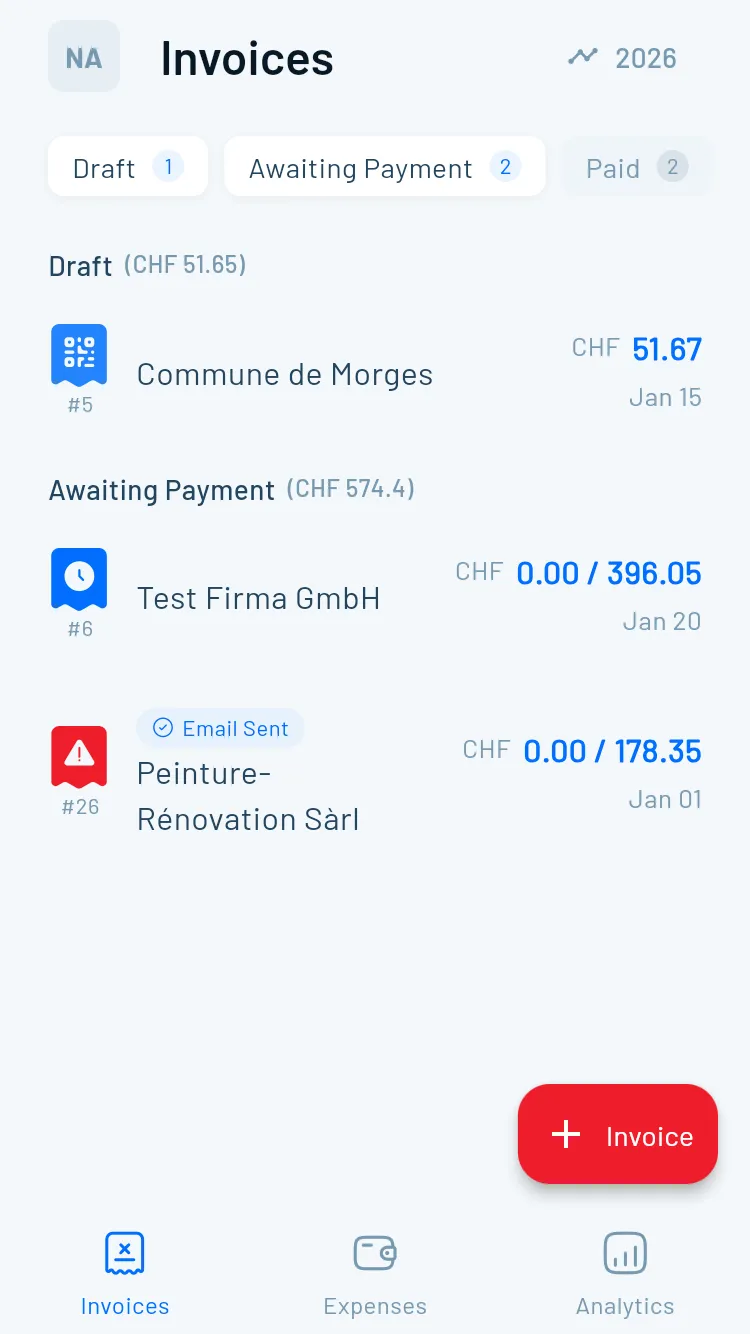
Paperwork after a long day? Never again.
Transport operators have no time for desk work. Invoices need to happen between jobs on your smartphone — not in the evening after a 12-hour shift.
Invoice between jobs
No laptop, no printer, no time — invoices must be created immediately and on mobile.Multiple line items
Base rate, surcharges, waiting time, materials — all on one clear invoice.Expenses on the road
Fuel, parking, tolls — receipts pile up in the glove box instead of being in the system.Same clients, over and over
Regular clients need invoices after every job — set up once, send every time.How do I structure an invoice in transport?
A Swiss invoice must contain certain mandatory fields. In transport, services often consist of multiple line items. Here is the line item logic for the most common cases:
Taxi and passenger transport
| Item | Unit | Example |
|---|---|---|
| Base fare (trip) | Flat or CHF/km | CHF 8.00 pick-up + CHF 3.50/km |
| Waiting time | CHF/15 min. | CHF 12.00/15 min. |
| Night surcharge | % or flat | +20% after 10 PM |
| Weekend/holiday surcharge | % or flat | +25% Sat/Sun |
| Airport flat rate | Flat | CHF 15.00 |
Service period: Date and time of the trip must always be stated.
Courier and delivery service
| Item | Unit | Example |
|---|---|---|
| Base delivery | Flat (zone) | CHF 18.00 city area |
| Express surcharge | % or flat | +CHF 25.00 same-day |
| Weight surcharge | CHF/kg over limit | CHF 2.50/kg from 10 kg |
| Recipient waiting time | CHF/15 min. | CHF 10.00/15 min. |
Moving company
| Item | Unit | Example |
|---|---|---|
| Labour hours | CHF/hour/person | CHF 65.00/h × 3 persons |
| Vehicle | CHF/day or km | CHF 180.00/day van |
| Materials (boxes) | CHF/item | CHF 4.50/box |
| Packing materials | CHF/roll | CHF 12.00/stretch film roll |
| Furniture lift | Flat | CHF 120.00 |
Tip: Create a template for each client with your standard rates. In Magic Heidi, save regular clients and standard items — a new invoice then takes 30 seconds.
Scan fuel receipts instead of collecting them
Fuel is the biggest variable cost in transport. Photograph the receipt right after filling up — Magic Heidi's AI automatically recognises the amount, date, category and supplier. No more lost receipts. More at AI Expense Scanning.

Everything for transport businesses
Magic Heidi covers all requirements for taxi, courier and moving — on smartphone, tablet or computer.
Mobile invoice
Create QR invoices on iPhone, Android or web — between jobs, on a break or after work.
Swiss QR invoice
Every invoice automatically includes the Swiss QR code with IBAN and reference number — legally compliant and directly payable.
AI receipt scan
Fuel receipts, parking tickets and toll receipts captured by camera — AI reads all details automatically.
Quote → Invoice
Create a moving quote, convert it to an invoice with one click after the job. No double entry.
Regular clients
Save client data and standard services — invoices for regular clients in under 30 seconds.
Cash & card
Track cash and card payments separately — clear income overview without cashbook headaches.
Your digital office
on the road
Everything a transport business needs to manage invoices, expenses and open items from a smartphone.
Invoice templates
Pre-configured templates for taxi, courier and moving. Save regular clients and standard rates — every subsequent invoice takes under 30 seconds.
- Standard items for trip, surcharges, waiting time
- Client data carried over automatically
- PDF sent by email or WhatsApp
- Swiss QR code on every invoice
Open items at a glance
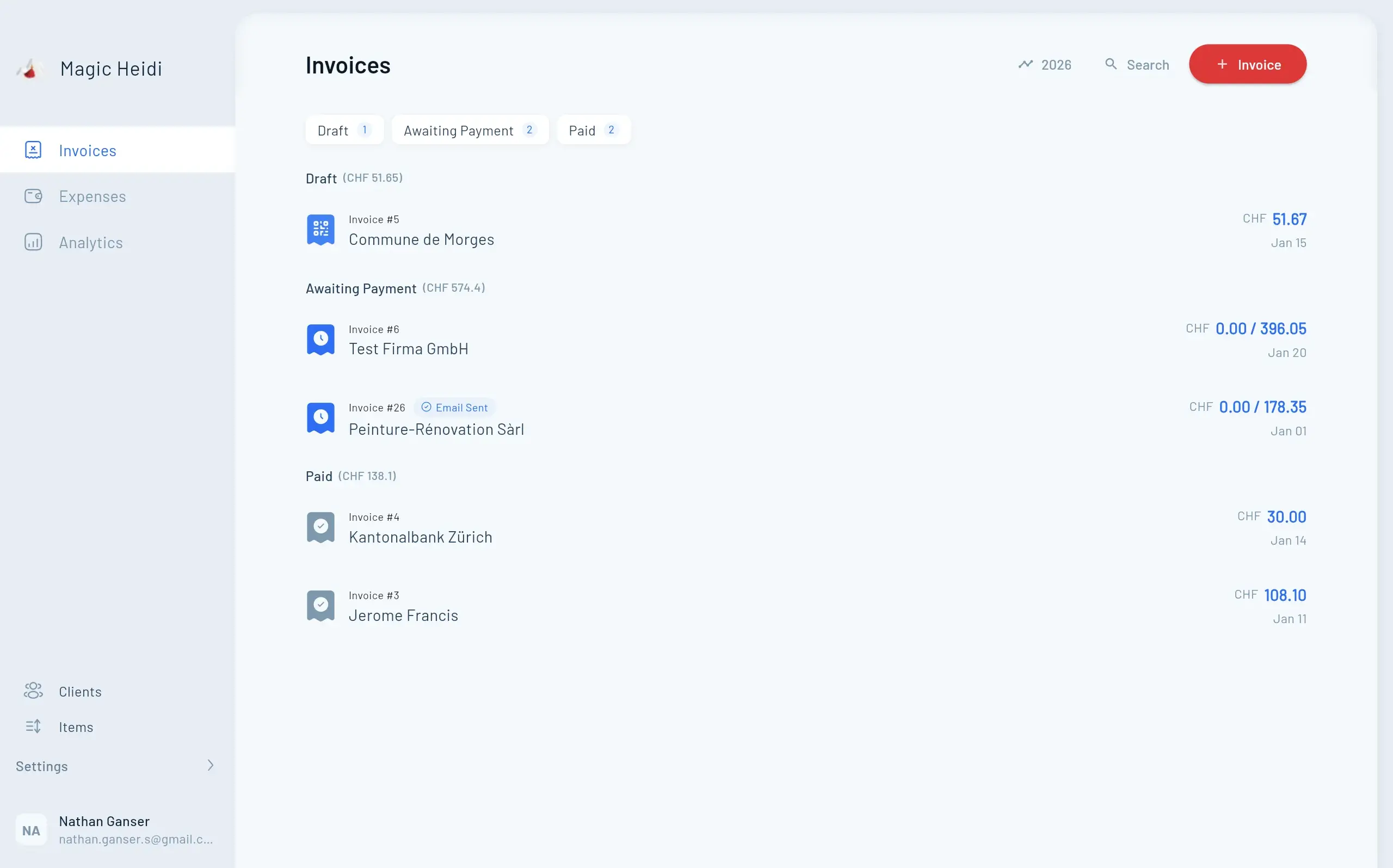
See at a glance which invoices are paid and which are not. Automatic payment reminders save awkward phone calls.
- Payment status in real time
- Automatic payment reminders
- View by client or period
- Follow up directly from the app
Expense overview
Fuel, parking and tolls recorded throughout the year without gaps. AI scans receipts automatically — all deductible expenses always at hand.
- AI receipt scan for all receipt types
- Categorisation: fuel, parking, tolls
- Annual overview for tax return
- Never lose a receipt again
Invoice in 30 seconds
Between two jobs or after a move — create a Swiss QR invoice, send the PDF, track payment. All from your smartphone.
- 📱App for iPhone & Android
Full functionality on every device — no desktop required.
- 🧾Swiss QR invoice
Legally compliant QR invoices with one click — directly from the app.
- 📤PDF by email & WhatsApp
Send the invoice directly after the job — client pays immediately.
- ⛽Expenses captured immediately
Photograph the receipt, AI reads it — receipt is in the system.
- Invoice #3
Magic Heidi
CHF 500
Jan 29
- Invoice #2
Webbiger LTD
CHF 2000
Jan 24
- Invoice #1
John Doe
CHF 600
Jan 20
Common questions about invoicing in transport
How do I write an invoice as a taxi driver in Switzerland?
A taxi invoice in Switzerland needs: your name/company name, address, invoice date, service date (date/time of the trip), description of the service (start and destination or distance in km), amount, VAT disclosure (if VAT registered) and IBAN with Swiss QR code for easy payment. With Magic Heidi you create this invoice in 30 seconds — directly on your smartphone.
What must a courier service invoice in Switzerland include?
Mandatory fields on a Swiss courier invoice: invoice number, invoice date, service date (delivery date), recipient and sender address, detailed service description (e.g. express delivery Zurich–Bern, 2.3 kg), unit prices per item, total amount, VAT if applicable, payment deadline and bank details with QR code.
How do I invoice waiting time and surcharges?
List waiting time and surcharges as separate line items: e.g. 'Waiting time 30 min. at CHF 12.00 = CHF 24.00' or 'Night surcharge 20% on CHF 45.00 = CHF 9.00'. State each item with quantity, unit, unit price and total price. Magic Heidi allows as many line items as needed per invoice — surcharges and flat rates can be added easily.
How do I record expenses like fuel and parking?
With Magic Heidi, photograph the receipt directly after filling up or parking. The AI automatically recognises the amount, date, category and supplier — no manual entry. At the end of the year all your deductible vehicle expenses are documented without gaps and can be directly included in your tax return. More at AI Expense Scanning.
How do I convert a quote to an invoice as a moving company?
With Magic Heidi, first create a quote with all planned items (labour hours, vehicle, materials). After the move is complete, convert the quote to an invoice with one click — client data, items and prices are carried over automatically. You can still make adjustments (e.g. more boxes used) before sending. More on the quote feature at Quotes.
Your next invoice in 30 seconds
Write transport invoices on mobile — save regular clients, scan expenses, send QR invoice.