 Magic Heidi
 The invoicing app for your Mac
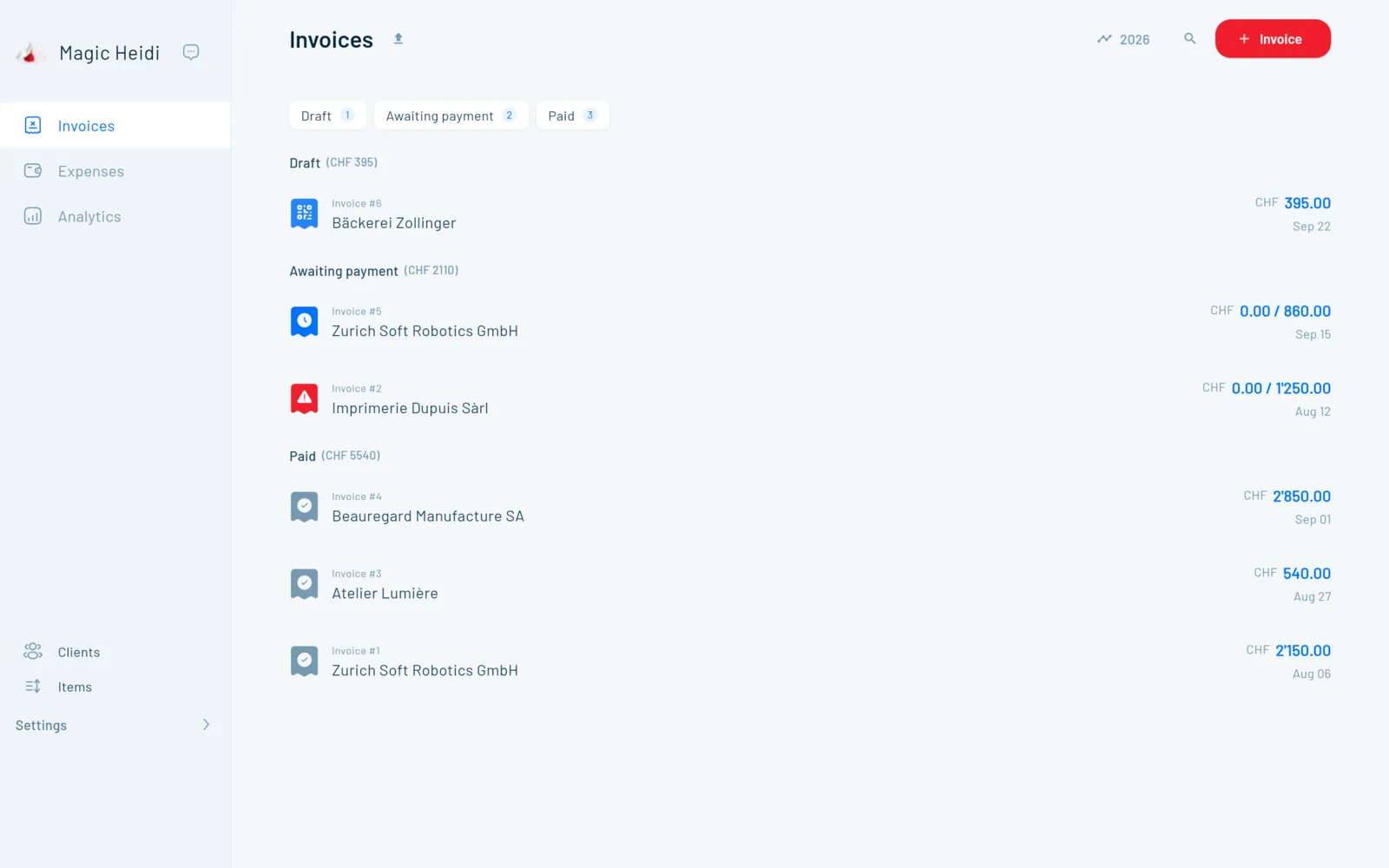
A dedicated Mac app from the App Store: QR invoices, quotes and VAT on the big screen, receipts scanned with your iPhone. Built for Swiss freelancers, synced across all your devices.
Invoicing on a Mac? Usually a detour.
The template lives in Pages, the QR code comes from e-banking, the receipts sit in your Downloads folder. And before the VAT return you hunt it all down again.
Pages and Excel
Number, total and QR code typed by hand on every invoiceBuilt for other markets
App Store invoicing apps without a Swiss QR payment slip or VATTicking off payments by hand
Bank statement next to your invoice list, comparing line by lineWhat's fastest on the Mac
Big screen, real keyboard: this is where you do what would be fiddly on a phone, from a long quote to your VAT return.
Long invoices and quotes
Hours, flat fees, discounts, in CHF or EUR. An accepted quote becomes an invoice in one click.
Reconcile your bank
Drag a CSV or Excel statement into the app or connect your bank directly. Payments land on the right invoice.
VAT return
All VAT rates (8.1, 2.6, 3.8 %), effective method or net tax rate. You copy the figures into the FTA ePortal.
Scan on your iPhone, finish on the Mac
Snap the receipt at the till and the AI reads merchant, date, amount and VAT rate. It's on your Mac straight away. Supplier PDFs you simply drag & drop into the app.

Invoicing app for Mac: ready in five minutes
You set the app up once. After that, every QR invoice comes down to a client, a line item and a click on Send.
1 · Get the app
Search for "Magic Heidi" in the Mac App Store. Same listing as for iPhone and iPad.
2 · Business details
Name, address, IBAN, plus logo and VAT number if you have them. That makes the QR code.
3 · Add clients
An address and email are enough. You set language and currency per client.
4 · Send the invoice
Enter the line items, the app sets number and date. The PDF goes out by email.
5 · Track payments
Open, overdue, paid at a glance. The app sends payment reminders for you.
One account for all your devices
One login and one subscription for every platform. You switch devices, not software. And if your accountant needs access, they get their own login.
iPhone
Scan receipts at the till, invoice right after the appointment.
iPad
The same app with more room, e.g. for quotes at your client's.
Windows
A dedicated app for the office PC, if you don't only work on a Mac.
Android
Android phone instead of an iPhone? Same account, same data.
Web app
In your browser at app.magicheidi.ch, nothing to install.
Real voices, Mac users included
4.8 out of 5 from more than 200 public reviews. Here's what freelancers who work on a Mac say.
“Minimalistic and easy to use … MagicHeidi is a nice compact cross-platform billing app that allows independents and small companies … to manage invoicing. The cool part as well is that their small (but efficient) team of devs is really listening to the users' needs and new features are just flowing!”
“I like the way it works with the Mac as you can just send the invoice straight to your mail program, or WhatsApp, to add all the text around it you want. … Marking an invoice as done is easy and straightforward. … I've been in contact with Nathan and he fixed small bugs quickly and is keen to hear feedback.”
“I find Magic Heidi really good for independent freelancers like me because it's very simple to use. I don't need any accounting knowledge … It runs smoothly on macOS and on my Android phone.”
Questions about the Mac app
Is Magic Heidi available as an invoicing app for Mac?
Yes. Magic Heidi is a dedicated Mac app on the App Store, in the same listing as the iPhone and iPad app. You download it for free and start with 3 invoices and 3 receipts, no credit card needed. Click Start for free and you land in the right place.
Which Macs does the app run on, and in which languages?
You need macOS 12 or later. The app is available in German, French, Italian, English, Spanish, Portuguese and Romansh. If your Mac runs an older macOS version, use the web app in Safari or another browser, with the same account.
Can I create Swiss QR invoices on the Mac?
Yes. Every invoice automatically gets the Swiss QR payment slip to the SIX standard, including the structured address that's been mandatory since November 2025. You bill in CHF or EUR and email the PDF straight from the app. More in invoicing software.
How do the Mac and iPhone stay in sync?
You sign in with the same account on both devices. Everything syncs in real time: the invoice you start on your iPhone, you finish on the Mac. More about the iPhone app.
Does the Mac app work without an internet connection?
No, Magic Heidi needs an internet connection. Your data is stored encrypted on servers in Zurich and syncs in real time, so your Mac, iPhone and browser are always up to date. If you lose your MacBook, your invoices are still safe.
How do I add receipts on the Mac?
Drag & drop supplier PDF invoices into the app. Or forward them to import@scan.magicheidi.ch from your account's email address. Till receipts are best snapped right away with your iPhone: the AI reads merchant, date, amount and VAT rate. More on AI receipt scanning.
Can I do my VAT return on the Mac?
Yes. Magic Heidi knows all rates (8.1, 2.6 and 3.8 %) and supports both the effective method and the net tax rate. For the chosen period you see revenue, VAT and input tax, and copy the figures into the FTA ePortal. You submit the return there yourself. More on VAT returns.
How much does the Mac app cost?
The download is free, with 3 invoices and 3 receipts included. After that, Pro costs CHF 24.99 per month billed yearly (CHF 299) or CHF 39 monthly, VAT included. One subscription covers all your devices. With a 30-day money-back guarantee, cancel anytime in the app. Full details on the pricing page.
Where is my data stored?
On servers in Zurich, encrypted in transit and at rest. Some features, such as AI receipt scanning, use services that run partly outside Switzerland. Details on the security page.
Who helps me get started?
Support answers by email and phone in German, French, Italian and English, often founder Nathan himself. To get started you can book a free 30-minute onboarding call: pick a time.
Your first QR invoice on the Mac, today
Download for free, add your business details, send your first QR invoice. 3 invoices and 3 receipts included, no credit card needed.