 Magic Heidi
 Write invoices right in your browser
Your online invoicing software for Swiss freelancers: QR invoices, quotes, receipts and VAT on app.magicheidi.ch. Nothing to install, just sign up and get going.
Faster on the big screen
A lot of things are faster on a computer: typing long quotes, dropping in bank statements, checking your VAT. The web app is built for exactly that.
Long quotes, typed fast
Many line items, hours, discounts: typed in no time. An accepted quote becomes an invoice in one click.
Payments matched for you
Drop in your bank statement as CSV or Excel, or connect your business account directly. Payments land on the right invoice. More on bank matching
Overview and VAT
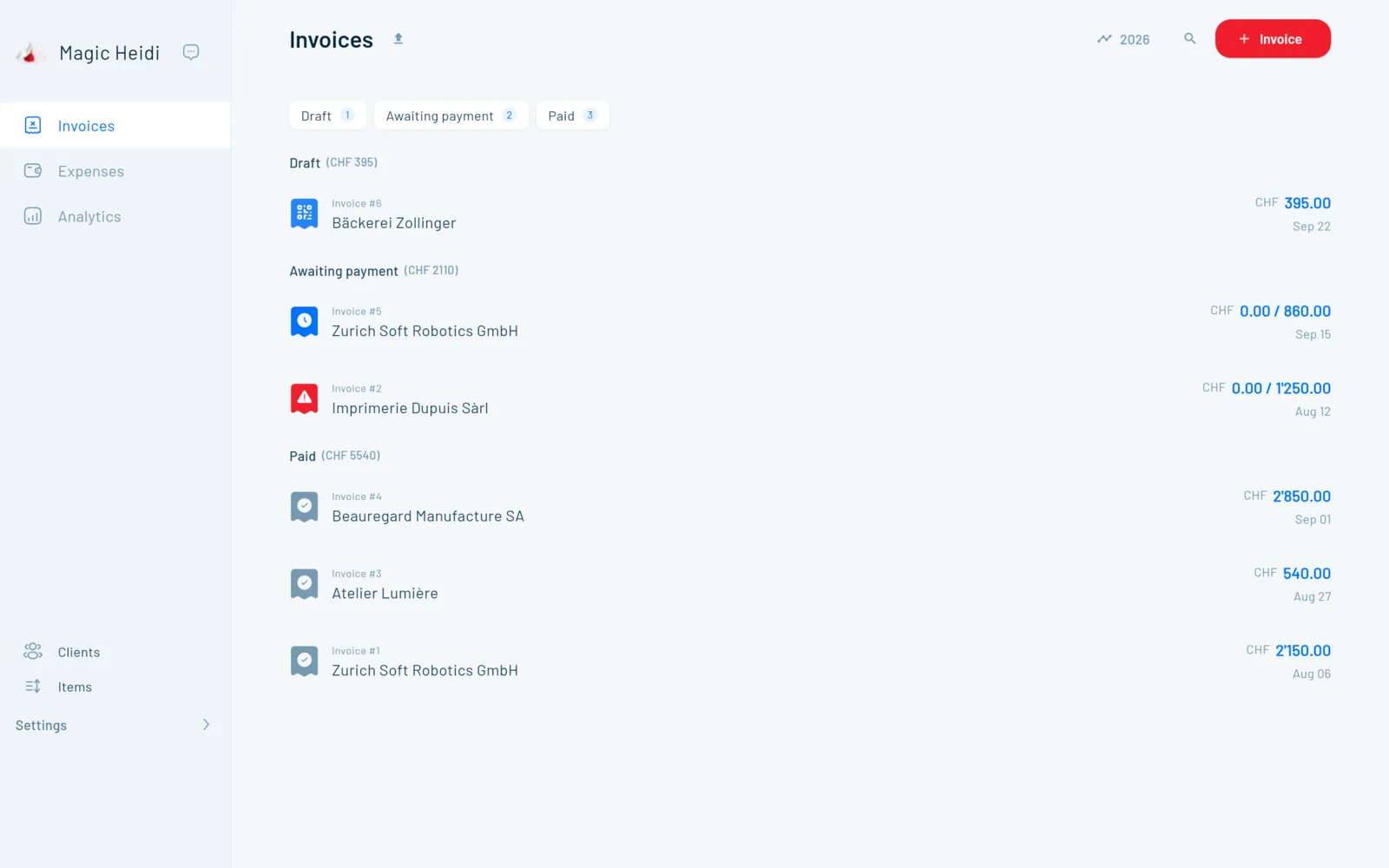
Open, overdue, paid at a glance. The app calculates VAT at 8.1, 2.6 and 3.8 %, ready for the FTA ePortal.
Software stuck on one PC.
Your invoicing software only runs on one computer, the update wants admin rights, and your receipts are on your phone. On the road, you can't get to anything.
Tied to one computer
Installed software only runs where you installed itInstall and update
Licence, admin rights, update: you wait before you can invoicePhone and PC don't talk
Receipts photographed, but nowhere to be found on the computerStart in the browser, continue on your phone
One account for everything. What you scan on your phone shows up in the web app right away. All your devices sync in real time.
Nothing to install, nothing to lose
Your data is stored on servers in Zurich. We take care of updates, backups and encryption. More on security.
AI receipt scanning partly runs abroad
Protect your account with a second factor
We back up your data every week
Invoices, receipts and clients as ZIP, CSV or PDF
What freelancers say about Magic Heidi
Real voices from the App Store, G2 and Capterra.
“Minimalistic and easy to use … MagicHeidi is a nice compact cross-platform billing app that allows independents and small companies … to manage invoicing.”
“I don't need any accounting knowledge to use it, which is great. It's easy to use on macOS and on my Android phone, with an app that is super cool and easy to use.”
“Very easy and fast to create new invoices. The AI receipt recognition is super good! The app is also for every platform available!”
Questions about online invoicing software
Is Magic Heidi online invoicing software, or do I have to install something?
Magic Heidi runs entirely online. You open app.magicheidi.ch in a current browser such as Chrome, Firefox, Safari or Edge, sign in and get going. That even works on a company laptop where you're not allowed to install anything. If you prefer an app, there are also apps for Mac, Windows, iPhone and Android.
Can I look at the web app without signing up?
Yes. The «Watch Demo» button at the top opens a demo account right in your browser, with no email and no password. If you like it, create your own account: 3 invoices and 3 receipts are free, no credit card needed.
How much does the web app cost?
The web app has no separate subscription; all platforms are included in the price. The free plan covers 3 invoices and 3 receipts in total, with every feature. Pro costs CHF 24.99 per month billed yearly (CHF 299) or CHF 39 monthly, VAT included, with a 30-day money-back guarantee. All details on the pricing page.
Does the web app create valid Swiss QR invoices?
Yes, compliant with the SIX standard and with the structured addresses that have been mandatory since November 2025. You don't need a QR-IBAN: your normal IBAN works for invoices without a reference or with a SCOR reference. More in invoicing software.
Can I invoice in euros or in French?
Yes. You invoice in CHF, EUR or USD, in German, French, Italian, English or Romansh. Magic Heidi remembers the language, currency and payment terms for each client, so you only set them once.
Can I do my VAT return in the web app?
Yes. Magic Heidi knows all Swiss rates (8.1, 2.6 and 3.8 %) and calculates with the effective method or the net tax rate method. For each period you see the figures to copy into the FTA ePortal. If you're under CHF 100'000 annual turnover and not registered for VAT, you simply send invoices without VAT. More on VAT returns.
How do my receipts get into the web app?
The easiest way is to photograph the receipt with the app on your iPhone or Android phone, and it shows up in the browser right away. On a computer you drag PDF invoices into the web app or forward the email from your login address to import@scan.magicheidi.ch. The AI reads the merchant, date, amount and VAT rate. More on AI receipt scanning.
Can I bring over clients from my old software?
Yes. Export your client list as an Excel or CSV file and drag it into the Clients section. The AI works out on its own which column is the name, email or address. Here's how: import your data.
Does the web app work without internet?
No, Magic Heidi needs an internet connection. In return, your browser, phone and computer always show the same state, because everything syncs instantly.
Where is my data stored, and who has access?
On servers in Zurich, encrypted in transit and at rest, with weekly backups. A few features such as AI receipt scanning use services that partly run outside Switzerland. Only you have access, unless you give your accountant their own login; all they need is a browser. Details on the security page.
Open your browser. Send the invoice.
Start for free, with no credit card and nothing to install. 3 invoices and 3 receipts included. Questions? Nathan helps you by email or phone.