 Magic Heidi
 The CashCtrl alternative for freelancers
CashCtrl is strong free accounting software for anyone who knows debits and credits. Magic Heidi is for the self-employed without accounting know-how, with a phone app, AI receipt scan and VAT without a chart of accounts.

CashCtrl reviews, fairly assessed
What customers praise about CashCtrl, what speaks for the tool and what our click test measured. The customer quotes come from cashctrl.com and were picked by the vendor. All figures are in our top 5 test and the video.
What customers praise
Logical interface, invoicing and support.
What CashCtrl does well
Full financial accounting from the Basel region.
Our click test
January 2026, three everyday tasks, every click recorded on video.
Full double-entry books.
Do you need them?
As a sole proprietor under CHF 500'000 in revenue, simple income-and-expense bookkeeping is enough (Art. 957 CO). CashCtrl still gives you accounts, journal entries and a balance sheet.
Accounts, not categories
Every entry needs a debit and a creditBrowser only
Not officially supported on phonesUpload, no scan
No AI scan, attachments only in PROMagic Heidi vs. CashCtrl
CashCtrl isn't bad, it's built differently. Magic Heidi incl. VAT, CashCtrl also incl. VAT according to its own pricing page.
| What matters | Magic Heidi | CashCtrl |
|---|---|---|
| Built for | ✓ Self-employed people without accounting know-how | Double-entry bookkeepers: self-employed, SMEs, associations, fiduciaries |
| Bookkeeping | ✓ Simple: income and expenses, no chart of accounts | Full double-entry bookkeeping with chart of accounts |
| Price | CHF 24.99/mo. (CHF 299/year) or CHF 39 monthly | FREE at no cost · PRO depends on the term (calculator on cashctrl.com) |
| Free use | ✓ 3 invoices & 3 receipts (in total), all features | ✓ FREE with no time limit, 1 user, 1 organisation |
| AI receipt scan | ✓ Unlimited (fair use) | ✗ Not offered, attachments in PRO |
| Bank | ✓ Bank connection and CSV/Excel import | ⚠ Bank import only in PRO |
| Apps | ✓ iPhone, Android, Mac, Windows and web | ⚠ Browser, phones not officially supported |
| Payroll, clients, roles | ⚠ Fiduciary access yes, payroll and multiple clients deliberately not | ✓ In PRO |
| Clicks in our test (3 tasks) | ✓ 33 | 77 |
Bookkeeping you do on the side
You record what happens in your business. Magic Heidi turns it into bookkeeping and a VAT return. No journal entries, no general ledger.
QR-bill in 30 seconds
With the Swiss QR code and your logo, in German, French, Italian, English or Romansh. Quotes become invoices in one click, and Heidi sends payment reminders automatically. More about invoicing
Snap the receipt, done
The AI reads the merchant, date, amount and VAT rate and files the receipt in the right category. More about the AI receipt scan
VAT ready for the ePortal
8.1 %, 2.6 % and 3.8 %, effective method or net tax rate. You copy the finished figures into the FTA ePortal. More about VAT
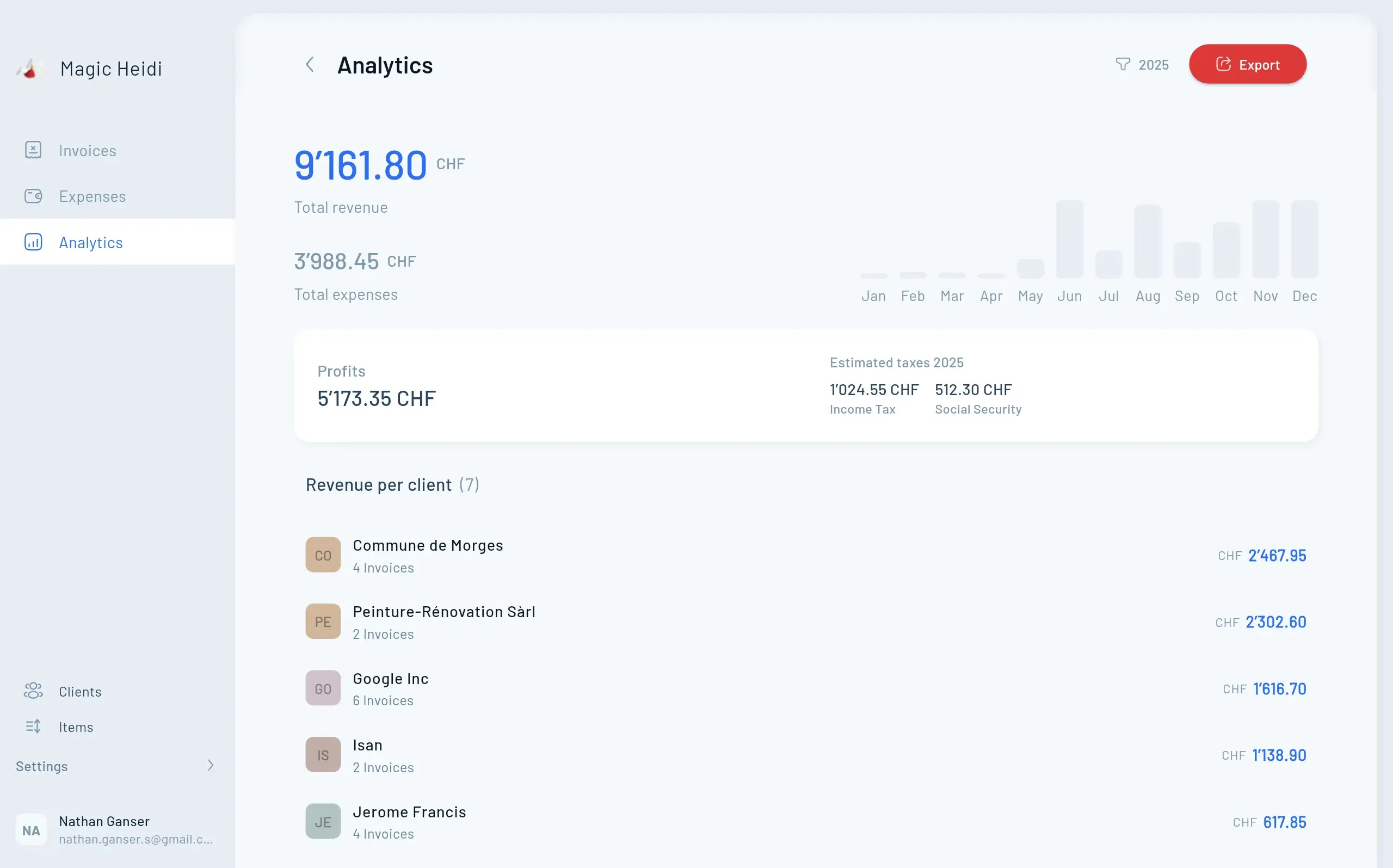
From CashCtrl to Heidi in 4 steps
Nothing to rebook: you close the current year in CashCtrl as usual. The easiest time to switch is at the start of a new quarter or financial year, so your VAT period starts cleanly in Heidi.
1. Export
Save your clients, invoices and receipts from CashCtrl. You must keep them for 10 years.
2. Start free
Create an account, add your logo and IBAN. No credit card, done in minutes.
3. Import your data
Clients, invoices and expenses by drag and drop. The AI recognises the format.
4. Add your fiduciary
Their own login for your fiduciary, or simply the export at year-end.
We help you move
Book a free 30-minute onboarding call. Nathan, the founder, sets up Magic Heidi with you.
Bookkeeping without prior knowledge
4.8 out of 5 from more than 200 public reviews. Three freelancers on their day-to-day with Heidi.
“A great app for Swiss solo entrepreneurs. It makes accounting very easy and straightforward. I highly recommend trying it!”
“Very simple and immediately understandable. Ideal for the self-employed in Switzerland. The AI receipt capture in particular convinced me and sets it apart from similar providers.”
“As a self-employed midwife and mother, I have little time and little knowledge to keep structured accounts … Unlike other software, Magic Heidi is easy to use and can be quickly adapted to your own situation.”
Common questions about CashCtrl
What is the best CashCtrl alternative for freelancers?
It depends on how you want to keep your books. If you work alone and without accounting know-how, Magic Heidi is built for you: QR-bill, AI receipt scan and VAT in one app. If you want to keep doing double-entry bookkeeping, Banana is an option (free up to 70 entries, then an annual subscription). For SMEs with employees and payroll, take a look at bexio.
What are people's experiences with CashCtrl?
On cashctrl.com, named customers praise the logical interface, the invoicing feature and the support. These testimonials are picked by the vendor, so they are not an independent average. The free plan, double-entry bookkeeping and the API speak for CashCtrl. On a phone, CashCtrl only works in the browser, and there's no AI receipt scan.
Is CashCtrl FREE really free?
Yes. CashCtrl FREE is free forever for one user and one organisation, with double-entry bookkeeping. Honestly, that's one of the most generous free plans in Switzerland. Payroll, multiple clients, roles, bank import, receipt attachments and the API only come with PRO.
How much does CashCtrl PRO cost compared with Magic Heidi?
CashCtrl FREE is free forever. The PRO price is worked out by the calculator on cashctrl.com depending on the term (6, 12 or 24 months), incl. VAT. Magic Heidi costs CHF 299 per year incl. VAT, which is CHF 24.99 per month, or CHF 39 if you pay monthly. You start free with 3 invoices and 3 receipts in total, with all features. Full details on the pricing page.
When is CashCtrl the better choice?
When you're a fiduciary managing several clients, run payroll or want to keep full double-entry books with a balance sheet yourself. CashCtrl FREE is also a good choice if you know debits and credits and don't want to pay anything. Magic Heidi is deliberately built for solo self-employed people, not for SMEs with teams.
Is there a CashCtrl app for your phone?
CashCtrl runs in the browser. That works on a phone, but the vendor doesn't officially support it. Magic Heidi has its own apps for iPhone, Android, Mac and Windows, plus the web app. You snap the receipt wherever you get it.
Can I bring my data from CashCtrl to Magic Heidi?
Yes. Export your clients, invoices and receipts from CashCtrl and drag the files into Magic Heidi. The AI recognises the format, so you don't have to map any columns. The import guide shows how. And if you ever want to switch again, you can export your data at any time, with no lock-in.
Is my data safe with Magic Heidi?
Your data is stored in Zurich, encrypted in transit (TLS) and at rest (AES-256). You protect your login with 2FA, and backups run weekly. For the AI receipt scan we partly use services outside Switzerland. More on data security.
Do I even need double-entry bookkeeping as a sole proprietor?
No, as long as your revenue stays below CHF 500'000. Then simple bookkeeping of income, expenses and your financial position is enough (Art. 957 CO), and that's exactly what Magic Heidi covers. If you run a one-person GmbH, your annual accounts need double-entry bookkeeping. Then you handle the day-to-day in Magic Heidi and hand the export to your fiduciary. More about accounting software.
My fiduciary uses CashCtrl. Does Magic Heidi still fit?
Yes. You give your fiduciary their own login or send them the export: all original receipts as a ZIP, invoices and reports as PDF, transactions and contacts as CSV. They can keep working with it in any software. Magic Heidi doesn't replace your fiduciary, it gives them cleaner data.
Less bookkeeping, more billable hours
Try Magic Heidi for free next to CashCtrl, with no credit card and no time limit. Data stored in Zurich, and the founder often answers your questions himself.