 Magic Heidi
 Create a quote in under a minute
Write quotes with your logo, VAT and validity date and send them as a PDF. When your client says yes, one click turns the quote into a QR invoice. No Word, no retyping.
Quote in Word, invoice typed out again.
Find the template, work out the VAT by hand, export a PDF, email it. And when the client says yes, you rebuild the whole thing as an invoice. For every single job.
Templates that never fit
Old logo, broken layout, wrong number.VAT by hand
8.1 %, 2.6 % or 3.8 %? One typo and the price is wrong.Everything twice after the yes
The accepted quote gets rebuilt as an invoice by hand.Write a quote without a template
Pick the client, add your work, send. Magic Heidi fills in your logo, the running quote number and the validity date for you.
Pick the client
Add them once, they're always there: address and language saved per client.
Add your work
Hours, flat fees or saved items. Heidi works out the VAT at 8.1, 2.6 or 3.8 %.
Send as a PDF
By email straight from the app, in German, French, Italian, English or Romansh.
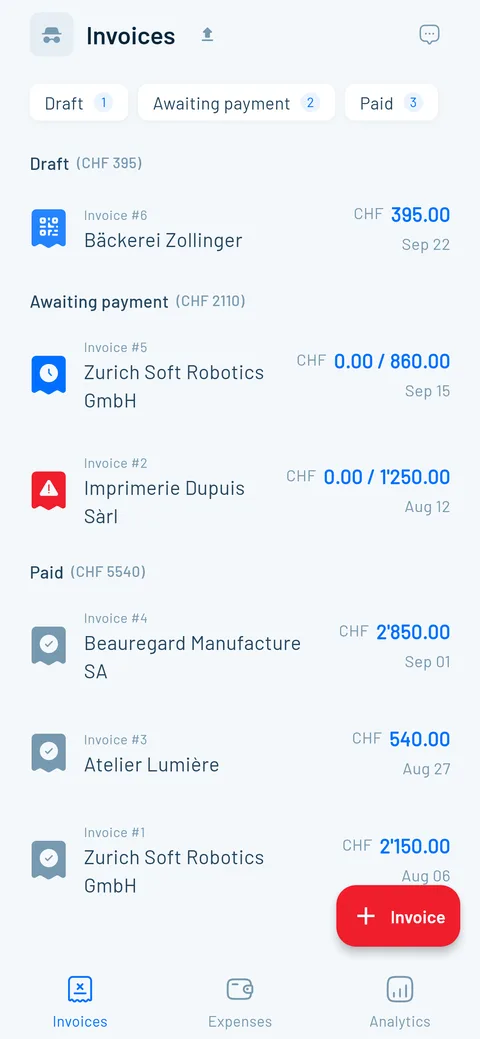
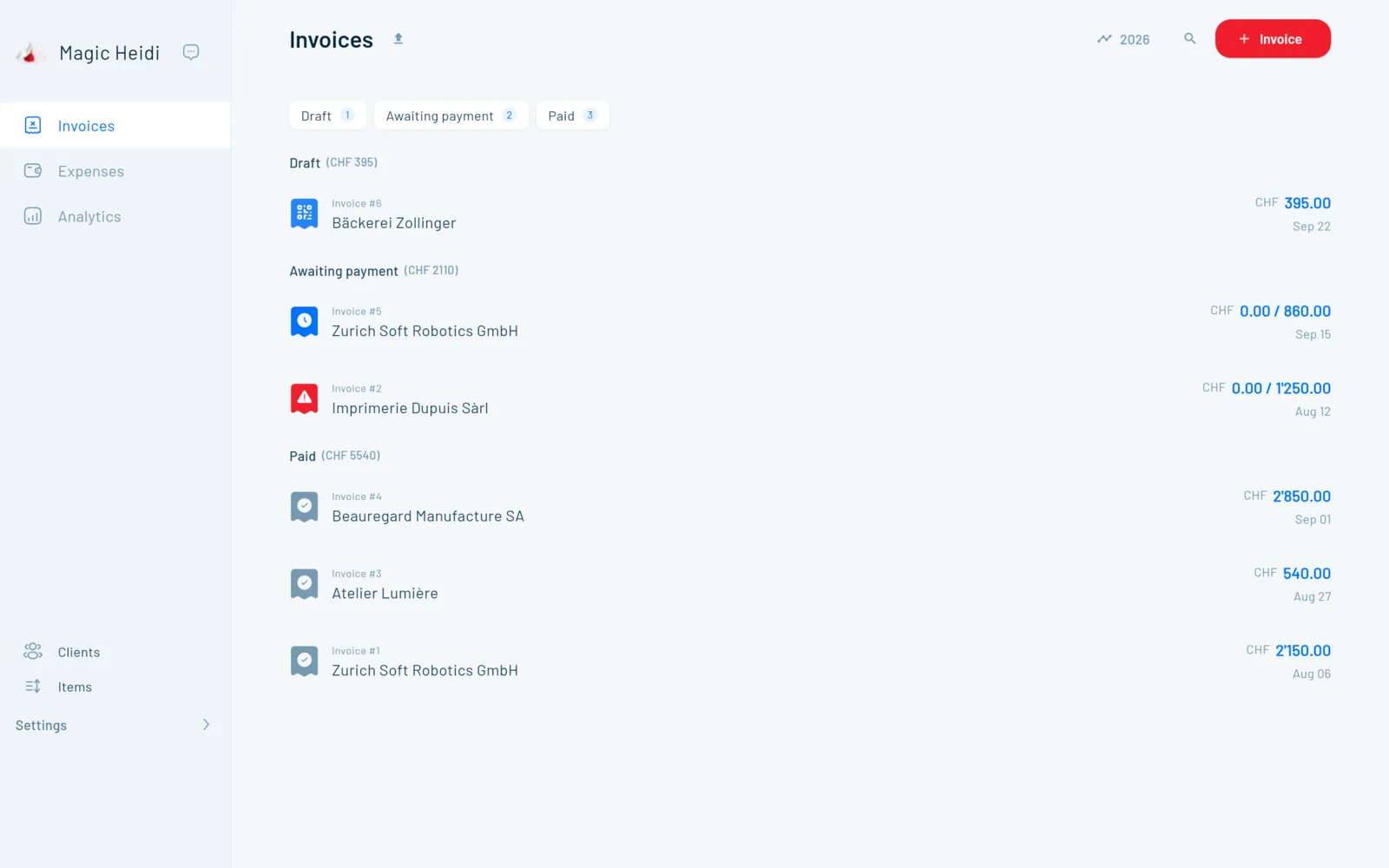
Client says yes? One click and the invoice is ready.
Line items, VAT, client and terms carry over, and the Swiss QR code is added. When the money comes in, bank matching marks the invoice as paid.
Everything a good quote needs
The details that turn a price list into a signed job.
VAT rates
Several rates in one quote, shown correctly.
Currencies
Quotes in EUR or USD for clients abroad.
Signature
Date and signature on the PDF, for clients who confirm in writing.
Validity
Set a default like “Valid for 30 days” once, adjust it per quote.
Deposit invoice
Bill a percentage as a deposit when the job is confirmed, with QR code.
Quote software compared
With Word you retype everything after the yes. In Magic Heidi the quote becomes a QR invoice straight away. If you have staff and stock, bexio is often the better fit.
| Feature | Magic Heidi | Word/Excel | bexio Basic |
|---|---|---|---|
| Price/month (annual) | CHF 24.99 incl. VAT | Free template | from CHF 35 excl. VAT |
| VAT calculation | ✓ Automatic | ✗ By hand | ✓ Automatic |
| Quote number | ✓ Automatic | ✗ By hand | ✓ Automatic |
| Quote → QR invoice | ✓ 1 click | ✗ Retype it | ✓ Yes |
| Send from the app | ✓ PDF by email | ⚠ Export and email | ✓ Yes |
| AI receipt scan | ✓ Unlimited | ✗ No | ✗ Advanced plan only |
| Built for | ✓ Self-employed | ⚠ One-off documents | ⚠ SMEs with a team |
Quotes that just work
4.8 out of 5 from 207+ public reviews.
“I use Magic Heidi to manage my clients, addresses, invoicing and quotes, but also all my expenses. Getting help from support is fast, clear and very professional.”
“As a young self-employed person, I found in Magic Heidi an easy way to manage my invoices, quotes and everything else efficiently. I highly recommend it.”
“I get on really well with Magic Heidi, for invoices as well as quotes. Everything is very simple.”
Common questions about quotes
How do I create a quote with Magic Heidi?
Pick a client or add a new one, enter your work as hours, a flat fee or a saved item, and send. Magic Heidi fills in your logo, the running quote number, the VAT and the validity date automatically. The quote goes to your client as a PDF by email, straight from the app.
What goes into a quote in Switzerland?
Your details (with your VAT number if you're registered), the client's address, the date and quote number, a clear description of the work, the price with VAT shown separately, the validity period and your payment terms. With a validity period, you're bound to your offer until it expires. If you only want to give an estimate, read our guide to the cost estimate.
How does a quote become an invoice?
With one click. Line items, VAT, client details and terms carry over, and the Swiss QR code is added automatically. For bigger jobs, you can first bill a deposit invoice for a percentage and the rest later. More about the invoicing software.
Can my client sign the quote?
Yes. The PDF ends with a field for date and signature. Many business clients want a signed quote before they place an order. If you like to keep it simple, your client just confirms by email.
Can I write quotes in French, Italian, English or Romansh?
Yes. You pick the language per quote: labels, dates and VAT details appear in German, French, Italian, English or Romansh. You write the description of your work in your client's language. Support is available in German, French, Italian and English too.
I'm not registered for VAT. How do I write the quote?
Below CHF 100,000 in annual turnover you don't have to register for VAT, and Magic Heidi creates your quotes and invoices without VAT. Once you register, you switch VAT on and it's shown correctly at 8.1 %, 2.6 % or 3.8 %, even with different rates in one quote.
Can I create quotes on my phone?
Yes. Magic Heidi runs on iPhone, iPad, Android, Mac, Windows and in the browser, and everything syncs. You can write the quote on your phone right after meeting the client and finish it on your laptop.
Where are my client and quote data stored?
In Zurich. Magic Heidi stores clients, quotes and invoices encrypted on servers in Zurich. Some features, such as the AI receipt scan, use services partly outside Switzerland. You can export all your data at any time.
How much does the quote software cost?
You start for free and without a credit card, with every feature: 3 invoices and 3 receipts in total. With Pro you write unlimited quotes and invoices, for CHF 24.99 a month (CHF 299 a year) or CHF 39 monthly, incl. VAT. 30-day money-back guarantee, cancel anytime in the app. All the details are on the pricing page.
Is there a free quote template too?
Yes. If you'd rather start with a file, download our quote template for Word, Excel and PDF. It has every required detail and a signature field. If you send quotes regularly, quote software saves you the time spent numbering, calculating and retyping.
Your next quote in one minute
Start for free, no credit card. Your first quote reaches your client in a minute.