bexio Go Mobile App: Your Complete Guide to Business Management on the Go

Managing your Swiss SME from your smartphone isn't just convenient—it's essential in today's mobile-first business world. The bexio Go app brings professional accounting, invoicing, and expense management to your pocket.

bexio Go Mobile App Interface

Managing your Swiss SME from your smartphone isn't just convenient—it's essential in today's mobile-first business world. The bexio Go app brings professional accounting, invoicing, and expense management to your pocket, but how does it actually work in practice?

This comprehensive guide walks you through everything you need to know about bexio Go in 2026, from installation to advanced features, with honest insights about what works well and where it falls short.

What is bexio Go?

bexio Go is the official mobile companion app for bexio, Switzerland's leading business management platform serving over 90,000 companies. Unlike many business apps that offer watered-down mobile experiences, bexio Go brings genuine productivity to your smartphone—particularly since the major 2025 update that enabled complete purchasing processes directly in the app.

Key capabilities:

  • AI-powered receipt and document scanning
  • Unlimited QR invoice processing
  • Contact management and communication
  • Mobile time tracking (from the Optima package)
  • Document viewing and status checks
  • Complete expense creation and posting

The app is designed for Swiss entrepreneurs, freelancers, and SME managers who need to handle business tasks while traveling, meeting clients, or working away from their desk.

Getting Started

Before You Install: Prerequisites and Requirements

Understanding what you need before downloading bexio Go will save you time and frustration.

bexio Account Required

You cannot create a bexio account directly through the mobile app. Register first at bexio.com using a desktop or mobile web browser.

iOS 12.4 or Later

Compatible with iPhone, iPad, and iPod touch. Camera and photo library access recommended for full functionality.

Recent Android Version

Check Google Play Store for specific version requirements. Camera permissions essential for scanning features.

Internet Connection

bexio Go requires an active internet connection to function. All data synchronizes in real-time with cloud servers.

Step-by-Step Installation Guide

Installing bexio Go takes just minutes. Here's exactly how to get started on iOS or Android devices.

bexio Go Installation Process

Installing on iPhone

  1. Open the App Store on your iPhone
  2. Tap the search icon and type "bexio Go"
  3. Select the official app (published by bexio AG)
  4. Tap "Get" then authenticate with Face ID, Touch ID, or your Apple ID password
  5. Wait for the download to complete (typically 30-60 seconds)
  6. Tap "Open" or find the bexio Go icon on your home screen

First launch:

  • Enter your bexio account email and password
  • Grant camera and photo permissions when prompted
  • Complete the quick tour (recommended for new users)

Installing on Android

  1. Open Google Play Store
  2. Search for "bexio Go"
  3. Select the official bexio AG app
  4. Tap "Install"
  5. Accept permissions when requested
  6. Launch the app once installation completes

Initial setup:

  • Log in with your existing bexio credentials
  • Allow necessary permissions (camera, storage)
  • Explore the guided walkthrough

The installation process is straightforward, but remember: without an existing bexio account, you'll be stuck at the login screen.

Core Features

What bexio Go Actually Does

Understanding the core capabilities helps you maximize productivity on the go.

Scan2Go: AI-Powered Document Processing

This is where bexio Go truly shines. The Scan2Go feature uses artificial intelligence to extract information from receipts and invoices automatically. Simply point your camera at the receipt, and AI extracts date, amount, supplier, and VAT rate.

  • Automatic edge detection and capture
  • Intelligent data extraction with learning AI
  • None on Basic, 50/month on Advanced, 100/month on Optima
  • Manual entry option when limit reached

QR Invoice Processing

Switzerland's QR invoice system is fully supported with unlimited scanning and processing—a huge advantage for Swiss businesses dealing with modern invoicing.

  • Unlimited QR code scanning
  • Automatic payment detail pre-filling
  • Eliminates manual data entry errors
  • Built specifically for Swiss business

Contact Management on the Go

Access your complete bexio contact database from anywhere. Create new contacts during client meetings, edit existing information, and communicate directly from the app.

  • View complete contact database
  • Create and edit contacts instantly
  • Tap to call, email, or SMS
  • Automatic cross-device synchronization

Time Tracking (Optima and Above)

For service-based businesses, mobile time tracking is essential. Start timers for ongoing tasks, punch in and out, or manually enter time ranges.

  • Multiple tracking modes available
  • Link entries to projects or clients
  • Real-time sync with desktop
  • Accurate billing preparation

Document Viewing and Management

While you can't create customer invoices in the mobile app, you can view all quotes, orders, and invoices, check document status, and share PDFs.

  • View all business documents
  • Real-time payment status tracking
  • Share via email or messaging
  • Stay informed about cash flow

Complete Expense Creation

Major 2025 update enables the entire purchasing process directly in-app. Scan receipts, review AI-extracted data, categorize expenses, and post directly to accounting.

  • Full in-app expense workflow
  • AI data extraction and review
  • Direct posting to accounting books
  • Immediate synchronization

Package Comparison: Basic vs Advanced vs Optima

Understanding what's included in each package helps you choose the right level for your business needs.

Basic

CHF 45/ month
Per month, billed monthly (CHF 35 billed annually), excl. VAT
  • 1 user account
  • No AI document scans
  • Contacts, documents and invoices in bexio Go
  • No expenses or e-banking
  • Best for solo entrepreneurs
Start Free Trial

Optima

CHF 79/ month
Per month, billed monthly (CHF 69 billed annually), excl. VAT
  • 5 users
  • 100 AI document scans/month
  • Mobile time tracking
  • Projects and document archive
  • All Advanced features
  • Best for established SMEs
Start Free Trial

30-day free trial available. Test which package level meets your actual document scanning needs before committing.

Real-World Applications

bexio Go in Action

See how Swiss entrepreneurs use bexio Go to streamline daily business tasks while on the move.

Business Travel Expenses

Scan taxi receipts while waiting for trains. Photograph restaurant bills after business lunches. Process hotel invoices before packing. No more shoebox of crumpled receipts.

On-Site Invoice Processing

Scan supplier QR codes before leaving their premises. Invoice is in your system immediately, payment scheduled, and you can take advantage of early payment discounts.

Networking Event Updates

Create contacts immediately while chatting with potential clients. Add notes about interests and needs. Schedule follow-up tasks. Everything synchronized instantly.

Remote Status Checks

Client calls about invoice status while you're away? Open bexio Go, search the client name, view the invoice, and provide immediate, professional answers.

Limitations

Known Limitations and Practical Workarounds

bexio Go is powerful, but it's not perfect. Understanding its limitations helps set realistic expectations.

Mobile Constraints

What You Can't Do (Yet)

Important limitations to understand before committing to bexio Go

  • Customer Invoice Creation: Cannot create quotes, orders, or invoices to clients in mobile app. Use mobile web browser or desktop instead.
  • Single VAT Rate Only: Supplier invoices with multiple VAT rates require desktop processing.
  • Monthly AI Limits: Document scan allowances (50-100/month on Advanced and Optima, none on Basic) can feel restrictive for high-volume users.
  • No Credit Card Automation: Credit card bill processing requires the separate Kontera app.
  • No Banking Transactions: Payment execution must use your bank's dedicated app (security feature).
bexio Go Limitations Overview
Honest Comparison

bexio Go vs Magic Heidi

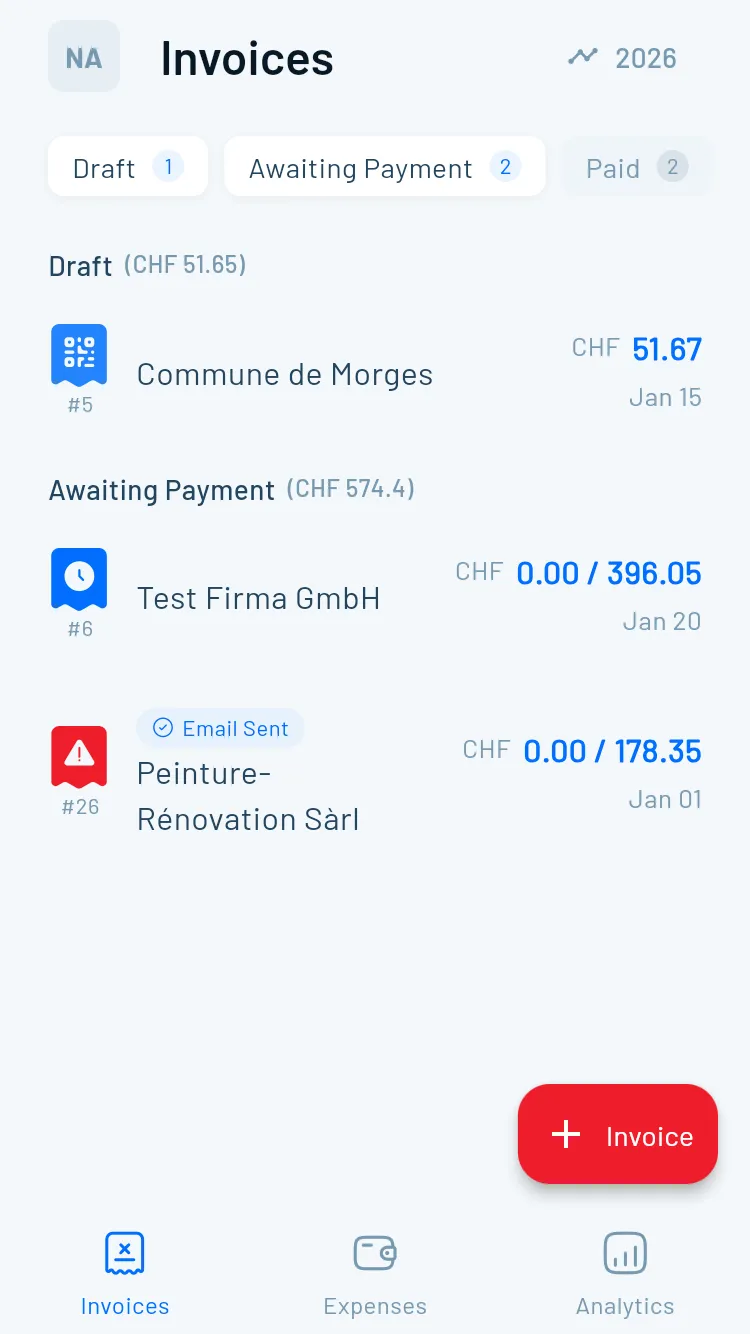
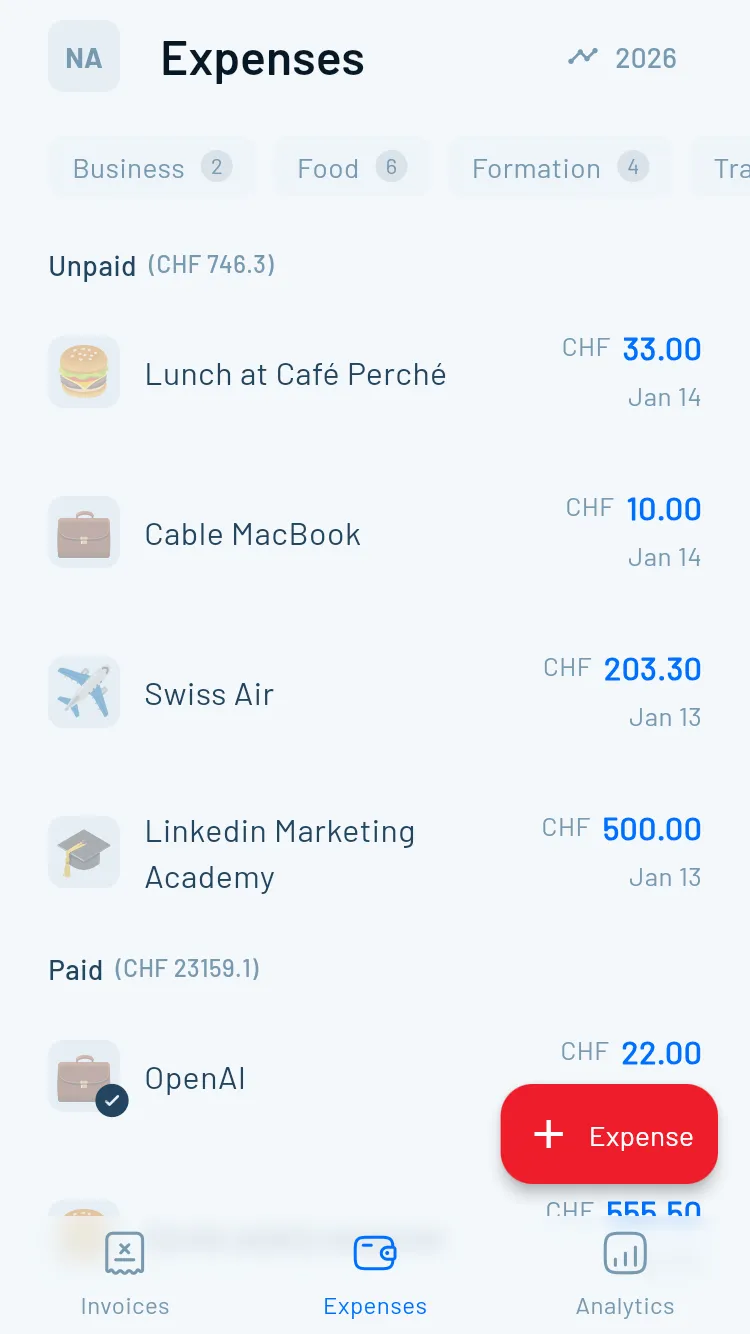
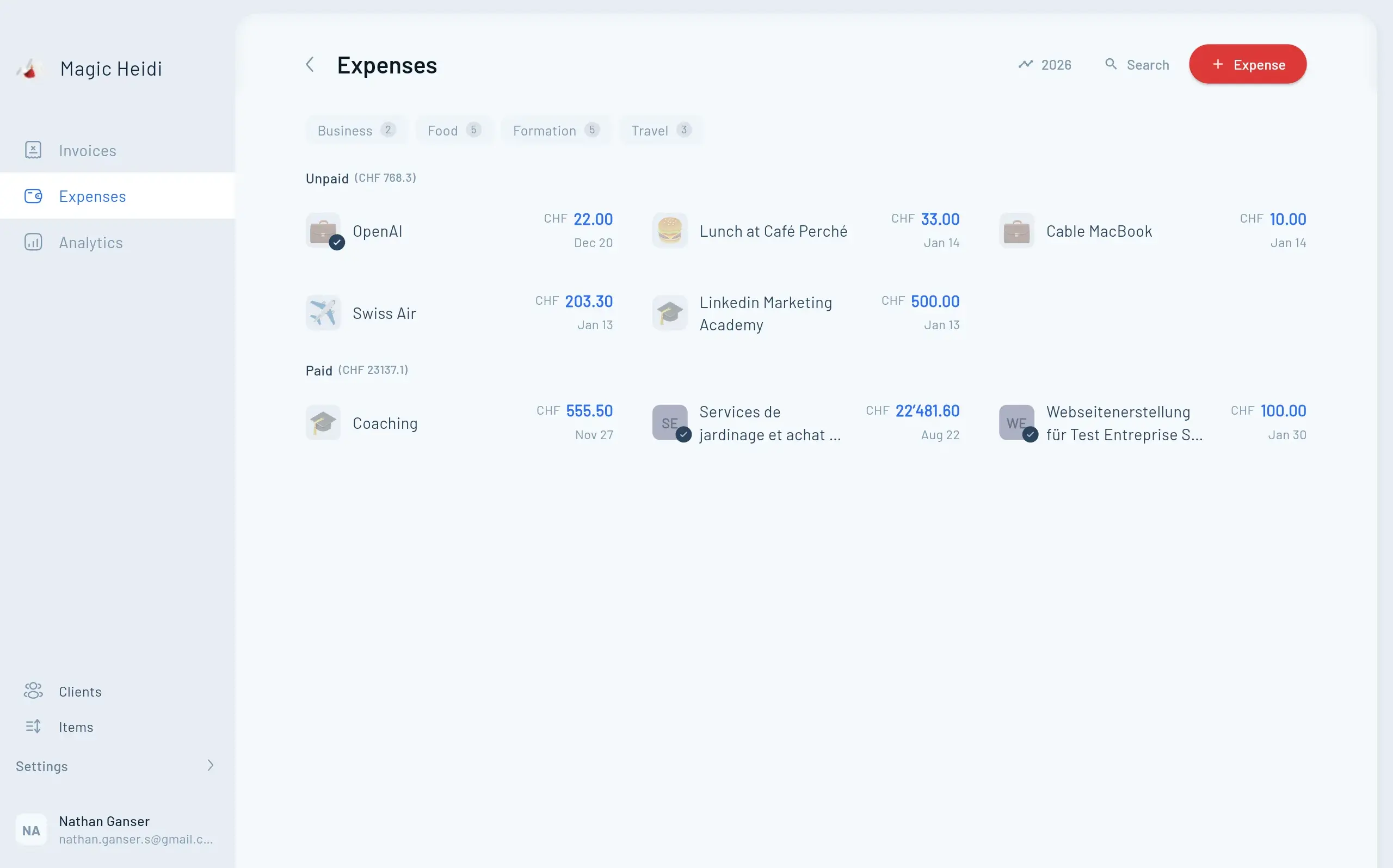
As a company offering an alternative, we believe in transparent comparisons. Here's how bexio Go stacks up against Magic Heidi.

Featurebexio GoMagic Heidi
Monthly Price (entry plan)CHF 35 (annual, excl. VAT)CHF 24.99 (annual)
Create Invoices on Mobile✗ Web only✓ Full functionality
AI Expense Scanning⚠ From Advanced, 50-100/month✓ Unlimited
Time Tracking✓ From Optima✓ All plans
User Accounts (entry plan)1 user1 user
Third-Party Integrations✓ 120+ apps⚠ Limited
Market Position90,000+ customersGrowing alternative
Best ForGrowing SMEs with teamsFreelancers & solo entrepreneurs

Best Use Cases

Choose bexio Go if you:

  • Run a growing SME with multiple team members
  • Need comprehensive ERP functionality
  • Work with an accountant who uses bexio
  • Require extensive third-party integrations
  • Value market-leading position and stability

Choose Magic Heidi if you:

  • Are a freelancer or solo entrepreneur
  • Need to create invoices while mobile
  • Want simpler, more intuitive interface
  • Prefer cost-effective solutions
  • Value having identical features on mobile and desktop

The truth: Neither app is objectively "better"—they serve different needs. Many users choose based on whether they prioritize comprehensive business management (bexio) or mobile-first simplicity (Magic Heidi).

Integration Ecosystem

Extending bexio Go

One of bexio's significant advantages is its extensive marketplace with 120+ integrations.

CRM & Marketing

HubSpot for CRM synchronization, Mailchimp for email marketing contact sync, and more.

E-Commerce

WooCommerce and Shopify integration for automatic order import and inventory management.

Team Communication

Slack integration for team notifications and workflow automation across your business.

Financial Tools

Kontera for credit card transactions, Abacus for advanced expense management, and banking connections.

4.5 Billion API Calls in 2025

The API has been accessed over 4.5 billion times, demonstrating robust integration capabilities. While integrations primarily work through the web platform, data synchronizes with bexio Go for mobile access.

Security & Compliance

Swiss Data Protection Standards

For Swiss businesses, data security isn't optional—it's mandatory. bexio meets all Swiss compliance requirements.

Swiss Data Storage

All bexio data stored on Swiss servers, ensuring compliance with Swiss data protection laws.

GeBüV Compliant

Meets Swiss Business Records Ordinance (Geschäftsbücherverordnung) requirements for legal compliance.

Swissdec Certified

Certified for Swiss payroll standards, ensuring accurate salary processing and reporting.

GDPR Ready

Full compliance with European data protection requirements for cross-border business.

End-to-End Encryption

Secure data transmission with bank-level encryption protocols for all communications.

2FA Available

Two-factor authentication option adds extra security layer to protect your business data.

Common Questions

Frequently Asked Questions

Can I create customer invoices in bexio Go?

No, customer invoice creation is not available in the mobile app. You can view invoices and check their status, but creating new quotes, orders, or invoices to customers must be done through the web platform (desktop or mobile browser) or using an alternative like Magic Heidi.

What happens when I use up my document extraction allowance?

You can still scan documents and save them, but the AI won't automatically extract data. You'll need to manually enter the date, amount, supplier, and other details. Your allowance resets at the beginning of each billing cycle.

Do I need internet connection to use bexio Go?

Yes, bexio Go requires an active internet connection to function. It's a cloud-based system, so all data synchronizes in real-time with servers. You cannot work offline.

Can I handle multiple companies in bexio Go?

Yes, if you have access to multiple bexio accounts (for example, as an accountant serving multiple clients), you can switch between them within the app.

Does bexio Go support multiple languages?

Yes, bexio supports German, French, Italian, and English—the primary languages of Swiss business. You can change the language in your account settings.

Can my accountant access data through bexio Go?

Accountants with fiduciary access to your bexio account can log in and view data through their own bexio Go app. The improved bexio Cockpit streamlines this collaboration.

Is there a desktop version of bexio?

bexio is primarily web-based (accessed through any browser at bexio.com). There isn't a dedicated desktop application, but the web interface is fully functional on computers.

How secure is scanning sensitive receipts?

Very secure. Documents are transmitted using end-to-end encryption, stored on Swiss servers, and protected by the same security measures as your banking information.

Troubleshooting Common Issues

"Cannot Scan Documents" Error

Problem: Camera not working or scan feature unresponsive

Solutions:

  • Check if bexio Go has camera permissions (Settings → Privacy → Camera)
  • Ensure adequate lighting when scanning
  • Clean your camera lens
  • Restart the app
  • Update to the latest app version

Syncing Problems

Problem: Changes not appearing across devices

Solutions:

  • Check internet connection (bexio Go requires active connection)
  • Force-close and reopen the app
  • Log out and log back in
  • Clear app cache (Android: Settings → Apps → bexio Go → Storage → Clear Cache)

AI Extraction Not Working

Problem: Scan2Go captures image but doesn't extract data

Possible causes:

  • You've exceeded your monthly extraction limit (check package allowance)
  • Document quality is too poor (blurry, torn, folded)
  • Document type is unsupported

Solutions:

  • Upgrade package if consistently hitting limits
  • Retake photo with better lighting and focus
  • Flatten documents before scanning
  • Enter data manually when extraction fails

Login Issues

Problem: Cannot log in with correct credentials

Solutions:

  • Reset password at bexio.com
  • Check if Caps Lock is accidentally enabled
  • Ensure you're using email (not username) to log in
  • Check if your subscription is active
  • Contact bexio support if persistently blocked
Get Started

Your Next Steps

Ready to transform how you manage business on the go? Here's your action plan.

1. Start Free Trial

Visit bexio.com and sign up for 30-day free trial

2. Install bexio Go

Download from App Store or Google Play Store

3. Grant Permissions

Allow camera and photo access

4. Take Tutorial

Complete in-app walkthrough

5. Scan First Receipt

Try Scan2Go with AI extraction

6. Explore Features

Test contact management and time tracking

7. Evaluate Package

Choose Basic, Advanced, Optima or Ultimate

Is bexio Go Right for You?

bexio Go delivers genuine mobile productivity for Swiss SMEs, especially after the 2025 updates that enabled complete expense processing in-app. With over 90,000 Swiss businesses trusting bexio, and 13 million invoices sent through the platform in 2025 alone, you're joining a proven ecosystem.

The Bottom Line

bexio Go excels when you:

  • Need reliable expense scanning on the go
  • Work with Swiss suppliers using QR invoices
  • Want to manage contacts during client meetings
  • Need to check invoice statuses remotely
  • Have a team that benefits from mobile time tracking

Consider alternatives if you:

  • Frequently need to create customer invoices while mobile
  • Are a solo freelancer seeking maximum simplicity
  • Find the pricing steep for your business size
  • Prioritize mobile-first workflow over comprehensive ERP

Whether you choose bexio Go, Magic Heidi, or another solution, the key is finding a mobile business management tool that fits your workflow. In 2026, managing your business from your smartphone isn't futuristic—it's fundamental.


Looking for a simpler alternative with full mobile functionality? Try Magic Heidi free and create invoices, manage expenses, and handle accounting directly from your smartphone—from CHF 24.99/month.