Expense Tracking Software: Your Complete Guide to Automated Expense Management
Chasing down faded receipts. Waiting weeks for reimbursements. Spending hours reconciling expense reports. If this sounds familiar, you're not alone—one-third of businesses still rely on manual expense tracking with spreadsheets and paper receipts.
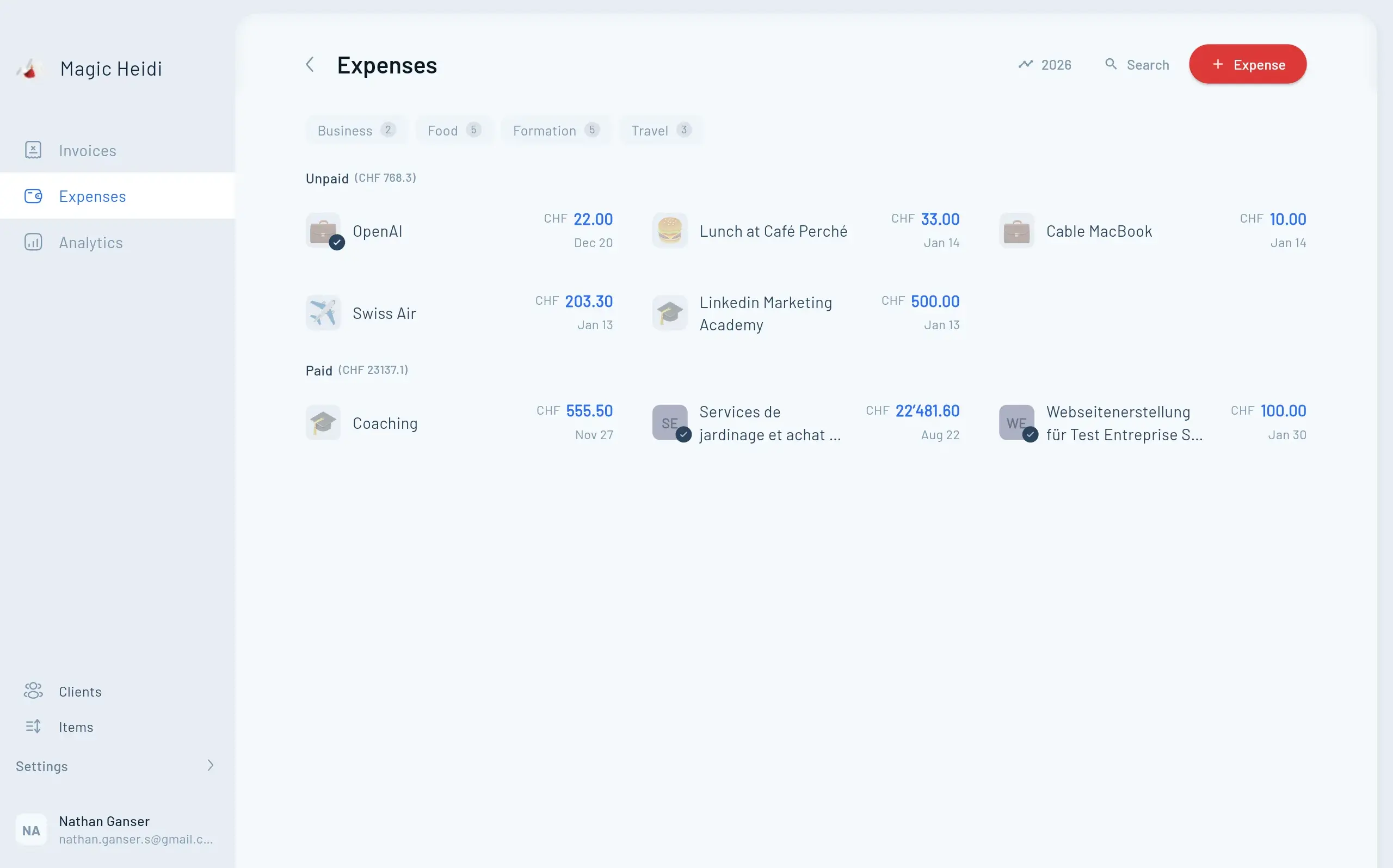
But here's the reality: manual expense management costs your business thousands of hours and missed deductions every year. Meanwhile, companies using automated expense tracking software have cut their processing time by 70% and saved up to 4,250 hours annually.
This guide explains everything you need to know about expense tracking software—what it is, how it works, key features to look for, and how to choose the right solution for your business.
What is Expense Tracking Software?
Expense tracking software is a digital tool that automatically records, organizes, and monitors business spending in one centralized platform. Instead of manually entering receipts into spreadsheets, the software captures expenses automatically and handles everything from submission to reimbursement.
Capture Receipt
Employee photographs a receipt with their phone
Auto-Extract Data
Software scans and extracts key information automatically
Smart Categorization
System categorizes expense and checks company policy
Automated Approval
Expense routes automatically for reimbursement
Sync Accounting
Data syncs directly with your accounting system
Why Manual Expense Tracking Fails
Before diving into features, let's address why manual methods fall short and cost your business thousands every year.
Lost Receipts Add Up
Paper receipts fade, tear, or disappear. When receipts go missing, you lose valuable tax deductions and accurate financial records.Reimbursements Take Forever
Employees wait weeks for reimbursement. Manual approval chains and data entry cause delays that automated systems eliminate entirely.No Real-Time Visibility
60% of finance executives lack visibility into expenses. Without real-time data, you can't spot overspending until it's too late.Small Expenses Disappear
That $2 coffee or $15 office supply run adds up. When untracked, you miss legitimate deductions and accurate spending data.Manual Errors Cost Money
Typing errors, inconsistent formats, and duplicate entries create compliance issues and audit nightmares.Policy Enforcement is Impossible
Inconsistent manual review leads to policy breaches, financial discrepancies, and even fraud.Key Features of Expense Tracking Software
The best expense tracking platforms offer these core capabilities that transform how your business manages spending.
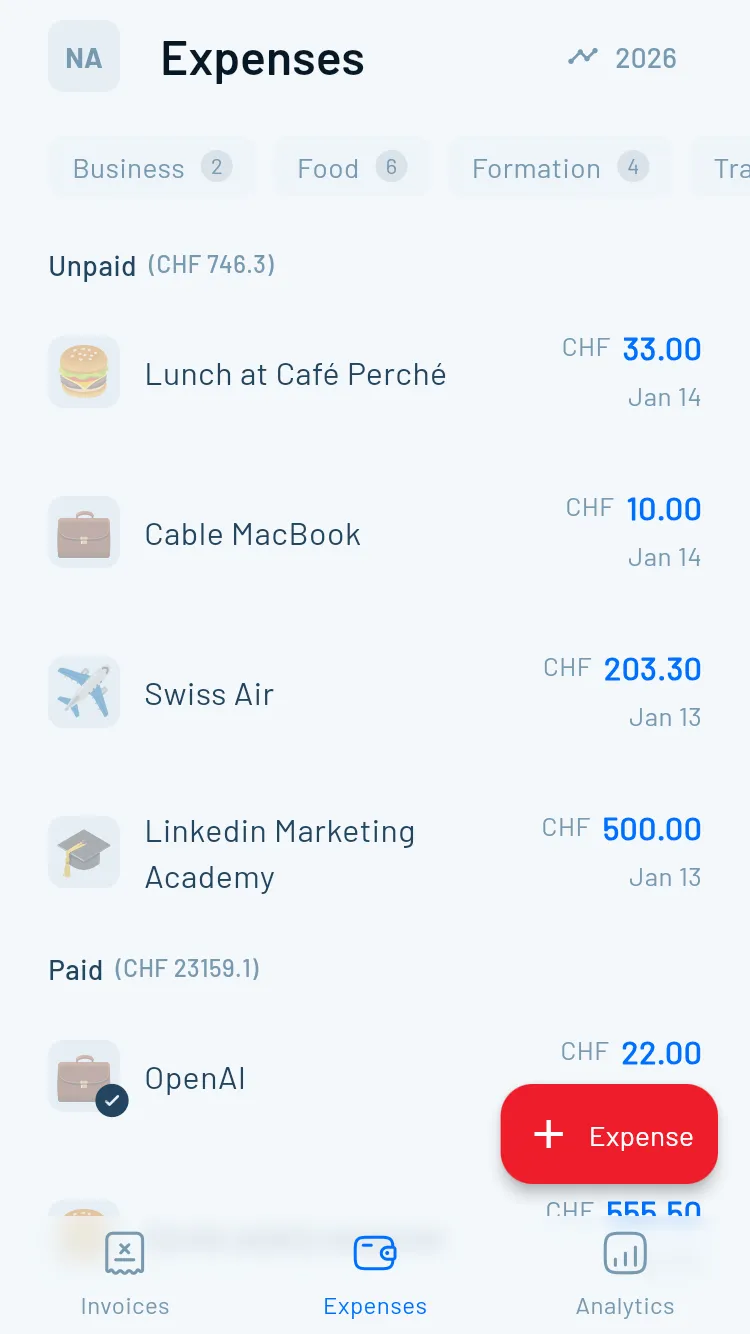
What Sets Modern
Expense Software Apart
Leading platforms include these game-changing capabilities that eliminate manual work and provide complete spending visibility.
Automated Receipt Capture with OCR
AI-powered optical character recognition (OCR) instantly reads and extracts information from receipts and invoices, regardless of format. Employees simply snap a photo with their phone—no manual data entry required.
- Vendor name and details
- Transaction date and amount
- Payment method used
- Automatic expense category
Smart Expense Categorization
Modern expense software uses AI to automatically categorize expenses based on historical data, spending patterns, and contextual information. The system learns from your company's past transactions to categorize new expenses accurately and consistently.
- No more manual sorting
- Standardized categories organization-wide
- Consistent financial reporting
- Easier tax preparation and deductions
Real-Time Reporting & Dashboards
Unlike manual systems where you wait for month-end reports, expense tracking software provides real-time visibility into spending as it happens. Finance teams can monitor expenses through live dashboards.
- Current spending by department or project
- Budget vs. actual comparisons
- Spending trends and patterns
- Policy violations flagged immediately
Policy Compliance & Fraud Detection
Leading platforms enforce expense policies automatically at the point of purchase, not weeks later during manual review. The software blocks or flags questionable transactions immediately.
- Expenses exceeding policy limits
- Duplicate submission detection
- Unusual spending pattern alerts
- Missing receipt notifications
Mobile-First Design
Over 50% of expense reports now come through mobile apps. By 2025, an estimated 75% of businesses will primarily use mobile expense management apps. The best solutions offer full functionality on smartphones.
- Capture receipts instantly
- Submit expenses on the go
- Check approval status anytime
- Track reimbursements in real-time
Accounting System Integration
Expense tracking software integrates seamlessly with popular accounting platforms like QuickBooks, Xero, and NetSuite. Integration provides automatic data syncing and eliminates double-entry.
- Automatic data syncing
- Elimination of duplicate entry
- Consistent financial records
- Streamlined month-end close
Benefits That Matter to Your Business
The right expense tracking software delivers measurable improvements that transform your finance operations.
- ⚡70% Time Reduction
Companies cut expense processing time by 70% with automation
- 💰4,250 Hours Saved
Average annual time savings for accounting teams
- ✅Zero Entry Errors
Automated data capture eliminates human mistakes
- 🚀Days Not Weeks
Employees receive reimbursements in days instead of weeks
- Invoice #3
Magic Heidi
CHF 500
Jan 29
- Invoice #2
Webbiger LTD
CHF 2000
Jan 24
- Invoice #1
John Doe
CHF 600
Jan 20
Latest Trends in Expense Management
The expense tracking landscape has evolved significantly with AI and automation leading the charge.
AI & Machine Learning
Artificial intelligence handles receipt scanning, categorization, fraud detection, and predictive analytics automatically.
Predictive Analytics
Advanced systems analyze historical data to predict future expenses and identify potential overspending before it happens.
Real-Time Processing
Instant expense reporting and approval. Everything happens in real-time, enabling faster decision-making.
Enhanced Security
Robust security features including data encryption, multi-factor authentication, and regular security audits.
How to Choose the Right Expense Tracking Software
Finding the right solution requires evaluating several key factors that align with your business needs and growth plans.
Assess Your Business Size and Needs
Small businesses and enterprises have different requirements:
- 1-5 employees: Free or basic plans may suffice
- 10-50 employees: Standard plans ($5,000-$15,000/year)
- 50-150 employees: Mid-tier solutions ($20,000-$40,000/year)
- 150-500 employees: Professional plans ($50,000-$150,000/year)
- 500+ employees: Enterprise solutions (over $150,000/year)
Consider your current size and anticipated growth when selecting a platform.
Evaluate Integration Capabilities
Your expense software must integrate smoothly with existing systems:
- Accounting software (QuickBooks, Xero, NetSuite)
- ERP systems
- Payroll platforms
- Corporate credit card providers
- Travel booking systems
Seamless integration eliminates data silos and reduces manual work.
Prioritize User Experience
A simple, intuitive interface drives employee adoption. Complex systems deter employees from using the tool, leading to inconsistent reporting. Look for:
- Clean, modern design
- Easy navigation
- Minimal clicks to complete tasks
- Clear instructions and guidance
- Responsive customer support
Test the interface during trial periods to ensure it meets user needs.
Special Considerations for
Swiss Businesses
If you operate in Switzerland, factor in these specific requirements to ensure your expense tracking software meets local compliance and operational needs.
Handle Swiss Francs (CHF) plus other currencies for international operations
Support for German, French, and Italian at minimum
Handle VAT/MWST requirements and Swiss tax regulations properly
Support for Switzerland's QR-bill payment system
Implementation Best Practices
Successfully deploying expense tracking software requires planning and a phased approach to ensure adoption.
Phase 1 (Days 1-30)
Setup and Configuration - Configure categories, policies, workflows, integrations, and user permissions.
Phase 2 (Days 31-60)
Training and Rollout - Train finance team, conduct employee sessions, create guides, and start with pilot group.
Phase 3 (Days 61-90)
Optimization - Gather feedback, refine policies, monitor adoption, address issues, and measure ROI.
Frequently Asked Questions
What's the difference between expense tracking software and accounting software?
Expense tracking software focuses specifically on capturing, categorizing, and managing business expenses. Accounting software handles broader financial management including invoicing, accounts payable/receivable, payroll, and financial reporting. Many businesses use both, with expense tracking software feeding data into their accounting system.
How much does expense tracking software typically cost?
Pricing ranges from free plans for very small teams to enterprise solutions over $150,000 annually. Entry-level paid plans start around $5-15 per user per month. Most businesses with 10-50 employees spend $5,000-$15,000 annually. Pricing depends on user count, features needed, and business size.
Will employees actually use it?
Yes, if you choose user-friendly software with mobile capabilities. Modern solutions make expense submission easier than manual methods. The key is selecting intuitive software and providing proper training. When employees can snap a receipt photo and submit expenses in seconds, adoption rates are high.
How long does implementation take?
Basic setup can happen in days, but full implementation typically takes 30-90 days. This includes system configuration, integration setup, employee training, and workflow optimization. More complex enterprises may require longer implementation periods.
Can it integrate with our existing accounting software?
Most modern expense tracking platforms integrate with popular accounting software like QuickBooks, Xero, Sage, and NetSuite. Verify integration capabilities before purchasing and confirm your specific accounting software version is supported.
Is cloud-based or on-premise better?
Cloud-based solutions are now standard and offer significant advantages: automatic updates, mobile access, lower upfront costs, easier scalability, and reduced IT burden. On-premise solutions are rare and typically only necessary for enterprises with specific security or regulatory requirements.
How does it handle different currencies?
Quality expense tracking software supports multiple currencies with automatic exchange rate updates. This is essential for international businesses or companies with traveling employees. Verify multi-currency support if you operate globally.
What happens to our data if we switch providers?
Reputable providers allow you to export your data in standard formats (CSV, Excel, PDF). Before signing up, confirm the export options available and data ownership policies. Your financial data belongs to you and should be portable.
Ready to Automate Your Expense Management?
Manual expense tracking wastes time, costs money, and creates frustration for everyone involved. Modern expense tracking software eliminates these problems while providing real-time visibility and control over company spending. Start your free trial today and join businesses saving thousands of hours annually.
Next Steps
- Assess your current expense management pain points
- Define your must-have features and requirements
- Research solutions that fit your business size and needs
- Request demos from 2-3 top contenders
- Test software with a pilot group before full rollout
The investment in quality expense tracking software pays for itself quickly through time savings, reduced errors, and captured deductions. Don't let another month pass while your team drowns in manual expense management.
Start your search for the right expense tracking solution today, and join the businesses already saving thousands of hours while gaining complete visibility into their spending.