 Magic Heidi
 QR-Rechnung erstellen – einfach und kostenlos in 2025
Vollständiger Guide zu QR-Rechnungen, QR-IBAN-Anforderungen und den besten kostenlosen Tools für Freelancer und KMU. Bleiben Sie compliant mit den 2025-Vorschriften.
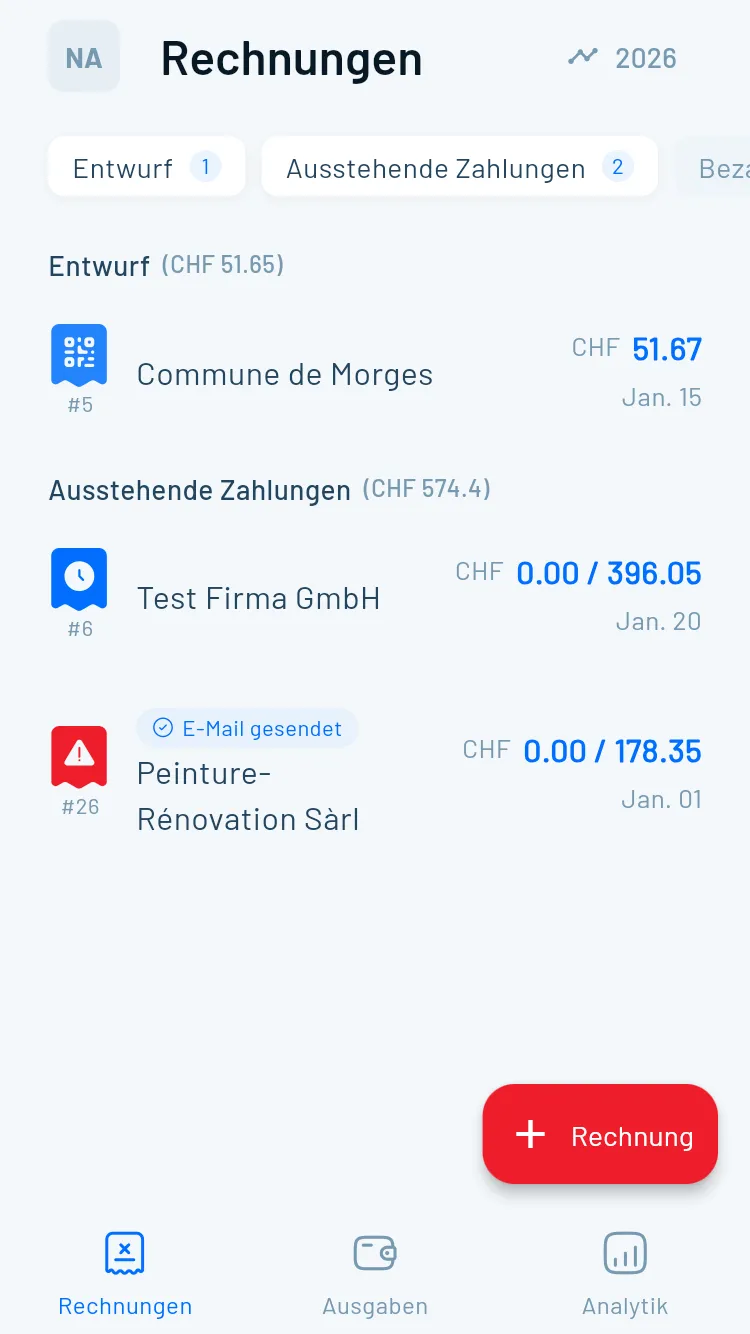
Seit Oktober 2022 muss jedes Unternehmen, jeder Freelancer und Selbstständige in der Schweiz einen QR-Code auf Rechnungen verwenden. Das ist keine Option – es ist eine gesetzliche Pflicht, die die traditionellen roten und orangen Einzahlungsscheine ersetzt hat.
Falls Sie sich fragen, wie Sie QR-Rechnungen ohne teure Software erstellen können, sind Sie hier richtig. Dieser Guide deckt alles ab: Was QR-Rechnungen sind, wer sie braucht, technische Anforderungen und die besten kostenlosen Tools, um sie in Minuten zu erstellen.
Wichtiges Update 2025: Seit dem 22. November 2025 sind nur noch strukturierte Adressen in Schweizer QR-Codes zulässig. Falls Ihr Rechnungsprogramm noch unstrukturierte Adressen generiert, müssen Sie sofort aktualisieren, um Zahlungsablehnungen zu vermeiden.
Was ist eine QR-Rechnung?
Eine QR-Rechnung ist ein standardisierter Einzahlungsschein mit einem QR-Code, in dessen Zentrum ein Schweizer Kreuz eingebettet ist.
Digitale Zahlungsdaten
Alle Zahlungsinformationen im QR-Code – von Bankverbindung bis Beträge und Referenzen.
Zahlung per Klick
Kunden scannen mit ihrer Banking-App und alle Daten werden automatisch übertragen, bereit zur Freigabe.
Zwei Komponenten
Empfangsschein (links) und Zahlteil (rechts) mit QR-Code, beide perforiert zur Trennung.
Aufbau einer QR-Rechnung
Jede QR-Rechnung besteht aus zwei klar getrennten Bereichen:
Der Empfangsschein (links, perforiert)
- Zahlbetrag
- Konto/Zahlbar an
- Zahlbar durch (Kunde)
- Für die Unterlagen des Zahlers
Der Zahlteil (rechts, perforiert)
- Swiss QR-Code mit allen Zahlungsdaten
- Alle Zahlungsinformationen in lesbarem Text
- Währung und Betrag
- Fälligkeitsdatum (optional)
- Zusätzliche Informationen (optional)
Beide Bereiche sind perforiert, damit Kunden sie abtrennen können, wenn sie am Postschalter bezahlen oder physische Belege aufbewahren möchten.
Warum die Schweiz auf QR-Rechnungen umstellte
Das Schweizer Finanzsystem wickelt monatlich Millionen Transaktionen ab. Traditionelle Einzahlungsscheine erforderten manuelle Dateneingabe, was zu häufigen Fehlern, Zahlungsverzögerungen und Abstimmungsproblemen führte.
Weniger Fehler
Keine manuelle Eingabe bedeutet keine Tippfehler bei Kontonummern oder Referenzen.Schnellere Zahlung
Kunden zahlen in Sekunden. Sie erhalten Ihr Geld schneller, weniger Mahnwesen.Auto-Abgleich
Strukturierte Referenzen ermöglichen automatisches Zuordnen von Zahlungen zu Rechnungen.Mehr Sicherheit
Standardisiertes Format mit Validierung reduziert Betrugsrisiko und garantiert Compliance.Brauchen Sie QR-Rechnungen?
Ja, wenn Sie ein Unternehmen in der Schweiz betreiben, als Freelancer arbeiten oder ein Schweizer Bankkonto für Zahlungseingänge verwenden.
Einzelfirmen
Alle Freelancer und Selbstständige müssen QR-Rechnungen verwenden.
KMU & Konzerne
Kleine, mittlere und grosse Unternehmen – keine Ausnahmen nach Grösse.
Vereine & NGOs
Organisationen und Vereine, die Beiträge einziehen, brauchen QR-Rechnungen.
Ausländische Firmen
Internationale Unternehmen, die Schweizer Kunden mit Schweizer Bankkonten fakturieren.
Was passiert bei Nicht-Einhaltung?
Rechnungen ohne QR-Code schaffen Probleme für alle:
- Kunden haben Schwierigkeiten, Ihre Rechnungen zu verarbeiten und zu bezahlen
- Zahlungsverzögerungen werden häufig
- Sie riskieren Verstösse gegen Schweizer Zahlungsverkehrsvorschriften
- Banken können nicht-konforme Einzahlungsscheine ablehnen oder verzögern
- Ihre professionelle Reputation leidet
Manche Kunden verweigern möglicherweise sogar die Zahlung von Rechnungen ohne ordentliche QR-Codes, was Sie zwingt, konforme Versionen neu auszustellen.
IBAN vs QR-IBAN verstehen
Diese Unterscheidung verwirrt viele, ist aber einfacher als sie aussieht.
Normale IBAN
Ihre Standard-Schweizer IBAN funktioniert für die meisten Rechnungen. Verwenden Sie diese, wenn Sie keine strukturierte Referenznummer benötigen oder wenn Sie das SCOR-Format (Creditor Reference) nutzen.
- Beginnt mit CH gefolgt von Zahlen
- Funktioniert mit NON oder SCOR-Referenzen
- Perfekt für die meisten Freelancer
- Beispiel: CH56 0483 5012 3456 7800 9
QR-IBAN
Eine spezielle IBAN-Variante, die mit '30' beginnt und QRR-Zahlungen (QR-Referenz) ermöglicht. Sie brauchen diese nur, wenn Sie das 27-stellige numerische Referenzformat nutzen möchten.
- Beginnt mit CH gefolgt von 30xxx
- Nur für QRR-Referenzen erforderlich
- Von Ihrer Bank erhältlich
- Beispiel: CH44 3000 0001 2345 6789 0
Drei Referenztypen
Wählen Sie den Referenztyp, der am besten zu Ihren Geschäftsanforderungen und Ihrem Rechnungsvolumen passt.
- NON: Keine Referenz, nur Freitext (normale IBAN)
- SCOR: ISO 11649 Standard, beginnt mit RF (normale IBAN)
- QRR: 27-stellige Nummer (benötigt QR-IBAN)
- Die meisten KMU sollten NON oder SCOR verwenden
2025 Compliance-Anforderung
Seit dem 22. November 2025 werden unstrukturierte Adressen in Schweizer QR-Rechnungen nicht mehr akzeptiert.
Früher konnten Sie zwei Adressformate verwenden:
- Strukturierte Adressen (Land, PLZ, Ort in separaten Feldern)
- Unstrukturierte Adressen (kombinierter Adresstyp "K")
Jetzt funktionieren nur noch strukturierte Adressen. Falls Ihr Rechnungsprogramm noch unstrukturierte Adressen generiert, müssen Sie sofort aktualisieren.
Was sind strukturierte Adressen?
Strukturierte Adressen trennen Komponenten in einzelne Felder:
Name: Maria Müller AG
Strasse: Bahnhofstrasse
Hausnummer: 15
Postleitzahl: 8001
Ort: Zürich
Land: CH
Dieses Format ermöglicht automatisierte Verarbeitung, Validierung und internationale Kompatibilität.
Prüfen Sie Ihre aktuellen Rechnungen. Wenn Ihr QR-Code nicht gescannt werden kann oder abgelehnt wird, ist veraltete Adressformatierung oft die Ursache.
Technische Anforderungen für gültige QR-Rechnungen
Ihre QR-Rechnung muss spezifische Standards erfüllen, um von allen Schweizer und Liechtensteiner Banken akzeptiert zu werden.
Währungslimits
Nur CHF und EUR. Betragsbereich: 0.01 bis 999'999'999.99
QR-Code-Grösse
Mindestens 46 x 46 mm, positioniert im rechten unteren Bereich
Druckqualität
Mindestens 300 DPI, schwarz auf weiss, 80 g/m² Papier
Physisches Format
Zahlteil: 148 x 105 mm (DIN-A6 quer)
Ihre erste QR-Rechnung erstellen (Schritt für Schritt)
Eine konforme QR-Rechnung zu erstellen dauert nur wenige Minuten, wenn Sie die richtigen Informationen bereit haben.
Was Sie vorher brauchen
Ihre Angaben:
- Vollständiger rechtlicher Firmenname
- Vollständige strukturierte Adresse
- IBAN (oder QR-IBAN bei QRR)
- Bevorzugter Referenztyp (NON, SCOR oder QRR)
Kundenangaben:
- Vollständiger Name oder Firmenname
- Vollständige strukturierte Adresse
- Sprachpräferenz (Deutsch, Französisch, Italienisch oder Englisch)
Rechnungsdetails:
- Betrag in CHF oder EUR
- Währung
- Referenznummer (bei SCOR oder QRR)
- Fälligkeitsdatum (optional, aber empfohlen)
- Zusätzliche Informationen oder Mitteilung (optional)
Rechnung erstellen in 6 einfachen Schritten
Folgen Sie diesen einfachen Schritten, um Ihre erste konforme QR-Rechnung in Minuten zu erstellen.
- 🏦Bankdaten eingeben
IBAN eingeben und auf Richtigkeit prüfen. Eine falsche Ziffer macht die ganze Rechnung ungültig.
- 👥Kundeninfo hinzufügen
Strukturierte Adresse des Kunden sorgfältig eingeben. Postleitzahlen doppelt prüfen.
- 💵Rechnungsbetrag festlegen
Exakten Betrag und Währung (CHF oder EUR) angeben.
- 📝Referenzen hinzufügen
Ihre Referenznummer eintragen, falls Sie SCOR oder QRR verwenden.
- 📅Optionale Details
Fälligkeitsdatum, Zahlungsanweisungen und Rechnungsnummer hinzufügen.
- ✅Generieren & Prüfen
PDF erstellen und QR-Code selbst scannen, um alle Informationen zu verifizieren.
- Rechnung #3
Magic Heidi
CHF 500
Jan 29
- Rechnung #2
Webbiger LTD
CHF 2000
Jan 24
- Rechnung #1
John Doe
CHF 600
Jan 20
Die besten kostenlosen Tools für QR-Rechnungen
Sie brauchen keine teure Software für konforme QR-Rechnungen. Mehrere kostenlose Tools bieten alles, was Freelancer und Kleinunternehmen benötigen.
Vergleichen Sie Ihre Optionen
Wählen Sie das Tool, das am besten zu Ihren Rechnungsanforderungen und Ihrem Workflow passt.
| Funktion | Magic Heidi | PostFinance | Swiss QR Bill |
|---|---|---|---|
| Preis | Gratis | Gratis | Gratis |
| Komplette Rechnungserstellung | ✓ Ja | ✗ Nur Zahlteil | ✗ Nur QR-Code |
| Mobile Apps | ✓ iOS & Android | ✗ Nur Web | ✗ Nur Web |
| Kundendatenbank | ✓ Integriert | ✗ Nein | ✗ Nein |
| Geräte-Sync | ✓ Alle Geräte | ✗ Nein | ✗ Nein |
| Rechnungshistorie | ✓ Komplett | ✗ Nein | ✗ Nein |
| Setup-Zeit | 5 Minuten | Sofort | Sofort |
| Am besten für | Regelmässige Fakturierung | Einmalige Zahlungen | Nur QR-Code |
Magic Heidi: Optimal für Mobile-First-Businesses
Eine komplette Rechnungs-App für Freelancer und Kleinunternehmen. Erstellen Sie Rechnungen direkt vom Smartphone mit automatischer QR-Code-Generierung. Immer aktuell mit Schweizer Compliance-Anforderungen.
Warum Magic Heidi?
Mobile-First-Design
Erstellen Sie professionelle Rechnungen direkt von Ihrem iPhone oder Android-Gerät.
Automatische QR-Codes
Einfach Ihre Daten eingeben – App generiert automatisch konforme QR-Codes.
Immer compliant
Aktualisiert sich automatisch mit Schweizer Vorschriften, inklusive 2025-Anforderungen.
Professionelle PDFs
Generiert schöne, professionelle Rechnungen, die sofort versandbereit sind.
Geräte-Sync
Verfügbar auf iOS, Android, Mac, Windows und im Webbrowser.
Gratis-Basis
Vollständige Rechnungsfunktionen kostenlos verfügbar.
QR-Rechnungen erstellen
Laden Sie Magic Heidi herunter und erstellen Sie Ihre erste konforme Schweizer QR-Rechnung in unter 5 Minuten.
So funktioniert Magic Heidi
- App herunterladen – Verfügbar im App Store und Play Store, oder Web-Version nutzen
- Firmenangaben eingeben – Ihre Informationen einmalig hinzufügen
- Kundeninfo hinzufügen – Kundendaten für zukünftige Rechnungen speichern
- Rechnungsdetails ausfüllen – Betrag, Fälligkeitsdatum und optionale Notizen eingeben
- PDF generieren – App erstellt automatisch konformes PDF mit QR-Code
- Versenden – Direkt aus der App per E-Mail oder ausdrucken
Alternative kostenlose Tools
PostFinance QR-Rechnungsgenerator
- Offizielles Tool der Postfinance
- Am besten für: Gelegentliche Rechnungen oder Tests
- Vorteile: Vertrauenswürdige Quelle, keine Registrierung, immer konform
- Nachteile: Nur Web, keine komplette Rechnungserstellung, manueller Prozess
Swiss QR Bill Generator (swissqrbill.ch)
- Basis-Webgenerator nur für QR-Codes
- Am besten für: Nutzer mit bestehenden Rechnungsvorlagen
- Vorteile: Einfache Bedienung, kein Account nötig
- Nachteile: Keine Rechnungsfunktionen, keine Speicherung
Unsere Empfehlung: Wenn Sie regelmässig fakturieren (selbst nur ein paar Mal pro Monat), nutzen Sie Magic Heidi. Es spart Zeit, verwaltet Ihre Kundendatenbank und übernimmt alles von der Rechnungserstellung bis zur QR-Code-Generierung.
Häufige Fehler vermeiden
Selbst mit guten Tools passieren Fehler. Achten Sie auf diese häufigen Stolpersteine, die Zahlungsverzögerungen und Kundenfrust verursachen können.
Unstrukturierte Adressen
Altes kombiniertes Adressformat nach November 2025 verwendet. Sofort aktualisieren.Falscher IBAN-Typ
IBAN und Referenztypen stimmen nicht überein. Normale IBAN mit NON/SCOR verwenden.Schlechte Druckqualität
Niedrige Auflösung oder Farbprobleme. Mindestens 300 DPI auf weissem Papier drucken.Fehlende Pflichtfelder
Erforderliche Informationen fehlen. Nutzen Sie Generatoren mit Validierung.Falsches Währungsformat
Nicht-CHF/EUR-Währungen oder falsche Dezimalstellen. An Schweizer Formate halten.Ungültige Referenzen
Falsche SCOR/QRR-Formatierung. Automatische Referenzgenerierung verwenden.Optimierungs-Tipps für Power-User
Sobald Sie mit QR-Basis-Rechnungen vertraut sind, verbessern diese fortgeschrittenen Strategien Ihre Effizienz und Automatisierung.
Software-Integration
Verknüpfen Sie mit Buchhaltungssoftware für automatischen Datentransfer und MWST-Reporting.
Auto-Abgleich
Ordnen Sie eingehende Zahlungen automatisch Rechnungen zu, basierend auf Referenznummern.
Rechnungsvorlagen
Sparen Sie Zeit mit vorausgefüllten Firmeninformationen und Standard-Zahlungsbedingungen.
Stapelverarbeitung
Erstellen Sie mehrere Rechnungen gleichzeitig für wiederkehrende Kunden und Services.
Internationale Zahlungen
Fügen Sie SWIFT/BIC-Codes für internationale Kunden hinzu, während Sie QR-Rechnungen verwenden.
Zahlungs-Tracking
Echtzeit-Updates zum Zahlungsstatus und automatische Kundenbestätigungen.
Fortgeschrittene Integrations-Tipps
Verknüpfung mit Buchhaltungssoftware
Falls Sie Buchhaltungssoftware wie bexio, Banana oder ähnliche Schweizer Lösungen nutzen, verknüpfen Sie Ihren QR-Rechnungsgenerator. Diese Integration:
- Überträgt Rechnungsdaten automatisch in Ihre Buchhaltung
- Ordnet eingehende Zahlungen Rechnungen zu
- Aktualisiert Zahlungsstatus in Echtzeit
- Vereinfacht MWST-Reporting
- Reduziert doppelte Dateneingabe
Magic Heidi enthält integrierte Buchhaltungsfunktionen und Bankauszugs-Import für automatischen Abgleich.
Zahlungsabgleich einrichten
Konfigurieren Sie Ihre Banking-App oder Buchhaltungssoftware, um eingehende Zahlungen automatisch mit Rechnungen basierend auf der Referenznummer abzugleichen.
So funktioniert's:
- Kunde zahlt mit QR-Code
- Bank erhält Zahlung mit Referenznummer
- Ihr Buchhaltungssystem ordnet Referenz der Rechnung zu
- Rechnung wird automatisch als bezahlt markiert
- Kunde erhält Zahlungsbestätigung
Rechnungsvorlagen erstellen
Sparen Sie Zeit bei wiederkehrenden Rechnungen durch Vorlagen mit:
- Vorausgefüllten Firmeninformationen
- Standard-Zahlungsbedingungen
- Häufige Dienstleistungen oder Produkte
- Standard-Fälligkeitsdatumsberechnungen
Aktualisieren Sie nur kundenspezifische Details und Beträge für jede neue Rechnung.
Häufig gestellte Fragen
Kann ich noch die alten roten und orangen Einzahlungsscheine verwenden?
Nein. Seit dem 1. Oktober 2022 verarbeiten Banken die traditionellen roten (ESR) und orangen (ES) Einzahlungsscheine nicht mehr. Nur QR-Rechnungen werden akzeptiert.
Brauche ich eine QR-IBAN oder reicht meine normale IBAN?
Die meisten Freelancer und Kleinunternehmen brauchen nur ihre normale IBAN. Sie benötigen nur eine QR-IBAN, wenn Sie speziell QRR-Referenzen (27-stellig numerisch) für hochvolumigen Zahlungsabgleich verwenden möchten. Kontaktieren Sie Ihre Bank, um eine QR-IBAN anzufordern, falls nötig.
Können Kunden auch ohne QR-Code-Scan bezahlen?
Ja. Alle Zahlungsinformationen erscheinen in lesbarem Text auf dem Zahlteil. Kunden können die Details manuell eingeben, falls ihre Banking-App kein QR-Scannen unterstützt, oder wenn sie am Postschalter bezahlen.
Was, wenn mein Kunde kein Smartphone hat?
Die QR-Rechnung funktioniert mit mehreren Zahlungsmethoden: Mobile Banking-Apps (QR-Code scannen), E-Banking am Computer (QR-Code-Bild hochladen), Papier-Zahlungsaufträge (manuell aus gedrucktem Text ausfüllen) und Postschalter (Mitarbeiter verarbeitet den Zahlteil).
Wie prüfe ich, ob meine QR-Rechnung korrekt ist?
Nutzen Sie Ihre eigene Mobile-Banking-App, um den QR-Code zu scannen, bevor Sie die Rechnung versenden. Alle Details sollten korrekt im Zahlungsformular erscheinen. Falls etwas falsch aussieht, korrigieren Sie es vor dem Versand an Ihren Kunden. Viele QR-Rechnungsgeneratoren enthalten auch integrierte Validierung.
Gibt es Rechnungsbeträge, die zu klein oder zu gross für QR-Rechnungen sind?
Beträge müssen zwischen 0.01 und 999'999'999.99 in CHF oder EUR liegen. Sie können auch QR-Rechnungen ohne Betragsangabe erstellen und Kunden den Betrag selbst eingeben lassen.
Kann ich das Aussehen meiner QR-Rechnung anpassen?
Der QR-Zahlteil hat standardisierte Formatierungsanforderungen, die Sie nicht ändern können (Grösse, Layout, QR-Code-Position). Der Rechnungsteil oberhalb des Zahlteils erlaubt jedoch volle Anpassung – fügen Sie Ihr Logo hinzu, ändern Sie Farben, passen Sie das Layout an und fügen Sie benutzerdefinierte Felder hinzu.
Was passiert, wenn ich einen Fehler auf einer QR-Rechnung mache?
Stornieren Sie die falsche Rechnung und stellen Sie eine korrigierte Version mit einer neuen Referenznummer aus. Versuchen Sie niemals, eine bereits versendete Rechnung zu ändern. Falls ein Kunde bereits basierend auf der falschen Rechnung bezahlt hat, verarbeiten Sie die Korrektur über Ihr Buchhaltungssystem und kommunizieren Sie klar mit dem Kunden.
Brauche ich unterschiedliche QR-Rechnungen für CHF und EUR?
Das QR-Rechnungsformat funktioniert identisch für beide Währungen. Geben Sie beim Erstellen der Rechnung einfach den korrekten Währungscode (CHF oder EUR) an. Jede Rechnung verwendet nur eine Währung.
Kann ich mein Logo und Branding auf QR-Rechnungen hinzufügen?
Ja, passen Sie den Rechnungsteil oberhalb des QR-Zahlteils beliebig an. Fügen Sie Ihr Logo hinzu, passen Sie Farben an, fügen Sie benutzerdefinierte Kopfzeilen ein – lassen Sie nur den standardisierten QR-Zahlteil unverändert.
Wie lange sind QR-Rechnungen gültig?
Sie legen das Fälligkeitsdatum fest. Der QR-Code selbst läuft nicht ab, aber fügen Sie eine Zahlungsfrist auf Ihrer Rechnung ein. Die meisten Unternehmen verwenden 30-Tage-Zahlungsbedingungen.
Was, wenn meine Banking-App den QR-Code nicht scannen kann?
Prüfen Sie diese häufigen Probleme: Sorgen Sie für gute Beleuchtung beim Scannen, halten Sie das Handy ruhig im richtigen Abstand, prüfen Sie, ob die Druckqualität nicht beeinträchtigt ist, versuchen Sie eine andere Banking-App und aktualisieren Sie Ihre Banking-App auf die neueste Version. Falls Probleme bestehen bleiben, könnte der QR-Code Druckqualitätsprobleme oder falsche Daten aufweisen.
Starten Sie heute mit konformen QR-Rechnungen
Schweizer QR-Rechnungen vereinfachen Zahlungen für Sie und Ihre Kunden. Sie werden schneller bezahlt, mit weniger Fehlern und geringerem Verwaltungsaufwand. Der Einstieg dauert nur Minuten.

Ihre nächsten Schritte
- Tool wählen: Für die meisten Freelancer und Kleinunternehmen bietet Magic Heidi die einfachste Lösung – kostenlos, mobilfreundlich und immer konform mit Schweizer Anforderungen.
- Angaben eingeben: Fügen Sie Ihre Firmeninformationen und Bankverbindung einmalig hinzu.
- Erste Rechnung erstellen: Kundendetails und Betrag ausfüllen, dann lässt das Tool automatisch Ihre konforme QR-Rechnung generieren.
- Versenden und bezahlt werden: PDF per E-Mail versenden oder ausdrucken und verschicken. Ihr Kunde scannt und zahlt in Sekunden.
Denken Sie an die 2025-Compliance-Anforderung: Prüfen Sie, ob Ihre Rechnungen strukturierte Adressen verwenden. Falls Sie noch Tools nutzen, die unstrukturierte Adressformate generieren, wechseln Sie sofort, um Zahlungsablehnungen zu vermeiden.
Je früher Sie QR-Rechnungen einführen, desto schneller profitieren Sie von schnelleren Zahlungen und einfacherer Buchhaltung.