Swiss Quote Template: Free Word, Excel and PDF

Swiss Quote Template: Free Word, Excel and PDF

Download a Swiss quote template in Word, Excel or PDF with German labels. Guide to VAT, validity, acceptance and converting a quote into an invoice.

Swiss Quote Template: Free Word, Excel and PDF

Download a free Swiss quote template with sender details, UID, quote number, validity date, line items, VAT, payment terms and an acceptance field. Excel calculates the line totals, subtotal, VAT and total.

The downloadable documents are in German. This English guide explains how to use them; you can edit the labels in Word or Excel. The same existing files are provided in all three formats.

An accepted quote can form a contract. Define the scope, price and acceptance deadline before sending it. For a provisional estimate, use the cost estimate template; for billing, use the Swiss invoice guide.

Download

Download the Swiss quote template

Free Word, Excel and PDF files with German field labels. No signup required.

Word, Excel or PDF?

  • Word: add a logo, edit the text and export to PDF before sending.
  • Excel: enter quantities and unit prices, then select the VAT rate. Check formulas and the print area after adding rows. The workbook includes instructions, a blank quote and an example.
  • PDF: print and complete by hand, or use it as a layout reference.

The French page provides French downloads. These English and Italian pages deliberately reuse the German files.

What should a quote include?

Swiss law does not prescribe a single universal quote form. The following fields make the offer clear and help document what the customer accepts.

VAT on your quote

VAT liability generally begins when relevant worldwide annual turnover reaches CHF 100'000.00, subject to the statutory rules and exceptions. Voluntary registration is possible below the threshold. If registered, state whether prices include VAT and show the applicable rate. If not registered, omit VAT and explain that no VAT is charged. Selecting 0% in the template is a calculation setting, not a claim that the supply is legally zero-rated.

See the VAT guide for registration and accounting methods.

How long is a quote binding?

Under Article 3 CO, an offer with an acceptance deadline generally binds its sender until that deadline. Without a deadline, Article 5 governs how long a response may normally be expected. Do not assume you can withdraw a binding offer simply because it has not yet been accepted.

Set a validity period appropriate to the project and material prices. If acceptance arrives late or the scope changes, confirm the terms in writing before starting work.

Quote, estimate, confirmation or invoice?

Documents in the workflow

DocumentEffectUse
QuoteOffer capable of forming a contract on acceptanceUse when scope and price are defined.
Cost estimateProvisional calculation subject to its termsUse when the work is not yet fully defined.
Order confirmationRecords the agreed orderUse to document scope, price and timing.
InvoiceRequests payment of an amount owedUse for an advance, milestone or completed work.

Write your quote step by step

  1. Confirm the scope, timing and budget with the customer.
  2. Fill in sender, recipient, reference and validity dates.
  3. Describe each deliverable and what is excluded.
  4. Choose a fixed price, hourly rate or a combination, and enter quantities and prices.
  5. Record payment, delivery and additional-work terms.
  6. Explain how the customer can accept.
  7. Check totals and layout, send a PDF and retain the accepted version.

Worked example — fictional figures

ItemQuantityUnit priceTotal
Concept and consulting8 hoursCHF 140.00CHF 1'120.00
Implementation1 projectCHF 2'500.00CHF 2'500.00
Licensed stock photos10CHF 35.00CHF 350.00
SubtotalCHF 3'970.00
VAT 8.1%CHF 321.57
Total including VATCHF 4'291.57

These are calculation assumptions, not market rates or a customer testimonial. The offer should also specify excluded work, delivery dates, validity and acceptance. If an advance is agreed, show it separately and deduct payments received from the final invoice.

Fixed price or hourly billing?

A fixed price gives the customer certainty but requires a precise scope. Hourly billing requires time records and a clear rate; an estimate or cost ceiling helps the customer plan. A mixed model can combine a fixed core with separately agreed extras.

For work contracts, fixed prices and approximate estimates have different consequences under Articles 373 and 375 CO. Avoid copying a blanket acceptance or price-change clause without checking it for the project.

From acceptance to invoice

Keep the accepted offer. An order confirmation can record the reference, scope, price and start date; changes need agreement. Transfer the accepted line items into the invoice, record advances and list authorised additional work separately. See the invoice guide and QR-bill generator.

Template or software?

Template or software

SituationApproach
Occasional quotesWord, Excel or PDF can be enough.
Regular quotingSoftware helps keep numbering and customer details consistent.
Accepted quotes become invoicesConversion avoids retyping.
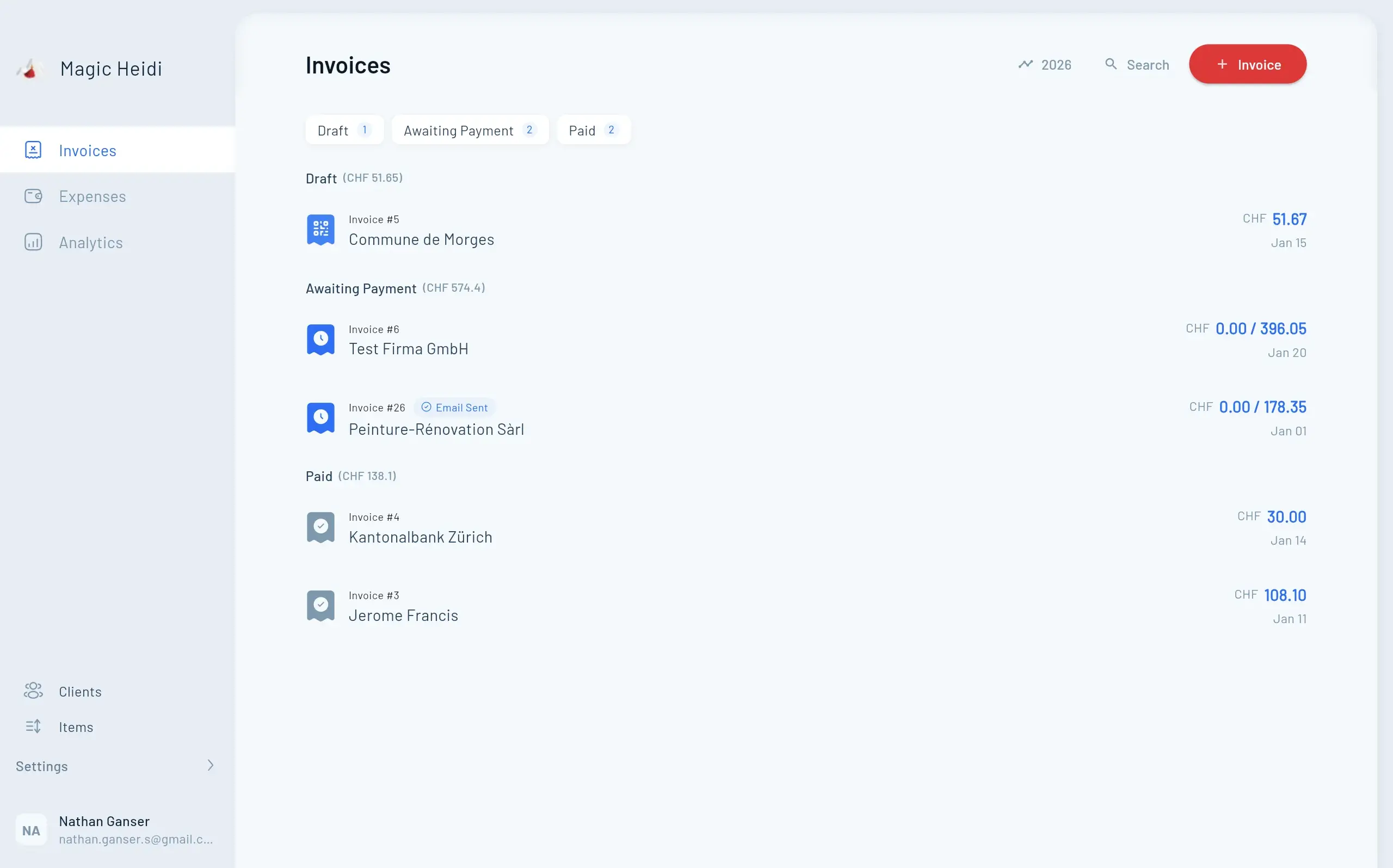
Customers using different languagesMagic Heidi supports quotes in German, French, Italian and English.

Magic Heidi: from quote to invoice

Create quotes, send them by email and convert them into invoices.

Three free formats

Word is editable, Excel calculates, and PDF can be printed and completed by hand.

From quote to invoice

Magic Heidi can convert an accepted quote into an invoice.

Use Magic Heidi quotes on iPhone, Android, Mac, Windows or in the browser. Free includes 3 invoices and 3 expenses. Pro is CHF 25.00 per month billed annually (CHF 299.00 per year), or CHF 39.00 billed monthly. See pricing.

FAQ

Swiss Quote Template: Free Word, Excel and PDF

Are the downloads in English?

No. These Word, Excel and PDF files have German field labels. You can edit the Word and Excel labels; the PDF is intended for printing.

Is a quote binding?

An offer can bind you under Articles 3–5 CO. State an acceptance deadline and clear conditions. Acceptance can form a contract.

Must I add VAT?

Only when applicable to your registration and supply. Voluntary registration can apply below the general CHF 100'000.00 threshold.

Can I withdraw an unaccepted quote?

Do not assume so: an offer with an acceptance deadline generally binds you until it expires. Check the applicable terms and law before withdrawing it.

Does Word calculate the total?

No. Excel contains formulas. In Word and PDF, enter and check the totals yourself.

Can I add more rows or a logo?

Yes in Word and Excel. After inserting rows, check formulas, the sum range and print layout. Keep sender and VAT details readable.

How do I invoice an accepted quote?

Use the accepted scope and prices, show additional agreed work separately and deduct advances already paid. Magic Heidi can convert a quote into an invoice.

Download

Download the Swiss quote template

Free Word, Excel and PDF files with German field labels. No signup required.