 Magic Heidi
 Free Timesheet Template for Swiss Freelancers: Track Time, Get Paid Right
You just finished a project for three different clients. How many hours did you actually work? If you're guessing, you're leaving money on the table.
Time tracking isn't just about recording hours—it's about understanding your business, billing accurately, and making strategic decisions about where your energy goes. For Swiss freelancers juggling multiple clients, currencies, and cantonal requirements, tracking time becomes your competitive advantage.
This guide covers everything you need: a free template to get started, Swiss-specific considerations, and when to upgrade to digital tools. Whether you're in Zürich billing in CHF or working with French clients in EUR, you'll find practical advice that actually works.
Do Swiss Freelancers Legally Need to Track Time?
Let's clear up the confusion: time tracking isn't legally mandatory for most Swiss freelancers.
Article 46 of the Swiss Labor Law (ArG) requires employers to track working and rest times for employees. If you're self-employed (Selbständige/indépendant), you're not subject to the same hourly restrictions. You organize your schedule freely.
That said, you absolutely should track your time. Here's why:
VAT Reporting: Once you exceed CHF 100,000 in annual revenue, you're subject to VAT. Accurate time records support your tax filings and help justify your reported income to cantonal authorities.
Client Trust: Swiss clients expect precision. Detailed timesheets demonstrate professionalism and prevent billing disputes before they start.
Business Intelligence: You can't optimize what you don't measure. Time data reveals which clients are profitable, which projects drain resources, and where you should focus your marketing efforts.
Rate Justification: When a client questions your invoice, detailed time records end the conversation. You worked 23.5 hours, not "about a week."
AHV/AVS Contributions: Self-employed individuals earning over CHF 2,500 annually must declare income and pay social security contributions. Accurate time tracking supports your income declarations.
If you employ others or work within certain structures, different rules apply. When in doubt, consult your cantonal labor inspection authority.
Why Most Freelancers Undertrack
(and Lose Money)
Studies show organizations using structured time tracking are up to 30% more efficient on projects. Yet most freelancers still rely on memory or rough estimates.
Forgotten hours
That 30-minute client call on Saturday? The revision you squeezed in before dinner? Those add up to thousands of francs annually.Underpricing
Without data, you guess at project costs. Your CHF 5,000 quote becomes 80 hours of work—CHF 62.50 per hour before taxes and overhead.Burnout blindness
You feel overwhelmed but can't pinpoint why. Time data reveals you're spending 15 hours weekly on unbillable admin.Missed tax deductions
Accurate records support legitimate business expense claims and protect you during audits.Types of Timesheet Templates for Swiss Freelancers
Choose your template based on work patterns, not preferences. Here's what actually works:
Daily Timesheets
Best for freelancers with multiple short tasks, hourly billing, or clients requiring detailed activity logs. Captures every work session with start/end times, breaks, and billable status.
Weekly Timesheets
Perfect for freelancers with ongoing clients or retainer agreements. Provides comprehensive tracking without daily granularity. Works for the typical Swiss freelancer balancing 3-5 active clients.
Monthly Timesheets
Ideal for project-based freelancers with milestone billing. Gives the big picture for total hours per client and seasonal patterns. Perfect for AHV/AVS income documentation.
Free Timesheet Template (Swiss-Optimized)
We've created a template specifically for Swiss freelancers. Simple formulas, no macros, no complexity. Just straightforward time tracking that works on any device.
- 💱Multi-currency support
CHF/EUR ready
- ⏱️Automatic breaks
Per Swiss labor practice
- 📋Billable tracking
Separate columns for all hours
- 🧮VAT-ready structure
Swiss tax compliance built-in
- Invoice #3
Magic Heidi
CHF 500
Jan 29
- Invoice #2
Webbiger LTD
CHF 2000
Jan 24
- Invoice #1
John Doe
CHF 600
Jan 20
How to Use Your Timesheet Effectively
A template only works if you actually use it. Here's the system:
1. Track in Real-Time
Don't wait until Friday to reconstruct your week. When you start work, note the time. When you finish, record it immediately.
Reality check: You won't be perfect. Some weeks you'll forget. That's fine—just get back to it. Even 80% accuracy beats 100% guessing.
2. Distinguish Billable vs. Non-Billable
Not all hours go on the invoice, but you should track everything:
Billable: Client work, meetings they requested, revisions within scope, research they approved.
Non-billable: Proposals, admin, your own professional development, networking, internal tools setup.
Why track non-billable time? Because it's still work. If you spend 10 hours weekly on proposals and admin, your "40-hour workweek" requires 50 hours of actual time. This affects your pricing strategy.
3. Use Consistent Project Codes
Create a simple system:
- Client initials + project type (e.g., "ZH-WEB" for Zürich client website)
- Keep codes under 10 characters
- Document your system so you're consistent
This matters when you review monthly data. "How much time did I spend on websites vs. consulting this quarter?" becomes answerable.
4. Review Weekly
Every Friday afternoon (or Monday morning), review your timesheet:
- Do the hours feel accurate?
- Did you miss any sessions?
- Which client took more time than expected?
- What can you optimize next week?
This 15-minute review prevents month-end surprises and helps you spot problems early. That client who "just needs quick tweaks"? Your data shows they consumed 6 hours last week.
5. Back Up Your Data
Excel files get corrupted. Computers crash. Cloud storage gets accidentally deleted.
Save your timesheet to multiple locations:
- Local computer
- Cloud storage (Google Drive, Dropbox)
- Monthly export to PDF for archives
Swiss tax authorities can request business records going back 5 years. Protect yourself.
When to Upgrade from Templates to Digital Tools
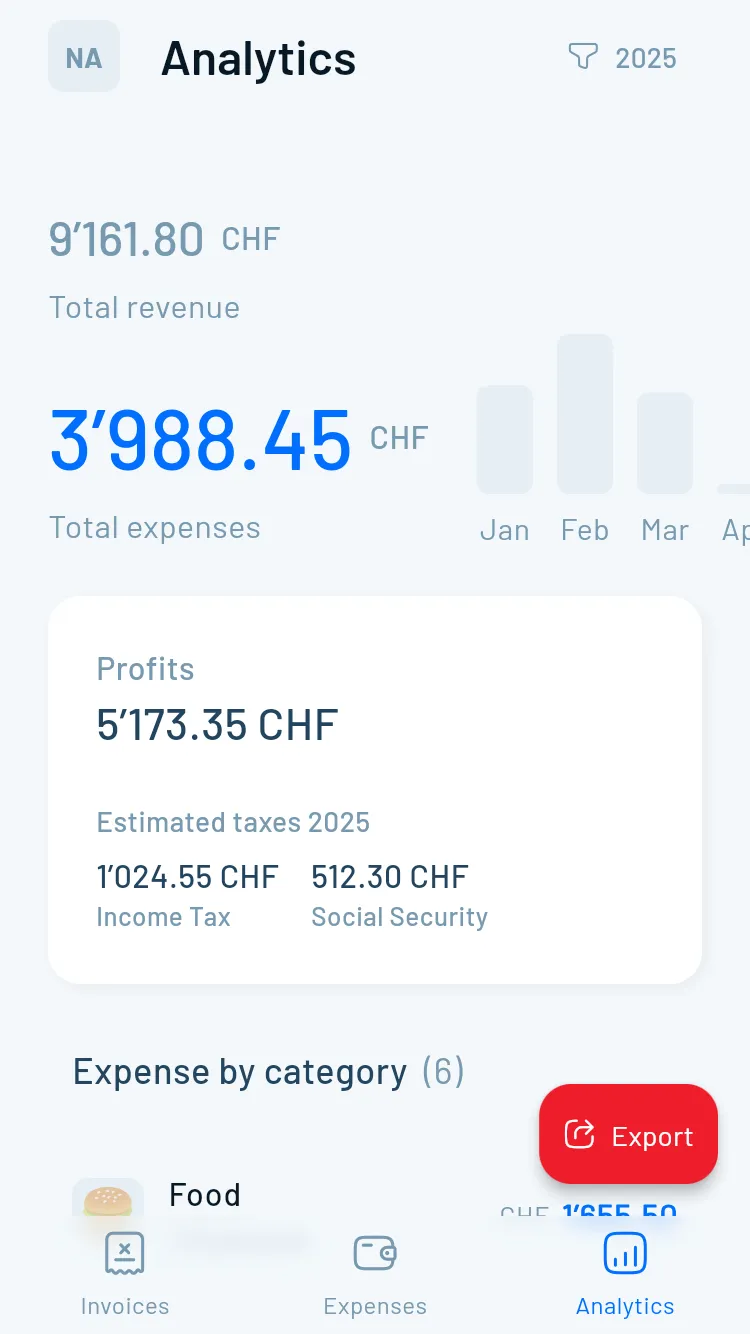
Templates are perfect for starting out. But as your freelance business grows, you'll notice friction points: switching between timesheet and invoicing software, manual calculations for different client rates, forgetting to start/stop the timer, no mobile access when working from a café.
What Swiss Freelancers Actually Need
Not all time tracking tools understand the Swiss market. Look for these essential features:
Automatic QR-Bill Generation
Your tracked hours should convert directly to Swiss QR-bill invoices. Manual transfer doubles your work and introduces errors.
- Direct hour-to-invoice conversion
- Swiss QR-bill compliance
- Multi-rate calculations
- Automatic VAT application
Multi-Currency & Swiss VAT
Work with EU clients? You need proper EUR handling with exchange rate tracking and Swiss VAT rates (8.1% standard, 2.6% reduced, 3.8% accommodation).
- CHF and EUR support
- Exchange rate tracking
- Automatic VAT calculation
- Service-type VAT rules
Mobile & Analytics
Track time from anywhere—client meetings, co-working spaces, or your kitchen table. See which clients and project types actually make money.
- Native mobile apps
- Project profitability analysis
- Multi-language support (DE/FR/IT/EN)
- Real-time reporting
Swiss-Specific Time Tracking Considerations
Understanding Swiss work culture, cantonal differences, and realistic billable rates makes the difference between guessing and knowing your business.
Zürich ≠ Geneva ≠ Ticino
60-75% billable is normal
Swiss work culture expects them
DE/FR/IT terminology matters
The 70% Billable Reality
Swiss freelancers typically achieve 60-75% billable time. If you work 40 hours weekly, expect 24-30 hours to be invoiceable.
The rest? Proposals, invoicing, taxes, professional development, admin. Track it all so you price accordingly.
Example: You want CHF 90,000 net annually. Working 48 weeks at 40 hours (1,920 hours) with 70% billable rate = 1,344 billable hours. You need CHF 67/hour. But that doesn't include VAT, AHV, taxes, or overhead. Your client rate should be CHF 100-120/hour.
Break Time Rules
While you're not legally required to take breaks as a freelancer, Swiss work culture expects them. If you're tracking time for employee-style contracts or working on-site:
- 15 minutes for 5.5+ hours
- 30 minutes for 7+ hours
- 60 minutes for 9+ hours
Record breaks separately from work time for clarity.
Billing in Multiple Languages
Your German-speaking Zürich client expects "Arbeitszeiterfassung." Your French-speaking Geneva client wants "Feuille de temps." Your template should support professional terminology in client languages.
Timesheet Mistakes to Avoid
Learn from others' mistakes instead of making them yourself.
Batch Entry at Month's End
You think you'll remember. You won't. Track daily. Even rough real-time notes beat precise guesses later.
Tracking Only Billable Hours
You work 50 hours but only bill 30. Track everything. Label it billable or non-billable. Review monthly ratios.
Wrong Template Granularity
Match template to billing structure. Hourly clients = daily/weekly tracking. Retainer clients = weekly/monthly tracking.
No Backup System
Cloud storage + regular exports. Not negotiable. Swiss tax authorities can request records going back 5 years.
Inconsistent Project Naming
Document your naming conventions. Use them religiously. Review monthly for consistency.
Beyond Time Tracking: What the Data Reveals
Good time tracking transforms your freelance business. You'll price with confidence, fire bad clients, optimize your calendar, justify rate increases, plan capacity, and understand seasonal patterns.
Frequently Asked Questions
Do I need time tracking if I charge fixed project fees?
Yes, for internal purposes. Fixed-fee projects become profitable only when you estimate accurately. Historical time data makes this possible. Without it, you're guessing—and probably losing money.
How do I handle time tracking across Swiss cantons?
Note the canton in your project code or client notes. Helpful for tax purposes if you work extensively in multiple cantons or have questions about domicile vs. work location.
Can I track time for multiple clients in one template?
Absolutely. Create separate sections per client or use filtering in Excel/Google Sheets. Alternatively, maintain individual client templates and compile monthly.
What if I forget to track a work session?
Add it as soon as you remember with a note. 'Approx. 2.5 hours, added retroactively' is better than nothing. Don't let perfection paralyze you.
How long should I keep timesheet records?
Swiss tax authorities can audit 5 years back. Keep records at least that long, ideally 10 years for complete protection.
Should I share my timesheet with clients?
For hourly billing: yes, with invoices. For fixed fees: only if requested. Some clients appreciate transparency, others just want results.
How do I track time when work and personal life blur?
Create clear boundaries. Use a timer app that you manually start/stop. When you close the work laptop, stop the timer. Swiss work culture values 'Feierabend'—respect it.
What about unbillable client time (emails, quick questions)?
Track it separately. If unbillable client time exceeds 10% of billable time, you're undercharging. Either bill for communication or build it into your rates.
Take Control of Your Freelance Business Today
Start simple: download our free template, track this week, review Friday. You'll immediately spot patterns, forgotten hours, and optimization opportunities. As your business grows, upgrade to integrated tools built specifically for Swiss freelancers.