Yes, you can issue an invoice as a private individual in Switzerland. You don't need a company, an MWST (Swiss VAT) number or a commercial register entry — just 7 mandatory fields and (ideally) a QR code for payment. Here's how to write a compliant Swiss invoice in 5 minutes, with a template, examples and all the key rules at a glance.
2026 Guide
How to Write a Swiss Invoice: the Step-by-Step Guide
As a private individual, without a company, without an MWST number: 7 mandatory fields, one QR code, done in 5 minutes.
Key Takeaways
The essentials at a glance
The five things you need before you send your first Swiss invoice.
7 mandatory fields
Sender, recipient, date, description of services, amount in CHF, payment details (IBAN or QR code) and, if you're MWST-registered, your UID number plus the MWST rate.
Private individuals allowed
You can issue invoices as long as you stay below CHF 100,000 annual turnover and don't work regularly for just one client.
QR-bill is mandatory
Since October 2022, the QR-bill has replaced the orange and red payment slips. Without a QR code or a clearly stated IBAN, the invoice can't be paid.
Keep records for 10 years
OR Art. 958f (Swiss Code of Obligations) requires you to keep invoices for 10 years. Income belongs in your tax return, even if it's only CHF 200.
Template or software
For your first few invoices, a Word template or online generator is enough. Above 10 invoices per month, software becomes cheaper and cleaner.
Quick start
Write an invoice in 5 minutes
Two free ways to a finished Swiss invoice. Both free, both without signup.
Get your Swiss invoice now
Fill it in directly in your browser or download the Word template. Both produce a compliant QR-bill.
Do it now: write an invoice in 5 minutes
If you're not in the mood for theory right now, here are the two fastest routes to a finished Swiss invoice:
- Create one online directly, no login needed: With our QR-bill generator, you fill in the form, download the PDF and send it to your client. Time: about 3 minutes.
- Download a template and fill it in with Word: If you prefer to design it yourself, grab a free Swiss invoice template as a Word or Excel file and adapt it to your layout.
Both options are 100% free and suitable for private individuals, freelancers and small sole proprietorships (Einzelfirma). If you write invoices regularly (more than once a month), it pays off later to use proper invoicing software for the self-employed, which automatically manages clients, invoice numbers and payments.
Read on if you want to understand exactly what belongs on a Swiss invoice, when you can list MWST, when you become "too much of a freelancer" as a private individual, and how to avoid the typical mistakes.
The 7 mandatory fields on a Swiss invoice
The Swiss Code of Obligations (OR Art. 957a) requires that an invoice serves as an accounting document. That means it must be clearly identifiable, complete and traceable. Specifically, these 7 pieces of information belong on every Swiss invoice, whether you're a private individual or a sole proprietor.
Mandatory fields
The 7 fields every invoice needs
From sender to MWST: what belongs on the document, what you can leave out, and where the expensive beginner mistakes hide.
Sender (name + address)
Full name or company name plus complete address with street, postcode and town. Pseudonyms aren't enough. Example: Anna Müller, Bahnhofstrasse 12, 8001 Zurich.
Recipient (name + address)
For companies, include the legal form (AG, GmbH); for private individuals, full name plus address. Above CHF 400, the ESTV (Swiss federal tax administration) requires the full recipient name.
Invoice and service date
Invoice date = day of issue. Service date = day or period of the work. For multiple engagements: 'Service period 1–31 March 2026'.
Description of services
Precise, not vague. 'Consulting' isn't enough. 'Strategy workshop on 12 March 2026, 4 hours at CHF 150/h' is. Itemised lines look more professional.
Amount in CHF
Swiss francs is the standard. For foreign clients, EUR/USD is allowed — record the exchange rate. Write 'CHF 1,250.00' or 'CHF 1,250.–', never just the number.
Payment details (IBAN/QR)
Either a QR-bill following the Swiss QR standard or your IBAN in plain text with bank and account holder name. Standard payment term: 30 days net.
UID + MWST rate (only if liable)
Above CHF 100,000 turnover or voluntarily registered: CHE number with MWST suffix, the rate (8.1% standard), MWST amount and net/gross shown separately. Otherwise, write nothing at all about MWST.
Invoice number (recommended)
Not legally required for private individuals, but practically standard. Just number them sequentially (2026-001, 2026-002) or by date (20260512-01).
1. Full name and address of the sender
Your full name (or your company name, if you have one) and your complete address with street, postcode and town. Pseudonyms or stage names aren't enough. If you have a UID number (CHE-123.456.789), include that too.
Example:
Anna Müller, Bahnhofstrasse 12, 8001 Zurich
2. Full name and address of the recipient
Who gets the invoice? For business clients, the company with its legal form (AG, GmbH) and exact address. For private individuals, full name plus address is enough. If the invoice is above CHF 400 and the expense is tax-deductible, the ESTV (Eidgenössische Steuerverwaltung — the Swiss federal tax administration) will want to see the full recipient name anyway.
Example:
Bäckerei Bühlmann GmbH, Dorfstrasse 8, 3014 Bern
3. Invoice date and service date
The invoice date is the day you issue the invoice. The service date is the day (or period) when you did the work. For a single piece of work, both can be the same. For multiple engagements, write "Service period: 1 March to 31 March 2026".
These two dates matter because if the ESTV ever audits you, they want to know which financial year the revenue belongs to.
4. A clear, unambiguous description of services
Write precisely enough that someone who knows neither you nor your client could still understand, two years from now, what you did. "Consulting" isn't enough. "Strategy workshop on 12 March 2026, 4 hours at CHF 150/h" is.
Detailed line items also make your invoice look more professional and prevent disputes.
5. Amount in Swiss francs (CHF)
CHF is the standard currency. If your client is abroad, you can invoice in EUR or USD, but you must record the exchange rate on the invoice date and name the Swiss bank account where the payment is received. For tax purposes, you always convert the amount to CHF.
Always write the amount in full: "CHF 1,250.00" or "CHF 1,250.–". Never just "1250" without the currency.
6. Payment details (IBAN or QR code)
Without payment information, the invoice won't get paid. You need one of these options:
- QR-bill (standard since October 2022): A QR code containing all payment data, which your client scans in their e-banking app.
- IBAN in plain text: Your Swiss account number, the name of the bank and your name as account holder.
The standard payment term is 30 days (i.e. "payable within 30 days net"). If you want a shorter term, state it clearly: "payable by 15 April 2026".
7. UID number and MWST rate (only if MWST-liable)
If you're MWST-liable (above CHF 100,000 annual turnover or voluntarily registered), you need:
- Your UID number with MWST suffix: CHE-123.456.789 MWST
- The MWST rate (8.1% standard, 2.6% reduced, 3.8% accommodation, as of 2024/2026)
- The MWST amount shown separately
- Net amount and gross amount shown separately
If you're not MWST-liable, write nothing about MWST. A fake UID or an MWST note without registration is a criminal offence (more on that below).
Recommendation: invoice number
Not legally required for private individuals, but standard practice and strongly recommended. It helps both you and your client unambiguously match the payment later. Format: simple sequential numbering (2026-001, 2026-002 …) or date-based (20260512-01).
Creating the invoice: which route fits you?
You have four practical options for creating a Swiss invoice. Which suits you depends on how often you invoice.
Tools
Which option fits your volume?
Four ways to create a Swiss invoice. Choose based on frequency and effort.
| Option | When it fits | Effort per invoice | Cost |
|---|---|---|---|
| Word or Excel template | 1–5 invoices per year | 15–30 min (incl. external QR) | Free |
| Online generator (no login) | 1–10 invoices per month | 3–5 minutes | Free |
| PDF template to fill in | One-off sales | 10 minutes | Free |
| Invoicing software with client management | From 5–10 invoices/month | 1–2 minutes | From CHF 6/month |
For the Word or Excel route, grab our Swiss invoice template (available in Word, Excel and PDF, with and without MWST). The advantage: full control over layout and colours. The downside: you have to generate the QR code separately, because Word and Excel can't do it.
For the quick, one-off case, the online QR-bill generator is the easiest choice. You fill in a form, the generator automatically produces the QR code to the Swiss standard, and delivers a finished PDF — no login required.
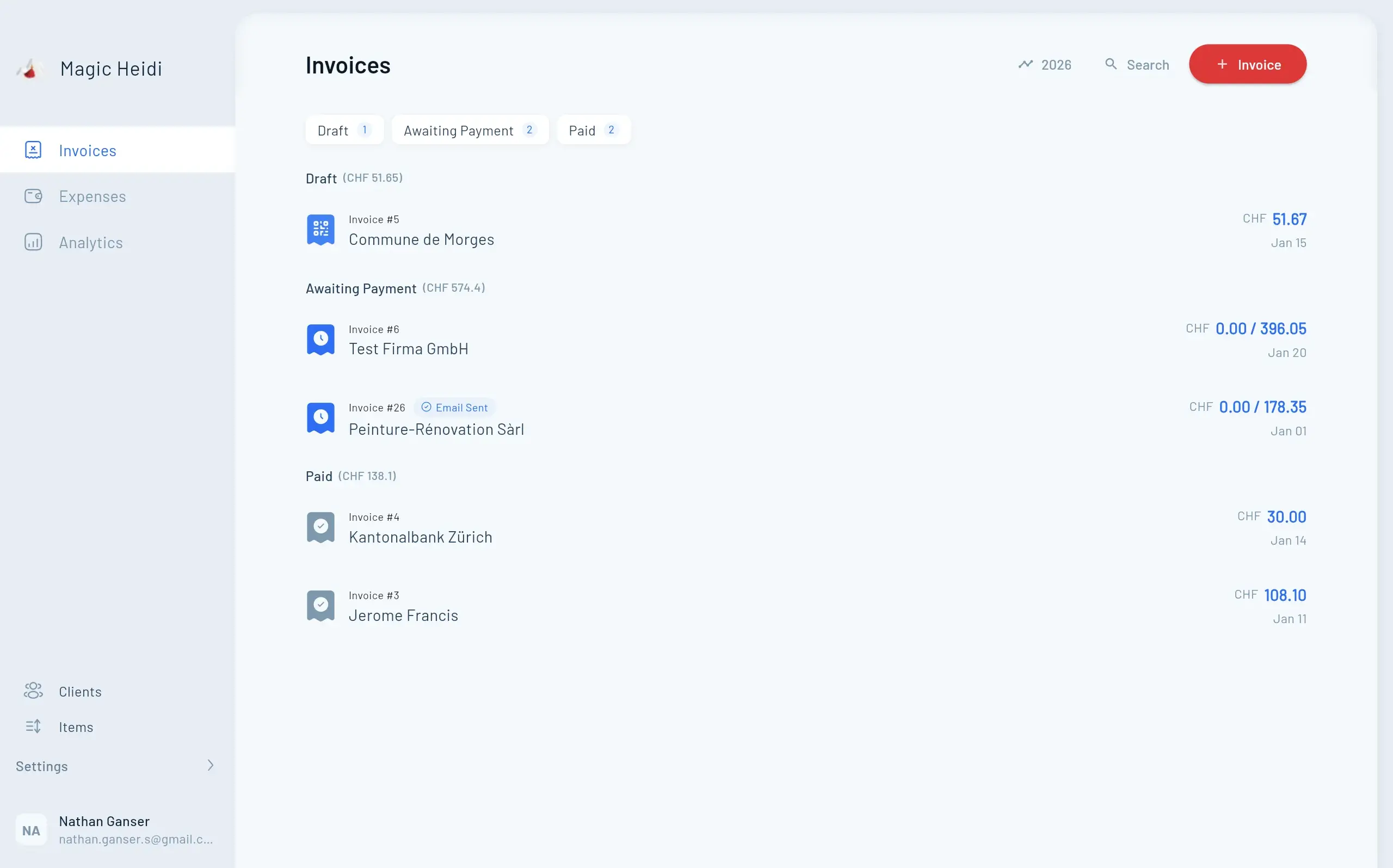
As soon as you're writing more than a handful of invoices per month, the benefits of proper invoicing software become real: saved clients, automatic numbering, MWST calculation, dunning and payment tracking. More on that on the overview page for our invoicing software for Swiss freelancers. And if you're evaluating SME systems like bexio: the comparison of the best bexio alternatives for the self-employed shows which tool fits which company size.
QR-bill
Swiss QR-bill in seconds
The Swiss standard since 1 October 2022. Magic Heidi generates the QR code automatically on every invoice. More on the QR-bill →
Swiss QR-code standard
SIX-compliant, accepted by every Swiss bank. Your client scans, every field is filled.
One second to pay
No typing in the IBAN, no typos, no misrouted payments.
PDF with payment slip
QR code on the lower half or as a separate page, printed exactly to the Swiss standard.
Creating a QR-bill: the Swiss standard since October 2022
Since 1 October 2022, the orange (ESR) and red payment slips have been completely abolished. Swiss banks no longer accept them. What you need on a Swiss invoice today is either a QR code following the Swiss QR-code standard or a clearly formatted IBAN in the text.
Source: SIX Group, Swiss QR-bill.
What is a QR-bill?
The QR-bill is a modern Swiss payment method. On the lower half of the invoice document (or as a separate page), a payment slip with a Swiss QR code is printed. The QR code contains:
- The recipient's IBAN (your account number)
- Name and address of the recipient (your name)
- Name and address of the payer (your client)
- Amount and currency
- Optional: reference number and payment purpose
Your client scans the code with their e-banking app, every field is filled automatically, and they confirm with one click. No typing in the IBAN, no typos, no misrouted payments.
Do I need a QR-IBAN, or is a normal IBAN enough?
Both work. Private individuals usually use their normal IBAN (CH…). A QR-IBAN is a special IBAN your bank issues for invoices with a QR reference number (QRR). It's only needed if you want to use structured reference numbers for automatic posting at the recipient's end (typical for companies with many invoices).
For a private individual issuing a few invoices a year, the normal IBAN is enough.
How do I create a QR code?
You have three options:
- Online generator (e.g. our QR-bill generator): You enter your details and get a finished PDF including the Swiss QR code.
- Invoicing software: Software like Magic Heidi generates the QR code automatically when you create each invoice.
- Your bank's e-banking: Many banks (UBS, Raiffeisen, ZKB, PostFinance …) offer a "create QR-bill" function in their app, where you can download a PDF.
What you can't use anymore: old payment slips, hand-drawn QR codes, or generators that don't follow the Swiss standard.
Invoice without MWST: when, why, how
Most private individuals and small sole proprietorships are not MWST-liable. Anyone staying below CHF 100,000 worldwide annual turnover is exempt from Swiss VAT (MWSTG Art. 10, source: estv.admin.ch).
When are you not allowed to list MWST?
If you're not registered with the federal government (ESTV) for MWST, you cannot:
- Add MWST on top of your prices (no "+ 8.1% MWST")
- List a UID number with an MWST suffix (CHE-123.456.789 MWST)
- Show MWST amounts separately
If you do it anyway, you still owe the ESTV the MWST you stated, even though you weren't officially entitled to charge it. This is called "invoiced MWST" and is a classic, expensive beginner mistake.
The right wording for "no MWST"
You don't need to write anything if you're not MWST-liable. If you'd like to make it clear (especially with business clients who might ask), use one of these standard sentences below the invoice total:
"No MWST per Art. 10 para. 2 MWSTG (turnover below CHF 100,000)."
"Not subject to value added tax."
"Invoice issuer is not registered in the Swiss MWST register."
That makes it unambiguous for your client and their fiduciary.
When does voluntary MWST registration make sense?
If you mainly serve business clients (B2B) and pay a lot of input tax on purchases (materials, software, equipment), you can voluntarily register for MWST even below CHF 100,000. Then you can reclaim the input tax on your purchases. For private individuals and freelancers with little material, it's rarely worth it. Detailed decision help in our guide on MWST for Swiss freelancers.
Issuing an invoice as a private individual: what works, what doesn't
In Switzerland, it's completely legal to issue invoices as a private individual. You don't need a company, a commercial register entry or any kind of permit — as long as you're not active in regulated professions (lawyer, doctor, fiduciary, certified architect …).
Who can issue an invoice as a private individual?
Practically anyone resident in Switzerland. Typical situations:
- You sell a piece of used furniture on Tutti or Anibis.
- You help a neighbour move for a fee.
- You occasionally give tutoring, babysit, or photograph a wedding.
- You have a side job at a company that doesn't want to put you on payroll and prefers to pay against an invoice.
In all four cases, you can write an invoice. But you need to know the two thresholds where your situation changes administratively.
The two important thresholds
CHF 100,000 annual turnover: If your total self-employed revenue (all clients combined, worldwide) crosses this line, you become MWST-liable. Below it, you can invoice completely without MWST.
CHF 2,500 per client per year: If you work regularly for one company and receive more than CHF 2,500 per year from it, that company must either hire you as an employee or you'll be classified as self-employed by the Ausgleichskasse (AHV — Swiss social security office) (source: ahv-iv.ch, leaflet 2.02). For occasional one-off engagements, the threshold doesn't apply.
If you regularly work for 2-3 different clients and earn several thousand francs per year, it's worth looking into setting up a sole proprietorship in Switzerland. It's not a huge ordeal: no commercial register obligation below CHF 100,000 turnover, no minimum capital requirement, and you keep your usual tax regime.
Real-world examples
Four real examples from everyday life
What a private invoice looks like in typical Swiss situations.
Selling furniture (private sale)
Dining table set for CHF 450 on Tutti. Buyer wants an invoice for their bookkeeping. Description 'Sale of used dining table and 4 chairs', CHF 450, no MWST. Private property, not taxable income, no UID needed.
Occasional job (market stall)
Helping set up a market stall over a weekend, 8 hours, CHF 350. The organiser pays against an invoice. Taxable income, declared in your tax return under 'Other income' or 'Self-employed income'.
Tutoring & photography
3 hours of maths tutoring per week at CHF 60/h, 25 weeks = CHF 4,500/year. Invoice the parents quarterly. Well below CHF 100,000 (no MWST), but AHV liability above CHF 2,500/year/client.
Invoice to a company
Logo design for a GmbH, CHF 800. Private invoice without MWST. Note 'Invoice issuer is not subject to value added tax (Art. 10 para. 2 MWSTG)'. The company books the full expense, but cannot deduct input tax.
Four real examples
Selling furniture (private sale): You sell your old dining table set for CHF 450 on Tutti. The buyer wants an invoice for their bookkeeping. You write an invoice with your details, their details, the description "Sale of used dining table and 4 chairs" and CHF 450. No MWST. For tax purposes: private property, not taxable income. You don't need a UID, no registration.
Occasional job (helping at an event): You helped set up a market stall over a weekend. Fee: CHF 350. The organiser doesn't pay via payroll but against an invoice. You write a private invoice: "Helping set up market stall, 12–13 April 2026, 8 hours", CHF 350, IBAN. The CHF 350 is taxable income and belongs in your tax return under "Other income" or "Self-employed income".
Tutoring, photography, consulting: You help a secondary-school student with maths twice a week (CHF 60/h, 3 hours/week, 25 weeks per year = CHF 4,500/year). You invoice the parents quarterly. If you only do this for one family, check whether the Ausgleichskasse will classify you as an employee. With 3-4 different families, you're clearly self-employed. CHF 4,500 is well below CHF 100,000, so no MWST. But: AHV contribution obligation above CHF 2,500/year/client.
Invoice to a company: You design a logo for a GmbH as a private individual. Fee: CHF 800. The company pays against an invoice and needs it for their bookkeeping (as an expense). You write a private invoice without MWST and, to be safe, add a note: "Invoice issuer is not subject to value added tax (Art. 10 para. 2 MWSTG)". The company can book the full expense, but cannot deduct input tax (because you didn't add MWST).
When do you become self-employed? The AHV office's criteria
From what level of revenue or activity does the Ausgleichskasse (AHV office) consider you self-employed? There's no fixed turnover threshold. Instead, the relevant Ausgleichskasse checks five criteria (source: leaflet 2.02 Ausgleichskassen):
AHV criteria
Five criteria from the Ausgleichskasse
Anyone meeting three of them and earning more than CHF 2,500/year counts as self-employed.
Visible on the market
Do you have a website, a business card, a clearly defined offering?
Multiple clients
Do you work for 2-3 different clients or just one?
Own economic risk
Do you bear the costs and losses yourself?
Own work materials
Do you have your own equipment, premises, contracts?
Freedom from instructions
Do you decide when, where and how you work?
If you regularly invoice for work, meet three of these criteria and earn more than CHF 2,500/year, you should register with the cantonal Ausgleichskasse and ask to be classified as "self-employed". Otherwise, you risk your clients having to pay AHV contributions retroactively — and they won't forgive you for that easily.
More in our detailed guide on setting up a sole proprietorship in Switzerland.
Taxes, bookkeeping and record retention
Even as a private individual, you have to tax income from invoices and keep certain documents. Unfortunately, the majority of hobby invoicers forget this.
Declaring income on your tax return
Every franc you earn through invoices is taxable. Full stop. The myth "below CHF 1,000 you don't have to declare anything" is false. Where you list it depends on the nature of the income:
- Occasional, one-off income (e.g. a one-time helper job): under "Other income".
- Regular self-employed activity: under "Income from self-employment". You'll then need to submit a statement of revenue and expenses.
If you're not sure, ask your municipal tax office. Swiss tax authorities are surprisingly helpful and will answer most questions over the phone, free of charge.
10-year retention obligation (OR Art. 958f)
Even if you're not required to keep formal books as a private individual, the rule in any dispute is: keep receipts and invoices for 10 years. This applies to:
- Issued invoices (your copy)
- Incoming receipts for business expenses (materials, software …)
- Payment confirmations
- Bank statements relating to the engagement
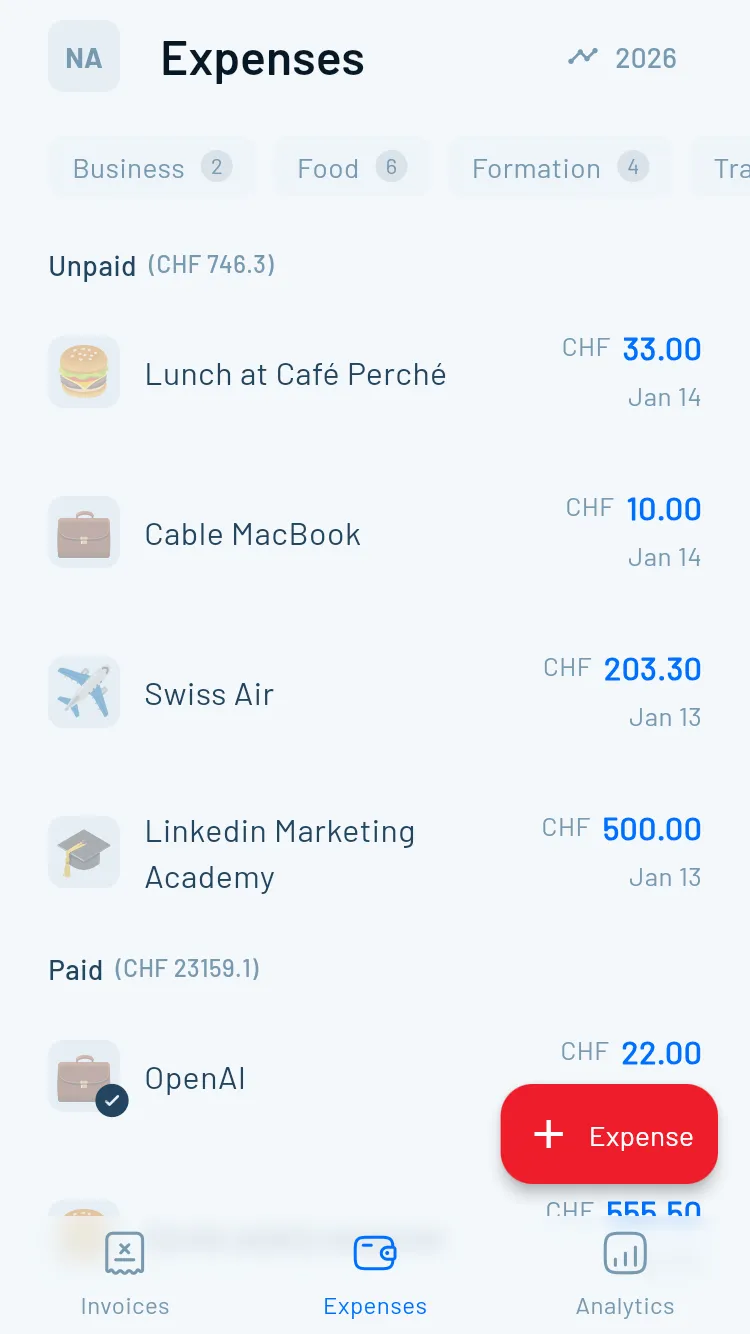
Digital storage is allowed, as long as the documents remain unaltered and readable. An AI-powered receipt capture turns photographed receipts into searchable PDFs and sorts them by date. That's enough from the ESTV's point of view.
When you want your bank to match payments automatically
As soon as you're sending more than 5 invoices per month, it's worth setting up automatic bank reconciliation: you import your e-banking CSV or camt.053, the software matches the payments to open invoices and marks them as paid. Easily saves an hour of admin time per month.
Receipt capture
Scan receipts instead of sorting them
Snap a photo of the receipt; AI reads the date, amount and MWST. Good enough for the 10-year retention rule. More on AI receipt scanning →
Common mistakes
Six classics you can easily avoid
These mistakes come up again and again. Each one can get expensive.
Adding MWST without registration
Sounds like more revenue, but it's illegal and leads to back-claims from the ESTV. If you're not registered, write nothing about MWST.
Fake or invented UID number
A made-up UID on the invoice counts as document forgery. If you don't have one, leave the field out.
Vague description of services
'Consulting' or 'Miscellaneous' isn't enough in a tax audit 5 years from now. Be precise.
Using old payment slips
Orange/red slips have been invalid since October 2022. Swiss banks will reject the payment. Use a QR-bill or a clearly stated IBAN.
Not declaring income
No matter how small, even if it's only CHF 200. In the worst case: tax evasion with penalties, back-payments and interest.
Throwing away or losing receipts
In a dispute, the receipt is your only leverage. Save everything digitally — it costs nothing and protects you.
Common mistakes when writing invoices in Switzerland
In my experience, the same mistakes come up over and over. Six classics you can easily avoid.
1. Adding MWST without MWST registration: Sounds like more revenue, but it's illegal and leads to back-claims from the ESTV. If you're not registered, you can't write anything about MWST — and certainly not "+ 8.1% MWST" added to the amount.
2. Fake or invented UID number: A made-up UID on the invoice counts as document forgery. If you don't have one, leave the field out.
3. Vague description of services: "Consulting" or "Miscellaneous" isn't enough for you, your client or — five years from now — a tax audit. Be precise.
4. Using old red/orange payment slips: Invalid since October 2022. Swiss banks will reject the payment. Use a QR-bill or at least a clearly formatted IBAN.
5. Not declaring income on your tax return: No matter how small, even if "it was only 200 francs as a favour". Worst case: tax evasion with penalties, back-payments and interest. Avoidable with 5 minutes of declaration work.
6. Throwing away or failing to organise receipts: In a dispute with a client or with the tax office, the receipt is your only leverage. Save everything digitally. It costs nothing and protects you.
FAQ
Frequently asked questions
Can a private individual write an invoice in Switzerland?
Yes. Private individuals are allowed to write invoices in Switzerland without founding a company or registering anywhere. The 7 standard fields are mandatory (sender, recipient, date, description of services, amount in CHF, payment details, MWST only if registered). As long as you stay below CHF 100,000 annual turnover, you invoice without MWST.
How much can I invoice as a private individual?
There's no maximum amount per invoice. But above CHF 100,000 annual turnover, you become MWST-liable. Above CHF 2,500/year/client, your client company has to pay AHV contributions on your fees or hire you. If you regularly invoice work, you count as self-employed from the AHV's point of view and should look at setting up a sole proprietorship (see /einzelfirma-grunden-schweiz).
What has to be on a Swiss invoice?
Seven mandatory fields: full name and address of the sender, full name and address of the recipient, invoice date and service date, clear description of services, amount in CHF, payment details (IBAN or QR code), and UID number plus MWST rate only if you're registered with the federal government for MWST. An invoice number isn't mandatory but is strongly recommended.
Do I need a QR code for a Swiss invoice?
Since October 2022, the QR-bill has been the Swiss standard. A QR code isn't strictly mandatory, but it's strongly recommended because clients can pay in 5 seconds via an e-banking scan. If you don't have a QR code, your IBAN must be very clearly readable in the invoice text. You can generate the QR code for free with the QR-bill generator at /qr-rechnung-erstellen or with invoicing software.
How do I write an invoice without MWST in Switzerland?
If you're not registered with the federal government for MWST (i.e. below CHF 100,000 annual turnover and not voluntarily registered), don't write anything about MWST. Optionally, you can add 'No MWST per Art. 10 para. 2 MWSTG' below the total. Important: don't add MWST on top and don't list a UID number with an MWST suffix — otherwise you owe the ESTV the MWST you stated.
How long do I have to keep invoices?
10 years, per Art. 958f of the Swiss Code of Obligations. This applies to your own issued invoices, incoming receipts for business expenses and payment confirmations. Digital storage is allowed, as long as the documents remain unaltered and readable.
Can I as a private individual invoice a company?
Yes, no problem. The company can book the full expense. They cannot deduct input tax (MWST), because as a non-registered person you also haven't added any MWST. Ideally, write 'Not subject to value added tax (Art. 10 para. 2 MWSTG)' below the total, so the company's fiduciary can book your invoice cleanly.
What's the difference between a private invoice and a business invoice?
A private invoice is issued by a natural person without a company, usually without MWST, without a UID number and without an obligation to keep double-entry books. A business invoice comes from a sole proprietorship or a company (GmbH, AG), often with MWST, with a UID number, and is part of formal bookkeeping. The content looks similar; the difference lies in the legal position of the sender and the tax consequences.
Conclusion: writing an invoice in Switzerland is easier than most people think
Writing an invoice in Switzerland doesn't need a fiduciary, accounting software or a company. It needs 7 clean fields, a QR code or a clear IBAN, and the confidence to bill your work properly. Anyone staying below CHF 100,000 annual turnover and the AHV thresholds can invoice completely legally as a private individual.
For your first few invoices, a free Swiss template or our QR-bill generator without login is enough. As soon as you're invoicing regularly, take a proper look at invoicing software for Swiss freelancers — and if receipts, expenses and VAT filings come with it, at accounting software for Switzerland. Magic Heidi is built by Swiss freelancers for Swiss freelancers, with all the mandatory fields included by default, automatic QR-code generation and a fair pricing model you'll find on the pricing page.
Got a specific question about your first invoice? Write to us. The people who built Magic Heidi still answer the emails themselves. — Nathan Ganser, founder of Magic Heidi.
Get started
Ready for your first Swiss invoice?
Pick the path that fits your volume. Both free, both without signup, both with a QR code.
Create an invoice in 5 minutes
Online generator, Word template or full invoicing software with client management.