Accounting Software Receipt Scanning

Receipt Scanning: 2026 Guide

Accounting software receipt scanning: how to choose the right tool for OCR, VAT and multi-currency – with a data protection check for Switzerland.

Receipt Scanning: 2026 Guide

Receipt Scanning: 2026 Guide

Accounting software receipt scanning: how to choose the right tool for OCR, VAT and multi-currency – with a data protection check for Switzerland.

Nathan Ganser avatar
Nathan Ganser

Founder of Magic Heidi

For most Swiss self-employed people, a modern accounting software with integrated OCR and AI, QR-bill support and Swiss data hosting is enough – everything else is nice-to-have. The statutory retention period is 10 years, and paper can only be discarded once the digital receipt has been archived completely, unchanged, legibly and traceably.

You're sitting on the train from Bern to Zurich, a restaurant receipt next to your laptop. In the past, it would have disappeared into a pocket, ended up in a box later and resurfaced eventually during sorting. Today you photograph it, check the proposed booking entry, and the receipt is exactly where it belongs: in your accounting.

This is exactly where useful software separates itself from pretty scan apps. When it comes to accounting software for scanning receipts, the question isn't just whether a system can read text from a photo. What matters is whether it masters Swiss VAT logic, QR-bills, bank reconciliation, audit-proof archiving and clean collaboration with your fiduciary.

Why scanning receipts is no longer a nice-to-have for the self-employed

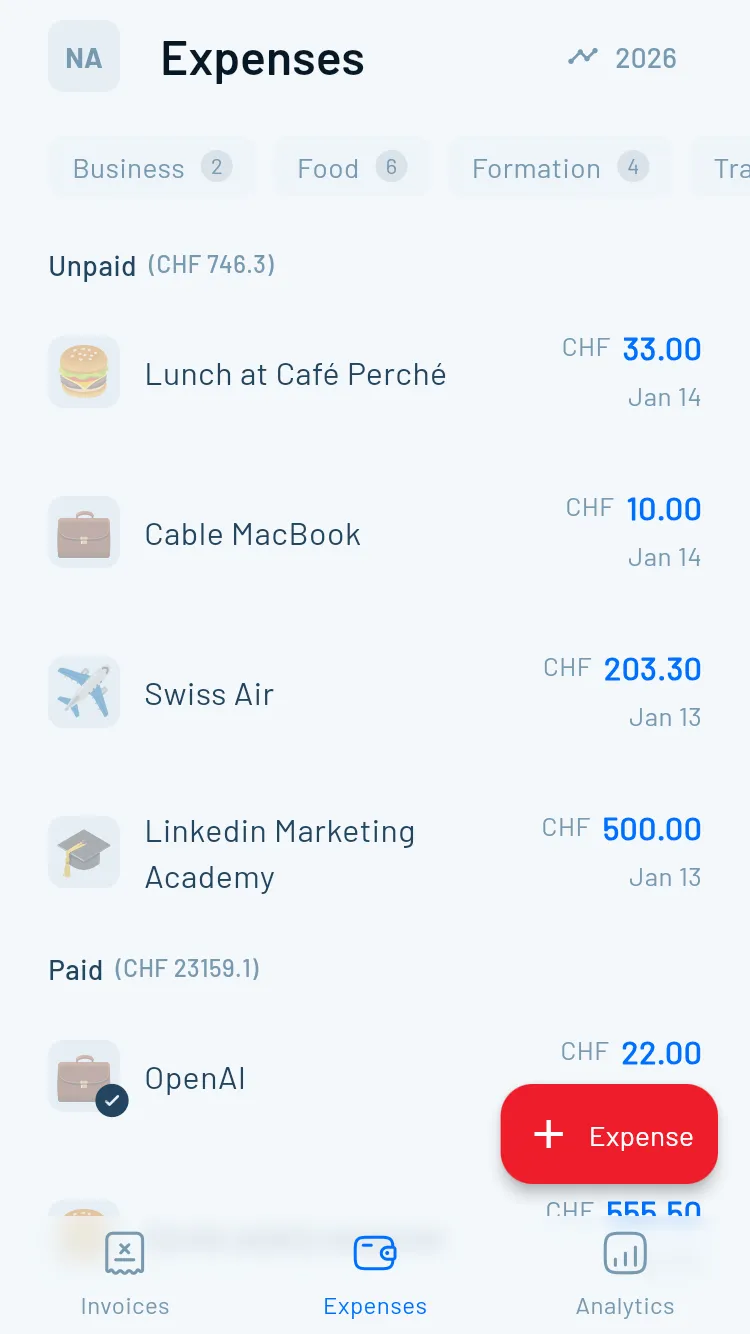
Anna, a graphic designer from Bern, often works on the go. On the train to Zurich she photographs a restaurant bill with her smartphone. The software recognises the vendor, date, amount and VAT information, assigns the receipt to a likely expense account and creates a booking proposal. Anna reviews the details and never has to fish the receipt out of a jacket pocket later.

A graphic designer scans a restaurant receipt with her smartphone on the train from Bern to Zurich for digital archiving.

The example may seem trivial, but it shows the real value: the receipt is processed at the moment the business transaction occurs. It stays linked to the booking, can be searched later and is ready for the year-end close or a VAT audit. Loose email attachments, downloads on the desktop and stacks of paper, by contrast, create media breaks. Every additional storage location increases the likelihood that a piece of evidence goes missing or can no longer be found.

Swiss law explicitly makes digital archives possible. The FTA practice on electronic retention of receipts does not focus on the paper medium, but on the conformity with the underlying business transaction, integrity, traceability and legibility.

The right question when choosing software

The decisive question is therefore not: "Can I photograph a receipt?" It is: Can I still present the digital evidence clearly and completely years from now?

A good solution connects at least these steps:

  • Capture: photo, PDF or email forwarding without intermediate storage on private devices.
  • Extraction: amount, date, vendor, currency and VAT information are recognised in a structured way.
  • Review: you confirm uncertain fields and correct special cases.
  • Booking: the receipt receives a traceable booking proposal.
  • Archiving: the original file remains legible and retrievable unchanged.

If you switch to such a workflow now, you're setting the process for the coming business years. This is not a gadget purchase, but a decision for cleaner VAT returns, faster closings and less sorting work for your fiduciary.

The central basis is the Swiss Commercial Bookkeeping Ordinance (GeBüV) and Art. 958f of the Swiss Code of Obligations (CO). Commercial books, booking receipts and reports may be kept on paper, electronically or in a comparable form. The State Secretariat for Economic Affairs confirms that the retention obligation under Art. 958f CO also applies to electronic commercial books.

The period is 10 years from the end of the business year. It covers business records, booking receipts and reports. A digital archive therefore does not replace the retention obligation – it only changes the form of retention.

An infographic on the legal framework for retaining business receipts and accounting records in Switzerland.

When can the paper go

In many cases, paper may be destroyed once the receipt has been correctly digitised and archived. This requires the digital version to remain complete, unchanged, legible, available and traceable. The guidance on electronic receipt and document retention makes clear why a simple photo folder is not automatically sufficient.

In practice, you should only dispose of the paper receipt once you've checked these points:

  • Completeness: all pages, amounts, attachments and relevant details are captured.
  • Legibility: even small print, VAT fields and reference details remain recognisable.
  • Integrity: the archived file cannot be altered without detection.
  • Traceability: the link between receipt, booking and business transaction remains visible.
  • Availability: you can retrieve and display the document throughout the entire retention period.

Under current Swiss VAT practice, a digital signature is generally no longer required for scanned paper invoices, PDFs and genuine e-invoices to be treated as equivalent. The assessment of electronic bookkeeping and receipts from a VAT perspective instead places the principles of proper bookkeeping in the foreground.

Practical rule: don't throw away paper immediately after photographing it. First check the digital file and make sure it's stored in the correct archive together with the associated booking.

How modern OCR and AI receipt capture works

Modern receipt capture consists of several stages. An app accepts a photo or PDF, straightens the document, improves contrast and legibility, and then runs OCR text recognition. A model then classifies the document type, extracts structured fields and creates a booking proposal.

The chain typically looks like this:

  1. Photo or PDF upload: the smartphone, an email inbox or a file upload delivers the receipt.
  2. Pre-processing: the software de-skews the image and optimises greyscale, cropping and contrast.
  3. OCR: characters, numbers and text blocks are recognised.
  4. Document classification: the system distinguishes, for example, between invoice, receipt or credit note.
  5. Data extraction: vendor, date, amount, currency and VAT field are read out.
  6. Structuring: the software proposes account, tax code, cost centre and vendor contact.
  7. Approval: you review the details and confirm or correct them.
  8. Archiving: the original file remains stored together with the structured booking data.

What OCR does well and where review is still needed

For clearly legible, printed receipts, character-level recognition rates of 98 to 99 percent are cited. For field-level extraction – such as amount, invoice date or VAT field – figures of over 99 percent are stated, as described in the assessment of modern OCR and AI receipt capture in Switzerland.

These figures do not apply to every receipt. Handwriting, faded thermal paper, crooked photos, foreign currencies without a clear exchange rate and mixed receipts remain demanding. Full automation without human review is therefore not reliable enough. You should check every proposal, especially for foreign receipts and unusual VAT situations.

QR-bills help because payment information is available in structured form. Clearly printed VAT fields and recurring vendors also make matching easier. If you'd like to compare how it works in more detail, the overview of AI receipt capture at Magic Heidi is a good starting point.

Feature comparison of the most important criteria

Not every software class needs to do everything. A freelancer with a handful of CHF expenses doesn't need a fiduciary suite with extensive role management. A company with several stakeholders, foreign currencies and outsourced bookkeeping, on the other hand, shouldn't cut costs with a pure scan app.

Tool classOCR and booking proposalSwiss VAT and QR-billBank and fiduciary functionsSuitable for
Entry-level mobileBasic to good capture via photoShould be mandatorySimple exports and approvalsSolo freelancers with a manageable receipt volume
Standard desktopAdvanced OCR, vendor matching and rulesSwiss chart of accounts, VAT logic and QR-billsBank import, exports and collaborationSole proprietorships with regular bookkeeping
Fiduciary suiteExtensive automation and controlsBroad VAT and closing functionsClients, roles, audit trails and interfacesSeveral employees or intensive fiduciary collaboration

The six criteria that really matter

OCR and AI extraction should recognise at least the amount, receipt date and vendor. Added value arises when the system learns from previous corrections and makes a traceable posting proposal. Pure text recognition without booking logic only saves part of the work.

VAT recognition must be able to distinguish Swiss tax rates, tax-exempt transactions and foreign receipts. The current rates of 8.1 percent, 2.6 percent and 3.8 percent are part of Magic Heidi's product information, not a general statement about every software. What matters is that your tool correctly reflects the logic applicable to your receipt and lets you review it in case of uncertainty.

Multi-currency is needed as soon as you process invoices or expenses in EUR, USD or GBP. Look for historical exchange rates, conversion into CHF and clean handling of rate differences. A CHF-only tool quickly becomes tedious with international clients.

Bank synchronisation should cover Swiss formats and institutions. CSV import, camt files, PostFinance, Twint and bank adapters are implemented differently depending on the provider. Don't just check whether an import exists, but whether payments are reconciled with invoices and receipts.

QR-bills are a practical must for Swiss self-employed people. The payment part should be generated automatically, payment references transferred correctly, and incoming payments linked back to open invoices.

Integrations are worthwhile if your fiduciary, tax solution or payroll accounting regularly takes over data. For a solo operation, a complete export is often enough. Don't pay for complex interfaces that nobody uses in your day-to-day work.

Practical workflows for typical Swiss profiles

The best workflow isn't the one with the most features, but the one you use consistently. Four profiles show which combination makes sense in practice.

Pure CHF freelancer

You work in Switzerland, invoice your services in CHF and mainly have office supplies, software subscriptions, travel and entertainment receipts. Use a mobile app, photograph every receipt right after purchase and review the proposal the same day.

The software should recognise vendor, date, amount and VAT, store the receipt unchanged and deliver a simple evaluation for your bookkeeping. Complex multi-currency logic or a large role model aren't needed in this profile.

Solo entrepreneur with EUR revenue

With EUR invoices to Swiss clients, more than displaying the foreign currency amount matters. Your system must apply the historical exchange rate traceably, book the CHF amount and handle differences on payment correctly.

Import the invoice, check currency and rate, assign the incoming payment and review the exchange-rate difference booking. If your tool only applies a single current rate flatly across all bookings, reconciliation becomes unnecessarily complicated. For this profile, multi-currency capability isn't a bonus – it's a basic function.

VAT-registered sole proprietorship

Here you need software that cleanly maintains the VAT code per receipt and provides the data in structured form for the return. First decide on the appropriate accounting method, then check whether the tool actually supports your method.

Capture receipts continuously, confirm unclear tax codes and run regular review passes. The digital archive must remain available during the 10-year retention period. For the actual return, you should consider the FTA requirements and the official submission, rather than relying on automation alone.

Collaboration with the fiduciary

Give your fiduciary defined cloud access with appropriate roles instead of sending receipts by email. This keeps it visible when a receipt was received, corrected, approved or posted.

The fiduciary should be able to review the books without you having to give them uncontrolled access to all settings and master data.

Data protection and data hosting as a decision factor

A receipt often contains more than an amount. It can show names, addresses, travel information, fees, employee data or medical details on a receipt. That's why the question of where data is stored is no side issue.

If software uploads receipt images to a US hyperscaler, you need to look more closely at data transfer, commissioned processing and access possibilities. For Swiss companies, both the Swiss Data Protection Act and data protection requirements with an EU connection may be relevant. Contractual arrangements are especially important – for example on commissioned processing and suitable guarantees for international transfers.

These points belong in the vendor check

  • Server location: clarify whether data is processed in Switzerland, in the EU or in other countries.
  • Certifications: ask about documented security standards such as ISO 27001 and, where relevant, industry-specific requirements.
  • Encryption: check encryption in transit and at rest.
  • Tenant separation: every company and every user account must be technically cleanly separated from one another.
  • Support access: the provider should disclose whether support staff can view receipts and when that is permitted.
  • Backup: have it explained how backups are created, protected and restored.
  • Export and deletion: you need a documented process for complete data export and deletion.

The guide to privacy policies for brand managers helps to organise data protection obligations systematically. For accounting itself: a cloud provider shouldn't just advertise "secure" – it should explain its technical and organisational measures clearly.

Swiss data hosting reduces practical risks – such as unclear access by foreign authorities, loss of control when switching providers, and difficulties with later evidence towards the FTA. It doesn't replace a review of the entire data protection concept, but it creates a much clearer starting position. You can find further practical considerations on the transition in the article on paperless accounting.

Which software fits which profile

The choice can be reduced to a simple decision matrix. Don't start with the longest feature list, but with your receipt type, your currencies and the question of who will review the books later.

ProfileEssential functionsSensible tool direction
CHF freelancerMobile OCR, QR-bill, Swiss VAT and archiveEntry-level app or lean standard software
EUR or USD earnerMulti-currency, historical rates and difference postingsStandard software with mature foreign currency logic
VAT-registered sole proprietorshipVAT codes, accounting method, audit log and exportsSwiss standard or fiduciary solution
Fiduciary collaborationRoles, clients, approvals and full data exportCloud solution with audit-capable receipt flow

For a pure CHF freelancer, Bexio, Run my Accounts or a specialised receipt app can be sufficient, provided OCR, QR-bills, Swiss VAT and archiving are implemented cleanly. For EUR or USD business, solutions like Banana or Abacus are stronger – provided you actually need the additional complexity.

Magic Heidi combines AI-supported receipt capture via photo, PDF or email forwarding with QR-bills, VAT management, foreign currency invoices, CSV bank import and exports for authorities or fiduciaries. According to the product information, data is hosted in Zurich. For classifying different solutions, the comparison of the five most important accounting programs in Switzerland is also useful.

The checklist before signing up

Check these six points before registering:

  1. OCR languages: does the system reliably recognise your Swiss receipts and international invoices?
  2. Data location: are servers, backups and support access transparently documented?
  3. VAT logic: does the software support your method and allow corrections traceably?
  4. Bank interfaces: does the import work with your bank and your preferred format?
  5. Total costs: which features are included, and what additional costs arise for exports, users or receipts?
  6. Support: can you reach competent help in English when a VAT booking is unclear?

My recommendation remains clear: freelancers and sole proprietorships should choose a lean Swiss solution with good receipt capture, not an oversized suite. What matters is an unchanged archive, traceable booking proposals and a workflow you actually use after every purchase.


Magic Heidi combines receipt scanning via photo, PDF or email with Swiss QR-bills, VAT management and accounting features for the self-employed. If you want to capture paper receipts cleanly and keep your books in one place, visit Magic Heidi and check whether the workflow fits your profile.